

 Free Consultation
 PCI-DSS Compliant
 GDPR Ready
 ISO 27001
 NDA Protected
 AI Services
 AI App Development
 Generative AI Development
 AI Chatbot Development
 AI Integration Services
 AI Consulting Services
 AI For Fintech
 AI Financial Assistant Solution
 AI Insurance Agent Development
 Tech Stack
 OpenAI / GPT-4
 Claude / Anthropic
 Gemini / Google AI
 Llama / Open Source
 LangChain / LlamaIndex
 Pinecone / Pgvector
 AWS / Azure AI


 Fintech Solution
 Core Fintech
 App Development
 Neobank Solutions
 eWallet Solutions
 Lending Software
 Banking Solutions
 BNPL Solutions
 BNPL Solutions
 Insurance App
 Wealth Management
 Crypto & DeFi
 Blockchain Development
  Payroll Software
 DeFi Solutions
 Crypto Wallet
 Crypto On/Off Ramp
 Crypto Exchange
 Trading Platform
 Payments
 Compliance
 Regulations & Compliance
 Fraud Detection
 Lending Ecosystem
 P2P Lending Platform
 Mortgage Software
 Engagement
 Fintech Outsourcing

 Mobile Development
 Mobile App Dev
 iOS App Development
 Android App Development
 React Native
 Flutter Development
 Web Solution
 Node.js Development
 React.js Development
 Angular Development
 App Services
 UI/UX Design
 App Maintenance
 By Stage
 MVP Development
 Industry Solutions
 Healthcare App Dev
 Education App Dev
 Travel App Dev
 Real Estate App Dev
 Logistics Software
 Social Media App

 Hire Mobile Developers
 Hire iPhone Developers
 Hire Android Developers
 Hire React Native Devs
 Hire Flutter Developers
 Hire Web Developers
 Hire Node.js Developers
 Hire Angular Developers
 Hire PHP Developers
 Hire Laravel Developers
 How It Works
 Pre-Vetted Developers
 Ready In 48 Hours
 NDA From Day One
 Replace Guarantee
 Company
 About Us
 Our Work Process
 Portfolio
 Case Studies
 Blog / Insights
 Careers
 Contact Us
 Awards
 Recognition


 Offices



Key Takeaways:
- AI business automation means using AI and automation tools to handle repetitive business tasks with less manual work.
- Business automation works across three levels: rule-based automation, AI-assisted automation, and agentic AI automation.
- Choosing automation tools should depend on the business problem, not on tool popularity or trends.
- AI integration services help businesses connect AI capabilities with existing CRM systems, ERP platforms, internal software, and APIs.
- AI automation is not a one-time setup but an ongoing business capability that improves efficiency, consistency, and operational growth over time.
- The cost to automate your business with AI can range from affordable monthly tool subscriptions to large-scale custom AI development projects.
- Common AI automation business challenges include undocumented workflows, unclear business rules, poor data quality, and disconnected software systems.
How do you automate your business with AI without wasting money or disrupting the workflows that already work? That is the real question most business owners are trying to answer right now.
AI automation sounds simple, but most businesses struggle to implement it successfully. According to the RAND Corporation, over 80% of AI projects fail to reach meaningful deployment.
Also, S&P Global reported that 42% of companies abandoned most of their AI initiatives in 2025. The reason is rarely the technology. It is the order of operations.
At the same time, businesses that approach AI automation correctly are seeing measurable gains. They identify repetitive tasks first, test small automations, and scale only after seeing real results.
That is why AI automation is now helping businesses save hours of manual work every week.
Thus, if you run a startup, small business, e-commerce store, agency, or service business, this guide will help you create an AI automation plan that fits your business stage and budget.
So, let’s begin!
What is AI Business Automation?
AI business automation means using AI to manage tasks that normally need a human. For example, sending follow-up emails, sorting customer requests, updating spreadsheets, or generating reports. But not all automation is equal.
There is a real major difference between a Zap that moves data between two apps and an AI agent that reads your inbox, drafts replies, and flags urgent messages on its own.
Both count as automation. But they are not the same in terms of complexity, cost, or risk.
It works on three levels: Rule-based automation, AI-assisted automation, and agentic AI. Let’s have a look at the spectrum.
| Level | What it does | Example |
| Rule-based automation | It follows fixed IF/THEN logic, and no thinking is required. | New form submission → contact added to CRM |
| AI-assisted automation | It uses AI to manage variation or judgment within a defined workflow. | Customer email → AI reads intent → routes to correct inbox |
| Agentic AI automation | AI makes multi-step decisions autonomously with minimal human input. | AI monitors leads, enriches data, writes, outreach, and books calls. |
Most small businesses should start at level one or two. Agentic AI is powerful, but it is also the easiest to get wrong if your processes are not documented and stable first.
This is true when using AI technology for automated mobile app development, where unclear workflows can lead to inconsistent results.
The three outcomes automation delivers are time savings, cost reduction, and quality consistency. You can optimize two of the three, not all three at once.
Fast and cheap automation often has a higher error rate. High-quality automation takes more setup time. It is vital to know what you are optimizing for before you develop.
The Automation Readiness Audit: Know Before You Build
Before automating anything, score each task against five criteria: repetition, rule-clarity, error cost, and time drain. Tasks that score 10 or above are your best first targets.
Tasks that score below 7 should stay manual for now. No scoring framework means no clear starting point.
| Criterion | 1 (Low) | 2 (Medium) | 3 (High) |
| Repetition | Happens rarely or varies a lot | Regular but with some variation | Same steps every time, high frequency |
| Rule Clarity | Needs human judgment each time | Some clear rules, but exceptions exist | Clear input → clear output, no ambiguity |
| Volume | Fewer than 10 times per week | 10–50 times per week | 50+ times per week |
| Error Cost | Mistakes are minor, easy to fix | Mistakes cause rework or delays | Mistakes damage customer trust or money |
| Time Drain | Under 30 minutes per week | 30 min – 2 hours per week | 2+ hours per week |
How to Automate Your Business With AI: Implementation Process
To implement AI automation in your business, you have to follow a clear roadmap:
- Map
- Prioritize
- Tool-Match
- Pilot
- Measure
- Scale
If you skip any phase, it will lead to automation failures in live business environments. The implementation process below works for any business size and any tool stack.
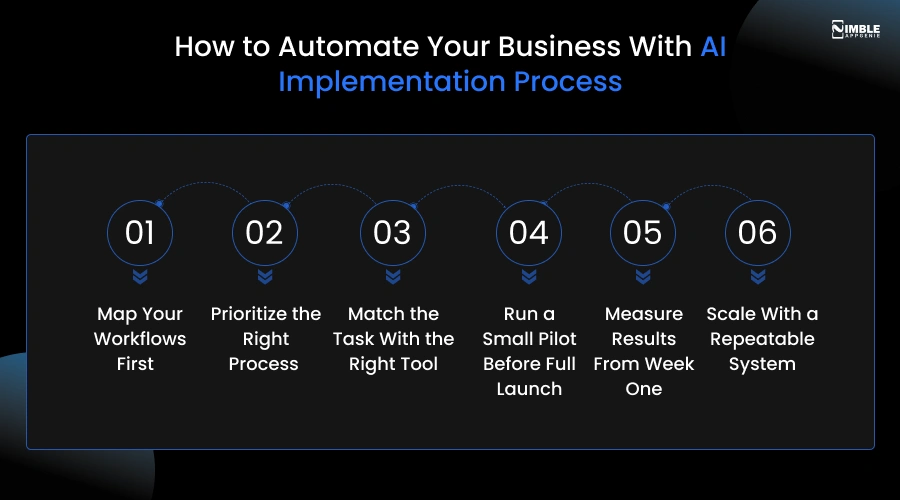
1. Map Your Workflows First
Firstly, document the current process completely, as it actually works, not how you wish it worked. Write out every step. For example, who does it? What triggers it? What tool or platform is involved? And what happens when it goes wrong?
For a lead follow-up process, someone fills out a form. Your team gets a push notification email, someone manually copies data into the CRM, and someone sends a welcome email. That is four steps. All four need to be documented before you automate your business with AI.
| Watch out: Building automation from memory rather than a documented process. Edge cases slip through, data lands in the wrong field, and you only find out when something breaks at 2 am. Write it out first. |
2. Prioritize the Right Process
You should apply the readiness scorecard and stack-rank your list. No, choose one process for your first AI automation and not three. A 3-person agency should pick the highest-scoring, lowest-risk task.
Usually, that is something in lead intake or order processing. Done looks like a single task with a score of 10 or above, fully documented, and assigned to one owner.
3. Match the Task With the Right Tool
Now match the task type to the right tool category and not the popular tool. Rule-based tasks are Zapier. AI-adjustment tasks are ChatGPT, Claude. Complex multi-step workflows are custom GPT with function calls.
If your automation needs to connect to existing CRMs, ERPs, or internal systems, the dedicated development team handles that without replacing what is already working. Done looks like one tool selected, with a documented reason, that fits the specific task.
4. Run a Small Pilot Before Full Launch
You can run the AI for business automation on real data, but with a human reviewing every output before it reaches customers. Do not launch to your full database on day one.
Just run 50-100 real transactions with a team member checking each result. This is how you find field-mapping errors, logic gaps, and edge cases that destroy your documented process assumptions.
| Watch out: If you skip the pilot stage and go straight to full deployment, the bad automation sent to $10,000 customers is not a learning opportunity. It is a crisis. |
5. Measure Results From Week One
After that, you must track three numbers from week one. Time saved per week, error rate, and customer impact. If the AI automation saves 5 hours per week but has a 15% error rate that takes 3 hours to fix, you have saved 2 hours.
That may still be worth it, but you need to know the real numbers. Done looks like: a simple spreadsheet reviewed by one person every Monday morning.
6. Scale With a Repeatable System
Lastly, you can replicate the methodology, not just the tool. Once your first automation is stable, go back to phase 1 with your second-highest-priority task. The goal is not to buy more tools; it is to build a repeatable system for adding automations without breaking what is already running.
Done looks like: An automation SOC documented, a second workflow in the pilot phase, and a clear timeline for the next three.
AI Automation by Business Area: Where to Start
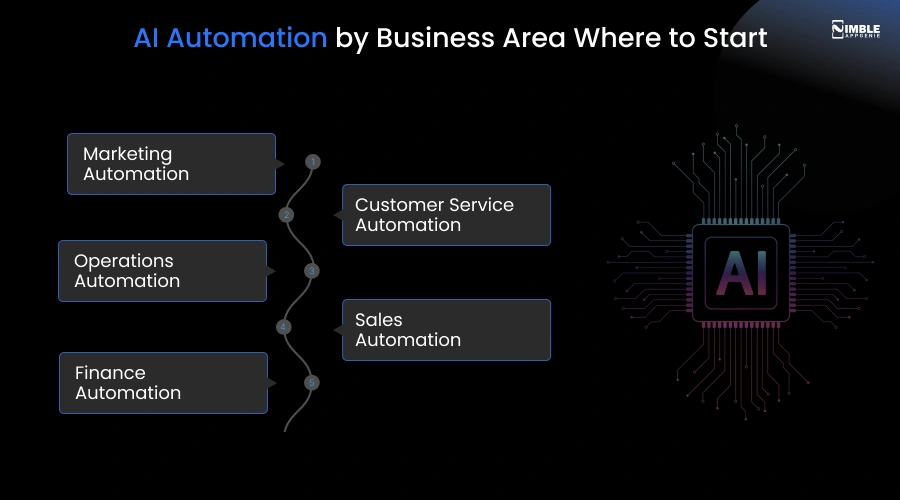
The five business areas with the highest AI automation ROI for small businesses are:
- Marketing
- Customer service
- Operations
- Sales
- Finance
Marketing and customer service usually deliver the fastest wins because the tasks are high-volume and follow clear rules. Each area has a different starting point.
Let’s have a look at the breakdown of where to start in each area, with specific tools and workflow examples.
► Marketing Automation
Before you start a task, it is vital to capture leads, email welcome sequences, and social media scheduling.
Tools: Zapier to connect your lead form to your email list. Mailchimp or ActiveCampaign for automated sequences. Buffer or Publer for social scheduling.
Example Workflow: Visitor fills lead magnet form → Zapier adds them to Mailchimp with correct tags → 3-part welcome sequence fires automatically over 5 days.
Setup time: 4-6 hours. Ongoing time saved: 3-5 hours per week.
► Customer Service Automation
Best starting tasks are FAQ responses, ticket triage, and order status updates.
Tools: Tidio or Intercom for AI chat, Zendesk or Freshdesk for ticket routing workflows.
Example workflow: Customer sends where is my order → AI chatbot pulls order status from Shopify and replies → if unresolved, escalates to a human agent. It handles 49-60% of common queries without human involvement.
If you need a custom-built AI chatbot that connects to your existing systems, it is best to consult with an AI chatbot development company that covers design, development, and deployment.
► Operations Automation
Before starting tasks, you should check invoice processing, client onboarding, scheduling, and data entry.
Tools: HubSpot CRM with AI workflow automation, Clay for lead enrichment, and Zapier to connect intake forms.
Example workflow: Client submits project brief through form → Make.com creates a Google Drive folder, adds an Asana task, and sends a confirmation email → project manager gets a summary Slack message. It saves 20-30 minutes per new client.
► Sales Automation
Before starting tasks, lead scoring, data entry with CRM software, and follow-up sequences.
Tools: HubSpot CRM with workflow automation. Clay for lead enrichment. Zapier to connect intake forms.
Example Workflow: New lead submits contact form → Zapier enriches the contact via Clay, adds to HubSpot, and scores the lead based on industry and company size → high-scoring leads get an immediate follow-up task assigned to the sales rep.
► Finance Automation
Best starting tasks, expense categorisation, invoice matching, and weekly P&L reporting.
Tools: QuickBooks Online with bank feed automation. Dext for receipt capture. Google Sheets + Zapier for lightweight reporting.
Example workflow: Receipt uploaded to Dext via phone → Dext reads vendor and amount using OCR and categorises the expense → syncs automatically to QuickBooks in the correct category. Cuts monthly bookkeeping time by 50–70%.

How Much Does it Cost to Automate Your Business With AI?
The cost to automate your business with AI can range from $50 to over $10,000 per month. It varies depending on your scale. For a $200,000 per year e-commerce business automating customer service and email marketing, tool costs typically run $150-$300 per month.
You can add 20-40 hours of setup time in month one. Monthly savings in staff time and error reduction usually range from $800-$2,000. Most businesses reach payback within 60-90 days.
The table below showcases the cost of AI automation in business.
| Item | Month 1 | Month 3 | Month 12 |
| Total costs | $180 per month | $220 per month | $280 per month |
| Setup/implementation time | 32 hrs | 4 hrs maintenance | 3 hrs/month maintenance |
| Staff time saved, customer service | 6 hrs/week = $480/month | 8 hrs/week = $640/month | $10 hrs/week = $800/month |
| Staff time saved, email marketing | 3 hrs/week = $240/week | 4 hrs/week = $320/month | 5 hrs/week = $400/month |
| Error correction costs avoided | $150/month | $200/month | $300/mo |
| Net monthly benefit | -$930 (setup month) | +$940/mo | +$1,220/mo |
Payback period in this example is approximately 60 days after the month-one setup.
The honest caveat: these numbers assume the automations are set up correctly and maintained. A poorly configured automation that sends wrong order confirmations or misfires email sequences can cost more than it saves.
| Watch out: Counting only the monthly subscription fee and ignoring implementation time and maintenance. A $29/month tool that takes 40 hours to configure and breaks twice a month is not cheap. |
Zapier Automation vs. AI Automation: Which One Does Your Business Actually Need?
Zapier automation follows fixed rules: if X happens, do Y. It does not think. However, AI automation adds a reasoning layer. It reads content, makes decisions based on context, and handles variation.
Most small businesses need both. You can start with Zapier for structured, predictable tasks and add AI when the task requires judgment, language, or pattern recognition. This is the question business owners ask on AI platforms.
What is the difference between Zapier and AI, and which do I actually need?
The answer matters because the wrong choice wastes money. Buying an AI tool to do something Zapier handles for free is expensive. If you use Zapier for a task, it requires judgment and constant manual fixes.
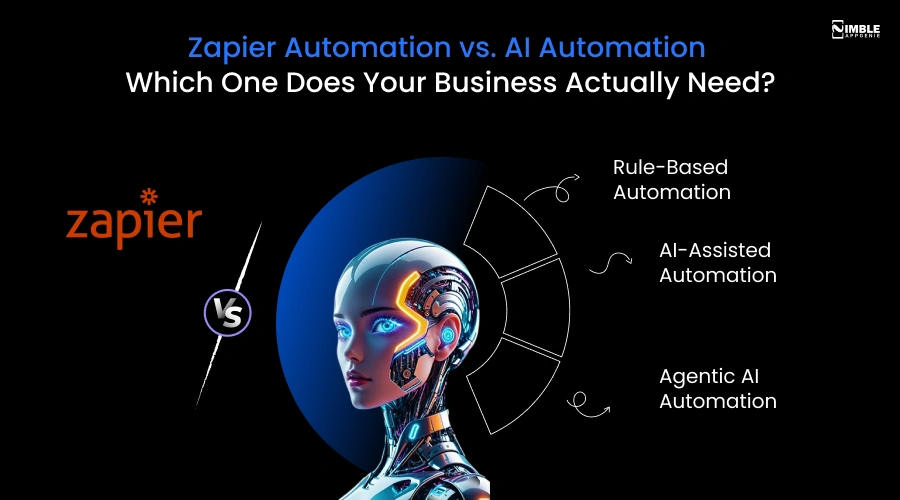
1. Rule-Based Automation
Rule-based automation executes fixed logic. They have no intelligence; they simply follow the instructions you give them.
If a new row is added to a Google Sheet, send a Slack message. If a form is submitted, create a HubSpot contact. And if an invoice is paid in Stripe, update the record in QuickBooks software.
2. AI-Assisted Automation
AI automation handles tasks where the input varies and the right output requires understanding context. Sorting customer emails by intent.
Writing a personalised follow-up based on a lead’s industry. Categorising a support ticket and drafting a first response. Summarising a meeting transcript and extracting action items.
These tasks have no single correct rule. The output depends on what the input says, and that requires language understanding, not just logic.
3. Agentic AI Automation
Agentic AI goes further. It does not just respond to a trigger; it monitors, decides, and acts across multiple steps without being told to. An AI agent might check your inbox every hour, identify leads that haven’t been followed up on in 3 days.
Also, write a personalised outreach email for each one, and schedule send times based on time zone, all without a human initiating any step. This is the most powerful level. It’s also the most expensive to build, the hardest to monitor, and the easiest to get wrong.
Common AI Automation Mistakes and How to Avoid Them
The most common AI automation mistakes are:
- Automating before documenting the manual process
- Over-automating customer touchpoints
- Skipping the pilot phase
- Choosing tools before defining the problem
- Ignoring maintenance and error monitoring
Each mistake has a clear, preventable cause.
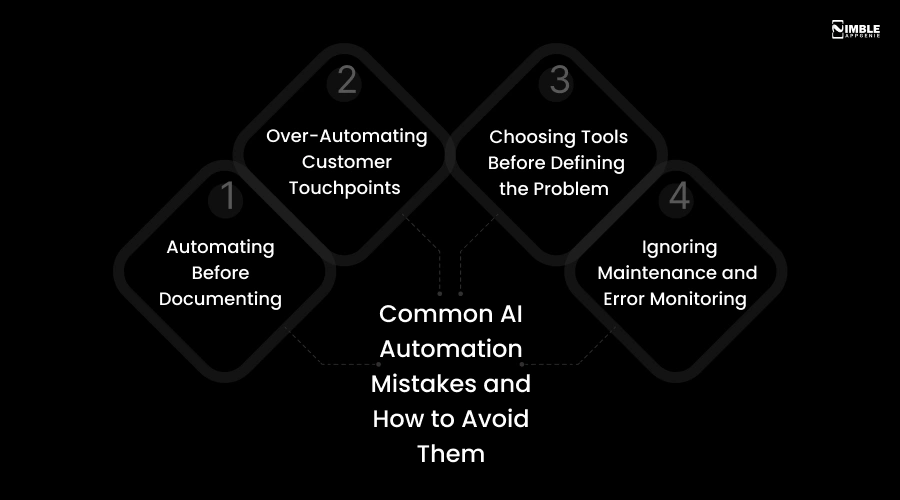
Mistake 1: Automating Before Documenting
This is the common mistake and the hardest to recover from. Someone builds an automation from memory, how they think the process works, not how it actually works. The automation goes live, and within days, edge cases slip through. Emails go to the wrong segments.
Solution:
You should write out the manual process in full before touching a tool. Every step and every exception. Also, every what-if scenario. That documentation becomes the blueprint. Anything not in the blueprint gets missed.
Mistake 2: Over-Automating Customer Touchpoints
A welcome email sequence is smart. An eight-email automated flow that fires regardless of whether the customer has logged in, asked a question, or already cancelled, that is a problem.
Customers notice when they are being treated like a record number. Over-automating touchpoints removes the personal edge that most small businesses use as a benefit.
Solution:
Automate the delivery, not the relationship. You can keep the message itself human. Build exit conditions into every sequence; if the customer takes action X, stop the flow.
Mistake 3: Choosing Tools Before Defining the Problem
We need to get on Zapier is not a strategy. Neither is ‘let’s use AI for our sales process.’ Tool-first decisions lead to expensive, underused subscriptions.
A team that buys Make.com before knowing what they want to automate ends up automating whatever Make.com makes easy, which may not be their actual bottleneck.
Solution:
You should define the problem first. What task, how often, and what the deal output looks like. Then find the tool that fits the problem.
Mistake 4: Ignoring Maintenance and Error Monitoring
Automation break. APIs change. Tools update their interfaces. A Zapier automation that worked perfectly for 6 months can fail silently when one of the connected apps releases an update.
If no one is monitoring for errors, leads disappear, emails do not send, and data gets lost, and you often do not find out until a customer complains.
Solution:
You can set up error notifications for every automation on day one. Zapier, Make all have built-in alerts. You should route them to a dedicated Slack channel or inbox. Review it weekly.
How Nimble AppGenie Can Help You Automate Your Business with AI?
Nimble AppGenie is an AI development company that has been creating digital products since 2017. If your automation needs go beyond off-the-shelf tools like custom AI workflows or API integrations, our expert team manages everything from design to deployment.
Some businesses hit a point where off-the-shelf tools are not enough. The workflow is too complex, the integration does not exist, or the business needs AI built into the product itself, not just bolted on top. That is where Nimble AppGenie comes in.
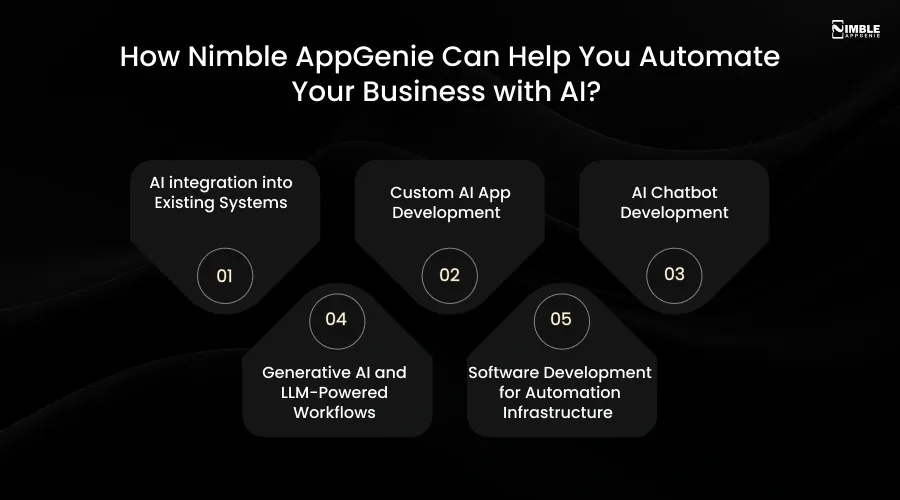
1. AI integration into Existing Systems
If your business already runs on a CRM, ERP, or internal platform and you need AI layered in without replacing what works, we manage exactly that. Our team connects LLMs, automation logic, and API layers to your existing stack.
2. Custom AI App Development
If your automation vision needs a purpose-built application like a proprietary AI tool or customer-facing AI feature, we cover the full build from UI/UX through backend engineering and deployment.
3. AI Chatbot Development
If you need an AI chatbot in fintech, healthcare, etc., that connects to your CRM, handles customer queries, and routes escalations to your team, we build custom chatbot solutions designed around your specific workflows.
4. Generative AI and LLM-Powered Workflows
For businesses that need GPT-4, Claude, or custom LLM integrations, we manage development-ready builds that go well beyond what no-code tools can offer.
5. Software Development for Automation Infrastructure
For businesses that need custom software as the foundation for their automation stack, like backend systems and APIs, we cover architecture, development, and ongoing maintenance.
Are you ready to build? If you have worked through this guide and know you want to automate but need a technical partner to build it, Nimble AppGenie has delivered 350+ digital products in fintech, e-commerce, and SaaS. Book a free strategy call with the team to scope your automation project.
Conclusion
Automating your business with AI is not a one-time project. It is a capability you build over time. You can start with one process and get it right, measure it honestly, and then add the next one.
The businesses that win with AI automation are not the ones that move fastest. They are the ones that build stable, documented, well-maintained systems that actually get used, and then scale those systems methodically.
The first step is the audit. Do a proper audit of your business, and you will have a real roadmap to automate your business with AI.
FAQs

Madan is the Backend Solutions Architect at Nimble AppGenie, specializing in the design of secure, high-concurrency systems that power complex mobile ecosystems. With deep expertise in server-side logic and database management, he ensures every platform is built with enterprise-grade security. In his free time, he is an avid researcher of emerging technologies; he spends his time deconstructing the latest backend frameworks and reading technical papers to ensure our solutions remain at the absolute forefront of industry innovation.
Table of Contents




No Comments
Comments are closed.