

 Free Consultation
 PCI-DSS Compliant
 GDPR Ready
 ISO 27001
 NDA Protected
 AI Services
 AI App Development
 Generative AI Development
 AI Chatbot Development
 AI Integration Services
 AI Consulting Services
 AI For Fintech
 AI Financial Assistant Solution
 AI Insurance Agent Development
 Tech Stack
 OpenAI / GPT-4
 Claude / Anthropic
 Gemini / Google AI
 Llama / Open Source
 LangChain / LlamaIndex
 Pinecone / Pgvector
 AWS / Azure AI


 Fintech Solution
 Core Fintech
 App Development
 Neobank Solutions
 eWallet Solutions
 Lending Software
 Banking Solutions
 BNPL Solutions
 BNPL Solutions
 Insurance App
 Wealth Management
 Crypto & DeFi
 Blockchain Development
  Payroll Software
 DeFi Solutions
 Crypto Wallet
 Crypto On/Off Ramp
 Crypto Exchange
 Trading Platform
 Payments
 Compliance
 Regulations & Compliance
 Fraud Detection
 Lending Ecosystem
 P2P Lending Platform
 Mortgage Software
 Engagement
 Fintech Outsourcing

 Mobile Development
 Mobile App Dev
 iOS App Development
 Android App Development
 React Native
 Flutter Development
 Web Solution
 Node.js Development
 React.js Development
 Angular Development
 App Services
 UI/UX Design
 App Maintenance
 By Stage
 MVP Development
 Industry Solutions
 Healthcare App Dev
 Education App Dev
 Travel App Dev
 Real Estate App Dev
 Logistics Software
 Social Media App

 Hire Mobile Developers
 Hire iPhone Developers
 Hire Android Developers
 Hire React Native Devs
 Hire Flutter Developers
 Hire Web Developers
 Hire Node.js Developers
 Hire Angular Developers
 Hire PHP Developers
 Hire Laravel Developers
 How It Works
 Pre-Vetted Developers
 Ready In 48 Hours
 NDA From Day One
 Replace Guarantee
 Company
 About Us
 Our Work Process
 Portfolio
 Case Studies
 Blog / Insights
 Careers
 Contact Us
 Awards
 Recognition


 Offices


Key Takeaways:
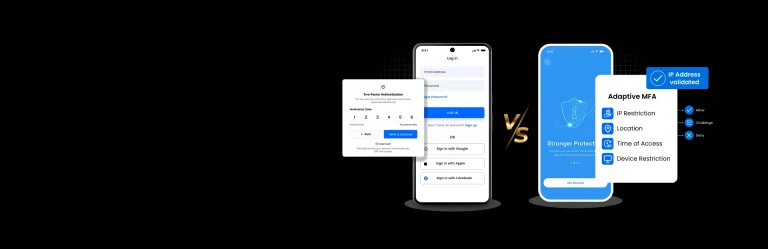
- 2FA vs MFA is about adding extra security beyond passwords to protect apps, accounts, and business systems from cyberattacks.
- Two-factor authentication (2FA) uses exactly two verification methods, such as a password and OTP, to improve login security.
- Multi-factor authentication (MFA) uses two or more authentication factors, such as passwords, biometrics, hardware keys, or location checks.
- 2FA is best for consumer apps, SaaS platforms, eCommerce apps, and businesses that need simple and secure user login.
- MFA is recommended for healthcare, fintech, enterprise, and government apps that handle sensitive customer or business data.
- Modern authentication security methods like biometric authentication, authenticator apps, and hardware security keys are safer than SMS OTPs.
- Choosing between MFA vs 2FA depends on your app security needs, compliance requirements, user experience, and business risk level.
- Nimble AppGenie helps businesses build secure authentication systems with custom 2FA and MFA solutions for mobile apps, web platforms, and enterprise software.
You run a business and have an app, a customer portal, or a team that logs into tools every day. You have heard that passwords alone are not enough anymore, and you are right.
In 2025, more than 80% of hacking-related data breaches were caused by stolen or weak passwords. Those single statistics should be enough to make any business owner or app developer sit up straight.
So, you Google a solution, and you immediately run into two terms: 2FA vs MFA. Both sound similar. Both promise better security. But which one does your business actually need? And what is the real difference?
This guide answers those questions. Whether you are a startup founder, a product manager, or a business owner with zero cybersecurity background, by the time you finish reading this, you will know exactly what 2FA and MFA are, how they differ, and which one belongs in your product.
So, let’s start!
What is Authentication?
Authentication is the process of verifying the identity of a person before getting access to a system, app, or account. For years, a username and password were enough. User types in their email, types in their password, and that’s it.
But here is the problem: passwords are easy to hack. People reuse them on multiple accounts. They choose weak ones. Hackers use tools that can easily crack millions of passwords without realizing it.
The solution? You can add more layers of verification beyond just a password. That is why 2FA and MFA are mandatory.
What Are the Types of Authentication Factors?
Before we explain 2FA and MFA, you need to know about the building blocks they use, that is, authentication factors. Below are the four main types of factors.
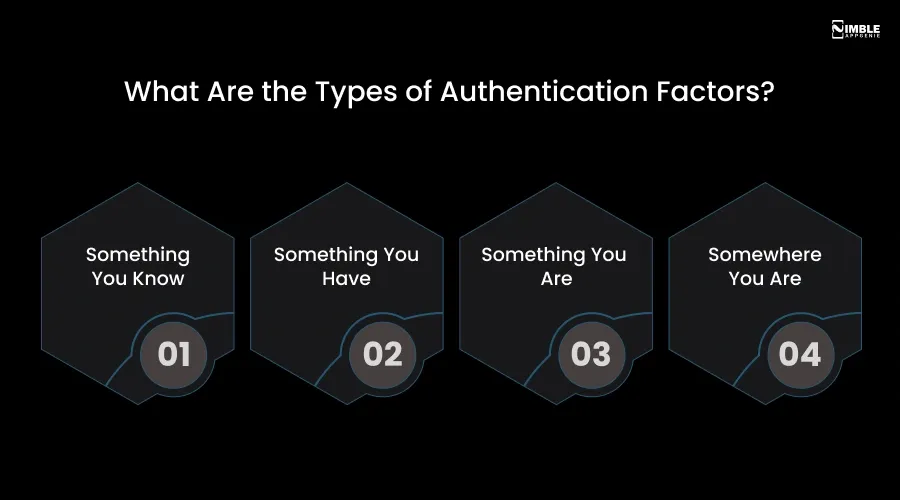
- Something You Know: A password, a PIN, or answers to a security question. This is the most common factor and the most vulnerable one.
- Something You Have: A physical device like your smartphone, a USB security key, or a hardware token that generates a one-time code.
- Something You Are: Your biometric data, like fingerprint, face ID, voice recognition, or the way you type.
- Somewhere You Are: Your physical location. Some systems only allow access if you are connecting from a specific country, city, or IP address.
These are the four major categories that are really important because the whole concept of 2FA and MFA is developed around combining factors from different categories.
If you use two knowledge factors like a password and a PIN, it is not true two-factor authentication. It is just two steps, both from the same category.
What is Two-Factor Authentication?
Two-factor authentication, or 2FA, is a security method that requires users to verify their identity using two different factors from two different categories. The most common examples you probably already use are:
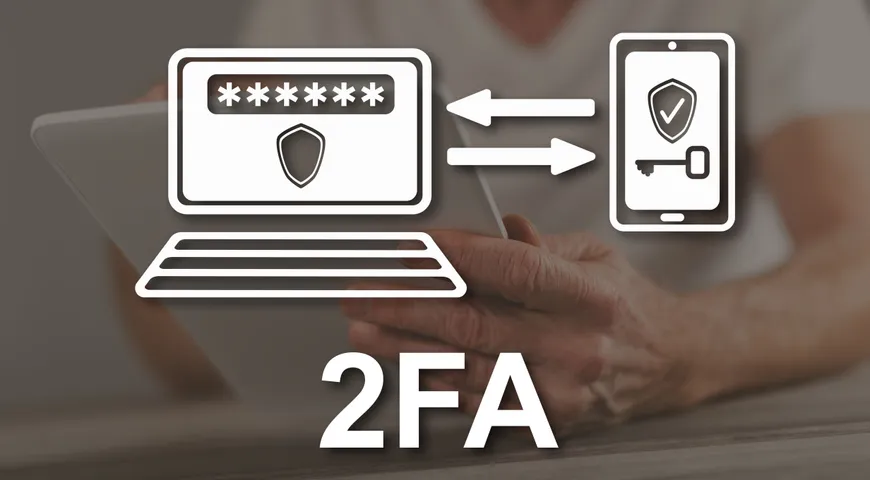
- You enter the username and password.
- The system sends a 6-digit code to the phone. You enter that code, and you are in.
That second step is what makes it 2FA. If a hacker steals your password, they still cannot get in without that code on your mobile phone. The common 2FA methods are:
- SMS one-time passwords or OTP: A code sent to your phone through text.
- Authenticator apps: Just like Google Authenticator or Microsoft Authenticator, which generate a time-sensitive code.
- Push Notifications: A prompt on your phone where you tap Approve or Deny.
- Hardware tokens: A physical device, like a YubiKey, that generates codes.
| Quick Stat: Microsoft reports that enabling 2FA blocks more than 99.9% of automated account attacks. It is one of the single biggest security upgrades any business can make. |
What is Multi-Factor Authentication?
Multi-factor authentication, or MFA, is the broader category. It just needs two or more authentication factors before granting access. One thing you must remember. 2FA is a type of MFA. But MFA is not limited to just two factors.
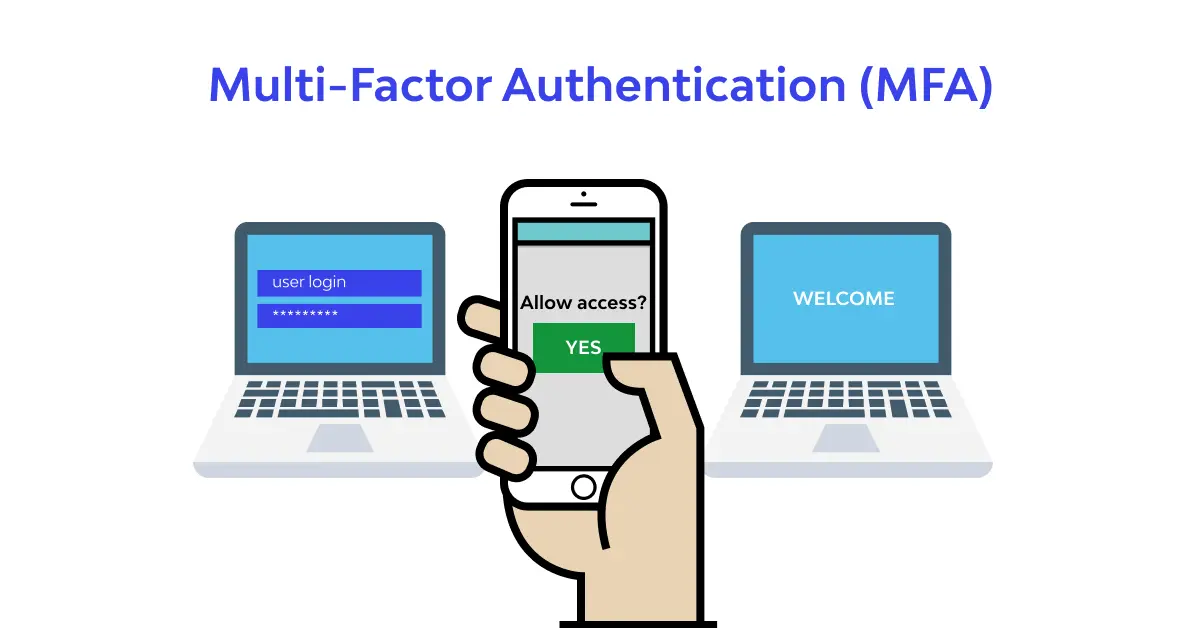
An MFA system may need three, four, or more layers of verification. A real-world MFA example in a high-security setting is:
- Password
- Fingerprint scan
- Hardware security key
This kind of layered mobile app security is used by banks, healthcare systems, government portals, and large enterprises where the cost of a breach is catastrophic. Modern MFA systems are also smart. They use risk-based or adaptive authentication.
This means the system analyzes your login behaviour, location, device, and time of day. If something looks unusual, it asks for extra verification. If everything looks normal, it allows you to go in smoothly.
2FA vs MFA: Full Comparison Table
Now that you clearly understand both authentication methods, let’s take a look at the 2FA vs MFA comparison. Here is a side-by-side look at every important difference between Two-Factor vs Multifactor Authentication.
| Feature | 2FA | MFA |
| Number of factors | 2 factors | 2 or more factors |
| Is 2FA a type of MFA? | Yes | MFA is a parent category |
| Overall Security Level | Strong. It stops the vast majority of attacks. | Stronger. It adds more layers, making it much harder to breach. |
| Vulnerable to SIM swapping? | Yes, if the 2nd factor is SMS based. | Generally, no, since MFA rarely relies on SMS alone. |
| Common Use Cases | Consumer apps, email, and e-commerce. | Banking, healthcare, government, enterprise. |
| Complexity for Users | Low, simple, and familiar | Medium to High, depends on factors used |
| Cost to Implement | Low to Medium | Medium to High |
| Compliance Support | Meets basic requirements | Meets HIPAA, PCI DSS, GDPR, CMMC |
| Adaptive / Risk-Based | Rarely | Yes, most modern MFA systems include this |
Detailed Comparison of 2FA vs MFA for Modern Authentication Security
The above table gives you the full picture of 2FA vs MFA. Now let us walk you through the most import diffrerences between MFA vs 2FA in detail. Take a look:
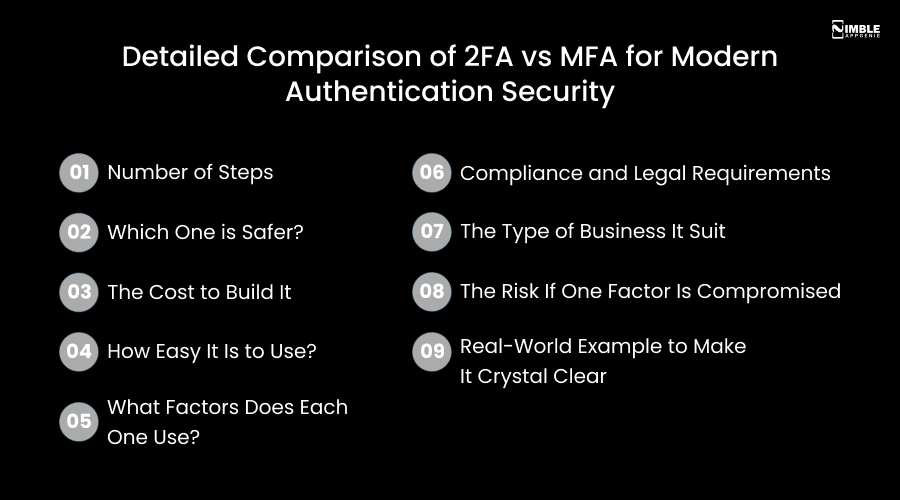
1. Number of Steps
- 2FA: Two-factor authentication always uses exactly 2 steps. No more, no less. Step 1 is your password. Step 2 is something else, like a code from an app or a fingerprint scan. That is where it stops.
- MFA: Multi-factor authentication uses 2 or more steps. It can go to 3, 4, or beyond. You might enter your password, then scan your fingerprint, then confirm on a hardware key. Each step is an extra wall between your account and an attacker.
2. Which One is Safer?
- 2FA: It is significantly safer than just a password. Also, it blocks over 99% of automated attacks. But it has limits, especially if you use SMS as the second factor, which can be intercepted through SIM swapping.
- MFA: It is safer than 2FA because it adds more layers of security. Even if a hacker gets through one, they face another. When you combine a password, a hardware key, and a fingerprint, all three would need to be compromised at the same time. That is extremely rare.
3. The Cost to Build It
- 2FA: It is cheaper and faster to build. Libraries and APIs for OTP and authenticator apps are widely available. A dedicated development team can add 2FA to an existing mobile app in a matter of days.
- MFA: It costs more because you are building multiple verification layers. Biometric integration, hardware key support, and adaptive risk engines each one adds development time and infrastructure cost. It is worth it for high-risk apps, but it is not the right investment for every product.
4. How Easy It Is to Use?
- 2FA: It is quite simple and familiar. You enter your password, get a 6-digit code on your phone, type it in, and you are done. Most users are already comfortable with this. It adds maybe 10 seconds to a login.
- MFA: It can take longer depending on the number of steps required. However, modern MFA systems are smart. They only ask for extra steps when something looks suspicious, like a login from a new country or an unfamiliar device. On a normal day from a trusted device, it can feel just as quick as 2FA.
5. What Factors Does Each One Use?
- 2FA: It selects two factors from different categories. Something you know, like a password, and something you have, like OTP. Besides, Something you like is like a fingerprint. But you can choose only two and always exactly two.
- MFA: It can combine any mix of all four factor categories. Something you know, something you have, something you are, and somewhere you are. This flexibility makes MFA much more powerful for high-security systems.
6. Compliance and Legal Requirements
- 2FA: It meets the basic security requirements for many industries. It works best for general business apps, e-commerce, and productivity tools. But for heavily regulated industries, it often falls short.
- MFA: It is specifically required by major compliance frameworks. HIPAA needs MFA for healthcare data access. PCI DSS requires phishing-resistant MFA for payment systems. CMMC needs MFA for US defense contractors. GDPR strongly recommends MFA for personal data systems if your business operates in any of these spaces; MFA is not optional. It is mandatory.
7. The Type of Business It Suits
- 2FA: It is the right fit for consumer apps, SaaS tools, e-commerce platforms, team collaboration tools, and most startup products. It gives you strong security without over-engineering the login experience.
- MFA: It is the right fit for fintech apps, healthcare platforms, government portals, enterprise systems, legal tools, and any product where a data breach would be catastrophic. For instance, financially, legally, or reputationally.
8. The Risk If One Factor Is Compromised
- 2FA: In 2FA, there are only two factors. If an attacker manages to steal both your password through phishing and your OTP through SIM swapping, they are in. This is unlikely but possible.
- MFA: In MFA, compromising one factor is not enough. An attacker would need to simultaneously steal your password, bypass your biometric scan, and physically possess your hardware key. This is nearly impossible in practice, which is why MFA is used to protect the most sensitive systems in the world.
9. Real-World Example to Make It Crystal Clear
- 2FA: You log into your company email. Enter your password, open Google Authenticator, enter the 6-digit code, and done. That is 2FA.
- MFA: A doctor logs into a hospital’s patient records system. Enter the password, fingerprint scan on the workstation, and insert a hardware security key; all three are required. That is 3-factor MFA, and it is required by HIPAA.
Is MFA Always Better Than 2FA?
The answer is not necessarily. More factors do not automatically mean better security. It relies on the quality of the factors you use. One strong factor combined with a secure password can be more secure than three weak factors.
The other thing to consider is user experience. The more steps a user has to complete to log in, the more frustrated they become. And frustrated users find workarounds or abandon your app altogether.
For most consumer-facing apps like shopping platforms, social apps, and productivity tools, 2FA provides the right balance of security and convenience.
For healthcare apps, financial platforms, government tools, or any system handling highly sensitive data, MFA with three or more strong factors is the standard.
| The goal is not the maximum number of factors. It is the right combination of factors for your specific risk and user base. |
When Should Your Business Use 2FA vs MFA?
Choosing between 2FA and MFA depends on your business size, security needs, and the type of data you handle. While 2FA gives an added layer of protection with two verification steps, MFA offers stronger security by using multiple authentication methods.
Let’s take a look at the situations where you should use 2FA or MFA to keep accounts, systems, and customer data safe.
1. When to use two-factor authentication?
- You are creating a consumer-facing mobile app or web platform
- Your users are not particularly tech-savvy and need a simple experience
- Your mobile app data privacy compliance requirements do not specifically mandate more than two factors
- You are protecting accounts with moderate sensitivity, like email, CRM access, and project tools
- You want quick implementation with lower cost
2. When to use multi-factor authentication?
- You are building a fintech, healthcare, legal, or government application
- Your platform handles protected health information (PHI), financial data, or classified records
- You need to comply with HIPAA, PCI DSS v4.0, GDPR, CMMC, or SOC 2
- Your users include employees with access to sensitive internal systems
- You want to implement a Zero Trust security architecture
What Are the Common Authentication Methods?
Not all second factors are equal; some are different, too. Here is how common authentication models rank from weakest to strongest.
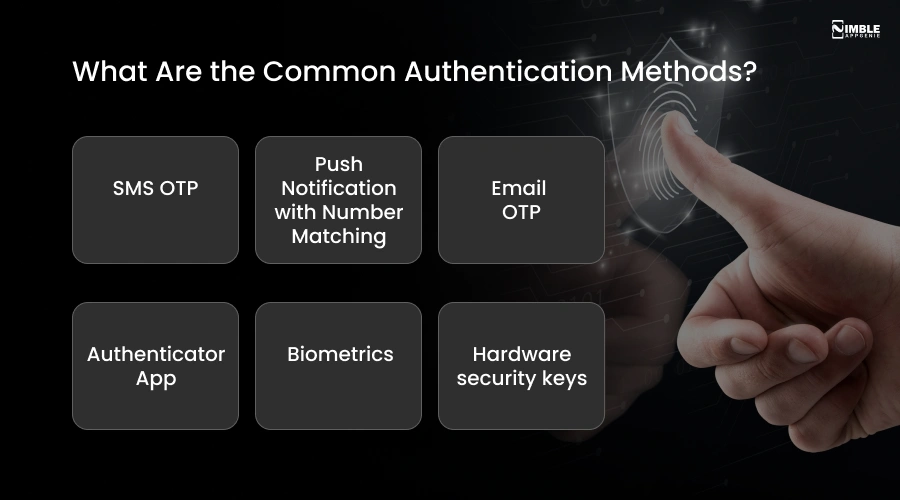
1. SMS OTP
A code sent by text message. It is easy to use, but vulnerable to SIM sapping and phishing attacks. Besides, it is better than nothing, but not recommended as a sole second factor for high-security apps.
2. Push Notification with Number Matching
A push notification prompt appears on your mobile phone. You must match a number shown on the login screen to the one shown in the app before tapping approve. It is much harder to trick.
3. Email OTP
It is similar to SMS but sent via email. Although it is slightly more secure than SMS but still vulnerable if the email account is compromised.
4. Authenticator App
Apps like Google Authenticator generate time-based codes that refresh every 30 seconds. It is not linked to a phone number, so immune to SIM swaps. A solid choice for most apps.
5. Biometrics
Tied to who you physically are. Biometric authentication is difficult to replicate and fast for users. It is excellent as an MFA factor.
6. Hardware security keys
Physical devices like a YubiKey use public-key cryptography and are completely immune to phishing. The gold standard for high-security environments.
So, Which One Does Your Business Actually Need?
If you are building a consumer app, an e-commerce platform, a SaaS tool, or a team product, 2FA is the right choice. It is strong, simple, and familiar to users.
However, if you are creating a fintech app, a healthcare platform, a government, an enterprise system, or anything that manages sensitive regulated data, MFA is the right choice. It is required, not optional.
And remember, starting with 2FA and upgrading to MFA later is always a valid strategy. To build securely from day one, it is best to scale your authentication as your product grows.
How Nimble AppGenie Can Help You Build Secure Authentication?
Choosing between 2FA and MFA is one direction. But developing it correctly into your app is another.
Being a trusted mobile app development company, Nimble AppGenie builds custom authentication systems for mobile and web apps, from simple 2FA flows to full enterprise MFA with adaptive risk scoring.
Here is how we help clients:
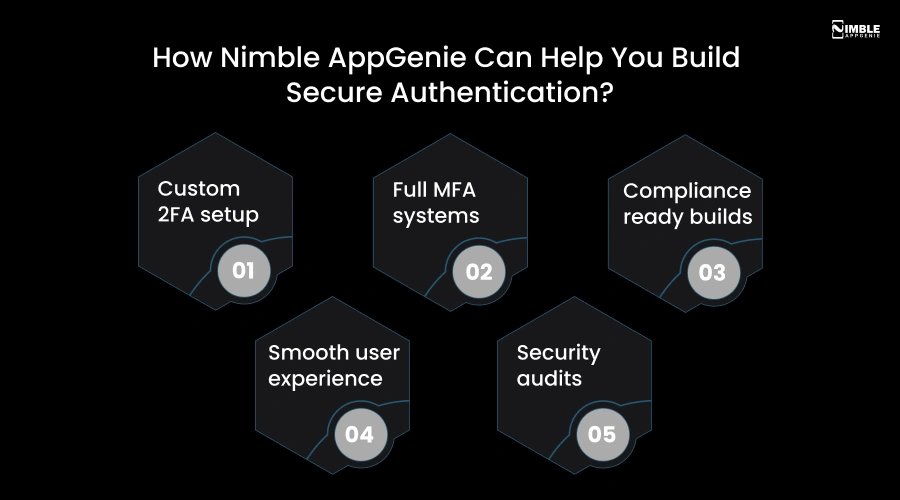
- Custom 2FA setup: OTP, push notifications, and authenticator app integration built into your mobile app’s login flow.
- Full MFA systems: Biometric integration, hardware key support, location-based authentication, and adaptive risk engines.
- Compliance-ready builds: Authentication that meets HIPAA, PCI DSS, GDPR, and SOC 2 requirements from day one.
- Smooth user experience: Security that does not frustrate users, adaptive systems that only trigger extra steps when needed.
- Security audits: Already have an app? The team can review your current authentication setup and upgrade it to current standards.
Ready to build a secure authentication system? Talk to Nimble AppGenie and get a free consultation and a clear path for the right authentication setup for your product.
Conclusion
Passwords alone are a relic of the past. Every business with an online presence, whether you have an app, a customer portal, or a team using cloud tools, needs to move beyond single-factor authentication.
The 2FA vs MFA comes down to this. Two-factor authentication is one extra layer of verification beyond your password. However, Multi-factor authentication is a two-layer or more layers.
The question is no longer whether you need authentication beyond passwords. The question is: whihc level of authentication does your product and your users actually need?
Thus, if you are developing a mobile app and need to get this right from the start, we have the experience and expertise to design the authentication system that fits your product, users, and compliance requirements.
FAQs

Madan is the Backend Solutions Architect at Nimble AppGenie, specializing in the design of secure, high-concurrency systems that power complex mobile ecosystems. With deep expertise in server-side logic and database management, he ensures every platform is built with enterprise-grade security. In his free time, he is an avid researcher of emerging technologies; he spends his time deconstructing the latest backend frameworks and reading technical papers to ensure our solutions remain at the absolute forefront of industry innovation.
Table of Contents




No Comments
Comments are closed.