

 Free Consultation
 PCI-DSS Compliant
 GDPR Ready
 ISO 27001
 NDA Protected
 AI Services
 AI App Development
 Generative AI Development
 AI Chatbot Development
 AI Integration Services
 AI Consulting Services
 AI For Fintech
 AI Financial Assistant Solution
 AI Insurance Agent Development
 Tech Stack
 OpenAI / GPT-4
 Claude / Anthropic
 Gemini / Google AI
 Llama / Open Source
 LangChain / LlamaIndex
 Pinecone / Pgvector
 AWS / Azure AI


 Fintech Solution
 Core Fintech
 App Development
 Neobank Solutions
 eWallet Solutions
 Lending Software
 Banking Solutions
 BNPL Solutions
 BNPL Solutions
 Insurance App
 Wealth Management
 Crypto & DeFi
 Blockchain Development
  Payroll Software
 DeFi Solutions
 Crypto Wallet
 Crypto On/Off Ramp
 Crypto Exchange
 Trading Platform
 Payments
 Compliance
 Regulations & Compliance
 Fraud Detection
 Lending Ecosystem
 P2P Lending Platform
 Mortgage Software
 Engagement
 Fintech Outsourcing

 Mobile Development
 Mobile App Dev
 iOS App Development
 Android App Development
 React Native
 Flutter Development
 Web Solution
 Node.js Development
 React.js Development
 Angular Development
 App Services
 UI/UX Design
 App Maintenance
 By Stage
 MVP Development
 Industry Solutions
 Healthcare App Dev
 Education App Dev
 Travel App Dev
 Real Estate App Dev
 Logistics Software
 Social Media App

 Hire Mobile Developers
 Hire iPhone Developers
 Hire Android Developers
 Hire React Native Devs
 Hire Flutter Developers
 Hire Web Developers
 Hire Node.js Developers
 Hire Angular Developers
 Hire PHP Developers
 Hire Laravel Developers
 How It Works
 Pre-Vetted Developers
 Ready In 48 Hours
 NDA From Day One
 Replace Guarantee
 Company
 About Us
 Our Work Process
 Portfolio
 Case Studies
 Blog / Insights
 Careers
 Contact Us
 Awards
 Recognition


 Offices


In a Nutshell:
- Zero-trust architecture in mobile apps does create a foundation of security by running on the principle of “Never Trust, Always Verify”.
- The six core pillars of zero trust architecture are identity, device, data protection, run-time protection, API security, and network assurance.
- Businesses should implement ZTA in mobile apps to enhance security, offering protection against data breaches, increasing visibility and monitoring, minimizing risks, and enhancing scalability.
- The key components of a zero trust architecture are authentication and authorization, mobile app attestation, API security, and secure communication.
- The challenges of mobile apps that can be overcome via ZTA are secrets management, insecure data storage, and weak authentication.
- Partner with Nimble AppGenie and implement the ZTA framework that suits your business app.
“Trust takes years to build, seconds to break, and forever to repair.”
When it comes to mobile apps, earning users’ trust is what most businesses seek in this competitive world. This is one of the core magical ingredients that can make your app stand out among your competitors.
But, the question is “how to build trust that too in mobile apps?”
Opt for a respective security protocol and network that can do that for you.
This is where “zero trust architecture (ZTA)” comes into play.
For developers, it is a core phenomenon that helps them to keep users’ data safe by ensuring business continuity. And, for businesses, it is an approach implemented to ensure that users trust your brand to provide their personal data.
Whether you are a developer or an entrepreneur, we have covered every aspect to describe the use, benefits, implementation framework, pillars, and even key components in this guide to zero trust architecture in mobile apps.
Let’s dive into it, together.
What is a Zero Trust Architecture?
A zero-trust architecture is a modern cybersecurity framework that is built on a foundational principle of “Never Trust, Always Verify”. Basically, it is built to prevent data breaches and to limit the internal lateral movement.
| The philosophy of zero-trust architecture is “Never Trust” and to treat every request for access as a potential threat, regardless of its location. |
It assumes that no user, device, or network should be trusted by default. Here, every device, user, and network is verified before granting access. Even if it’s built inside the system.
So, what does a zero-trust architecture mean with respect to a mobile application?
- Never Trust, Always Verify: No user or device is trusted by default.
- Least Privilege Access: Allows minimum access to tasks.
- Micro-Segmentation: The network is divided into small zones regardless of the locations.
- Continuous Verification: the identity and device health are validated at every access.
- Assumes Threat Mentally: The system operates as if the breach has already occurred.
When you look at the traditional apps, once the user logs in, they get broad access to that service.
However, with zero trust architecture, the app consistently checks:
- Who the user is.
- What device are they using?
- Where is the request coming from?
- What they’re trying to access.
Well, adding ZTA to mobile apps adds an additional layer of security and protects your app from cyber attacks.
So, when you create a mobile app, implement ZTA, but you should also learn about this security protocol in depth.
Now, let’s get into the details for ZTA by understanding its core pillars.
What are the Six Pillars of Zero Trust For Mobile Apps?
The core six pillars of zero trust architecture for mobile apps are runtime protection, device trust, identity assurance, API security, data protection, and Networks.
Here’s a brief of each of them in this guide to zero-trust architecture:
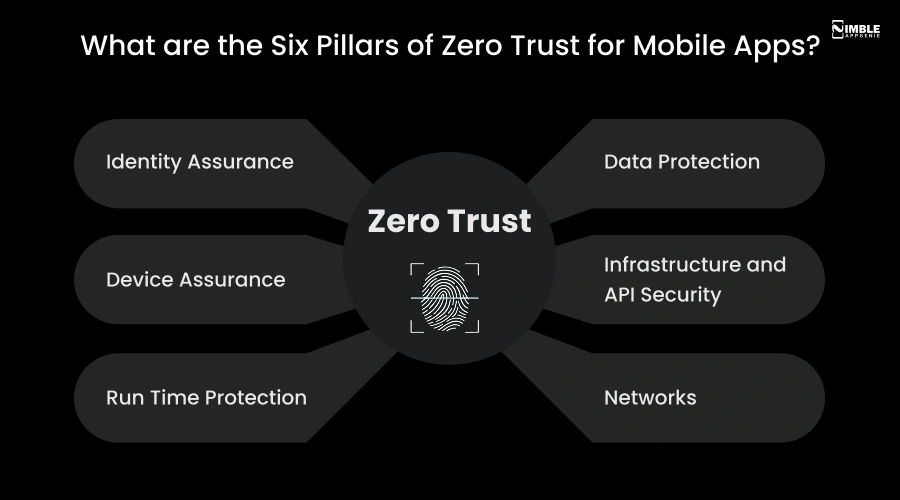
1. Identity Assurance
The foremost pillar of the zero trust architecture in mobile apps is identity assurance.
Whether an identity attempts to access a resource, ZTA ensures that the identity has strong authentication and that the access is compliant for that identity.
This pillar ensures the least privilege access principles.
2. Device Assurance
Once the identity is verified, the next pillar that becomes active is device authentication.
Here, the data can flow to various devices from company-issued laptops, partner-managed devices, bring your own device (BYOD), and on-premises workloads, as well as cloud-hosted services.
This diversification creates a huge attack surface area for the attackers. It requires that, as a developer, you should continuously monitor the device health and compliance to ensure secure access.
3. Run Time Protection
It is the core capability that ensures continuous monitoring and security when an application is functional in the live environment.
Here, the apps and their APIs provide the interface through which the data can be accessed.
Sensitive data can reside in legacy software and even in modern software. This pillar is helpful to detect tampering, reverse engineering, and even code injection.
4. Data Protection
The primary focus of adopting and implementing a zero-trust architecture is data protection.
One of the core parameters to look forward to is that data should remain safe wherever possible, even if it leaves the device, and networks controlled by organizations.
This pillar applies strong encryption, with secure enclaves, tokenization, and even in-app obfuscation for ensuring the confidentiality of data.
5. Infrastructure and API Security
This is the pillar that comprises enforcing verification of each API request. This pillar validates app authenticity and blocks abuse.
It further helps to replay attacks and even token thefts. Here, the developers should assess for version, configuration, and JIT access to boost and strengthen the defense.
Developers can use telemetry to identify attacks and anomalies. This is helpful to take protective actions.
6. Networks
This pillar identifies which network is apt through networking controls and segmentation.
Sensitive data is usually accessed over the network infrastructure. Here, you can proceed with the real-time protection that is enforced with end-to-end encryption and activity monitoring.
Additionally, businesses should hire mobile app developers who can regularly monitor the app behavior, environment changes, and even anomalous activity throughout the session.
Well, as an entrepreneur, if you’re confused about implementing the ZTA, let’s understand all the reasons in this guide to zero trust architecture.
Why Implement ZTA in Mobile Apps?
You should implement ZTA in mobile apps because it helps to enhance the overall security of the app, provides protection against data breaches, enhances visibility and monitoring, minimizes risks, and offers scalability.
Let’s evaluate all the reasons in brief:
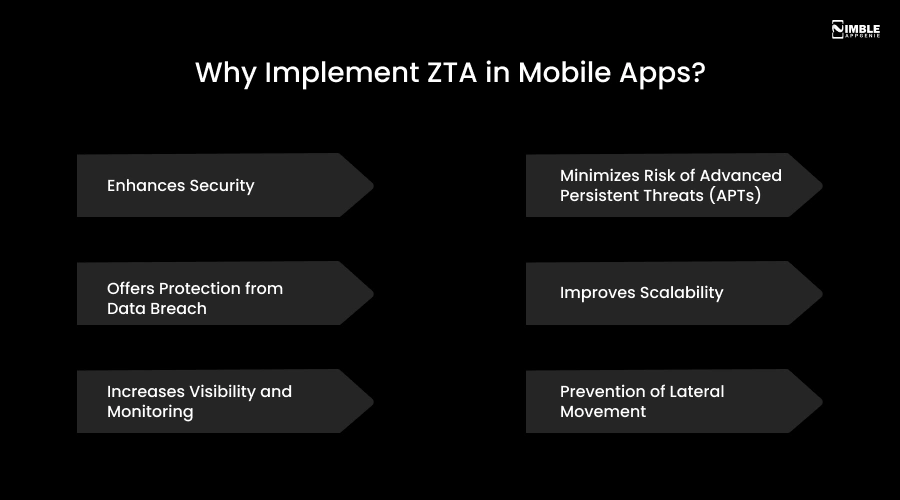
► Enhances Security
ZTA is built to minimize the attack surface by enforcing minimum privilege access and preventing users from accessing sensitive data.
It makes it harder for the attackers to penetrate the overall network. Additionally, it mitigates the risks of data breaches, phishing, and even ransomware attacks.
► Offers Protection From Data Breach
This is an additional security layer implemented to offer protection against data breaches. By requiring authentication for every request, ZTA is implemented to minimize the risks within the network.
It helps in shifting your security model from a traditional perimeter-based security model to a regular verification framework.
► Increases Visibility and Monitoring
Adopting ZTA for your mobile apps can result in increasing the visibility of your app in this competitive market. This model relies on continuous monitoring and even improves the organization’s visibility.
This enables more effective threat detection and response. This is one of the important benefits of implementing zero-trust architecture in mobile apps.
► Minimizes Risk of Advanced Persistent Threats (APTs)
Implementing zero-trust architecture in mobile apps helps to reduce the risks related to advanced persistent threats.
The zero-trust architecture is designed by isolating the overall network segments and by verifying access at each level.
► Improves Scalability
ZTA is implemented for easily scaling and accommodating the users, devices, and applications, making it suitable for all businesses of all sizes to implement it successfully.
Zero-trust architecture in mobile apps helps in replacing the rigid, perimeter-based security patterns with flexible, cloud-native frameworks.
► Prevention of Lateral Movement
ZTA is built to divide the network into small, isolated zones, with the help of microsegmentation. And, if a breach occurs, the damage is contained to one segment by preventing the hackers from accessing the sensitive data.
It replaces the traditional castle and moat model with the modern layer by providing limited access regardless of any location.
Zero-trust architecture in mobile apps helps in improving the overall mobile app security of the app, and further enables users to trust your business.
Now, as you’re ready to implement zero-trust mobile apps, let’s get ahead with the key components for zero-trust mobile apps in the following section.
What are the Key Components For Zero Trust Mobile Apps?
The key components for zero-trust mobile apps are authentication, attestation, API security, authorization, and even secure communication.
Let’s discuss the brief on key components for zero-trust mobile apps:
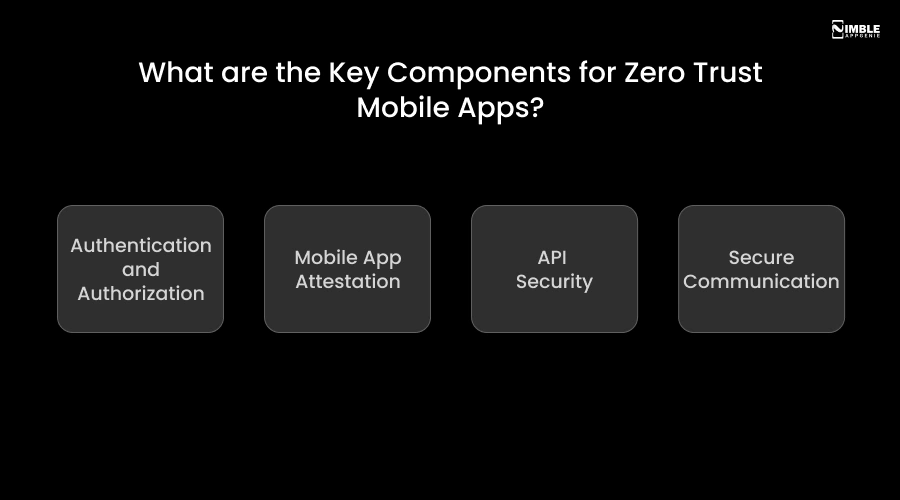
♦ Authentication and Authorization
ZTA helps to implement strong authentication mechanisms. With the help of multi-factor authentication (MFA), you can enhance overall security.
With the use of ZTA, you can ensure that every mobile request is validated for the user’s identity and device integrity before allowing access, and even mitigating risks from unauthorized access.
♦ Mobile App Attestation
Mobile app attestation can be defined as a security technique that verifies the integrity as well as authenticity before allowing access to the backend services.
It does ensure that only legitimate, untampered apps can further interact with APIs, thus protecting the sensitive information from malicious actors.
♦ API Security
ZTA is implemented to protect the API security from any unauthorized access. You can use the dynamic secrets and tokens for authenticating the API requests.
This is a system that protects the transformation of information through eliminating implicit trust, pre-transaction verification, and even contextual validation.
♦ Secure Communication
With the help of ZTA, you can eliminate the implicit trust in the network locations by ensuring that every data exchange is verified and protected.
It is a framework that is essential for securing the distributed workforces and even sensitive enterprise data.
Now, let’s get ahead with the list of challenges in app security in the following section.
What are the Challenges in Mobile App Security?
The key challenges in app security protocols are secrets management and dealing with cross-platform security.
Let’s evaluate the list of complete challenges in this section:
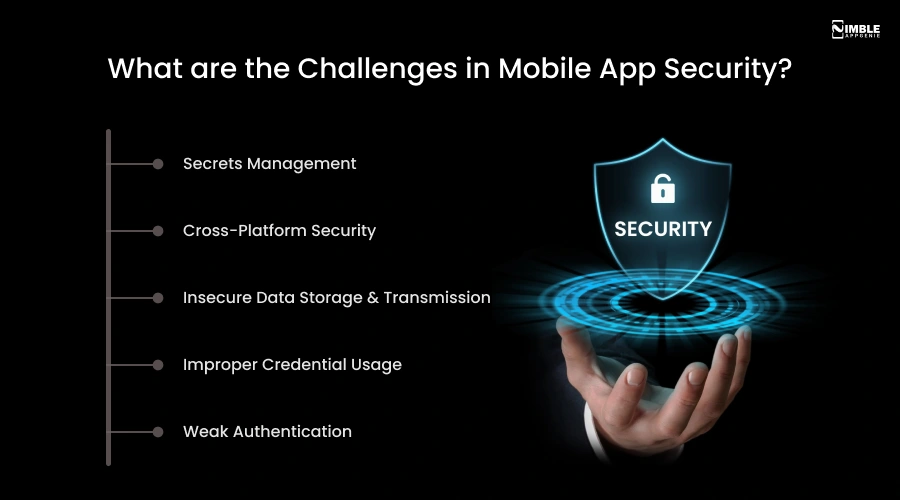
➤ Secrets Management
Managing hard-coded secrets, such as API keys, in mobile apps is risky, as they can be easily accessed by bad actors. When you think of app security, managing secrets and passwords is an integrated challenge to avoid in this scenario.
➤ Cross-Platform Security
Cross-platform security, such as creating apps for Android, iOS, and HarmonyOS, introduces diverse security challenges.
A zero-trust approach ensures a consistent security posture across all other platforms. It is an important challenge because it requires enforcing a high-trust security posture across all the heterogeneous environments.
➤ Insecure Data Storage & Transmission
Apps often store sensitive data in plain text or even in insecure local storage. These apps do use weak encryption for data-in-transit. This makes the app more vulnerable and allows the attackers to intercept data that is sent between the app and backend services.
This is a challenge that can result in unauthorized data exposure and can severely impact the overall brand reputation.
➤ Improper Credential Usage
This includes hardcoded passwords, API keys, and even weak authentication mechanisms that do offers the attackers entry points into the backend systems.
This does make the app security vulnerable to theft and even to automated exploitation. Hence, this is a core challenge to avoid in mobile app development.
➤ Weak Authentication
If your mobile app has weak authentication, then it is a critical challenge to consider when you have a mobile app.
You should be aware of the hackers who use sophisticated tools to bypass the biometrics. Here, you need a strong and robust security framework such as ZTA.
Well, to overcome these challenges, ZTA is a crucial component. Although you should implement it in mobile apps.
If you’re puzzled about where to implement the ZTA, let’s get ahead with the following section.
Where to Implement ZTA in Mobile Apps?
You should implement the ZTA in mobile apps within the identity & access, device security, API & backend, runtime, network & transport, and app architecture.
Let’s have a quick look at the table to learn it all:
| Layer | Where to Implement | How to Implement |
| Identity & Access | Login & user authentication | MFA, SSO, Role-Based Access Control (RBAC) |
| Device Security | Device verification gate | App attestation, jailbreak & root detection |
| API & Backend | Every app-to-server request | Certificate pinning, token validation, API key protection |
| Runtime | Active app usage | Real-time integrity checks, anti-tampering controls |
| Network & Transport | Data in transit | TLS encryption, anti-MITM protocols |
| Data Storage | Stored sensitive data | Secure Enclave (iOS), StrongBox KeyMint (Android) |
| App Architecture | Backend structure | Micro-segmentation of app modules & functions |
| Development (SDLC) | Code & build pipeline | DevSecOps, code obfuscation, secure CI/CD pipeline |
Why Implement ZTA in the Mobile App With Nimble AppGenie?
As a business, it might be difficult for you to implement ZTA in the mobile app.
Hence, connect with Nimble AppGenie, a top-rated mobile app development company, focused on delivering quality apps with the latest technology.
Our developers understand the importance of security and can help you with the latest security protocols to improve your targeted users’ trust in your brand.
We can integrate ZTA, which not only verifies the identity but is effective in verifying the user’s intent. Well, in 2026, proving a user’s identity is not enough. With an advanced ZTA, we incorporate continuous behavioral verification throughout the complete sessions.
Our security platforms analyse the keystroke rhythms, decision-making behavior, and even the navigational patterns of the users.
Thus, we understand that not just a one-time login is enough for your app. This makes us the leading firm in fintech development and even in social media apps development.
Conclusion
In a world where cyber threats are growing more sophisticated by the day, Zero Trust Architecture is no longer optional; it is essential. For mobile apps, ZTA offers a powerful security framework built on one simple but uncompromising principle: “Never Trust, Always Verify”.
From identity assurance and device security to runtime protection and API safety, implementing ZTA at every layer ensures your app earns and maintains user trust.
Whether you are a developer or an entrepreneur, partnering with the right team makes all the difference.
FAQs

Sunil serves as the Lead Android Engineer at Nimble AppGenie, recognized for his expertise in building robust, scalable mobile solutions across diverse industries. From seamless API integrations to optimizing OS-level performance, Sunil focuses on delivering high-speed, secure applications that stand out in a crowded market. Outside of the tech world, Sunil is a fitness enthusiast who enjoys morning runs and finds his peace playing badminton on the weekends.
Table of Contents




No Comments
Comments are closed.