

 Free Consultation
 PCI-DSS Compliant
 GDPR Ready
 ISO 27001
 NDA Protected
 AI Services
 AI App Development
 Generative AI Development
 AI Chatbot Development
 AI Integration Services
 AI Consulting Services
 AI For Fintech
 AI Financial Assistant Solution
 AI Insurance Agent Development
 Tech Stack
 OpenAI / GPT-4
 Claude / Anthropic
 Gemini / Google AI
 Llama / Open Source
 LangChain / LlamaIndex
 Pinecone / Pgvector
 AWS / Azure AI


 Fintech Solution
 Core Fintech
 App Development
 Neobank Solutions
 eWallet Solutions
 Lending Software
 Banking Solutions
 BNPL Solutions
 BNPL Solutions
 Insurance App
 Wealth Management
 Crypto & DeFi
 Blockchain Development
  Payroll Software
 DeFi Solutions
 Crypto Wallet
 Crypto On/Off Ramp
 Crypto Exchange
 Trading Platform
 Payments
 Compliance
 Regulations & Compliance
 Fraud Detection
 Lending Ecosystem
 P2P Lending Platform
 Mortgage Software
 Engagement
 Fintech Outsourcing

 Mobile Development
 Mobile App Dev
 iOS App Development
 Android App Development
 React Native
 Flutter Development
 Web Solution
 Node.js Development
 React.js Development
 Angular Development
 App Services
 UI/UX Design
 App Maintenance
 By Stage
 MVP Development
 Industry Solutions
 Healthcare App Dev
 Education App Dev
 Travel App Dev
 Real Estate App Dev
 Logistics Software
 Social Media App

 Hire Mobile Developers
 Hire iPhone Developers
 Hire Android Developers
 Hire React Native Devs
 Hire Flutter Developers
 Hire Web Developers
 Hire Node.js Developers
 Hire Angular Developers
 Hire PHP Developers
 Hire Laravel Developers
 How It Works
 Pre-Vetted Developers
 Ready In 48 Hours
 NDA From Day One
 Replace Guarantee
 Company
 About Us
 Our Work Process
 Portfolio
 Case Studies
 Blog / Insights
 Careers
 Contact Us
 Awards
 Recognition


 Offices


Key Takeaways:
- A mobile app for small businesses builds good brand loyalty and visibility, while making it easier for customers to book services, place orders, and make payments quickly, which directly boosts revenue.
- There are three main types of mobile apps: native apps, cross-platform apps, and progressive web apps.
- For most small businesses, cross-platform app development using Flutter or React Native is the best choice because it reduces cost and development time while still delivering near-native performance.
- The small business app development process includes key steps like defining goals, understanding target users, planning features, designing UI/UX, development, testing, and finally launching the app on app stores.
- The cost to develop a small business app ranges from $25,000 to $150,000+, depending on complexity, features, platform, UI/UX design, and third-party integrations, with MVP development helping save up to 40–60% of initial cost.
- Essential features in a small business mobile app are user login, product or service listings, search and filters, online payments, push notifications, order tracking, etc.
- Nimble AppGenie provides custom mobile app solutions for small businesses, SMBs, and enterprise-grade firms that align with business needs.
Did you know that businesses with a mobile app retain up to 3x more customers than those that rely on websites alone? That is not a small advantage; that is the difference between a business that grows and one that simply survives.
If you run a small business, you have probably wondered, Do I really need to invest in small business app development? Is it too expensive? How do I even start? These are the exact questions this guide is going to answer.
Whether you own a bakery, a boutique, a salon, or a local service company, a mobile app can be a game-changer for how you connect with customers and grow your revenue. The good news? Developing a mobile app in 2026 is more affordable and accessible.
By the end of this blog, you will know why your small business needs an app, which type of app suits you, and how much it costs.
Why Does Your Small Business Need a Mobile App?
Let’s start with the most vital question: why bother? Mobile commerce is no longer the future; it’s the present. Globally, more than 5.78 billion people own mobile phones. More importantly, people spend an average of 4+ hours per day on their phones, and the majority of that time is spent inside apps, not browsers.
If your business is not in that space, you are invisible to a massive chunk of potential customers. Below are the biggest reasons small businesses are going all-in on app development in 2026.
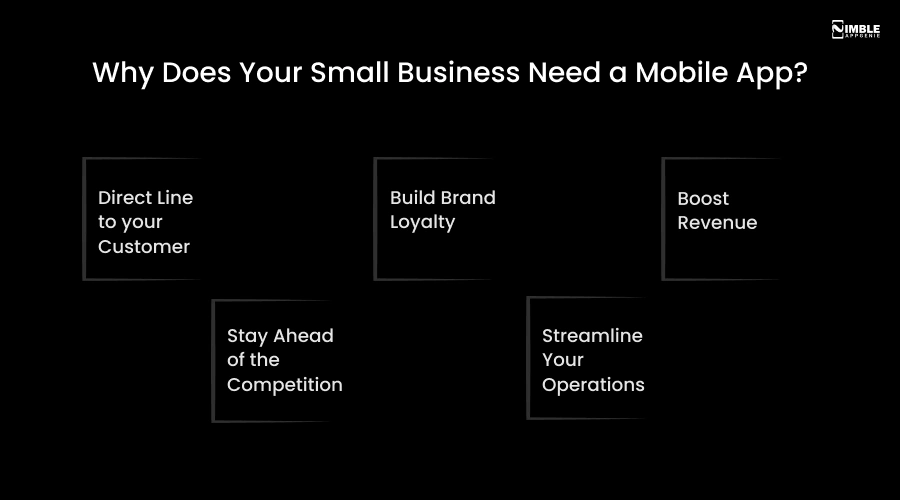
► Direct Line to Your Customer
You just think of your app as a direct phone number to your customer’s pocket. Push notifications allow you to send offers, reminders, and updates instantly.
It is without competing with emails that go unread or social posts that get buried by algorithms. Studies show push notifications have a 7x higher open rate than email.
| 68% of small businesses say they struggle with day-to-day efficiency; AI adoption apps directly solve this. |
► Build Brand Loyalty
Every time a customer opens your app, they see your brand. That consistent exposure builds trust and familiarity. You can add a loyalty rewards program to your mobile app, and you have got a powerful reason for customers to keep coming back.
For instance, Starbucks developed a billion-dollar loyalty program inside an app; small businesses can do the same on a smaller scale to their size.
► Boost Revenue
Mobile applications make it really easy for customers to buy from you. In-app purchases, bookings, and instant payments reduce friction in the buying journey.
A local restaurant that launched an ordering app reported a 40% jump in repeat orders within the first three months. It is simply because ordering has become faster and easier.
► Stay Ahead of the Competition
Most of your competitors probably do not have an app yet. That is your window of opportunity. Getting in early means you capture loyal customers before anyone else does. In 12-18 months, the gap between businesses with apps and those without will widen.
| The global mobile app market is projected to reach $626.39 billion by 2030, growing at a 14.3% CAGR. |
► Streamline Your Operations
Mobile applications are not just customer-facing. Employee-facing apps can help you manage inventory, assign tasks, track hours, and organize scheduling, all in one place. This saves time, reduces errors, and keeps your team organized without you micromanaging.
Types of Apps For Small Businesses: What Should You Build?
You need to decide what type of app you want before starting small business app development. There are three main types, and each comes with its own set of benefits and trade-offs. Do not worry. We will break it down clearly so you can make an informed decision.
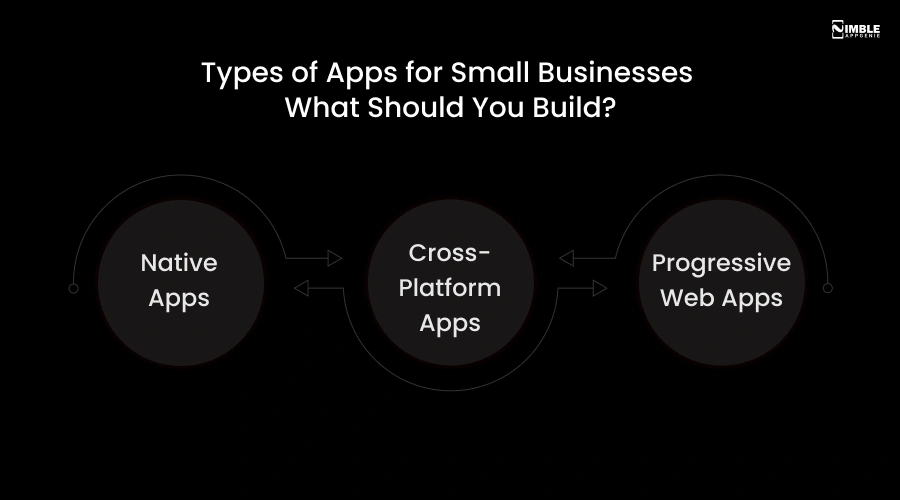
♦ Native Apps
A native application is developed specifically for one platform, either iOS or Android. It uses the programming language of that platform. You can think of it like a custom-fitted suit; it is made exactly for that device, so it performs beautifully.
- Best for: Businesses that want the absolute best performance and user experience, and have a slightly larger budget.
- Pros: Fastest speed, best performance, seamless access to device features like camera, GPS, and biometrics. Looks and feels premium.
- Cons: More expensive, since you are building two separate apps if you want both iOS and Android.
♦ Cross-Platform Apps
Cross-platform applications are developed using frameworks like Flutter or React Native. This allows developers to write code once and deploy it on both iOS and Android.
- Best for: Businesses that want to reach both iPhone and Android users without doubling the cost.
- Pros: Cost-effective, faster development time, performance close to native, consistent experience across devices.
- Cons: Slightly less performance-optimized than native; some advanced device features may require extra work.
♦ Progressive Web Apps (PWAs)
A PWA is essentially a website that behaves like a mobile app. Users access it through a browser, but it can be added to the home screen and works even offline. It is the most budget-friendly option.
- Best for: Businesses with tight budgets, or those that primarily need an online presence with app-like features.
- Pros: No app store needed, cheaper to build and maintain, works on any device with a browser.
- Cons: Limited access to device features, like no push notifications on iOS until recently, and less visibility than a proper app store listing.
Quick Comparison Table
| Feature | Native App | Cross-Platform | PWA |
| Performance | 5 Star | 4 Star | 3 Star |
| Cost | Highest | Moderate | Lowest |
| Dev Time | Longest | Moderate | Fastest |
| App Store | Yes (both) | Yes (both) | No |
| Best for | Premium UX | Most SMBs | Budget-first |
| Offline Mode | Yes | Yes | Limited |
Note: For most small businesses in 2026, we recommend starting with a cross-platform app development on Flutter or React Native. You get the benefits of native performance at nearly half the cost, and you can reach both iOS and Android users simultaneously. As your business grows, you can upgrade to native or add more advanced features.
Must-Have Features For Small Business App Development
Not every mobile app needs every feature. But there are certain foundational features that virtually every successful small business app includes.
Here is the table of features you must integrate into your app.
| Feature | What it means | Why it matters |
| User Registration or Login | Users can sign up and log in using email, phone, or social accounts | It keeps user data secure and allows for a personal experience |
| Product or Service Listing | It shows products or services with details, images, and pricing | It makes it easy for users to explore what the business offers |
| Search & Filters | Users can search and filter items quickly | It saves time and improves user experience |
| Online Payments | It supports payment methods like cards, UPI, and wallets | It makes buying easy and fast |
| Push Notifications | It sends updates, offers, and reminders to users | It keeps users engaged and brings them back |
| Order Tracking | It allows users to track their orders in real time | It builds trust and improves satisfaction |
| Customer Support | Chat, call, or help section for users | It helps solve user issues quickly |
| Reviews & Ratings | Users can give feedback on products or services | It builds trust and helps others decide |
| Analytics Dashboard | It shows app performance, sales, and user behavior | It helps business owners make better decisions |
| Security Features | Data protection, encryption, secure login | It keeps user and business data safe |
| Admin Panel | Backend control for managing users, orders, and content | It makes app management easy for business owners |
How to Develop a Small Business App?
To build a small business app, you have to follow a clear roadmap.
Below are the small business app development processes you must check out.
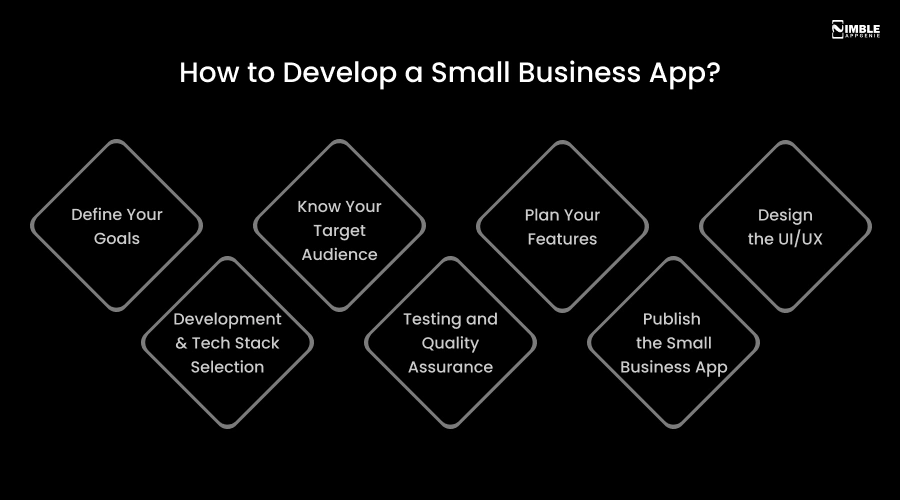
1. Define Your Goals
Before anything else, ask yourself, what problem does my small business app solve? What do I want users to do when they open it?
Goals could include increasing sales, reducing phone calls, booking appointments, or managing staff. Now, write down your top 1-2 goals, which become your north star for every decision.
2. Know Your Target Audience
Your app should solve a problem for a particular person, not everyone. Create a simple user persona. Who is your typical customer? What is their age group?
Are they tech-savvy? What devices do they use? The more you understand your users, the better you can design the app for them.
3. Plan Your Features
You can use the MoSCoW method to prioritize your features. For example, must-have features for launch, should-have features mean nice additions.
Also, could-have features for future updates, and would not-have for now means cut these to save budget. Discipline here saves you lots of money.
4. Design the UI/UX
User interface is how your mobile app looks. UX is how it feels to use. Users form an opinion about an app’s design within 50 milliseconds of opening it. Bad design kills your app, even when the functionality is good.
Your designer will create a mobile app wireframe and then full visual mockups before any coding begins. Besides, you should always insist on a clickable prototype, which allows you to see the real flow before you spend money on development.
5. Development & Tech Stack Selection
This is where developers start the small business app development. They will set up the backend and the frontend. But it is advisable to first build an MVP version with only the core features. It can help you test the app idea in the real market.
After knowing the demand and real user feedback, you can go for a full-fledged app. Additionally, to build a small business app, you need to choose the correct tech stack.
Flutter or React Native are the best choices for cross-platform, while Swift is good for iOS. However, if you are developing an Android app, then Kotlin works best. It is vital to know that development takes around 40-50% of the total budget, so be wise.
6. Testing and Quality Assurance
Mobile app testing is not optional; it is critical. QA experts check for bugs, performance issues, and compatibility issues on different devices and OS versions.
A poorly tested app gets one-star reviews within days of launch, and recovery from that is extremely difficult. Also, the budget requires around 15-20% of total development time for testing.
7. Publish the Small Business App
Once your mobile app for small business is thoroughly tested, you can submit your app to the Apple App Store and Google Play is a specific process with its own requirements, screenshots, descriptions, privacy policies, age ratings, and compliance checks.
Apple’s review process takes 1-3 days, Google’s is typically 1-2 days. Your dedicated development team should manage this for you.
How Much Does it Cost to Develop a Small Business App?
The cost to build a small business app can range between $25,000 – $150,000 or more. It depends on the complexity, features, tech stack, development team’s location, etc.
Cost is the first thing small business owners want to know. The honest answer is, it depends. Small business app development cost follows a tiered pricing model based on complexity.
| Tier | Cost Range (USD) | Timeline | Best For |
| Simple or MVP | $25,000 – $40,000 | 2-3 Months | Early-stage validation, testing an idea with core features |
| Mid-Level | $40,000 – $80,000 | 3-6 Months | Most small businesses have good features, multi-platform |
| Complex | $80,000 – 150,000+ | 6-9 Months | Feature-rich apps with AI, real-time, or complex integrations |
These are the rough estimates for mobile app development for a small business. The actual cost to develop a mobile app for a small business depends on your project requirements and factors.
What Factors Can Drive the Cost Up or Down?
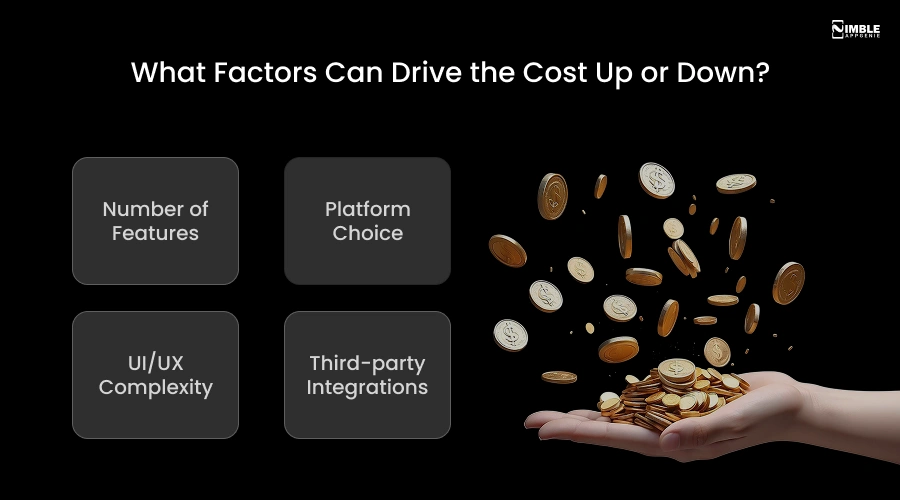
♦ Number of Features
More features mean more hours of development and a higher cost. It is vital to keep your first version MVP lean.
♦ Platform Choice
iOS only or Android only is quite cheaper. If you choose both platforms, then the cost will be much higher unless you use cross-platform.
♦ UI/UX Complexity
A simple, visually appealing, and intuitive design can cost less than a heavily animated, multi-layered interface.
♦ Third-Party Integrations
Connecting to payment gateways like PayPal, Stripe, maps, CRMs, or analytics tools adds to the development cost.
| Money-Saving Tip: It is best to start wth an MVP. Basically, it is a stripped-down version of your app with only the most essential features. Launch it, gather user feedback, then add more features based on what your customers actually want. This way saves 40-60% of your initial development budget and minimizes the risk of creating the wrong thing. |
How Can Nimble AppGenie Help To Develop a Small Business Mobile App?
Nimble AppGenie is a full-service mobile app development company that has worked with small businesses, funded startups, and global enterprises since 2017. We do not just write code; we become a development partner that is invested in your business outcome.
Here is exactly how we help small businesses go from idea to a live, revenue-generating app:
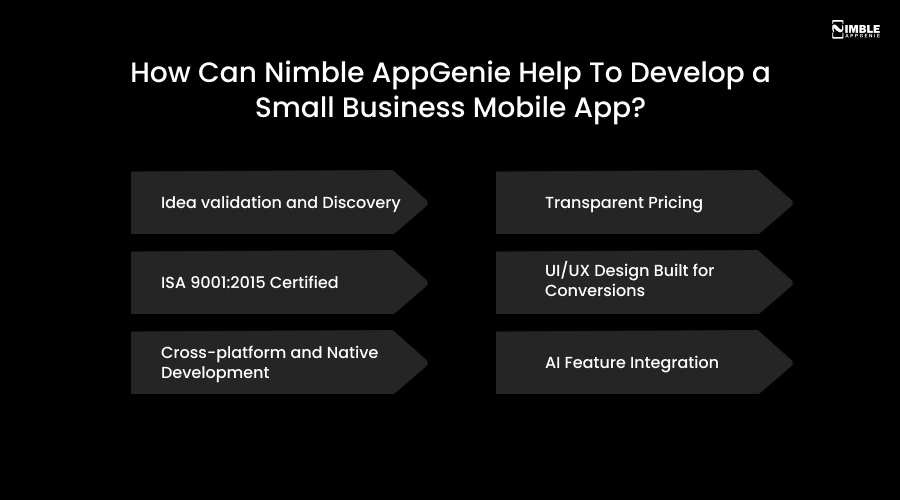
➤ Idea validation and Discovery
We start with a free discovery call where our strategists map your business goals, target audience, and core features, before you spend a penny on development. We tell you honestly what you need, what you don’t, and what the fastest path to launch looks like.
➤ Transparent Pricing
No surprise invoice. We provide a detailed cost breakdown upfront and stick to it. If scope changes, we will discuss the pricing change with you before making it.
➤ ISA 9001:2015 Certified
Quality is not just a promise. It has been developed into our process. We are an ISO-certified, AWS-partnered, and NASSCOM-affiliated mobile app development company.
➤ UI/UX Design Built for Conversions
Your app’s design is your first impression. Our in-house UI/UX team builds visually intuitive interfaces. We design for user retention, not just aesthetics, because a beautiful app that is complex to use loses customers fast.
➤ Cross-platform and Native Development
Whether you need a Flutter app that runs on both iOS and Android, a native Swift or Kotlin build for peak performance, or a PWA to get live quickly on a lean budget, our experts are fluent in all three. Most small business clients save 35-45% by choosing cross-platform without giving up user experience.
➤ AI Feature Integration
Want a smart chatbot that manages customer queries 24/7? Product recommendations that learn from user behaviour? A smart booking system? We integrate AI features in mobile apps that are affordable and built specifically for your business.
Conclusion
Small business app development in 2026 comes down to three decisions. Choosing the right app type for your audience, creating the features that actually solve your customers’ problems, and finding a mobile app development team that treats your budget like their own.
You do not need a million-dollar budget. You need a clear goal, the right team, and a plan to start small and scale smart. If you are ready to take the step, Nimble AppGenie is ready to build it with you.
FAQs

Sunil serves as the Lead Android Engineer at Nimble AppGenie, recognized for his expertise in building robust, scalable mobile solutions across diverse industries. From seamless API integrations to optimizing OS-level performance, Sunil focuses on delivering high-speed, secure applications that stand out in a crowded market. Outside of the tech world, Sunil is a fitness enthusiast who enjoys morning runs and finds his peace playing badminton on the weekends.
Table of Contents




No Comments
Comments are closed.