

 Free Consultation
 PCI-DSS Compliant
 GDPR Ready
 ISO 27001
 NDA Protected
 AI Services
 AI App Development
 Generative AI Development
 AI Chatbot Development
 AI Integration Services
 AI Consulting Services
 AI For Fintech
 AI Financial Assistant Solution
 AI Insurance Agent Development
 Tech Stack
 OpenAI / GPT-4
 Claude / Anthropic
 Gemini / Google AI
 Llama / Open Source
 LangChain / LlamaIndex
 Pinecone / Pgvector
 AWS / Azure AI


 Fintech Solution
 Core Fintech
 App Development
 Neobank Solutions
 eWallet Solutions
 Lending Software
 Banking Solutions
 BNPL Solutions
 BNPL Solutions
 Insurance App
 Wealth Management
 Crypto & DeFi
 Blockchain Development
  Payroll Software
 DeFi Solutions
 Crypto Wallet
 Crypto On/Off Ramp
 Crypto Exchange
 Trading Platform
 Payments
 Compliance
 Regulations & Compliance
 Fraud Detection
 Lending Ecosystem
 P2P Lending Platform
 Mortgage Software
 Engagement
 Fintech Outsourcing

 Mobile Development
 Mobile App Dev
 iOS App Development
 Android App Development
 React Native
 Flutter Development
 Web Solution
 Node.js Development
 React.js Development
 Angular Development
 App Services
 UI/UX Design
 App Maintenance
 By Stage
 MVP Development
 Industry Solutions
 Healthcare App Dev
 Education App Dev
 Travel App Dev
 Real Estate App Dev
 Logistics Software
 Social Media App

 Hire Mobile Developers
 Hire iPhone Developers
 Hire Android Developers
 Hire React Native Devs
 Hire Flutter Developers
 Hire Web Developers
 Hire Node.js Developers
 Hire Angular Developers
 Hire PHP Developers
 Hire Laravel Developers
 How It Works
 Pre-Vetted Developers
 Ready In 48 Hours
 NDA From Day One
 Replace Guarantee
 Company
 About Us
 Our Work Process
 Portfolio
 Case Studies
 Blog / Insights
 Careers
 Contact Us
 Awards
 Recognition


 Offices


Key Takeaways:
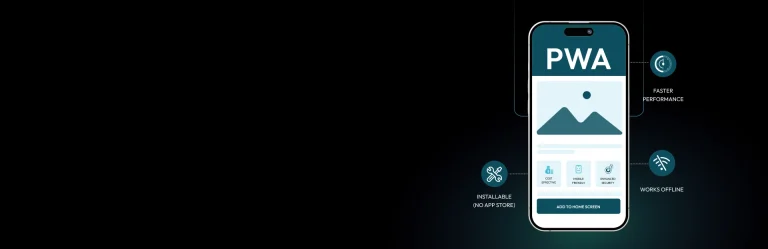
- A progressive web app (PWA) is a website that runs in a browser but works, looks, and even feels like a native mobile app.
- One should create a PWA because it offers offline mode, has no installation and manual updates, is low on data, and offers automatic updates.
- Features to include in a PWA are instant loading, adding it to the home screen, push notifications, security, and being simple to discover.
- Build a PWA by beginning with creating a web app manifest, implementing a service worker, ensuring secure hosting, and opting for auditing as well as testing.
- Partner with Nimble AppGenie and create a PWA that engages the users and helps them to have an unforgettable, amazing experience.
A personal app from the website to your home screen.
Are you searching to create an application that works almost everywhere: computers, Android phones, iPhones, and Tablets?.
And that too without a headache to launch it on either the Play Store or the Apple Store?
If the answer is “YES”!
It’s your time to build a progressive web app (PWA).
But the question is, what is a PWA, and how to build a progressive web app (PWA)?
PWA is a website that can run in a browser but works exactly like a native mobile app. To create a PWA, you need to opt for market research, select the right set of features, design the app, select the tech stack, test the app, and then launch it in the market.
In this guide, we have covered it all from the concept, reasons to select PWA, features, process, tech stack, limitations, and even use cases.
Without any further ado, let’s get started.
What is a Progressive Web App (PWA)?
A progressive web app (PWA) is a website that runs in a browser but works, looks, has features, and even feels like a native mobile app. You can build a PWA by creating standard web technologies such as HTML, CSS, and JavaScript.
This PWA can be installed on your device, works offline, and is even helpful for sending push notifications, offering a fast, app-like experience without even downloading it from an app store.
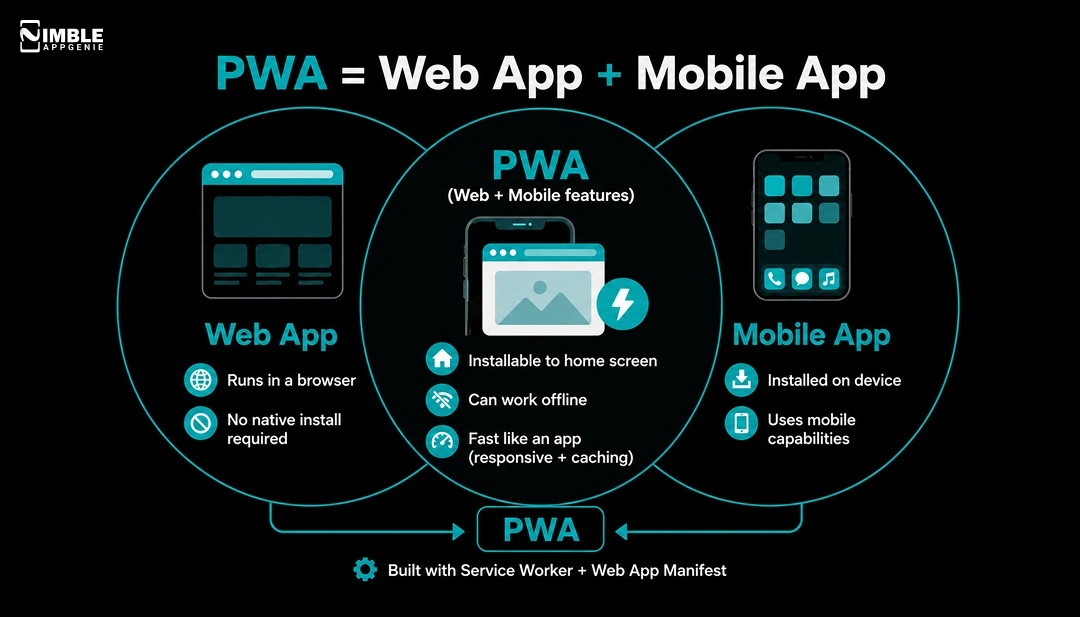
Well, as per the defined image, you might be clear about PWA, but what are the benefits of PWAs?
But, when you create a mobile app, the next question is what the key reasons are to choose a PWA over other apps.
Why Choose a PWA Over Other Apps?
The key benefits of a progressive web app are a native-like experience, cost and time efficiency, offers offline usability, automatic updates, and no app store constraints.
Let’s discuss the complete set of benefits of a progressive web app:
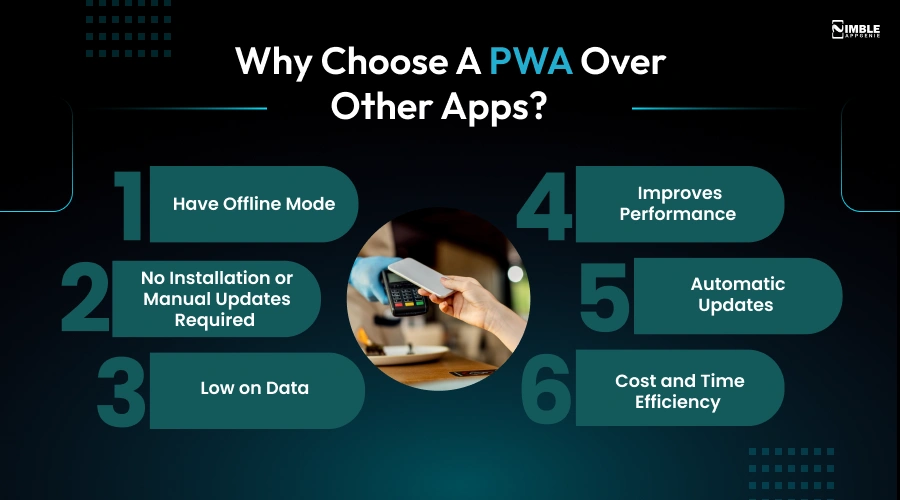
1. Have Offline Mode
The progressive web apps do offer offline functionality with the help of service workers that do acts like a background proxy.
When a user opens an app online, the service worker intercepts the network request and caches your core files using the Cache API and saves data via IndexedDB.
2. No Installation or Manual Updates Required
A PWA does not require any manual installation or updates because it is essentially an advanced, installable website.
Additionally, these apps operate directly through web browsers. Here, you eliminate the manual updates because they run instantly via a browser URL and by bypassing the app store.
3. Low on Data
One of the reasons to create a PWA is that it uses much less data than native apps or even standard websites. These apps achieve this by downloading only critical elements during initial use and by relying on smart caching.
This feature is just like one can read WhatsApp messages even without any internet connection.
4. Improves Performance
The implementation of PWAs dramatically boosts performance by using service workers. This app is aimed at delivering a high-performance website with an app-like user experience.
Through PWA, you can use technologies such as HTML, CSS, and JavaScript, which are helpful to cache the essential assets locally by eliminating redundant network requests.
5. Automatic Updates
With the help of service workers, you do not need to update the app manually every time; it will automatically update based on the current updates available.
Here, the app silently checks for updates, performs the background checks, and then syncs the app directly, allowing the app to provide updated data, which increases overall user experience.
6. Cost and Time Efficiency
PWAs apps do offer massive cost and time savings through eliminating the overall need to replace the separate iOS, Android, and desktop apps with a single codebase.
It saves the total cost, as you do not need to write code, and you share 30% revenue by giving a commission to be on either of the platforms.
But why is PWA so effective that its market size was estimated at USD 2.08 billion in 2024, that is projected to reach USD 21.24 billion by 2033, and is growing at a CAGR of 29.9% from 2025 to 2033?
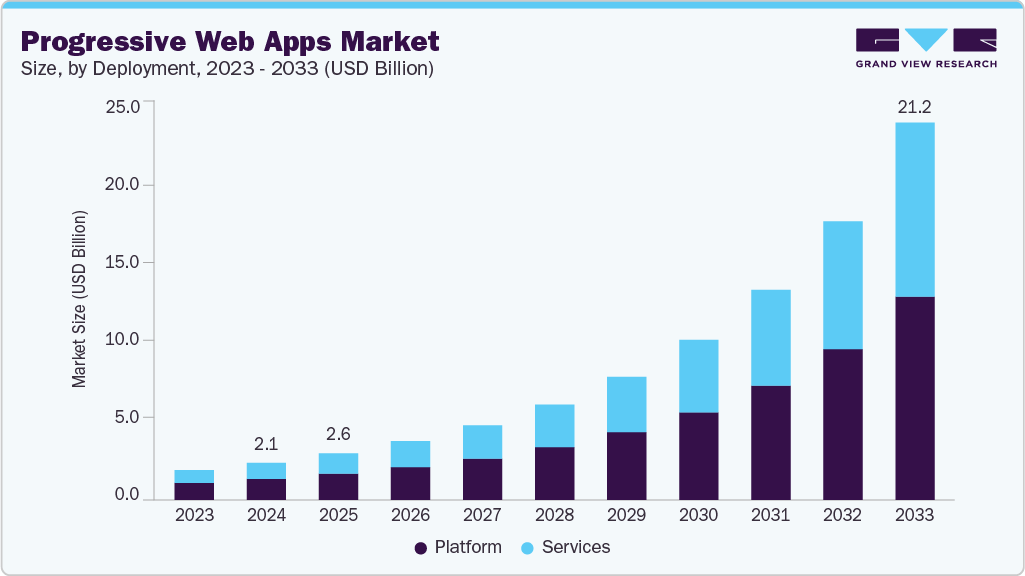
Well, because of its features, and the nailed experience that it provides to the users.
Want to know more about the PWA? Let’s get ahead with what makes a progressive web app effective.
What Makes a Progressive Web App Effective?
Well, the answer is “features”. The features of PWA make it different from web apps and mobile apps.
Here is the list of features to include in a progressive web app:
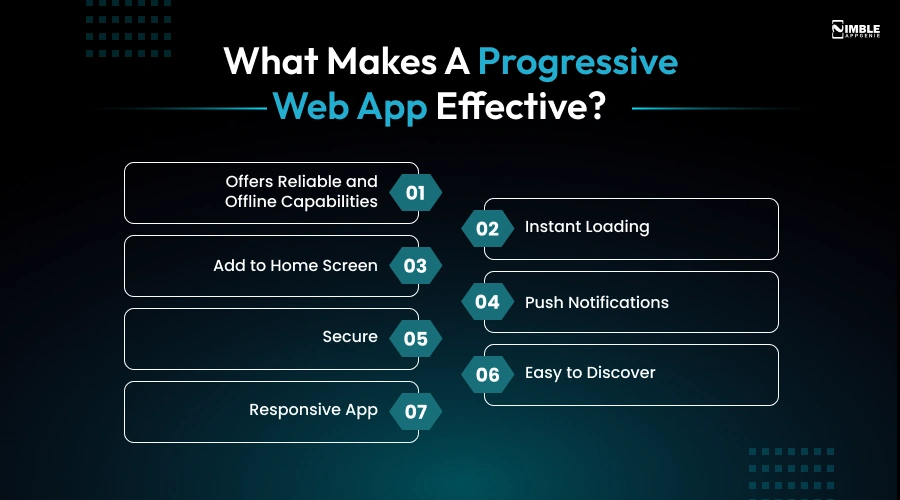
1. Offers Reliable and Offline Capabilities
PWA delivers reliable, offline-first experiences via service workers. These workers act as a network proxy and background scripts.
The app has a progressive nature, and it works for every user, regardless of the browser choice. PWA apps are reliable and fit any form factor.
2. Instant Loading
PWA does deliver instant loading by using the app shell architecture. These technologies even bypass the network completely on repeat visits.
This app intelligently stores the core elements locally on the user’s device. It does data fetching in the background and instantly delivers the results.
3. Add to Home Screen
Progressive web apps can be added to the home screen and are simple to use, performing the function just like a native app.
The majority of modern browsers do support the features of mobile Chrome, and by adding the opera for home screen. Through using the web app manifest file, PWA tells the browser how the app should look, what app icon it should present, and all other determinants.
4. Push Notifications
PWAs do offer push notifications via a combination of three web technologies, including the push API, the notifications API, and a service worker.
Push notifications allow the servers to send alerts related to using the device even when the PWA or browser is closed, bridging the gap between the web and native mobile apps.
5. Secure
Mobile app security is an indispensable and built-in feature of PWAs that protects the user data and even prevents cyberattacks.
This PWA app offers mandating HTTPS encryption, which isolates the background scripts, and even utilizes the browser-level permissions.
6. Easy to Discover
Easy to discover acts as a feature of PWA because it enhances the search engine visibility, and can index its pages, as well as content. Additionally, the PWA utilizes a JSON file called the web app manifest, which helps discover the app quickly.
PWA is directly exposed to the open web, and even allows users for installation on their devices.
7. Responsive App
The features of the PWA app are responsive and use a single codebase that automatically responds even in a flaky network environment.
These apps have a faster response time to the user’s interaction and are more engaging to the users than responsive websites.
Following the features to include in the complete process of progressive web app development, let’s get ahead with the process of PWA app development.
How to Build a Progressive Web App?
You can create a progressive web app by including the right process that begins with the market study, selecting the features to include in the app, identifying the technologies to include in the PWA, performing app testing, and then launching the app on the desired platform.
Here is the complete step-by-step process to build a progressive web app:
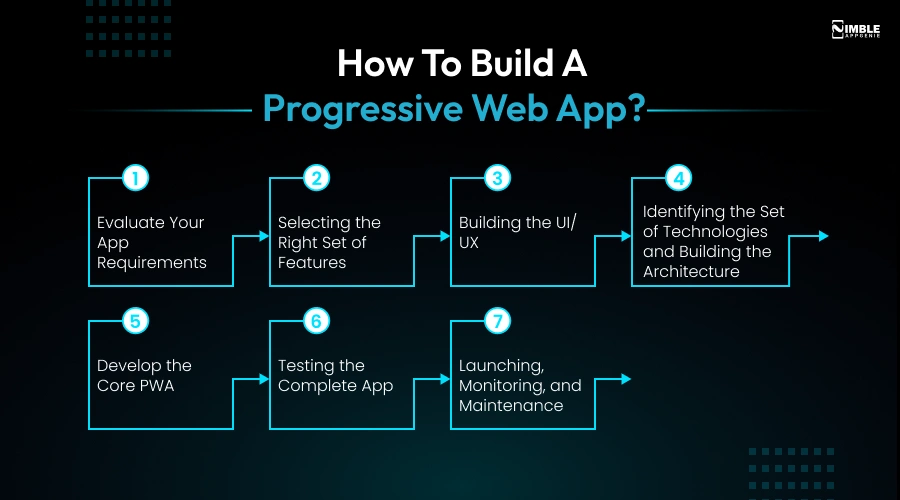
Step 1: Evaluate Your App Requirements
This is the first step, where you conduct a comprehensive app market research by validating the idea, sizing the market, and understanding the demands of your customers before writing a single line of code.
Here you should perform:
- Evaluate the user requirements by combining the direct user research (interviews, surveys, and observations) with the behavioral analytics.
- Perform the competitive analysis by compiling a feature and reviewing matrix.
- You should use intelligent tools to track competitors’ downloads, along with their monetization models.
Step 2: Selecting the Right Set of Features
Now, you should select the appropriate set of features requiring balancing the user needs, technical browser capabilities, and the core business goals. It prioritizes core functionality over “native” bloat.
Here’s how you need to select the right set of features for your PWA app:
- Identify your core building blocks by service workers, web app manifest, and HTTPS protocol.
- Comply with the user’s needs, such as blending the functionality with the native app-like behaviors.
- Balance the native-like functionality with performance, and prioritize core essentials such as installability, offline caching, and responsive design.
Step 3: Building the UI/UX
Under this step, you should select the right app design for a PWA, which requires a mobile-first, native-like user experience that is coupled with the app-shell architecture. Here, you should balance a native-like app experience with web accessibility.
Here’s what you should include while creating a UI/UX:
- Build an intuitive user experience that has a cross-platform nature, great UI, and UX for both mobile devices and desktops.
- Create an attractive home screen icon
- Add the custom splash screens and show interaction.
Step 4: Identifying the Set of Technologies and Building the Architecture
In this step, you should design the complete architecture for the technologies to include in building the PWA app.
Here is the list of core technologies to include while creating a PWA:
| Category | Technologies | Role |
| Core Build | HTML5, CSS3, JavaScript, React/Angular/Vue | Structure, styling, and app logic |
| Offline Engine | Service Workers, Workbox | Caches content, enables offline use |
| Local Storage | IndexedDB, Cache API | Stores data on-device for offline access |
| Installability | Web App Manifest (manifest.json) | Adds app icon, name, launch behavior for install |
| Security | HTTPS/SSL | Mandatory — PWAs won’t run without it |
| Engagement | Web Push API, Firebase Cloud Messaging | Push notifications, re-engagement |
| Testing/Validation | Google Lighthouse, PWA Builder | Checks installability and performance standards |
Bonus Read: Mobile App Tech Stack
Step 5: Develop the Core PWA
In this step, you combine the design with the technologies and architecture selected. Here, you should install the web app manifest, implement a service worker, ensure secure hosting, and test the complete app.
Here’s what you need to consider:
- Web app manifesting: it is a JSON file that offers metadata browsers a facility to install a website.
- Implementing a Service Worker: While creating a PWA, you should register the service worker file in your main client-side JavaScript.
- Ensure Secure Hosting: Under this step, you should guarantee that all traffic is encrypted and your server environment is properly configured.
Step 5: Testing the Complete App
In this step, you should test PWA during the development process. Here, you must validate the features of PWAs, such as offline capabilities and service worker lifecycle hooks, along with the installation criteria.
Here’s what you need to perform during the app testing:
- Opt for the functionality testing, including the core flows, input validation, database & state, and deep links.
- Perform a user interface and usability testing.
- Conduct a network and interruption testing.
Step 6: Launching, Monitoring, and Maintenance
Now, in this step, you can launch the PWA for your actual users. Make it interactive and easily installable as per the preferences of the users.
You should perform:
- Launch the website, or you can say PWA
- Monitor it thoroughly.
- Opt for mobile app maintenance for the complete PWA app.
Now, with this complete process, you might want to have a look at the right tech stack to include in a PWA. Well, in the following section, let’s get it learned.
Tech Stack to Include in a Progressive Web App
The key technology stack to include in the PWA relies on the standard web languages paired with specific tools and comprises HTML5, CSS3, and JavaScript (ES6+).
Here is the complete table defining the list of technologies to include in a progressive web app:
| Layer | Technology Options | Purpose |
| Core Web Technologies | HTML5, CSS3, JavaScript | Foundation of the PWA — same core as a website |
| Frontend Framework | React.js, Angular, Vue.js | Building the app-like UI and navigation |
| Service Worker | Workbox, native Service Worker API | Enables offline access, background sync, and caching |
| Web App Manifest | manifest.json | Defines app name, icon, theme color — makes the app “installable” |
| Installability | Add to Home Screen API, beforeinstallprompt event | Lets users install the PWA without an app store |
| Push Notifications | Web Push API, Firebase Cloud Messaging | Sends engagement alerts even when the app is closed |
| Storage | IndexedDB, Cache Storage API | Stores data locally for offline functionality |
| Hosting | HTTPS-enabled hosting (mandatory) | PWAs require a secure connection to work at all |
| Performance/PWA Audit | Google Lighthouse | Tests installability, speed, and PWA compliance |
With the complete list of technologies to include in the PWA, there might be a certain list of challenges that your PWA might face.
Let’s learn more about the list of limitations for PWA in the following section.
What are the Limitations of a Progressive Web App?
PWA is an effective strategy for cost savings, but they have major drawbacks, such as offering limited access to device hardware and no presence in the traditional app store.
Let’s discover the complete details of the disadvantages of PWA:
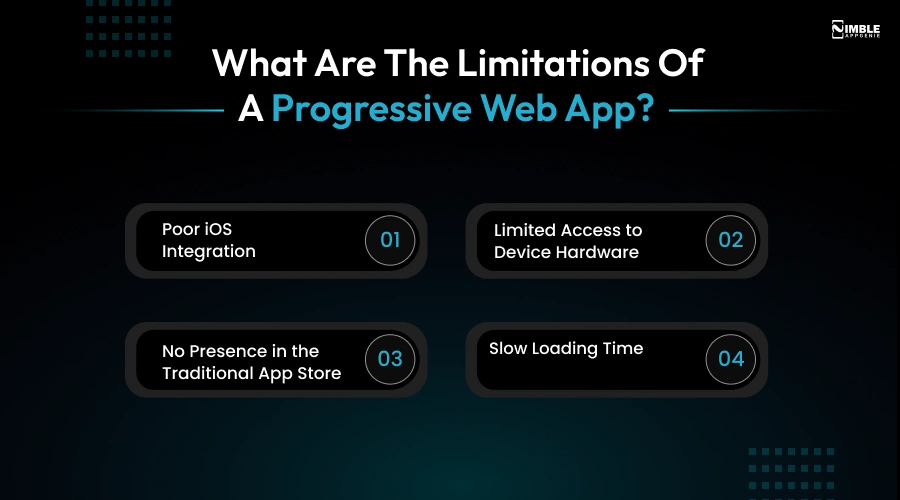
1] Poor iOS Integration
Bad iOS integration blocks access to device features, background tasks, and the system integrations that native iOS apps can use freely.
The lack of app store discoverability, absent automatic install prompts, and aggressive memory management that even leads to app reloads and data purges.
2] Limited Access to Device Hardware
PWAs run inside a browser’s security “sandbox”; they cannot fully access low-level device hardware. It leads to advanced connectivity issues, camera controls, biometrics, and background processing.
These apps operate inside a browser’s security sandbox rather than having OS-level access.
3] No Presence in the Traditional App Store
PWA has no presence on the traditional app store, which can be one of the important limitations to consider. A Progressive Web App development company can help businesses overcome other adoption challenges while PWAs continue to act as supercharged websites rather than compiled software packages.
Lack of presence in either of the stores limits discoverability, hinders monetization, and restricts complicated native hardware capabilities.
4] Slow Loading Time
PWA relies heavily on the browser’s processing overhead and JavaScript execution. An inefficient JavaScript execution can block the main thread.
If the initial load time is too long, the users may abandon the app before they even experience its features.
Following the limitations of PWA, you should evaluate the diversified use cases, and even examples of the same.
Use Cases of Progressive Web App
PWA combines the reach of the web with the diversified functionality of native mobile apps. These apps are primarily used for delivering seamless, offline-capable experiences and even boost user engagement through push notifications.
Here is the list of use cases of PWAs:
1. Starbucks
Starbucks is one of the world’s largest coffeehouse companies and is well recognized for its coffee and services.
Challenge: They were struggling to create one kind of digital experience, as they wanted to be accessible to all kinds of network circumstances.
Solution: With the help of PWA, Starbucks enables its users to explore its huge menu even in the absence of internet connectivity.
2. Uber
The PWA of Uber delivers a fully functional PWA by ensuring that the users can request rides and even track the drivers instantly, regardless of any device, network speed, or location of the app.
Challenge: Uber was facing issues with the offline complexity functions; they were not able to deliver effective quality due to unstable networks, without any active connectivity.
Solution: Uber built a PWA to provide a reliable, lightweight alternative to its native app by targeting the emerging markets and low-end devices.
3. Spotify
Spotify is a digital audio streaming platform that offers over 100 million songs, 7 million podcasts, and thousands of audiobooks.
Challenge: Spotify has high development and maintenance costs, app store restrictions, and slow loading times.
Solution: The app adopted PWA as a solution, which helped the company to deploy instant updates and even bypass restrictive third-party fees.
4. Tinder
Tinder is the world’s most popular location-based dating app that helps users to find their soulmates on the app.
Challenge: Expand into emerging markets and to minimize the onboarding friction time.
Solution: The company developed a PWA that allowed them to bypass the large download sizes and even boost user engagement on the slower networks.
Why Connect with Nimble AppGenie to Build a PWA?
Connect with Nimble AppGenie, the best mobile app development company, and create a PWA, because with us, you will find an effective team that has 8+ years of experience in building apps, web apps, and PWAs.
Still confused? Here’s why you need to connect with us:
► Have Specialized Industry Expertise
The company offers specialized expertise in fintech and builds regulatory frameworks, modernizes core banking systems, develops digital wallets, and builds institutional-scale banking platforms.
► Offers Local and Global Reach
Nimble AppGenie provides local and global reach, with offices worldwide. We offer competitive pricing and good value for cost. Our team has compliance and regulatory expertise. We have delivered over 350 successful projects worldwide.
► End-to-End Solutions
Our company offers end-to-end solutions through managing the entire lifecycle from the initial consultation to agile development, and even post-deployment support. We deliver fully customized, scalable solutions for PWA.
► User- Friendly Mobile and Web Application
Nimble AppGenie creates user-friendly mobile and web applications by specializing in custom Ui/UX design, along with AI-powered solutions. We streamline development through integrating seamless onboarding processes and intuitive interfaces for the device features.
Conclusion
A progressive web app (PWA) is a website that looks and behaves like a native mobile and desktop application. This is an app that is built with standard web technologies such as HTML, CSS, and JavaScript.
You should select PWA because it has offline mode, no installation or manual updates, low data usage, improves performance, has automatic updates, and offers cost and time efficiency.
With the right process, beginning with conducting the market study, selecting the right set of features, building the UI/UX, selecting the tech stack, and, via testing, one can create a PWA.
There can be several challenges that one might face, such as poor iOS integration, limited access to device hardware, no presence in the traditional app store, and slow loading time.
FAQs
A progressive web app is a website that looks and behaves like a native app and runs on a browser. With a PWA, you can build standard web technologies such as HTML, CSS, and JavaScript.
One should build a PWA because it has offline mode, no need of installation or manual updates, low on data, enhances performance, offers automatic updates, and results in cost and time efficiency.
The key features to include in the PWA are that it offers reliable and offline capabilities, has instant loading, adds to the home screen, has push notifications, offers security, is easy to discover, and is a responsive app.
The limitations of PWA is it has poor iOS integration, has limited access to device hardware, does not have any presence in the traditional app store, and even possesses a slow loading time.
For the frontend framework, Next.js or Nuxt 3 is required for building PWA support, server-side rendering, and even instant loading. However, for the backend, to create a PWA, you need a service worker and caching, along with hosting.

Madan is the Backend Solutions Architect at Nimble AppGenie, specializing in the design of secure, high-concurrency systems that power complex mobile ecosystems. With deep expertise in server-side logic and database management, he ensures every platform is built with enterprise-grade security. In his free time, he is an avid researcher of emerging technologies; he spends his time deconstructing the latest backend frameworks and reading technical papers to ensure our solutions remain at the absolute forefront of industry innovation.
Table of Contents




No Comments
Comments are closed.