

 Free Consultation
 PCI-DSS Compliant
 GDPR Ready
 ISO 27001
 NDA Protected
 AI Services
 AI App Development
 Generative AI Development
 AI Chatbot Development
 AI Integration Services
 AI Consulting Services
 AI For Fintech
 AI Financial Assistant Solution
 AI Insurance Agent Development
 Tech Stack
 OpenAI / GPT-4
 Claude / Anthropic
 Gemini / Google AI
 Llama / Open Source
 LangChain / LlamaIndex
 Pinecone / Pgvector
 AWS / Azure AI


 Fintech Solution
 Core Fintech
 App Development
 Neobank Solutions
 eWallet Solutions
 Lending Software
 Banking Solutions
 BNPL Solutions
 BNPL Solutions
 Insurance App
 Wealth Management
 Crypto & DeFi
 Blockchain Development
  Payroll Software
 DeFi Solutions
 Crypto Wallet
 Crypto On/Off Ramp
 Crypto Exchange
 Trading Platform
 Payments
 Compliance
 Regulations & Compliance
 Fraud Detection
 Lending Ecosystem
 P2P Lending Platform
 Mortgage Software
 Engagement
 Fintech Outsourcing

 Mobile Development
 Mobile App Dev
 iOS App Development
 Android App Development
 React Native
 Flutter Development
 Web Solution
 Node.js Development
 React.js Development
 Angular Development
 App Services
 UI/UX Design
 App Maintenance
 By Stage
 MVP Development
 Industry Solutions
 Healthcare App Dev
 Education App Dev
 Travel App Dev
 Real Estate App Dev
 Logistics Software
 Social Media App

 Hire Mobile Developers
 Hire iPhone Developers
 Hire Android Developers
 Hire React Native Devs
 Hire Flutter Developers
 Hire Web Developers
 Hire Node.js Developers
 Hire Angular Developers
 Hire PHP Developers
 Hire Laravel Developers
 How It Works
 Pre-Vetted Developers
 Ready In 48 Hours
 NDA From Day One
 Replace Guarantee
 Company
 About Us
 Our Work Process
 Portfolio
 Case Studies
 Blog / Insights
 Careers
 Contact Us
 Awards
 Recognition


 Offices



TL;DR
- Mobile DevOps applies CI/CD, automated testing, and release automation to the specific constraints of iOS and Android code signing, app store review, and device fragmentation that generic DevOps practices don’t account for.
- A mobile CI/CD pipeline can automate builds, tests, and release preparation, but it cannot automate Apple’s or Google’s review decision itself.
- iOS and Android pipelines are structurally different: different build environments, signing systems, and release tracks, so one generic pipeline rarely serves both well.
- Staged rollouts and crash-free session monitoring are what catch a bad release before it reaches 100% of users.
- Nimble AppGenie‘s mobile engineering team builds CI/CD pipelines, release workflows, and monitoring setups tailored to each platform rather than bolting web-style DevOps onto a mobile product.
“How long does it actually take to get a bug fix live?” is one of the most common questions engineering leads ask once a mobile app has real users. The right answer – “it depends on your pipeline, your platform, and how much of the process is still manual” – is exactly the issue Mobile DevOps exists to solve.
For a web product, a fix can go from commit to production in minutes. For a mobile app, the same fix has to pass through a build process, code signing, automated checks, and a store review queue before a single user sees it.
Businesses that treat mobile releases like web deployments end up with unpredictable, slow, and error-prone release cycles, and that unpredictability has a direct cost: missed windows for marketing pushes, delayed fixes, and engineers spending hours on manual release checklists instead of product work.
This guide is for founders, CTOs, and product leads who are either launching a new Android or iOS app or scaling one that is already shipping – anyone who has felt that release-day uncertainty firsthand.
It walks you through what a mobile DevOps pipeline actually does, where Android and iOS genuinely differ, what CI/CD can and can’t automate around app store review, and how monitoring should feed back into your next release.
What Is Mobile DevOps?
Mobile DevOps is the application of DevOps principles – continuous integration, automation, continuous delivery, and monitoring to the specific lifecycle of Android and iOS apps. It covers everything from code commit to release confirmation in production.
The distinction from generic DevOps matters because mobile introduces constraints that web and backend systems don’t have:
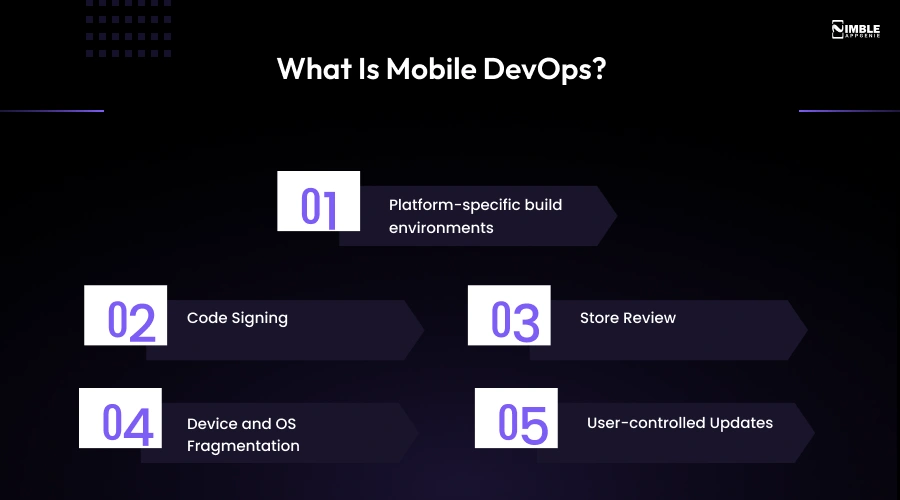
- Platform-specific build environments: Android builds run through Gradle on Windows, Linux, or macOS. iOS builds need Xcode, which only runs on macOS.
- Code Signing: Every iOS build requires a matching certificate and provisioning profile, or the build fails. Android uses a keystore system with different signing requirements, but it remains security-critical.
- Store Review: Google and Apple both review submissions before they reach users – a step with no real equivalent in most backend or web deployments.
- Device and OS Fragmentation: Android alone spans thousands of device/OS combinations; a build that works on one can behave differently on another.
- User-controlled Updates: Unlike a web app, where every visitor gets the new version instantly, mobile users decide when or whether to update.
A generic DevOps setup built for backend services doesn’t account for any of this. Mobile DevOps is the version built around it.
If your product is a financial services app, release governance carries extra weight – see our guide to software release management for fintech apps for the compliance and risk-control side of that process.
How a Mobile DevOps Pipeline Works
A mobile release moves through a consistent sequence of stages, even though the tools and specifics differ by platform:
| Stage | What happens | Why it matters to the business |
| Source control | Code changes are tracked and merged | Gives every release a clear history and rollback point |
| Automated build | App is compiled into an APK/AAB (Android) or IPA (iOS) | Removes “works on my machine” inconsistency |
| Automated testing | Unit, integration, and UI tests run against the build | Catches regressions before a human ever sees the release candidate |
| Code signing | Build is signed with the correct certificate/keystore | Required before any store will accept the build |
| Beta/staged distribution | Build goes to internal testers or a small user segment | Surfaces real-world issues before full release |
| Store submission | Build and metadata submitted to App Store Connect or Google Play Console | Starts the platform review clock |
| Monitoring | Crash rates, performance, and adoption tracked post-release | Confirms the release is actually healthy, not just “shipped” |
| Feedback into planning | Monitoring data informs the next release | Closes the loop instead of treating each release as isolated |
For a product team shipping every week or two, automating the build-through-signing steps removes various manual handoffs between “code is done” and “release candidate is ready”, freeing engineers to spend that time on product work instead of release logistics.
iOS vs. Android DevOps Considerations
iOS and Android aren’t the same pipeline, even if they share logos. Businesses that plan for one generic mobile release process usually end up under-resourcing whichever platform gets treated as the afterthought.
| Consideration | iOS | Android |
| Build environment | Xcode, macOS-only | Gradle, cross-platform |
| Signing | Certificates + provisioning profiles, strict matching required | Keystore-based, more flexible |
| Store console | App Store Connect | Google Play Console |
| Review process | Apple reviews every submission; on average, 90% of submissions are reviewed in less than 24 hours, per Apple’s own published figures | Generally faster on average, though Google publishes no fixed target and some accounts face longer holds |
| Staged rollout | TestFlight for beta; phased release available for production | Internal, closed, and open testing tracks, plus a native staged rollout by percentage |
| Distribution control | Apple approval required for every production build | More flexibility for internal/enterprise distribution outside the Play Store |
The practical takeaways for a business: build timelines, release-day contingency planning, and even hiring (macOS build infrastructure is not optional for iOS) all need to account for these differences separately, not as one line item.
What Should a Mobile CI/CD Pipeline Automate?
A mobile CI/CD pipeline should automate build generation, automated testing, code signing, security checks, test distribution, and versioning – the steps between “code is done” and “release candidate is ready”. Here’s what each covers and why it matters to the business:
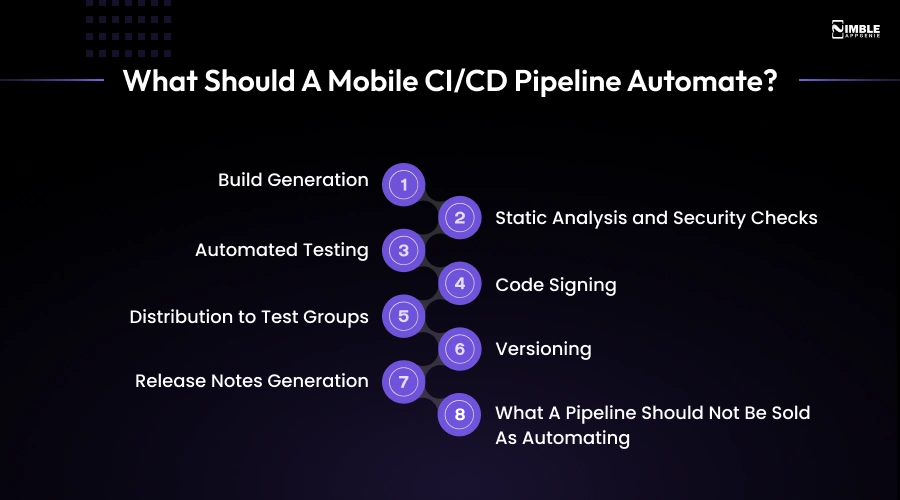
- Build Generation: Every commit produces a consistent, reproducible build, so “which version is this?” stops being a real question.
- Static Analysis and Security Checks: Catches risky code patterns before they reach a release candidate, not after a user reports them.
- Automated Testing (unit, UI, integration): Regressions caught in minutes instead of during manual QA days later.
- Code Signing: Removes a manual, error-prone step that otherwise blocks release at the worst possible time.
- Distribution to Test Groups: Beta builds reach internal testers automatically, without someone manually emailing a build file.
- Versioning: Every artifact is traceable back to the exact commit that produced it, which matters enormously when something breaks.
- Release Notes Generation: Pulled from commit history or ticket references instead of written from memory on release day.
- What A Pipeline Should Not Be Sold As Automating: The store review decision itself. Automation gets a build submission-ready and submitted; it can’t compress Apple’s or Google’s review queue.
If your team is comparing specific CI/CD platforms, we have broken down the leading options in our CI/CD tools guide.
Mobile App Release Automation
Release automation and store review control are two distinct things, and mixing them has misled a lot of businesses.
What can genuinely be automated?
- Preparing and submitting builds to Google Play Console and App Store Connect.
- Staged production rollouts – Google Play’s staged rollout allows a release to reach a set percentage of users, expandable over time, with crash and performance data visible before you expand further, per Google’s own release documentation.
- Managing beta distribution through TestFlight and Google Play’s internal/closed/open testing tracks.
- Rollback to a previous stable version if a staged rollout shows issues.
- Approval workflows that route a release candidate through the right internal sign-offs before submission.
What can’t be automated away:
- Google’s and Apple’s actual review decision and timeline.
- The judgment call on when to pause or halt a rollout – automation can flag the signal, but a human should own the call, especially early on.
For a startup shipping its first few releases, this generally means a lightweight version: manual submission, automated builds and tests, and a conservative staged rollout. For a scaling product shipping weekly, the same framework extends to automated submission triggers, tighter rollout percentages, and defined halt criteria tied to crash-rate thresholds.
Mobile App Monitoring After Release
DevOps doesn’t end at “the build is live.” A release that ships cleanly but crashes for 3% of users the next morning is still a failed release – it just failed quietly
The core signals worth tracking:
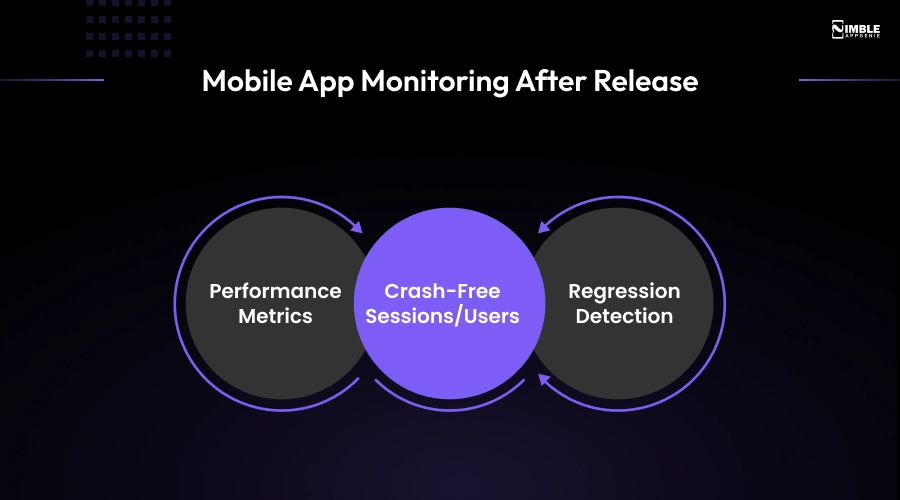
- Performance Metrics: App start time, network latency, UI responsiveness. A technically “stable app” that’s slow still drives uninstalls.
- Crash-free Sessions/Users: The baseline health metric most teams track, generally aiming to keep it above roughly 99.9%.
- Regression Detection: Comparing the new release’s metrics against the previous version’s baseline, not against an arbitrary target.
This is also where the release lifecycle becomes a loop rather than a line: monitoring data from the release – which features caused friction, which device/OS combinations saw more crashes – is exactly what should shape the scope and testing priorities of the next one.
Mobile DevOps Tools
Rather than a random tool list, here’s how the landscape breaks down by function. (This is a category overview, not an endorsement of any single vendor.)
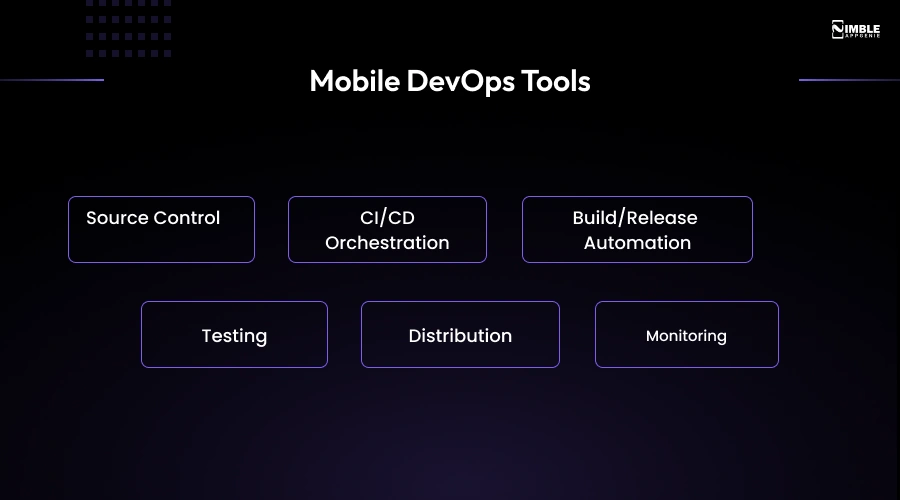
- Source Control: Git-based platforms (GitHub, Bitbucket, GitLab)
- CI/CD Orchestration: GitHub Actions, Bitrise, GitLab CI, Xcode Cloud, and Codemagic – platforms developed specifically for or well-suited to mobile builds.
- Build/Release Automation: Fastlane is the most widely used tool for automating signing, versioning, and store submission across both platforms.
- Testing: BrowserStack, Firebase Test Lab, Kobiton for device-matrix testing; XCTest and Espresso for native unit/UI testing.
- Distribution: TestFlight (iOS), Google Play’s internal/closed/open testing tracks.
- Monitoring: Firebase Crashlytics, New Relic Mobile, Sentry for crash and performance monitoring.
For a deeper technical comparison of CI/CD platforms specifically, see our CI/CD tools guide – this section is deliberately kept high-level since that page covers tool-by-tool tradeoffs in depth.

How Nimble AppGenie Approaches Mobile DevOps
Setting up a mobile release pipeline that actually holds up under real usage takes more than picking tools off a list – it takes structuring the pipeline around how your specific app is developed, tested, and shipped.
At Nimble AppGenie, our mobile app development team builds CI/CD pipelines around the platform realities described above rather than treating Android and iOS as interchangeable.
For Android projects, it means Gradle-based build automation that accounts for the device fragmentation Android developers deal with.
For iOS projects, that means proper certificate and provisioning-profile management from day one, so signing issues don’t become a release-day surprise.
Our mobile engineering team also works with teams post-launch through our app maintenance and support services, which is where release monitoring, crash triage, and the next release cycle actually connect – a release pipeline that stops at “deployed” and doesn’t feed into ongoing maintenance is not a complete Mobile DevOps setup.
FAQs
Mobile DevOps is the application of CI/CD, automated testing, and release automation to iOS and Android apps, specifically accounting for code signing, app store review, and device fragmentation that generic DevOps practices don’t address.
Traditional DevOps assumes you control the full deployment path. Mobile DevOps has to work around app store review, platform-specific build environments (Xcode for iOS, Gradle for Android), and the fact that users choose when to update.
At minimum: automated builds, automated testing, code signing, and distribution to test groups. More mature pipelines add automated store submission, staged rollout management, and monitoring integration.
You can automate building, preparation, signing, and submission. Automation of Apple’s and Google’s review decision and timeline gets you to the review queue faster, not through it faster.
Typically through Fastlane or a CI platform like Xcode Cloud handling build generation, signing with the correct certificates, and submission to App Store Connect, with TestFlight used for beta distribution before production.
Gradle-based build automation combined with a CI platform generates signed APKs/AABs, which are submitted to Google Play Console and can use staged rollouts to control what percentage of users receive the update.
Common categories include CI/CD orchestration (Bitrise, GitHub Actions), release automation (Fastlane), testing (Firebase Test Lab, BrowserStack), and monitoring (Crashlytics, Sentry).
Monitoring closes the loop: crash rates, performance data, and adoption metrics from a live release inform testing priorities and scope for the next one, rather than treating each release as a one-off event.
As soon as manual release steps start costing real time, usually once a team is shipping more than monthly, or once a bad release has already caused a scramble. Waiting until the app has significant scale makes the retrofit harder.
Apple states that on average, 90% of submissions are reviewed in less than 24 hours. Google Play publishes no fixed target, and review times can vary more widely by account and app type.

Madan is the Backend Solutions Architect at Nimble AppGenie, specializing in the design of secure, high-concurrency systems that power complex mobile ecosystems. With deep expertise in server-side logic and database management, he ensures every platform is built with enterprise-grade security. In his free time, he is an avid researcher of emerging technologies; he spends his time deconstructing the latest backend frameworks and reading technical papers to ensure our solutions remain at the absolute forefront of industry innovation.
Table of Contents




No Comments
Comments are closed.