

 Free Consultation
 PCI-DSS Compliant
 GDPR Ready
 ISO 27001
 NDA Protected
 AI Services
 AI App Development
 Generative AI Development
 AI Chatbot Development
 AI Integration Services
 AI Consulting Services
 AI For Fintech
 AI Financial Assistant Solution
 AI Insurance Agent Development
 Tech Stack
 OpenAI / GPT-4
 Claude / Anthropic
 Gemini / Google AI
 Llama / Open Source
 LangChain / LlamaIndex
 Pinecone / Pgvector
 AWS / Azure AI


 Fintech Solution
 Core Fintech
 App Development
 Neobank Solutions
 eWallet Solutions
 Lending Software
 Banking Solutions
 BNPL Solutions
 BNPL Solutions
 Insurance App
 Wealth Management
 Crypto & DeFi
 Blockchain Development
  Payroll Software
 DeFi Solutions
 Crypto Wallet
 Crypto On/Off Ramp
 Crypto Exchange
 Trading Platform
 Payments
 Compliance
 Regulations & Compliance
 Fraud Detection
 Lending Ecosystem
 P2P Lending Platform
 Mortgage Software
 Engagement
 Fintech Outsourcing

 Mobile Development
 Mobile App Dev
 iOS App Development
 Android App Development
 React Native
 Flutter Development
 Web Solution
 Node.js Development
 React.js Development
 Angular Development
 App Services
 UI/UX Design
 App Maintenance
 By Stage
 MVP Development
 Industry Solutions
 Healthcare App Dev
 Education App Dev
 Travel App Dev
 Real Estate App Dev
 Logistics Software
 Social Media App

 Hire Mobile Developers
 Hire iPhone Developers
 Hire Android Developers
 Hire React Native Devs
 Hire Flutter Developers
 Hire Web Developers
 Hire Node.js Developers
 Hire Angular Developers
 Hire PHP Developers
 Hire Laravel Developers
 How It Works
 Pre-Vetted Developers
 Ready In 48 Hours
 NDA From Day One
 Replace Guarantee
 Company
 About Us
 Our Work Process
 Portfolio
 Case Studies
 Blog / Insights
 Careers
 Contact Us
 Awards
 Recognition


 Offices


In a Nutshell:
- The iOS app development cost ranges around $25,000 – $500,000, depending on the complexity, features set, location of the development team, and customization in the app.
- The factors that influence the cost to build an iOS app are app complexity, features, development team’s location, backend complexity, third-party integrations, security and compliance.
- The hidden factors that affect the cost to create an iOS app are Apple developer program fee, app store commission, cloud infrastructure and hosting, legal and compliance costs, and mid-size scope changes.
- To optimise the cost to make an iOS app, you have to start with an MVP, prioritise features, choose the right development approach, work with an experienced team, and use open-source libraries.
- The differences between iOS app and Android app development cost based on development language, number of devices to test, average dev cost, developer hourly rate, App Store fee, time to market, revenue per user.
- Nimble AppGenie helps guide the iOS app development process by starting with a clear understanding of your idea, target users, and essential features.
How much does it cost to make an iOS app? The cost to develop an iOS app can typically fall between $25,000 to $500,000, depending on app complexity, features, location, and project requirements. That is a wide range. And we understand that a wide range is not really an answer.
But here is the thing. The final number is never random. Every dollar has a reason behind it. The features you choose, the team you hire, the platform you build on, and the compliance you need all add up in a very predictable way once you know the breakdown.
If you are a startup founder trying to figure out your first budget, it is vital to know where the money actually goes before starting the development. And that is exactly what this guide is for.
This guide takes you through the average cost of iOS app development and covers every cost factor, every phase, every hidden expense, and every way to keep your budget under control. So you can go into your iOS app project with full clarity and zero surprises.
So, let’s begin!
Quick-Reference: Custom iOS App Development Cost at a Glance
The cost to develop an iOS app can range between $25,000 – $500,000. But it totally depends on the app complexity, app type, features, design, and the development team’s location.
For example, a simple iOS application is cheaper because it has fewer screens, limited user actions, and uses ready-made solutions. But when you add elements like real-time data, custom UI, third-party integrations, or strong security, the effort increases, and so does the cost.
One major custom iOS app development cost driver is time. The more hours your iOS app takes, the more you pay. For example, a basic iOS app may take 2-4 months, while a complex app can take more than 8 months.
Besides, team location also matters. Rates in the US can go above $100/hour, while in Asia, they may range between $20–$50/hour. This alone can double or triple your total cost to create an iOS application.
Here’s the table of the estimated breakdown cost to create an iOS app:
| App level | Estimated hours | Cost range | What you actually get |
| Basic or MVP app | 300 – 600 hours | $25,000 – $50,000 | Login, simple UI, basic backend, limited features |
| Mid-Level App | 700 – 1,500 hrs | $50,000 – $150,000 | APIs, better UI/UX, dashboards, payments, or maps |
| Complex App | 1,500 – 3,000+ hrs | $150,000 – $500,000+ | Real-time sync, chat, AI, custom backend, high security |
You are not just paying for an iOS app. You are paying for time, features, and the level of customization you want.
How to Calculate the Cost to Build an iOS App: Cost Estimator?
The formula or cost estimator to evaluate the expenses of developing an iOS app is mentioned below.
| Total cost to make an iOS app = Total development time * Hourly rate of developers |
That’s it. There is nothing complicated. Let’s put some real numbers to it so it actually makes sense. For example, your iOS application takes 500 hours to build, and your development team charges $50 per hour:
- 500 hours * $50 per hour = $25,000
Now, say you go with a US-based development team charging $150 per hour:
- 500 hours * $150 per hour = $75,000
Same iOS application and same hours, but very different cost. It is just because of where the development team is based. Now here is the vital part. The two things directly control this number.
| Variable | What affects it |
| Total development hours | App complexity, number of features, design requirements |
| Hourly rate | Team location, experience level, engagement model |
The more features your iOS app has, the more hours it takes. The more experienced and western your team is, the higher the hourly rate. You can just control these two variables and you control your budget.
What Factors Affect the Cost to Develop an iOS App?
So, now you have the rough idea of the different cost ranges. Now, you are probably thinking, what makes one iOS app cost $25000 while the other one costs $500,000? Well, the answer is that different factors affect the cost to make an iOS app.
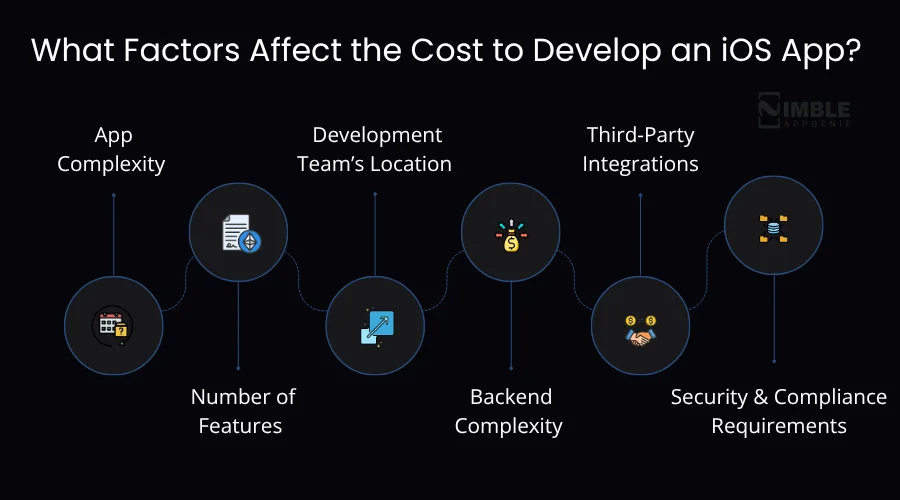
In the section below, we will take an in-depth look at the crucial factors.
• App Complexity
This is the biggest cost driver of them all. If you build a simple iOS app with only a few screens and basic features, it can cost really less. But an app with real-time features, complex user flows, and advanced integrations needs more iOS app development time, cost, and expertise.
| Complexity level | What it includes | Estimated cost |
| Basic or MVP app | Simple UI, login, basic CRUD operations, push notifications | $25,000 – $75,000 |
| Mid-Level | Social login, payment integration, offline mode, custom animations | $75,000 – $150,000 |
| Complex | Real-time features, AI/ML, multi-role users, advanced security | $150,000 – $500,000 |
Simple rule: The more your iOS app does or needs, the more it will cost.
• Number of Features
Every feature you integrate into your iOS app has a cost attached to it. It is easy to add a login screen. But if you add social media logins, biometric authentication, and two-factor verification, with separate features.
Each will need its own design, development, and testing time. This is why it is very crucial to know what your iOS mobile app really needs before you begin. Many projects go over the budget because features keep getting added along the way.
| Number of Features | Estimated Cost Impact |
| 1 – 5 core features | $25,000 – $60,000 |
| 6 – 15 features | $60,000 – $150,000 |
| 16 – 25 features | $150,000 – $300,000 |
| 25+ features | $300,000 – $500,000+ |
Simple Rule: More features = more development hours = more development cost. So, it is vital to prioritize the features based on your requirements.
• Development Team’s Location
Where your dedicated development team is based is one of the most vital iOS app development cost factors. An iOS app developer costs roughly around $25–$50 per hour. The same level of developer in the USA charges $120–$200 per hour.
On a project that takes 1000 hours, that is the difference between paying $30,000 and paying $150,000. That does not mean you should always go with the cheapest option.
Time zone differences, communication, quality standards, and project management all play a major role. But location is a real bar you can pull when budgeting.
| Team Location | Average Hourly Rate |
| Asia | $25 – $50 per hour |
| Eastern europe | $50 – $80 per hour |
| Western europe | $80 – $120 per hour |
| USA | $120 – $200 per hour |
| Australia | $100 – $150 per hour |
Simple rule: Western teams like the USA cost more per hour. However, offshore teams cost less. The right choice relies on your project requirements, timeline, and risk tolerance.
• Backend Complexity
Many iOS applications do not just sit on your phone. They connect to a server, store data, send notifications, process payments, and talk to other services. That server-side work is the backend, and it can be a major part of your budget.
A basic iOS mobile app with simple data storage has a simple backend. An application with real-time messaging, user-generated content, payment processing, and third-party API connections has a complex backend.
| Backend type | Estimated cost |
| No backend or static | $0 – $3000 |
| Simple backend | $5000 – $20,000 |
| Mid-level backend | $20,000 – $60,000 |
| Complex backend | $60,000 – $150,000+ |
Simple rule: If your iOS application requires storing, processing, or syncing data, budget for backend development.
• Third-Party Integrations
Most modern apps connect with external services like payment gateways, map services, analytics tools, social media platforms, CRM systems, and more.
Each integration takes time to implement, test, and maintain. Some third-party services also charge their own ongoing fees, which add to your total development iOS app cost even after the app is live.
| Integration Type | Examples | Estimated cost to integrate |
| Payment gateway | Stripe, PayPal, Apple Pay | $3000 – $10,000 |
| Maps & location | Google maps, apple maps, mapbox | $2000 – $8000 |
| Social login | Facebook, Google, Apple Sign-In | $1,500 – $5,000 |
| Analytics | Firebase, Mixpanel, Amplitude | $1,000 – $3,000 |
| CRM integration | Salesforce, HubSpot | $5,000 – $15,000 |
| Push notifications | Firebase Cloud Messaging, OneSignal | $1,000 – $3,000 |
| Live chat or support | Intercom, Zendesk | $3,000 – $8,000 |
| Video or streaming | Twilio, Agora, Mux | $8,000 – $25,000 |
Simple rule: Every integration adds development time and potentially ongoing licensing costs.
• Security and Compliance Requirements
If your iOS app manages sensitive data like financial information, health records, or personal identification, then you need to meet particular security and legal standards. These are not just optional extras. There are legal requirements that add real cost to developing iOS apps.
| Compliance / Security Type | Who needs it | Estimated additional cost |
| Basic SSL + data encryption | All apps | $1000 – $3000 |
| GDPR compliance | Apps with EU users | $3000 – $10,000 |
| PCI-DSS compliance | Apps managing card payments | $5000 – $20,000 |
| HIPAA compliance | Healthcare apps | $15,000 – $50,000 |
| SOC 2 certification | Enterprise or B2B apps | $20,000 – $60,000 |
| Penetration testing | All security-sensitive apps | $3000 – $15,000 |
Simple rule: The more sensitive your information is, the more you need to spend on security and compliance. Do not skip this part.
What is the Cost to Create an iOS App by App Type?
Not every mobile app costs the same. A simple calculator app and a full-fledged banking app are both iOS apps. But they could not be more different in terms of time, effort, and money. Let’s have a look at a table that shows different types of apps usually cost to build.
| App Type | Key Features | Estimated Cost | Timeline |
| Utility app | Basic functions, simple UI, minimal backend | $25,000 – $50,000 | 2–4 months |
| Business or productivity app | Dashboards, reporting, and user accounts | $50,000 – $80,000 | 3–5 months |
| Fitness & health tracker | Activity tracking, notifications, and wearable sync | $75,000 – $120,000 | 4-6 months |
| E-commerce app | Product listings, cart, payments, order tracking | $80,000 – $150,000 | 5–8 months |
| On-demand or delivery app | Real-time tracking, multi-user roles, and payments | $100,000 – $200,000 | 6–9 months |
| Social media app | Profiles, feeds, messaging, media uploads | $150,000 – $300,000 | 8–12 months |
| Education or e-learning app | Video content, quizzes, progress tracking | $60,000 – $150,000 | 4–8 months |
| Gaming app | Graphics, levels, leaderboards, in-app purchases | $100,000 – $300,000 | 6–12 months |
| Fintech or banking app | Transactions, security, compliance, real-time data | $200,000 – $400,000 | 10–14 months |
| Healthcare or HIPAA app | Patient data, compliance, appointments, and records | $200,000 – $500,000 | 12–16 months |
| Enterprise or AI-powered | Complex workflows, AI features, integrations | $300,000 – $500,000+ | 14–18 months |
The type of iOS mobile application you are developing is one of the first things any good development agency will ask you about. It sets the foundation for everything else in your budget.
iOS Application Development Cost Breakdown by Phase
The development of an iOS app happens in stages. Each stage has its own team, its own timeline, and its own cost. But if you don’t know what those stages are, you can easily get surprised by costs you never saw coming.
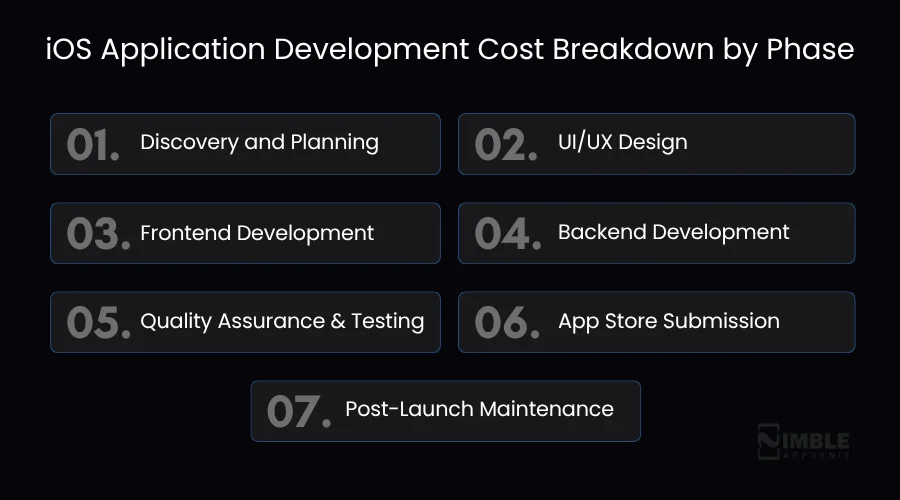
Below are all the phases, what happens in each one, the development cost, and the timeline.
Phase 1: Discovery and Planning
Before you start the development, your team should have a full understanding of what you are creating, the target audience, and the working mechanism.
This stage is about asking all the vital questions that are mandatory without spending any big money.
What happens here:
- Know your project goals
- Researching the target audience
- Defining the features and scope of the app
- Creating a technical roadmap
- Identifying potential risks in advance
Many people want to skip this phase, but skipping the market research stage can almost always go over budget due to problems caught later.
Development Time: 2-6 weeks
Development cost: $3000 – $8000
Phase 2: UI/UX Design
Now, the designers create the visually appealing layout of every screen. For example, UI, app navigation, app button icon, etc.
This stage creates a wireframe first, meaning basic black and white outlines, and then high-fidelity mockups, meaning the full-color version.
What happens here:
- Wireframes for every screen
- User flow mapping
- High-fidelity visual design
- Prototype for testing
An app that looks best but still confuses users is failed. A good design solves that before a developer writes a single line of code.
App design timeline: 3 – 14 weeks
Development cost: $3,000 -$80,000
Phase 3: Frontend Development
The iOS app developer takes every screen your designer created and brings it to life. Buttons that actually click, forms that actually submit, and animations that actually play.
For iOS mobile apps, this is done using Swift or SwiftUI, Apple’s official programming languages. A good front-end developer does not just make things work. They make things work smoothly, quickly, and in a way that feels natural on an iPhone.
What happens here:
- Ensuring the app follows iOS app design guidelines
- Making every screen of the application
- Connecting buttons, forms, and navigation
- Adding animations and transitions
- Making sure everything works on different iPhone models
Development Time: 4 – 30 weeks
Development Cost: $15,000 – $150,000+
Phase 4: Backend Development
Most iOS mobile applications need a server, a place where data gets stored, processed, and sent back to the app.
When you log into an app, your username and password are checked against a database on a server. You never see it. But without it, many mobile apps cannot function.
What happens here:
- Building the database
- Creating APIs that the app talks to
- Setting up user authentication
- Handling data storage and retrieval
- Managing server infrastructure
Development Timeline: 6 – 28 weeks
Development cost: $20,000 – $150,000
Phase 5: Quality Assurance and Testing
This is where every single thing gets checked, before your users find the problems. QA tests every screen, every button, every user flow, and every edge case they can think of.
They check what happens when the internet drops or someone enters the wrong data. But honestly, the repetition works well as-is if the goal is emphasis.
What happens here:
- Functional testing — does everything work as expected?
- App Performance testing — is the app fast enough?
- Security testing — are there any vulnerabilities?
- Device testing — does it work on all iPhone models?
- User acceptance testing — does it feel right to real users?
Development Time: 2 – 10 weeks
Development cost: $8000 – $40,000
Phase 6: App Store Submission
This is the final step before your iOS mobile app goes live. To publish an app on Apple’s App Store, you need to create an Apple Developer account, which costs $99 per year. But that is just the fee.
The actual submission process involves preparing your app listing, writing the description, uploading screenshots, setting up pricing, and submitting the app for Apple’s review.
Apple reviews every single app before it goes live. This review usually takes 1–3 days, but can take longer if they have questions or request changes.
What happens here:
- Apple Developer Program enrollment
- App Store listing preparation
- Screenshots and preview video creation
- App submission and review
- Responding to any Apple review feedback
- Final launch
Development Cost: $99/year – $5000
Phase 7: Post-Launch Maintenance
Your iOS mobile app is live. The work is not over. This is the phase most people forget to budget for, and it comes back to bite them every single time. Once your app is in the hands of real users, things happen. Users find bugs your QA team missed.
Apple releases a new iOS version, and some things stop working. Users request features. Your user base grows, and your server needs scaling. Security vulnerabilities get discovered and need patching. All of this costs money. And it never really stops.
The general rule in the industry is to budget 15–20% of your original cost to develop an iOS app every single year to maintain an iOS app. So if your app costs $100,000 to build, plan to spend $15,000 to $20,000 every year to keep it running well.
Maintenance cost: $5000 – $150,000 per year
So now you can see the full picture. Developing an iOS app is not one cost; it is seven different costs piled up together.
But now you know where the money goes, and that puts you in a much stronger position when you are consulting with development agencies and reviewing quotes.
If someone gives you a quote with no phase breakdown, ask for one. A good development partner will always be able to tell you exactly where every dollar is going.
Hidden Factors Affecting the Cost of iOS App Development
Besides the above factors, some hidden ongoing factors are often overlooked during the development planning process.
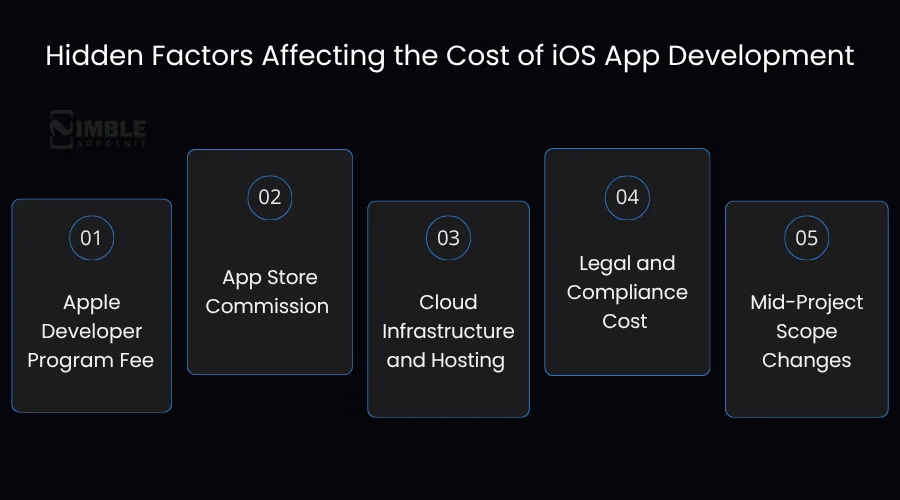
Here are the hidden factors that affect the cost of iPhone app development.
1. Apple Developer Program Fee
When you submit an app to the App Store, you require an Apple Developer account. The fee is usually around $99 per year for membership. But it is not a one-time payment. You have to renew it every single year. If you do not pay the amount or stop paying it, your iOS mobile app gets removed from the App Store.
| Plan | Cost |
| Apple Developer Program | $99 per year |
| Apple Developer Enterprise Program | $299 per year |
2. App Store Commission
Did you know Apple takes a commission whenever a user purchases inside your iOS application? No matter if it is a subscription, a one-time purchase, or an in-app product, Apple takes a cut from your app. For many developers, it is 30%.
However, if you are in a business for less than a year and earn under $1 million annually, Apple reduces that to 15%. This is out of the development cost. But it is a real cost of running an iOS app. This can directly affect your revenue model.
| Revenue Tier | Apple Commission |
| Standard (most apps) | 30% of in-app purchases |
| Small business program (under $1 million per year) | 15% of in-app purchases |
| Subscriptions after the first year | 15% of subscription revenue |
3. Cloud Infrastructure and Hosting
Your iOS mobile application requires a server. That server costs money every month, and that cost increases as your user base grows.
A small application with only a few hundred users might cost $20–$50 per month to host. However, an app with hundreds of thousands of active users can cost thousands of dollars per month in server costs alone.
| User Scale | Estimated Monthly Server Cost |
| Early stage under 1000 users | $20 – $100 per month |
| Growing app under 1000 – 10,000 users | $100 – $500 per month |
| Mid-scale under 10,000 – 100,000 users | $500 – $3000 per month |
| Large-scale under 100,000+ users | $3000 – $5000 per month |
4. Legal and Compliance Cost
Another hidden cost to develop an iOS app is legal and compliance costs. Who your app is serving and what your app does, based on that, you may need legal assistance. For example, a healthcare app needs HIPAA compliance.
An app with European users needs GDPR compliance. A payment app needs PCI-DSS certification. These are not just technical requirements; they need legal review, documentation, and sometimes third-party audits.
| Compliance Type | Who Needs It | Estimated Cost |
| GDPR | Apps with EU users | $3,000 – $10,000 |
| HIPAA | Healthcare apps | $15,000 – $50,000 |
| PCI-DSS | Payment processing apps | $5000 – $20,000 |
| SOC 2 | Enterprise or B2B apps | $20,000 – $60,000 |
| Legal review and privacy policy | All apps | $1,000 – $5,000 |
5. Mid-Project Scope Changes
This one is entirely in your control, but it is the most common reason projects go over budget. You start with a clear plan. Then, halfway through development, you want to add a new feature. Or change how something works. Or redesign a section.
Every single change mid-project costs more than it would have if it had been planned from the start. It is because the developer has to stop what they are doing, rework existing code, and retest everything.
| Type of Change | Estimated Cost Impact |
| Minor UI adjustment | $500 – $2,000 |
| Adding a new feature mid-project | $3,000 – $15,000 |
| Changing core functionality | $10,000 – $40,000 |
| Major scope change or pivot | $20,000 – $80,000+ |
How to Optimize the Cost to Build an iOS Mobile Application?
Developing an iOS app does not have to drain your entire budget. The truth is, most applications that go over budget are due to poor planning and not because development is expensive. So, proper planning is a must before investing in app development.
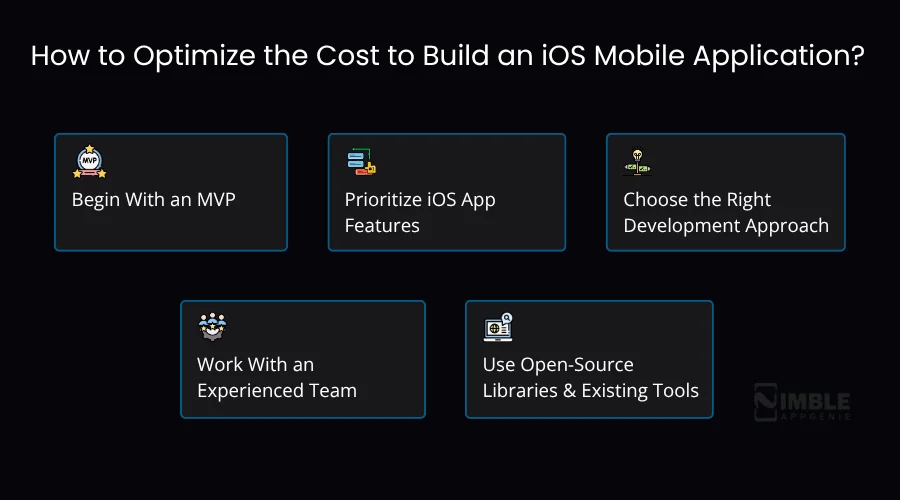
Here is how you can keep your costs under control without cutting corners on quality:
► Begin With an MVP
Do not build all the features you ever think of on day one; you can first start with only the must-have features. Now, build an MVP version of the iOS app with must-have features, launch it, and get real user feedback.
Then decide what to build next based on what users actually want rather than what you think they want. This approach can cut your initial development cost by 40–60% and dramatically reduce the risk of building something nobody uses.
| App Version | Features | Estimated Cost Savings vs Full Development |
| Full iOS app with all features | Everything planned | Baseline |
| MVP with core features only | Essential features only | 40%-60% less |
| Phased MVP | Core + one priority feature set | 25% – 40% less |
► Prioritize iOS App Features
Not every feature is equal. Some features are absolutely essential for the app to work. Others are nice to have. And some are things you think users will love but have never actually tested. Before development starts, rank every feature into three buckets:
| Priority | Description | Action |
| Must-have | The app does not work without this | Built in version 1 |
| Should have | Adds real value, but not critical | Built in version 2 |
| Nice to have | Would be cool, but not necessary | Revisit after launch |
Building only the “must have” features first keeps your initial budget tight and lets real user data guide what comes next.
► Choose the Right Development Approach
If your app needs to work on both iOS and Android, you can consider cross-platform development using React Native or Flutter.
Instead of building two completely separate apps, you build one codebase that works on both platforms. This can reduce your total development cost by 30–40% compared to building two native apps separately.
However, if your app relies heavily on iOS-specific features like ARKit, Core ML, Apple Watch integration, or Apple Pay, native iOS development is the better choice. The cost savings are not worth the performance trade-off in those cases.
| Approach | Best for | Cost vs Native iOS |
| Native iOS | Best performance, iOS-specific features | Baseline |
| React native | iOS + Android, budget-conscious | 30-40% less |
| Flutter | iOS + Android, good UI consistency | 30 – 40% |
► Work With an Experienced Team
This sounds counterintuitive when you are trying to save money, but hiring a cheaper, inexperienced team almost always ends up costing more.
An inexperienced team takes longer to build the same thing. They make more mistakes. Those mistakes take time to fix. And sometimes the work needs to be completely redone by a better team, which means you pay twice.
An experienced mobile app development team builds faster, makes fewer mistakes, and catches problems early. The higher hourly rate is almost always offset by the lower number of hours needed.
► Use Open-Source Libraries and Existing Tools
You do not need to build everything from scratch. There are thousands of open-source libraries and pre-built tools that handle common app functions, authentication, payments, maps, analytics, push notifications, and more. Using these instead of building custom solutions from scratch can save significant development time.
| Features | Build from scratch | Use the existing library | Time saved |
| User authentication | 40-80 hours | 8–16 hours | Up to 75% |
| Payment gateways | 60-100 hours | 15-25 hours | Up to 70% |
| Push notifications | 20-40 hours | 4-8 hours | Up to 80% |
| Analytics | 30-60 hours | 4-10 hours | Up to 85% |
iOS App vs Android App Development Cost: Brief Analysis
A question that you might get confused about: should I build for iOS or Android first, and which one costs more? Well, the table below showcases the difference between iOS and Android app development costs.
| Factor | iOS | Android |
| Development language | Swift or SwiftUI | Kotlin or Java |
| Number of devices to test | More than 20 active models | 500+ device variations |
| Average dev cost | $25K–$500K+ | $20K–$450K+ |
| Developer hourly rate | Slightly higher | Slightly lower |
| App Store fee | $99 per year | $25 one-time |
| Time to market | Generally faster | Generally slower |
| Revenue per user | Higher because iOS users spend more | Lower on average |
Developing an iOS app is usually more costly than Android. iOS developers who have expertise in Swift generally charge 10–15% more than Android developers.
However, the iOS app generates higher revenue per user. The iOS apps generate roughly 2x the revenue of Android apps globally despite Android having a larger user base.
Thus, if you are targeting the US or UK market and monetization really matters, then iOS is usually the right call. However, if you are targeting global markets or rising countries where Android dominates, developing an Android app makes more sense.
How Nimble AppGenie Optimizes Your iOS App Development Cost?
Creating an iOS app is a big investment. And you deserve a development partner who helps you spend that investment wisely. Being a recognized iOS app development company, Nimble AppGenie starts with a free discovery session.
Firstly, we discuss your mobile app ideas, like what it needs, who it is for, and what features matter. Many clients come to us expecting a $200,000 build and leave with a smart MVP plan for $60,000. We provide you with a transparent quotation. Every ballpark figure we produce is broken down by phase with no hidden costs.
Additionally, we assist you in choosing the right features that are much needed. Our experts have built hundreds of iOS mobile apps in many different industries, and we know what users actually use, so we help you build that first.
Nimble AppGenie builds mobile apps that grow with your business, so you never have to pay to rebuild. So, are you ready to get started? Get your free average iOS app development cost estimate now!
What Nimble AppGenie Offers:
- Builds iOS apps based on your idea and business needs
- Creates simple and easy-to-use app designs
- Uses modern tools for fast and smooth apps
- Test the app to make sure everything works well
- Helps you even after the iOS app is launched
Real-Time Case Study: Nujaxx–an iOS Music Streaming App
Project Overview:
Nujaxx is a cross-platform music streaming app built for iOS. The goal was to move beyond basic streaming and create a platform where users can discover music while also interacting with artists.
The Idea Behind the App:
Instead of creating another music app, the focus was on user engagement. A unique voucher-based reward system was introduced. It allows users to earn benefits while listening, and helps artists increase online visibility at the same time.
Key Challenges:
Developing a Nujaxx app was not simple. Our team had to ensure:
- Smooth and uninterrupted music streaming
- A clean and easy-to-use interface across iOS devices
- Integration of a new voucher system without affecting performance
- Support for multiple features like live interaction and artist profiles
Solution & Features:
To solve these challenges, the app was designed with a balanced focus on performance and engagement.
We include the following features:
- Personalized playlists and music discovery
- Built-in music player for seamless listening
- Artist profiles for better fan connection
- Voucher system for rewards and engagement
- Vendor panel for managing music content
Development Details:
- Platform: iOS (Swift) and Android
- Backend: PHP, MySQL
- Team Size: 5 members
- Timeline: 3 months
Results:
After launch, Nujaxx stood out due to its interactive approach. Users responded well to the reward system and discovery features, helping the app gain early traction and positive feedback.

Conclusion
Developing an iOS app is a real investment. But it can turn into something valuable if you plan it well. In the end, it is not just about the build itself. It is about understanding what your app needs, choosing the right features, and working with a team that gets your vision.
Instead of going for the cheapest option, you can focus on creating something that actually works well for your audience and supports your long-term goals.
Therefore, if you have an idea and want to understand what the cost would be to develop an iOS app, you can always get a simple, clear estimate based on your requirements.
FAQs

Niketan Sharma, CTO, Nimble AppGenie, is a tech enthusiast with more than a decade of experience in delivering high-value solutions that allow a brand to penetrate the market easily. With a strong hold on mobile app development, he is actively working to help businesses identify the potential of digital transformation by sharing insightful statistics, guides & blogs.
Table of Contents




No Comments
Comments are closed.