

 Free Consultation
 PCI-DSS Compliant
 GDPR Ready
 ISO 27001
 NDA Protected
 AI Services
 AI App Development
 Generative AI Development
 AI Chatbot Development
 AI Integration Services
 AI Consulting Services
 AI For Fintech
 AI Financial Assistant Solution
 AI Insurance Agent Development
 Tech Stack
 OpenAI / GPT-4
 Claude / Anthropic
 Gemini / Google AI
 Llama / Open Source
 LangChain / LlamaIndex
 Pinecone / Pgvector
 AWS / Azure AI


 Fintech Solution
 Core Fintech
 App Development
 Neobank Solutions
 eWallet Solutions
 Lending Software
 Banking Solutions
 BNPL Solutions
 BNPL Solutions
 Insurance App
 Wealth Management
 Crypto & DeFi
 Blockchain Development
  Payroll Software
 DeFi Solutions
 Crypto Wallet
 Crypto On/Off Ramp
 Crypto Exchange
 Trading Platform
 Payments
 Compliance
 Regulations & Compliance
 Fraud Detection
 Lending Ecosystem
 P2P Lending Platform
 Mortgage Software
 Engagement
 Fintech Outsourcing

 Mobile Development
 Mobile App Dev
 iOS App Development
 Android App Development
 React Native
 Flutter Development
 Web Solution
 Node.js Development
 React.js Development
 Angular Development
 App Services
 UI/UX Design
 App Maintenance
 By Stage
 MVP Development
 Industry Solutions
 Healthcare App Dev
 Education App Dev
 Travel App Dev
 Real Estate App Dev
 Logistics Software
 Social Media App

 Hire Mobile Developers
 Hire iPhone Developers
 Hire Android Developers
 Hire React Native Devs
 Hire Flutter Developers
 Hire Web Developers
 Hire Node.js Developers
 Hire Angular Developers
 Hire PHP Developers
 Hire Laravel Developers
 How It Works
 Pre-Vetted Developers
 Ready In 48 Hours
 NDA From Day One
 Replace Guarantee
 Company
 About Us
 Our Work Process
 Portfolio
 Case Studies
 Blog / Insights
 Careers
 Contact Us
 Awards
 Recognition


 Offices


Key Takeaways:
- Demographics and monetization drive the decision: App Store aligns with higher-income/premium users, while Google Play offers broader reach for mass adoption.
- Review speed differs: Google Play’s automated reviews are faster (few hours), while App Store reviews typically take longer (24–72 hours).
- Monetization models vary: App Store is strong for premium + subscriptions; Google Play supports freemium + ads with scalable distribution.
- Editorial and ad dynamics are not the same: Featuring and placements work differently across stores, affecting how installs grow.
- ASO and listing content should be platform-specific: Subtitle/short description limits and screenshot approach change what converts.
- Pick launch-first by app type: Fintech/B2B/premium often lead with iOS; lending/crypto often favor Android first; some categories benefit from launching on both.
- Connect with Nimble AppGenie: Get platform-aligned development, testing, and deployment support so you can launch on the right store for your audience.
Selecting the right platform to launch your app matters, as it can impact your overall business and even leave a strong impression on the target audience.
In the confusion of selecting which platform you should launch your app on, identifying the right knowledge for your platform is all you need.
As per Stephen Covey, well said, “Begin with the end in mind”.
Hence, here you should always think about which platform offers a better opportunity for you to succeed first and create an incredible experience for your end users.
In this guide, you will find a detailed comparison of the App Store Vs Google Play, along with strategies on which platform you should select first to launch your app.
Without further ado, let’s get started on Google Play Store Vs App Store.
App Store vs Google Play Store: A Detailed Comparison
Selecting the right platform among the App Store and Google Play Store has a diversified impact on the overall App Store Optimization (ASO) strategy.
To evaluate which platform you should choose for your app launch, it is essential to identify the details about both platforms and how each of these platforms works.
Let’s begin with the complete table, and then learn a detail:
| Factor | App Store (iOS) | Google Play Store (Android) |
| Developed By | Apple Inc. | Google LLC |
| Launched | July 10, 2008 | October 22, 2008 |
| Total Apps (2026) | ~2.42 Million | ~1.58 Million |
| Review Process | Manual | Automated (AI-based) |
| Review Time | 24–72 hours | Few hours |
| Standard Commission | 30% | 20% (from June 2026) |
| Revenue Per User | $1.08 | $0.43 |
| Total Revenue (2025) | $1.4 trillion | $49.2 Billion |
| Global Downloads Share | ~27% | ~73% |
| Strongest Market | USA, UK, Japan, Australia | India, Southeast Asia, Latin America |
| Primary Dev Language | Swift, Objective-C | Kotlin, Java |
| Device Fragmentation | Low | Very High (12,000+ devices) |
| Sideloading | Not Allowed | Allowed |
| Best Monetization Model | Subscriptions + Premium | Freemium + Ads |
| Privacy Control | Very Strict (ATT Framework) | Moderate |
| Best For | High revenue, premium users | Global reach, rapid testing |
Apart from the factors stated in the above table, here are some other factors to consider while analyzing the App Store vs Google Play Store:
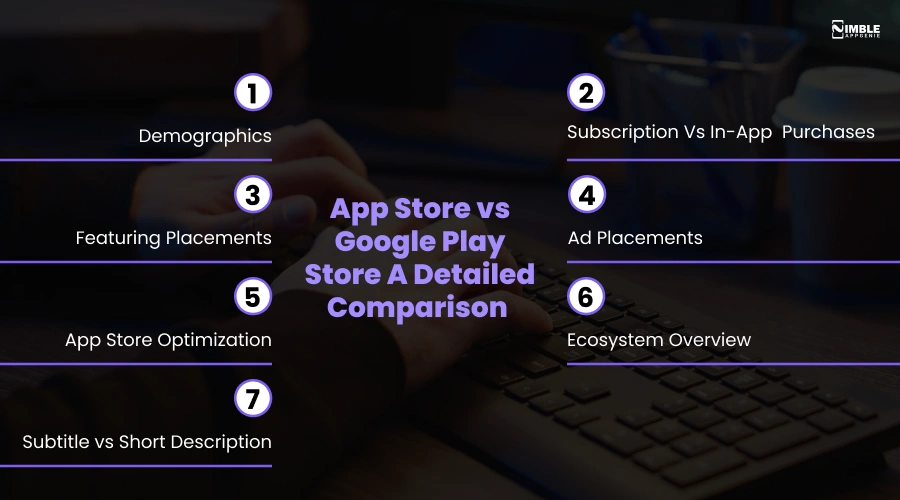
1. Demographics
Demographics acts as a foundational compass for businesses to launch their apps on the chosen platforms.
The custom product pages and store listings allow you to target different audiences on each platform. Here, you can choose the right distribution strategy by aligning your specific user base with the diversified ecosystem.
For App Store:
These platforms generally have higher ARPU (Average Revenue Per User); thus, this makes the App Store Attractive for premium apps and for higher subscription plans.
This platform is selected to launch the apps for high-income users, loyal spenders, B2B professionals, and demographics in regions such as North America, Japan, the United Kingdom, and Western European countries.
For Play Store:
The primary audience for the Play Store is the age group between 18 and 34 years old. For the Android platform, the key considerations should comprise legal compliance, ad restrictions, and ensuring your app listings.
The key audiences for the Play Store are Southeast Asia and Latin America.
2. Subscription Vs In-App Purchases
The mobile app monetization models, along with the user spending behavior, differ in a way that has a large impact on businesses, startups, and developers when launching the app.
Higher ARPU reflects Apple’s premium positioning and even stronger adoption of paid apps and subscriptions.
For App Store:
When it comes to subscription vs in-app purchases, Apple charges a standard commission of 30% on both. And, after one year of continued service, Apple’s cut drops to 15%.
This platform allows you to monetize the app through selling digital content, recurring services, and premium features.
For Play Store:
Google’s standard service fee is 15% on the first $1 million in revenue per developer. Beyond $1million, this commission can increase to 30%.
From the businesses and the developers launching the app, Google charged a one-time $25 registration fee. Here, the standard tiers are 15% for the first $1M/year, then 30% beyond.
3. Featuring Placements
When you look at the app market ecosystem, featuring refers to the organic editorial placements, when the app is promoted or highlighted. In this section, the apps appear in special sections such as “Editor’s Choice” and under the “top picks” section.
Let’s look at the differences between the App Store and the Google Play Store:
For App Store:
For the App Store, featuring is a manual procedure that is driven by Apple’s editorial team rather than an automated algorithm. They follow a standard process for listing the apps under the featured section.
Here, features can appear on the Today tab and even in the editorial series. Here, the developers can directly alert the team about upcoming launches via featured nominations.
For Play Store:
The Play Store follows a strict editorial process. Here, the team hand-picks the apps and games that are also based on their quality, user value, and design.
Here, the procedure followed is more algorithmic, based on factors such as ratings, app quality, and even localization.
4. Ad Placements
Apple Ads offers several prominent ad placements within the App Store. This placement differs based on the type of target audience. Here is about Google Play Store Vs App Store based on ad placements:
For App Store:
Here, the ad placement is performed based on four parts:
- Today Tab: These ads are shown on the front page of the App Store and feature custom assets and messaging.
- Product Pages: When ads are placed on other app pages, targeting users who browse similar apps.
- Search Results: Here, ads are placed at the top of search results, with the selected keywords.
- Search Tab: The ads are placed at the top of the suggested app list, which are visible even before a user types or searches for an app.
For Play Store:
Google’s advertisement systems are termed Google Ad Campaigns, which are run via Google Ads:
- Search Results: The sponsored apps appear at the top of the search results, where the user types the keyword. It does work as Google automatically determines the keywords based on the app’s data.
- Suggested For You: These ads are shown based on the user’s app usage and their preferences for use. These are represented as featured banners and “suggested for you” app cards that appear on the main tabs.
- Related Apps: Here, the apps are displayed in the “you might also like” section on the other app pages.
5. App Store Optimization
Another crucial parameter here is app store optimization, where the screenshots play an important role in driving installs and engaging users. These ASOs vary depending on the platforms you select:
For App Store:
Here, as a fintech and business startup, you require strategic use of data, performance optimization, and creative assets. The primary goal of the app is to maximize the visibility and download conversion rates by avoiding penalties.
Apple’s layout does favor the screenshots with minimal text overlays and a strong, branded visual style.
For Play Store:
To perform app store optimization, you require specific strategies for maximizing both the app’s discoverability and the download conversion rates.
Google Play permits up to 8 screenshots, although these screenshots don’t appear in general search results, where they appear alongside the app icon, title, and short descriptions.
6. Ecosystem Overview
The selection of the platforms to launch an app does impact the complete business strategy. You can hire mobile app developers to evaluate the complete ecosystem before selecting the right platform.
Let’s drive into the App Store vs Google Play Store differences for the ecosystem:
For App Store:
The App Store operates within a closed ecosystem, which means Apple controls the entire environment, from the software and hardware to app distribution, payments, and user policies.
This ecosystem limits third-party integrations to a select few and has a strict privacy policy.
For Play Store:
Launching a business app on the Google Play Store is all about the open ecosystem and the algorithmic view. Within this system, Google Play offers the developers and marketers more control over how apps are submitted and tested.
It allows third-party SDK integration with minimum restrictions for businesses and developers.
7. Subtitle vs Short Description
Another major component or factor that should be considered for App Store vs Google Play is a subtle and short description.
For App Store:
App Store uses subtitles with a limit of 30 characters. It appears underneath the app title and even below the screenshots on the app page.
These subtitles do appear in the search results, which helps the users to explain what your app is all about. A great subtitle is the one that makes a unique difference among businesses.
For Play Store:
Google Play’s short description can be up to 80 characters. This description generally does not appear in the search results, but is visible on the app listings underneath the screenshots, and right above the long descriptions.
Businesses should create a short description that can grasp people’s attention and convince them to download the app. This description allows users to browse your app page, which offers you a chance to have an action-oriented message that drives them to install the app.
Well, after learning about the differences between the App Store and Google Play, the next step is to identify which one you should launch your app on first.
Which Platform Should You Launch On First?
The best platform among the App Store and Google Play depends on different factors, such as your product type and the type of audience you want to target.
Here is the list of app types, platforms, and why you should choose that particular platform for your app:
| Industry / App Type | Launch Platform | Why |
| Fintech & Banking | App Store (iOS) First | Higher-income users, stronger willingness to pay; Apple’s strict security review builds instant trust, critical for financial apps |
| Digital Wallet & Payments | Both Simultaneously | Transaction volume needs a maximum user base; losing either platform means losing revenue at scale |
| Neobanking & Challenger Banks | App Store (iOS) First | US/UK neobank early adopters are predominantly iPhone users; iOS ARPU is 2.5x higher than Android |
| Investment & Wealth Management | App Store (iOS) First | High-net-worth users skew iOS heavily; premium monetization performs significantly better on iOS |
| Lending & BNPL Apps | Google Play (Android) First | Broader demographic reach; price-sensitive, credit-seeking users are disproportionately Android users globally |
| Insurance Tech (Insurtech) | Both Simultaneously | Insurance cuts across all income levels and geographies; missing either platform is a direct market gap |
| Crypto & Blockchain Wallets | Google Play (Android) First | Apple has historically had stricter crypto app policies; Android’s open ecosystem suits crypto’s decentralized nature |
| Healthcare & Telemedicine | iOS First (US) / Android First (Global) | US healthcare users skew iPhone; global patient apps need Android’s reach in emerging markets |
| SaaS & B2B Enterprise Tools | App Store (iOS) First | Corporate device fleets and professional demographics skew heavily toward iPhone; enterprise security aligns better with iOS |
| Fitness & Wellness | App Store (iOS) First | iOS users pay more for health subscriptions; Apple Health ecosystem integration adds strong platform-native value |
| E-Commerce & Retail | Both Simultaneously | Retail revenue loss from missing either platform is too costly; a cross-platform build is strongly recommended |
If you are looking for the steps to launch your app on the App Store or submit an app to the Play Store, you need to connect with the experts in this field.
Connect with Nimble AppGenie and Build Your App For the Platform
Either the App Store or Google Play, with Nimble AppGenie, you will find a complete service to develop, test, and deploy the app. Our developers will help you to select the right platform based on what’s suitable for your business and the type of audience.
Nimble AppGenie is the best mobile app development company, delivering optimized solutions for startups, enterprises, and businesses looking forward to launching their apps and software in this digital and AI era.
Why Choose Us?
- Offers Budget and User-Friendly models: Nimble AppGenie is the best software development company offering budget-friendly and user-friendly solutions for businesses and enterprises.
- Tech Stack Versatility: Whether you are looking for an AI app development company or a company that can offer you diversified technical versatility solutions, Nimble AppGenie is here to help.
- Proven Track Record: Experts at Nimble AppGenie have 8+ years of experience and a proven track record with 350+ apps. The company has a niche in fintech and is well recognized as the top fintech software development company.
Conclusion
The major difference that you will observe between the App Store and Google Play is demographics, featuring placements, ad placements, and ecosystem overview.
For the App Store, you will have a higher ARPU, while for the Play Store, the key considerations are people in the age group of 18 to 34 years. App Store has more privacy and a closed ecosystem, while the Play Store offers an open ecosystem with limited restrictions to launch an app.
To select the right platform, you should evaluate your industry patterns, launch platforms, and why to select that specific platform for your business.
FAQs

Madan is the Backend Solutions Architect at Nimble AppGenie, specializing in the design of secure, high-concurrency systems that power complex mobile ecosystems. With deep expertise in server-side logic and database management, he ensures every platform is built with enterprise-grade security. In his free time, he is an avid researcher of emerging technologies; he spends his time deconstructing the latest backend frameworks and reading technical papers to ensure our solutions remain at the absolute forefront of industry innovation.
Table of Contents




No Comments
Comments are closed.