

 Free Consultation
 PCI-DSS Compliant
 GDPR Ready
 ISO 27001
 NDA Protected
 AI Services
 AI App Development
 Generative AI Development
 AI Chatbot Development
 AI Integration Services
 AI Consulting Services
 AI For Fintech
 AI Financial Assistant Solution
 AI Insurance Agent Development
 Tech Stack
 OpenAI / GPT-4
 Claude / Anthropic
 Gemini / Google AI
 Llama / Open Source
 LangChain / LlamaIndex
 Pinecone / Pgvector
 AWS / Azure AI


 Fintech Solution
 Core Fintech
 App Development
 Neobank Solutions
 eWallet Solutions
 Lending Software
 Banking Solutions
 BNPL Solutions
 BNPL Solutions
 Insurance App
 Wealth Management
 Crypto & DeFi
 Blockchain Development
  Payroll Software
 DeFi Solutions
 Crypto Wallet
 Crypto On/Off Ramp
 Crypto Exchange
 Trading Platform
 Payments
 Compliance
 Regulations & Compliance
 Fraud Detection
 Lending Ecosystem
 P2P Lending Platform
 Mortgage Software
 Engagement
 Fintech Outsourcing

 Mobile Development
 Mobile App Dev
 iOS App Development
 Android App Development
 React Native
 Flutter Development
 Web Solution
 Node.js Development
 React.js Development
 Angular Development
 App Services
 UI/UX Design
 App Maintenance
 By Stage
 MVP Development
 Industry Solutions
 Healthcare App Dev
 Education App Dev
 Travel App Dev
 Real Estate App Dev
 Logistics Software
 Social Media App

 Hire Mobile Developers
 Hire iPhone Developers
 Hire Android Developers
 Hire React Native Devs
 Hire Flutter Developers
 Hire Web Developers
 Hire Node.js Developers
 Hire Angular Developers
 Hire PHP Developers
 Hire Laravel Developers
 How It Works
 Pre-Vetted Developers
 Ready In 48 Hours
 NDA From Day One
 Replace Guarantee
 Company
 About Us
 Our Work Process
 Portfolio
 Case Studies
 Blog / Insights
 Careers
 Contact Us
 Awards
 Recognition


 Offices


Key Takeaways:
- Corporate mobile app development is about creating a custom app that fits how your business actually works, so your team can save time, and your customers get a smoother experience.
- There are different types of corporate apps you can build, like apps for your employees, apps for customers, sales apps, or systems that manage your whole business in one place.
- Building a corporate app is not random; it follows clear steps like understanding the problem, designing the app, developing it, testing it, and then improving it after launch.
- To build a corporate app, add features like real-time updates, strong security, easy integrations, and dashboards that help you track what is happening in your business.
- The corporate app development cost can vary a lot, usually starting from around $25,000 and going up to $250,000 or more, depending on how complex your app is.
- There are also corporate mobile app development challenges like managing budget, ensuring the app is secure, connecting it with other systems, and getting your team to actually use it.
Just think, a mid-sized logistics company spends $80,000 building a mobile app for their field operations team. Six months later, less than 30% of employees are using it. The rest still depend on WhatsApp messages and paper checklists.
Sounds familiar? It happens more often than you think.
The problem was not the technology. The problem was that the company jumped straight into creating without asking the right questions first. They built what they thought employees needed, not what employees actually needed.
Corporate app development done right is not just about writing code. It is about understanding your business deeply enough to build something people will actually use.
This guide is for business leaders, founders, and decision-makers who want to get this right. Whether you are exploring corporate mobile app development for the first time or have already had a bad experience, you will find a clear, honest roadmap here.
So, let’s begin!
What is a Corporate App?
Corporate app development is the process of making custom mobile apps or web apps built specifically for a company’s business needs. No matter what it means, helping employees work faster, serving customers better, or connects different parts of the business in one place.
The major word here is custom. This is not about downloading an app from the App Store or subscribing to a SaaS software. It is about creating something from scratch that fits the way your business actually works.
A corporate app can be used internally or externally, by your customers, partners, and distributors. Many companies build mobile apps that serve both audiences.
Corporate App vs. Enterprise App: What’s the Difference?
People use these terms interchangeably, and that is mostly fine.
But here is a quick distinction:
- A corporate app is any custom app built for a specific company’s needs, from a 15-person startup to a 15,000-person organization.
- An enterprise app typically refers to large-scale systems like ERP platforms, CRM tools, or workforce management software, usually used by bigger firms.
For this guide, we use both terms. The principles apply regardless of your company’s size.
Types of Corporate Apps: Which One Does Your Business Need?
Not every company needs the same kind of corporate app. Here are the main categories, and who they are typically built for.
► Internal Operations Apps
These are built for your team. They replace clunky internal processes and make day-to-day work smoother.
- HR self-service apps
- Internal communication and project management apps
- Expense tracking and approval workflow apps
- Field workforce management apps
► Customer-Facing Apps
These put your brand directly in your customer’s hands. They are about engagement, convenience, and retention.
- Client portals with account management and service tracking
- Loyalty and rewards apps
- Appointment booking and scheduling apps
- Support and helpdesk apps
► Sales and CRM Apps
For your sales team working out in the field. It manages leads, logs calls, and closes deals without needing a laptop.
- Lead management and pipeline tracking
- Proposal and quotation generation tools
- Integration with your existing CRM
► Enterprise Resource Planning Apps
These connect your ERP functions, finance, inventory, procurement, and HR into one system. Usually, the most complex type of corporate app.
- Financial management and accounting
- Inventory and stock management
- Procurement and purchase management
- Reporting and analytics dashboards
► Partner and Vendor Apps
If you work with distributors, suppliers, or franchise partners, a dedicated app can replace endless email chains, spreadsheets, and manual order processing.
- Order management
- Communication with partners
- Tracking supplies and deliveries
Why Your Competitors Are Pulling Ahead With Custom Apps?
Here is a question worth sitting with: why would a company spend $50,000 to $200,000 building a custom app when they could just use off-the-shelf software? The answer has three parts.
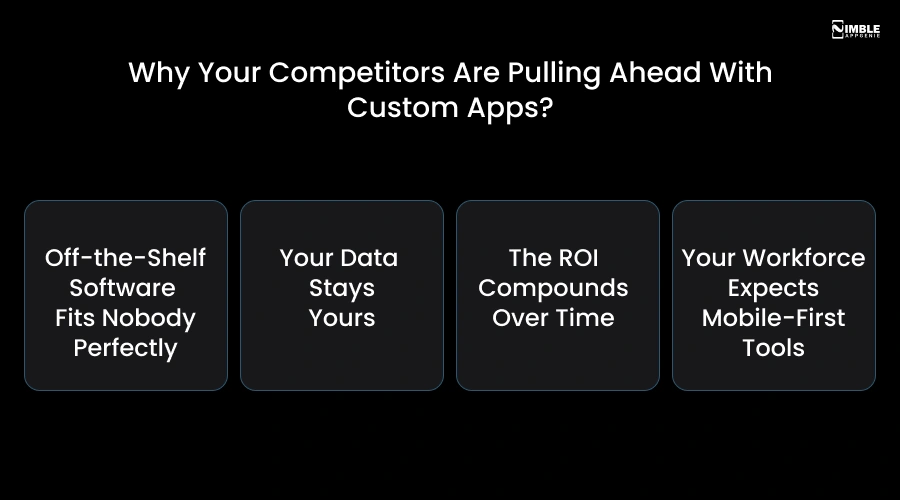
➤ Off-the-Shelf Software Fits Nobody Perfectly
Tools like Slack, Trello, and Salesforce are excellent, but they are designed for the broadest possible market. That means you end up bending your processes to fit the software, instead of the other way around. With a corporate app, your workflows are the blueprint.
➤ Your Data Stays Yours
When you use third-party SaaS tools, your business data, customer information, operational data, and financials live on someone else’s servers under someone else’s terms. A custom corporate app gives you full control over where your data lives and who can access it.
➤ The ROI Compounds Over Time
The upfront investment in a corporate app pays dividends for years. Every hour saved by automation, every manual process replaced by a digital workflow, every customer retained through a better experience, these add up month after month.
➤ Your Workforce Expects Mobile-First Tools
In 2025, more than 60% of business tasks will be performed on mobile devices. If your team is still using desktop-only software or emailing spreadsheets back and forth, you are creating friction. And friction slows everything down.
How to Build a Corporate App?
To build a corporate app, you start with clear business needs, then move through planning, design, development, testing, and launch in a structured, step-by-step process.
Let’s have a look at the corporate app development process.
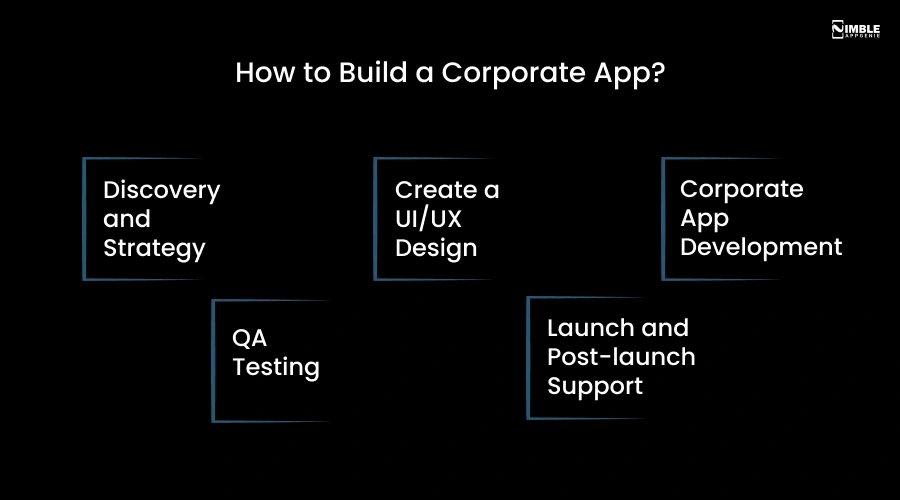
1. Discovery and Strategy
This phase is the foundation of everything. A good, dedicated development team will interview your stakeholders, map your existing workflows, analyze what is not working, and define the core problem the app needs to solve.
The output is a detailed project brief, including user personas, feature list, technical specifications, and a development roadmap. If you skip or rush the discovery stage, your corporate app projects go over budget, miss deadlines, or get abandoned. You must give this phase the time it deserves.
2. Create a UI/UX Design
This is where your corporate app starts to look like something. Designers create a mobile app wireframe first with no colors, no branding, just logic and flow. Once the logic is right, they move to high-fidelity mockups with brand colors, fonts, and visual design.
User testing happens here, too. Real users interact with the prototype and give feedback before development begins. This catches problems cheaply.
3. Corporate App Development
The development team builds the corporate in sprints, usually 2-week cycles. At the end of each sprint, you see a working demo of new features. This is called agile development, and it means you are never waiting months to see what you are getting.
Enterprise app development has two tracks happening simultaneously:
- Frontend: What users see, like screens, interactions, and the interface.
- Backend: The logic, database, APIs, and integrations that power the app behind the scenes.
4. QA Testing
Mobile app testing is not a phase that happens at the end; it is a continuous process. Every feature is tested as it is built.
Before launch, the app goes through:
- Functional testing: Does every feature work as expected?
- Performance testing: Does the app hold up under real user loads?
- Security testing: Are there any vulnerabilities that could expose user data?
- Device testing: Does the app work correctly on different phones and screen sizes?
5. Launch and Post-launch Support
Your app is submitted to the App Store and Google Play or deployed to your servers. The launch phase also includes employee or user onboarding. This makes sure people know the app exists and know how to use it.
This is the phase that separates good development partners from great ones. Your app will need updates as your business grows, as operating systems change, and as user feedback comes in.
A development partner who disappears after launch is a red flag. Nimble AppGenie runs agile development sprints with bi-weekly demos, so you always know where your project stands.
Must-Have Features in a Corporate App Development
Features depend on your specific use case. But some are non-negotiable regardless of what kind of corporate app you are building. These are the ones that separate a good corporate app from a great one.
So, in the section below, you can check out the crucial features that you can integrate into your corporate app.
| Feature | What It Means | Why It Matters |
| Role-Based Access Control (RBAC) | Different users get different access levels based on their role | Keeps sensitive data safe and avoids misuse |
| Real-Time Data Sync | Data updates instantly across all devices and systems | Ensures everyone works with the latest information |
| Offline Mode | App works without internet and syncs later | Helps employees work in low or no-network areas |
| Third-Party Integrations | Connects with CRM, ERP, payment tools, etc. | Avoids manual work and keeps systems connected |
| Push Notifications & Smart Alerts | Sends relevant alerts based on actions and events | Keeps teams updated and helps make quick decisions |
| Security & Compliance | Includes MFA, encryption, biometric login, and compliance standards | Protects business data and meets legal requirements |
| Analytics & Reporting Dashboard | Shows key business data in one place | Helps leaders track performance and make decisions |
| Workflow Automation | Automates approvals, tasks, and internal processes | Saves time and reduces human errors |
| Document Management with Version Control | Stores files and tracks changes | Prevents confusion and data loss |
| Internal Communication Tools | Chat, announcements, and updates within the app | Improves team communication |
| Audit Logs | Tracks user actions and system changes | Helps in monitoring and security checks |
| Expense & Finance Management | Handles expenses, reimbursements, and approvals | Simplifies financial processes |
| Employee Self-Service (HR Module) | Employees manage leave, attendance, and info | Reduces HR workload |
| Task & Project Management | Assign and track tasks and projects | Improves productivity and accountability |
| Cloud-Based Data Storage | Stores and accesses data from the cloud | Ensures scalability and easy access |
What is the Tech Stack For Corporate App Development?
A clear tech stack helps you choose the right mobile app tech stack for building a secure corporate app.
Below are the key technology stacks you should use for creating an app.
| Layer | Technology Options | Why It’s Used |
| Frontend (Web) | React, Angular, Vue.js | It is fast UI, reusable components, and strong community support |
| Frontend (Mobile) | Flutter, React Native, Swift, Kotlin | Cross-platform saves cost; native gives the best performance |
| Backend (Server) | Node.js, Java, .NET Core, Python | It manages business logic, APIs, and scalability |
| API Layer | REST, GraphQL | It connects the frontend with the backend in a structured way |
| Database (SQL) | PostgreSQL, MySQL, Microsoft SQL Server | Structured data, reliable for enterprise apps |
| Database (NoSQL) | MongoDB, Firebase Firestore, Cassandra | Flexible schema, good for large-scale or real-time apps |
| Cloud Platform | AWS, Microsoft Azure, Google Cloud | Hosting, scaling, storage, security |
| DevOps & CI/CD | Docker, Kubernetes, Jenkins, GitHub Actions | Automates deployment, improves release speed |
| Authentication & Security | OAuth 2.0, JWT, Okta, Auth0 | Secure login, user identity management |
| Storage | AWS S3, Google Cloud Storage, Azure Blob | Store files, media, backups |
| Messaging & Queue | Apache Kafka, RabbitMQ, AWS SQS | Handles background tasks and real-time data flow |
| Analytics & Monitoring | Google Analytics, Mixpanel, New Relic, Datadog | Tracks user activity and app performance |
| Testing | Selenium, Cypress, JUnit, Jest | Ensures the app works properly before release |
| Version Control | Git | Code management and team collaboration |
How Much Does It Cost to Develop a Corporate App?
The cost to develop a corporate app can range between $25,000 – $250,000. This custom corporate app development cost varies depending on the project requirements. Also, it is the very first question that makes most people nervous, and it is fair to want a real answer instead of it depends.
So, here is a realistic cost breakdown of mobile app development for corporations.
| App Type | What You Get | Cost Range | Timeline |
| MVP or Basic App | Core features only, 1-2 integrations, basic UI | $25,000 – $60,000 | 2–4 months |
| Mid-Complexity App | Custom UX, multiple roles, 3-5 integrations, analytics | $60,000 – $150,000 | 4–8 months |
| Complex Enterprise App | ERP/CRM integrations, compliance, AI features, multi-platform | $150,000 – $250,000+ | 8–12+ months |
What Drives the Cost Up or Down?
► Number of Platforms
iOS, Android only, or both means cross-platform costs less than developing two native applications.
► Mid-Complexity App
Number of features and user roles
The more complexity means more time. If you add too many features, the cost will go up.
► Integrations
Connecting to existing CRMs, ERPs, payment systems, etc., can increase the budget.
► Security and Compliance Requirements
HIPAA, GDPR, and SOC 2 add the mobile app development cost, but are non-negotiable in regulated industries.
► Development Team Location
US-based teams cost $100-$150/ hr, India/Eastern Europe cost $30-$50/ hr with comparable quality from top firms.
| Honest Advice: Do not optimize purely for the lowest price. A $25,000 app built poorly will cost $80,000 to rebuild. Budget for quality upfront. |
Mistakes to Avoid While Creating a Corporate App & How to Fix Them
This section covers common mistakes businesses make while creating a corporate app and ways to fix them. It helps you avoid costly errors and build a better, more reliable app.
Let’s take a look:
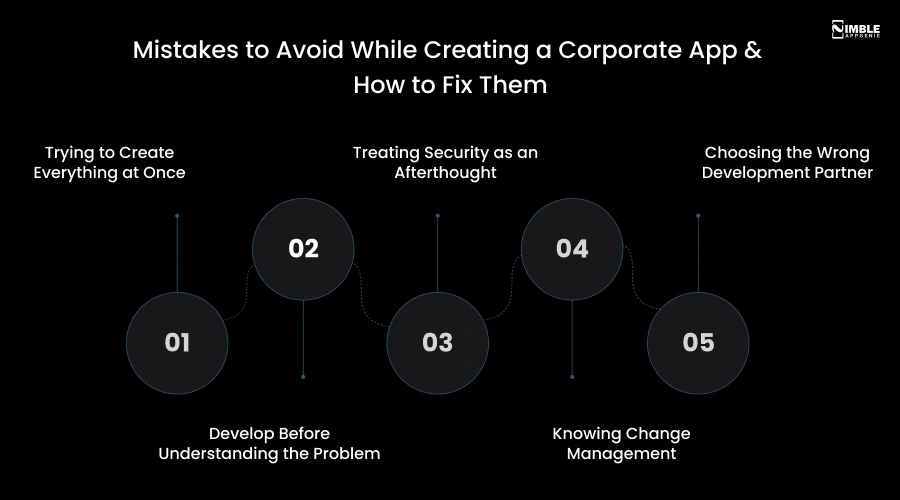
➤ Trying to Create Everything at Once
Feature creep is real. Every stakeholder wants their requirements in version one. The result is a bloated, delayed, over-budget app that does too many things poorly instead of a few things smartly.
Solution: You should build an MVP first and release it in front of users. Now, the feedback you gather from users guides what you build next.
➤ Develop Before Understanding the Problem
This is the most common and expensive mistake. A company gets really excited about an app idea and pushes straight to development. Three months later, they discover the app does not solve the actual problem employees face. It is due to nobody asking employees what the problem is.
Solution: You should run a proper discovery phase. First interview actual users, map the current workflow, and then understand the pain before you prescribe a solution.
➤ Treating Security as an Afterthought
Security is not something you add at the end; it is something you architect from the beginning. A corporate data breach can cost millions in regulatory fines and reputation damage, far more than whatever you saved by cutting corners during the development of a corporate app.
Solution: You must choose a mobile app development team that asks about compliance requirements in the discovery phase, not after launch.
➤ Knowing Change Management
The best mobile app in the world fails if your team does not adopt it. A new corporate app changes how people work. If that change is not properly managed with training, communication, and leadership buy-in, you will get resistance.
Solution: You have to treat adoption as part of the project, not an afterthought.
➤ Choosing the Wrong Development Partner
The development team that gives you the lowest quote is often the most expensive in the long run. Poor code, missed deadlines, security vulnerabilities, and a team that disappears after launch will cost you far more than the premium you saved upfront.
Solution: You should look for verified client reviews on Clutch or Goodfirms, industry experience, transparent process, and clear post-launch support terms.
How Nimble AppGenie Can Help You Build the Perfect Corporate App?
Nimble AppGenie is an award-winning mobile app development company with 8+ years of hands-on experience in delivering secure and beautifully designed apps for businesses across different industries.
Here is what makes Nimble AppGenie different:
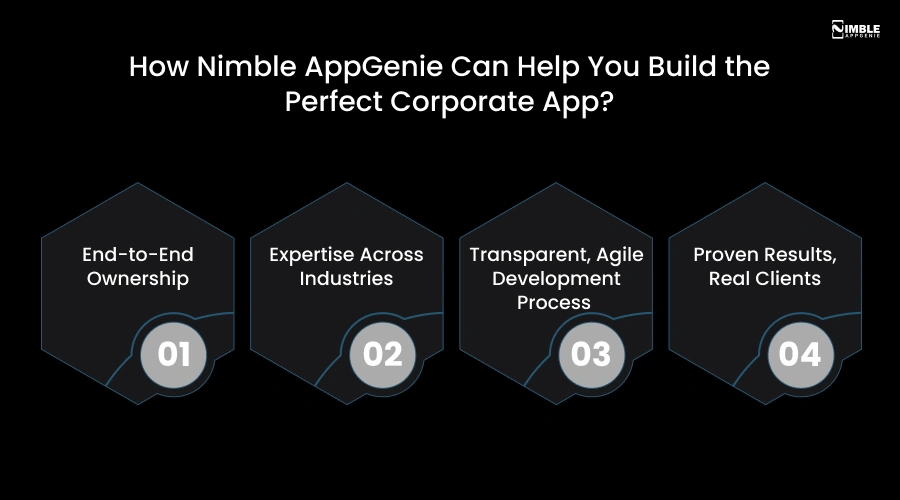
♦ End-to-End Ownership
Nimble AppGenie does not just build your corporate app; they own the outcome. From discovery workshops and UI/UX design to development, QA testing, and app store deployment, the entire journey is handled under one roof. No handoffs, no confusion, no finger-pointing.
♦ Expertise Across Industries
Whether you are in healthcare, finance, logistics, retail, education, or real estate, Nimble AppGenie has built corporate apps that solve real problems in your industry. This domain expertise means faster development, fewer mistakes, and smarter feature decisions.
♦ Transparent, Agile Development Process
We use an agile development approach, working in short, focused sprints with regular demos and check-ins. You always know exactly where your project stands, what was completed this week, and what is coming next.
♦ Proven Results, Real Clients
We have delivered 500+ apps for clients ranging from funded startups to established enterprises. Their portfolio includes productivity tools, customer engagement apps, and complex multi-tenant enterprise systems.
That’s what makes Nimble AppGenie a reliable choice for making a corporate app that is not only functional but also built for long-term success.
Conclusion
Corporate app development is not a shortcut to digital transformation. It is not a magic fix. If it is done so badly, it is an expensive way to create software nobody uses.
But if it is done right with the right discovery, the right team, and the right approach, a corporate app becomes one of the most valuable investments your business makes. It changes the team workflows, customer experience, your brand, and scalability.
The businesses that are leading their industries in 2026 are not necessarily the biggest or the best-funded. They are the ones who built digital infrastructure that works for their people, and then kept improving it. If you are ready to have that conversation, we are there to listen.
FAQs
The crucial features a corporate app should have are:
- Push Notifications & Smart Alerts
- Security & Compliance
- Real-Time Data Sync
- Offline Mode
- Role-Based Access Control
- Third-Party Integrations
- Analytics & Reporting Dashboard

Sunil serves as the Lead Android Engineer at Nimble AppGenie, recognized for his expertise in building robust, scalable mobile solutions across diverse industries. From seamless API integrations to optimizing OS-level performance, Sunil focuses on delivering high-speed, secure applications that stand out in a crowded market. Outside of the tech world, Sunil is a fitness enthusiast who enjoys morning runs and finds his peace playing badminton on the weekends.
Table of Contents




No Comments
Comments are closed.