

 Free Consultation
 PCI-DSS Compliant
 GDPR Ready
 ISO 27001
 NDA Protected
 AI Services
 AI App Development
 Generative AI Development
 AI Chatbot Development
 AI Integration Services
 AI Consulting Services
 AI For Fintech
 AI Financial Assistant Solution
 AI Insurance Agent Development
 Tech Stack
 OpenAI / GPT-4
 Claude / Anthropic
 Gemini / Google AI
 Llama / Open Source
 LangChain / LlamaIndex
 Pinecone / Pgvector
 AWS / Azure AI


 Fintech Solution
 Core Fintech
 App Development
 Neobank Solutions
 eWallet Solutions
 Lending Software
 Banking Solutions
 BNPL Solutions
 BNPL Solutions
 Insurance App
 Wealth Management
 Crypto & DeFi
 Blockchain Development
  Payroll Software
 DeFi Solutions
 Crypto Wallet
 Crypto On/Off Ramp
 Crypto Exchange
 Trading Platform
 Payments
 Compliance
 Regulations & Compliance
 Fraud Detection
 Lending Ecosystem
 P2P Lending Platform
 Mortgage Software
 Engagement
 Fintech Outsourcing

 Mobile Development
 Mobile App Dev
 iOS App Development
 Android App Development
 React Native
 Flutter Development
 Web Solution
 Node.js Development
 React.js Development
 Angular Development
 App Services
 UI/UX Design
 App Maintenance
 By Stage
 MVP Development
 Industry Solutions
 Healthcare App Dev
 Education App Dev
 Travel App Dev
 Real Estate App Dev
 Logistics Software
 Social Media App

 Hire Mobile Developers
 Hire iPhone Developers
 Hire Android Developers
 Hire React Native Devs
 Hire Flutter Developers
 Hire Web Developers
 Hire Node.js Developers
 Hire Angular Developers
 Hire PHP Developers
 Hire Laravel Developers
 How It Works
 Pre-Vetted Developers
 Ready In 48 Hours
 NDA From Day One
 Replace Guarantee
 Company
 About Us
 Our Work Process
 Portfolio
 Case Studies
 Blog / Insights
 Careers
 Contact Us
 Awards
 Recognition


 Offices


In a Nutshell:
- No-code development uses the visual interfaces, as well as drag- and-drop tools that help the non-technical software developers to create apps.
- Low-code development allows the developer and non-technical citizens to create web and mobile apps faster with minimal coding.
- No-code vs. no-code development, here, the primary difference lies in the level of technical expertise and even in the degree of customization.
- Different tools for top no-code development are FlutterFlow, WebFlow, Bubble, Airtable, and Thinkable.
- The key features of low-code development are UI/UX toolbox, data integration, uniqueness, and visual development.
- You can select between no-code development and low-code development by identifying the project requirements, considering the technical expertise, and sticking to your budget.
- Partner with Nimble AppGenie and create your own app with no-code and low -code technologies with expert guidance.
No-Code vs Low-Code Development!
Well, selecting one can be difficult if you have a glitch in the matrix.
On the one hand, no-code development can help you to create apps with zero technical coding. On the other hand, low-code development is used where minimal coding is necessary.
Here’s the thing: if you’re an investor or an entrepreneur who doesn’t belong to a core tech field, then this guide is for you.
We will walk you through the concepts of no-code and low-code development, along with the tools, features, and processes to select them.
So, let’s get started.
What is No-Code Development?
No-code development is a software creation method that offers various applications with ease and automates the business process without writing any code.
The no-code development does use the visual interfaces and drag- and-drop tools that help the non-technical users to create functional software with little to no programming knowledge.
Here are the key aspects of no-code development:
- Rapid programming
- Visual development
- Accessibility
- Common use cases
It offers a range of features that make the apps accessible and efficient.
Don’t have technical skills? No worry!
| A no-code development platform allows anyone, regardless of technical skill, to build and design functional apps. |
If we talk about the feature of no-code development, it looks promising, as more businesses are realizing its potential for fast and even cost-effective innovation.
Well, for learning about the no-code vs low-code development, you should know where it all started, its essential features, and even the top tools.
So, where and when did no-code development come into existence?
If you are thinking of converting your mobile app idea into success, let’s find out about the rise of no-code development.
The Rise of No-Code Development
Once upon a time, there was a developer, sitting behind a tree- Just Kidding.
The rise of no-code development began in 1985, followed by the Windows version in 1987. Even though Excel’s arch-enemy, Google Sheets, has marched past in terms of adoption by embracing the cloud. ‘
Furthermore, in 2003, the poster child of the internet, WordPress, kick-started the ability to create websites without code.
Even today, about 35% of the world’s websites are powered by WordPress. Thereafter, Shopify came along and has empowered the world to create beautiful online stores.
Well, that’s how this platform came into existence.
How Does a No-Code Platform Work
What are the Top No-Code Platforms?
There are six top no-code platforms, such as:
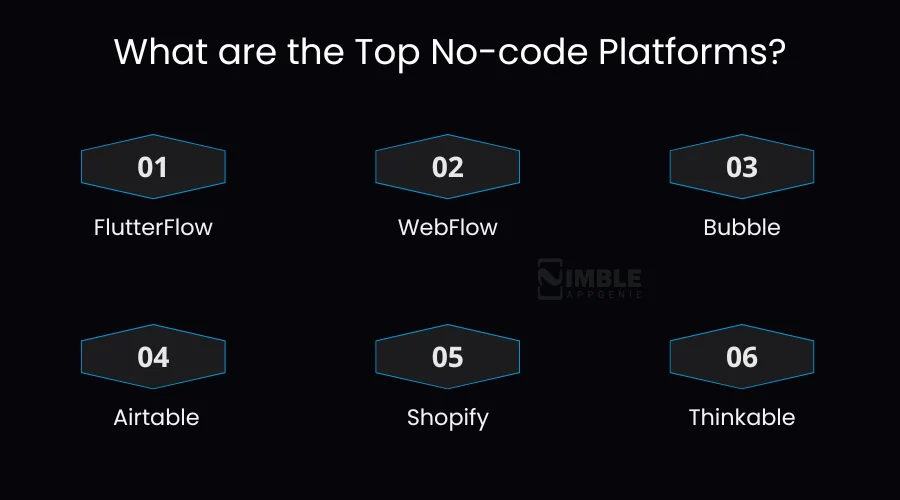
1. FlutterFlow
The main focus is on the high-performance and flexibility of the platform. It acts as a full-stack bridge and facilitates the backend connections with a simple drag and drop.
2. WebFlow
This tool is good for UI and for seamless animations. Used for high-performance marketing websites and has pixel-perfect portfolios.
3. Bubble
This platform is used for complex animations that help users to develop, design, and even host web applications.
4. Airtable
Airtable is a collaborative, spreadsheet-database hybrid that is designed to be helpful for organizing projects and even content pipelines.
5. Shopify
Shopify is a cloud-based platform that is helpful to create an eCommerce store or platform that is helpful to develop a product to sell.
6. Thinkable
Thunkable platform is a no-code as well as low-code platform that is designed to create Native Android and iOS apps through a visual “drag and drop” interface.
Here, you don’t need any technical expertise to use mobile app development frameworks.
Well, let’s learn some of the key features of a no-code platform.
Yes, the features of no-code vs. low-code development are different; let’s learn them below.
Key Characteristics of a No-Code Platform
The key features of the no-code platform are visual design tools, workflow automation tools, API and third party and others.
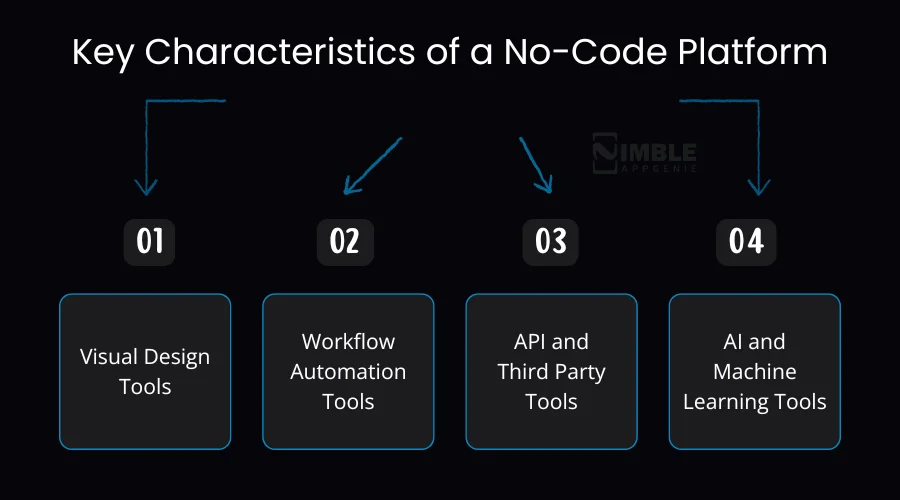
Here’s a quick check:
1. Visual Design Tools
The no-code development does offer visual design tools such as forms, data tables, and even buttons. This helps the users to rapidly assemble the functional and aesthetically pleasing apps.
2. Workflow Automation Tools
With the help of workflow automation tools, users can help organizations to automate repetitive tasks. This tool is helpful in minimizing manual errors and improving the overall performance of the app.
3. API and Third-Party Tools
It is the use of third-party tools and services, enabling connections with the external systems and services. They even allow the developers to build pre-built functionalities such as data, payment processing, and even application management.
4. AI and Machine Learning Tools
With the help of AI and machine learning tools, users can be able to implement this technology for smoothing the usage and create user-friendly and easily accessible apps. It helps to build decisive authority within the organization.
Now, let’s proceed to learn about the low-code development in the following section.
What is Low-Code Development?
Low-code development is a complete software development approach that is designed to help developers create apps with minimal hand coding.
This is a code that is designed for both professionals and business users. It makes the apps more collaborative, feasible, and even scalable with low code.
This market is thriving as organizations look for faster ways to deliver, automate, and even modernize their legacy system. Furthermore, the benefits of low-code development are its speed, scalability, governance, and cloud freedom.
The key pillars of low-code development are:
- Visual development & Drag-and-drop
- Integration capabilities
- Reusable components
- Scalability and speed
| Low-code development is an approach that uses a drag-and-drop feature with minimal coding expertise. |
The future of low-code development is promising with the use of AI and ML. With No-code development, businesses can utilize its potential for creating fast and even the cost-effective innovation.
Additionally, the global low-code app development platform market size is estimated at USD 24.8 billion in 2023, which is further projected to reach USD 101.68 billion by 2030, that is growing at a CAGR of 22.5%.
But how does this low-code development come into existence?
The Origin of Low-Code Development
When you look to the roots of low code development, it can be traced back to the early 2000s, which emerged alongside the rise of rapid app development (RAD) platforms.
This platform has evolved formally for identifying the platforms for reducing manual coding in favor of visual modeling.
Currently, the low-code development is accelerating software app creation by reducing the amount of hand-coding required for development.
Now, let’s get ahead with the tools of low-code development.
Tools For Low-Code Development
The top tools for low-code development are OutSystems, Mendix, Google App Sheet, and Kissflow.
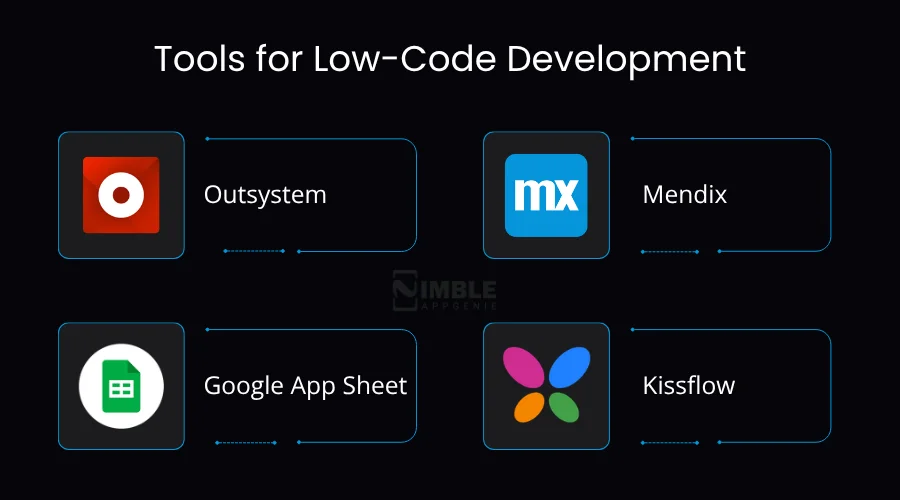
Let’s evaluate all the other tools for low-code development below:
1. Outsystem
Outsystem is a high-performance low-code development tool that is designed for deploying, building, and creating apps from scratch. It is also an AI development platform that delivers mission-critical apps.
2. Mendix
Mendix is a leading low-code development platform that helps enterprises to create, integrate, and deploy mobile and web apps via drag-and-drop tools.
3. Google App Sheet
Google App Sheet is a tool for low-code development that helps to create powerful applications that even boost productivity.
4. Kissflow
This platform is used by enterprises for designing and building complex apps with the drag-and-drop tools. It does track performance with advanced and detailed analytics.
Now, let’s learn the key features used in low-code development.
Key Features of Low-Code Development
The key features of a low-code development are a full UI/UX toolbox, drag and drop builder, integration and APIs, and workflow automation.
Here is a brief on low-code development features:
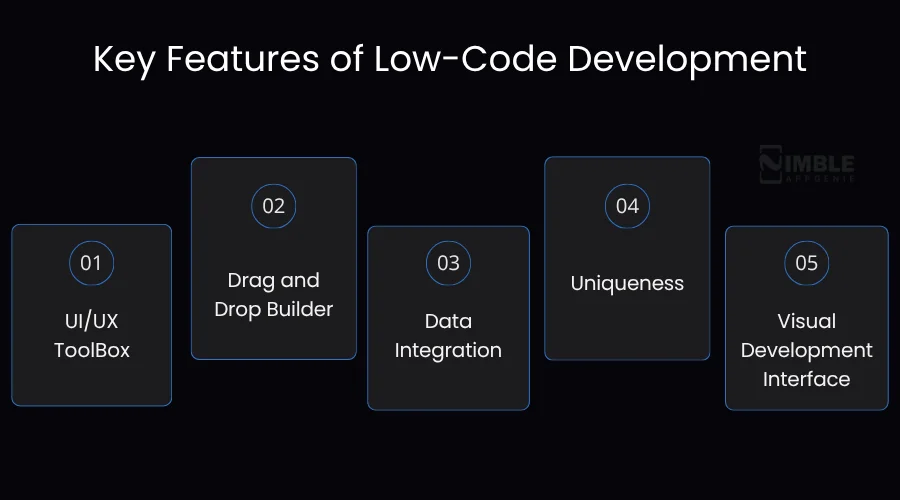
1. UI/UX ToolBox
This is a tool that assists the developers in cutting the mundane and repetitive tasks, which allows room for cost-effective experimentation with the lowest investment.
2. Drag and Drop Builder
With the help of the drag and drop builder feature, users can seamlessly create apps with the help of UI pre-built elements such as buttons and charts.
3. Data Integration
The data integration helps the users to connect diverse apps with minimal coding. This feature is designed to collect data and then use it to draft an app.
4. Uniqueness
The modern low-code platforms come with advanced and equipped capabilities, including AI integration, as well as full design-to-code features. This feature helps to eliminate the time-consuming manual coding frameworks.
5. Visual Development Interface
Visual development interface allows users to build software apps via a graphical user interface, and even with the help of visual modeling.
Now, let’s get ahead with the key differences between no-code and low-code development.
Key Differences Between No-Code and Low-Code Development
Well, the major difference that you will note for low-code vs no-code development is that one requires minimal coding and the other requires zero coding.
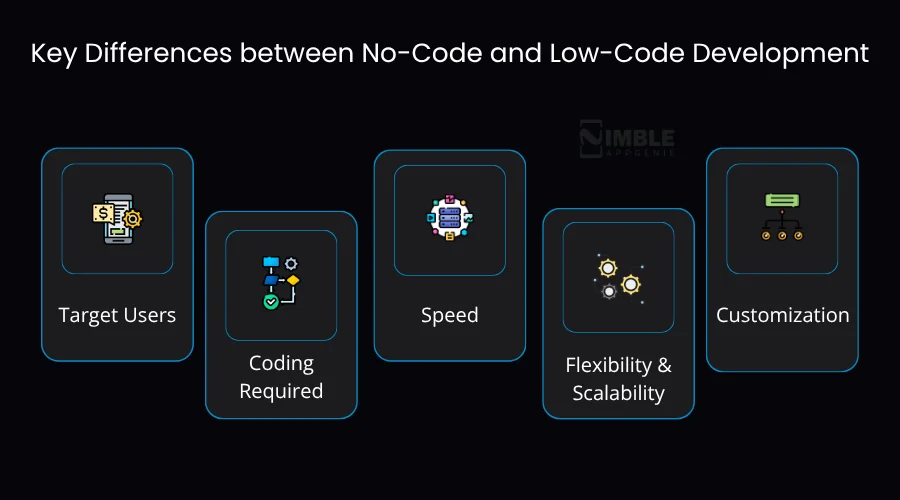
Now, let’s first understand the difference in detail and then in a summary table:
1. Target Users
Well, both the low-code and no-code development focus on application development; the no-code platforms are designed for business users, enabling them to create apps even without coding knowledge.
However, the low-code development is geared towards professionals and even business persons with technical knowledge, where they can hit the ground running for a complete app development process.
2. Coding Required
Low-code development is where minimal coding is required; however, no-code is where zero coding is required.
When you are confused between low-code vs no-code development, you should note that in no-code, you don’t need to code anything, while in low-code, all you need is minimal code.
3. Speed
In low-code development, the speed of development is fast, but you require some development inputs. It uses plug-and-play components to minimize coding errors as well as reducing time to market.
However, when it comes to no-code development, you can build and deploy the apps instantly. The speed of the app is generally 40% to 60% faster than the traditional coding of an app.
4. Flexibility and Scalability
As of 2026, no-code development offers operational agility, which helps non-technical users to build more feasible and agile apps.
In this comparison, the low-code development offers the architectural flexibility that helps developers to extend visual components with custom code for handling complex integration.
5. Customization
No-code development offers fully customizable apps and provides a visual development environment that reduces the amount of manual coding. This capability does offer more flexibility as well as customization options that help to make the low-code tools suitable.
However, in comparison between low-code development and no-code development, low-code development has more limited customization options. It excels in rapid app development, the standard business procedure.
A quick summary comparison table on low-code development vs no-code development.
| Factor | Low-Code | No-Code |
| Target Users | Developers & tech-savvy teams | Business users & non-technical people |
| Coding Required | Minimal coding needed | Zero coding required |
| Flexibility | High – fully customizable | Limited to the platform’s built-in options |
| Complexity | Handles complex, enterprise-grade apps | Best for simple to mid-level apps |
| Speed | Fast, but needs some dev input | Fastest – build & deploy instantly |
| Scalability | Highly scalable | Limited scalability |
| Cost | Moderate investment | Lower upfront cost |
| Customization | Deep customization possible | Surface-level customization only |
| Best For | Custom business apps & integrations | Landing pages, forms & simple workflows |
How to Select Between No-Code and Low-Code Development?
You can select between the no-code and low-code development through identifying the requirements of your project, evaluating both the development tools, considering technical expertise, thinking about speed and flexibility, and considering budget.
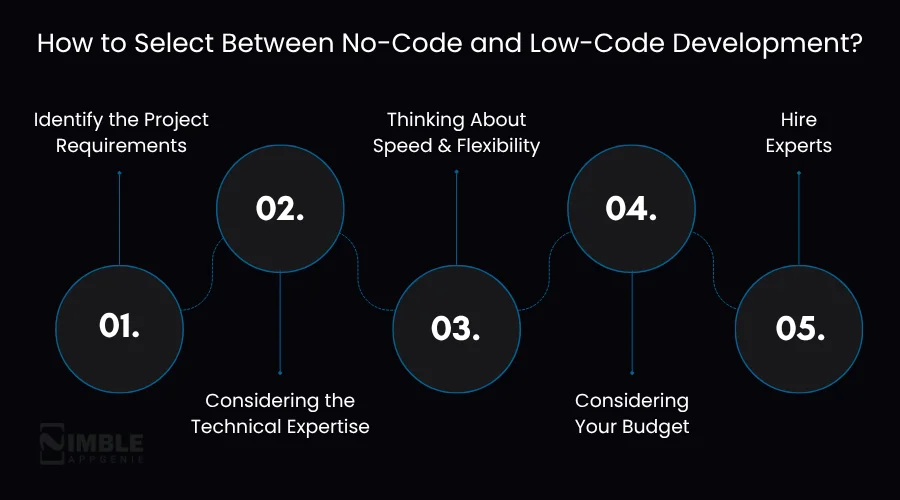
Here’s a brief on the same:
1. Identify the Project Requirements
You should understand whether your project needs a low-code development or a no-code development based on its purpose and objective.
2. Considering the Technical Expertise
Now, you should consider your technical expertise, like what you know about the backend and even the frontend for your app. And how qualified are you for learning the technical aspects?
3. Thinking About Speed and Flexibility
In this third step, you should think about the speed and flexibility of your app. Here, you should note that the low code provides greater flexibility compared to no-code development platforms.
4. Considering Your Budget
It is important to consider your overall budget before selecting the no-code and low-code development. You will find the lower upfront costs in no-code development, while for low-code development, the investment is moderate.
5. Hire Experts
In this step, you should hire mobile app developers who can help you with the no-code and even low-code development, and are experts at building your app successfully.
Build No-Code & Low-Code Apps With Nimble AppGenie
Connect with Nimble AppGenie and create your own no-code or low-code app in simple steps. We are the leading mobile app development company, and our developers are aware of the latest development updates.
We create apps that are optimized and built on the latest technologies. Our team specializes in end-to-end development services for mobile and web app development. The experts at Nimble AppGenie create apps for diversified industries.
Nimble AppGenie bridges the gap between the high-level business ideas and the functional software, as well as reduces the traditional development timelines. The company offers budget and user-friendly services.
Our developers understand the beauty of your idea and build high-performing apps and custom-designed software applications that actually drive business results. We implement the latest technologies, such as AI and machine learning, based on the requirements of your project.
Conclusion
When it comes to differentiating between low-code and no-code development, it is important to look for the factors that divide them. No-code development refers to an effective method for building apps without writing any code.
However, low-code development involves writing minimal code for your project. The low-code development uses interfaces and drag-and-drop tools that help the non-technical users to create functional software with little to no programming language.
When it comes to selecting between no-code development vs low-code development, an individual should identify the requirements of projects, consider the type of technical expertise they hold, and evaluate the needs, after considering the budget.
FAQs

Madan is the Backend Solutions Architect at Nimble AppGenie, specializing in the design of secure, high-concurrency systems that power complex mobile ecosystems. With deep expertise in server-side logic and database management, he ensures every platform is built with enterprise-grade security. In his free time, he is an avid researcher of emerging technologies; he spends his time deconstructing the latest backend frameworks and reading technical papers to ensure our solutions remain at the absolute forefront of industry innovation.
Table of Contents




No Comments
Comments are closed.