

 Free Consultation
 PCI-DSS Compliant
 GDPR Ready
 ISO 27001
 NDA Protected
 AI Services
 AI App Development
 Generative AI Development
 AI Chatbot Development
 AI Integration Services
 AI Consulting Services
 AI For Fintech
 AI Financial Assistant Solution
 AI Insurance Agent Development
 Tech Stack
 OpenAI / GPT-4
 Claude / Anthropic
 Gemini / Google AI
 Llama / Open Source
 LangChain / LlamaIndex
 Pinecone / Pgvector
 AWS / Azure AI


 Fintech Solution
 Core Fintech
 App Development
 Neobank Solutions
 eWallet Solutions
 Lending Software
 Banking Solutions
 BNPL Solutions
 BNPL Solutions
 Insurance App
 Wealth Management
 Crypto & DeFi
 Blockchain Development
  Payroll Software
 DeFi Solutions
 Crypto Wallet
 Crypto On/Off Ramp
 Crypto Exchange
 Trading Platform
 Payments
 Compliance
 Regulations & Compliance
 Fraud Detection
 Lending Ecosystem
 P2P Lending Platform
 Mortgage Software
 Engagement
 Fintech Outsourcing

 Mobile Development
 Mobile App Dev
 iOS App Development
 Android App Development
 React Native
 Flutter Development
 Web Solution
 Node.js Development
 React.js Development
 Angular Development
 App Services
 UI/UX Design
 App Maintenance
 By Stage
 MVP Development
 Industry Solutions
 Healthcare App Dev
 Education App Dev
 Travel App Dev
 Real Estate App Dev
 Logistics Software
 Social Media App

 Hire Mobile Developers
 Hire iPhone Developers
 Hire Android Developers
 Hire React Native Devs
 Hire Flutter Developers
 Hire Web Developers
 Hire Node.js Developers
 Hire Angular Developers
 Hire PHP Developers
 Hire Laravel Developers
 How It Works
 Pre-Vetted Developers
 Ready In 48 Hours
 NDA From Day One
 Replace Guarantee
 Company
 About Us
 Our Work Process
 Portfolio
 Case Studies
 Blog / Insights
 Careers
 Contact Us
 Awards
 Recognition


 Offices


TL;DR
- Swift is Apple’s official programming language for building iOS apps, launched in 2014 and now on Swift 6.1.
- It replaced Objective-C with a faster, safer, and easier-to-read syntax that even beginners can learn quickly.
- Swift is used by top companies like Airbnb, Lyft, LinkedIn, and Khan Academy for their iOS apps.
- Key benefits include type safety, automatic memory management (ARC), fast performance, and a clean syntax.
- Swift 6 brings major upgrades, including improved concurrency, better SwiftUI integration, and stronger data-race safety.
- You need Xcode (Apple’s IDE) and a Mac to start building iOS apps with Swift.
- Nimble AppGenie is a leading iOS app development company with years of hands-on experience in Swift, helping startups and enterprises launch high-performance iOS apps with confidence.
Did you know that behind every app you use on your iPhone to book a cab, check your messages, and track your fitness is a programming language that is performing heavy lifting?
It’s the Swift iOS programming language.
Swift is Apple’s official programming language for iOS app development. Since its rollout in 2014, it has become the top choice for developers looking to build apps that are safe, fast, and user-friendly.
Whether you are a beginner thinking about how to get started, a business owner planning to build an iOS app, or a developer looking to improve your skills, this guide is for you.
Let’s walk through a complete breakdown of everything you need to know about the Swift programming language for iOS development, with clear and useful information.
A Brief History of Swift – From Objective-C to Swift 6
Before Swift, iOS developers used a language called Objective-C. It worked well, but was an outdated, challenging to read, and prone to errors, like driving a car without power steering that can get you there, but with an unpleasant experience.
In 2010, Apple engineer Chris Lattner secretly started working on a new programming language. The objective was simple: create something faster, easier to use, and safer than Objective-C.
In June 2014, Apple officially introduced Swift at its Worldwide Developers Conference (WWDC). Developers loved it. By 2015, Apple had made Swift open-source, making it available for the world to contribute to improving it. (Source: Wikipedia)
Below is a quick timeline of how Swift has evolved:
2014: Swift 1.0 released alongside iOS 8
2015: Swift goes open-source under the Apache 2.0 license
2016: Swift 3.0 introduced major language improvements
2019: SwiftUI launched, changing how iOS UIs are built
2024: Swift 6.0 released with major concurrency and safety upgrades
2025: Swift 6.1 released with productivity improvements and better data-race safety
Today, Swift empowers millions of apps on the App Store and is acknowledged as the present and future of iOS development.
Why Swift Is the #1 Choice for iOS App Development
Swift is widely accepted as the top choice for iOS app development because it’s safer, Apple-supported, fast, and easy to read and write.
Let’s explore this in-depth below:
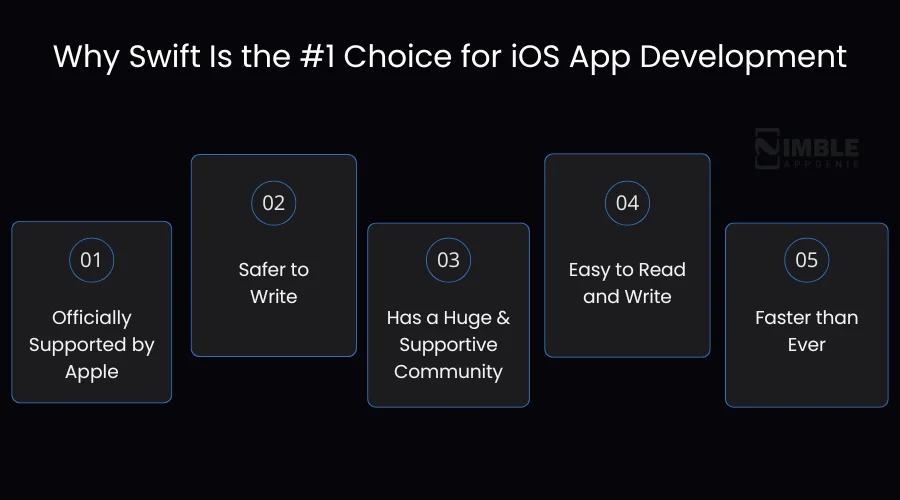
1. Officially Supported by Apple
Apple created Swift particularly for its platforms – macOS, iOS, tvOS, and watchOS. This means each new Apple feature, API, and framework works best with Swift, from day one.
2. Safer to Write
The most common reason why apps crash is ‘null pointer errors’ in developers’ terms. When code attempts to use a value that doesn’t exist.
3. Has a Huge and Supportive Community
In 2015, after going open-source, Swift achieved a global community of developers. There are thousands of free forums, tutorials, tools, and libraries available. If you ever get stuck, you will find the same problem already resolved by someone.
4. Easy to Read and Write
Swift’s syntax reads like English almost. You can compare it to older languages and will instantly catch the difference – Swift is logical, clean, and easy to follow. That’s why it’s the best first programming language for beginners and a productive one for professionals.
5. Faster than Ever
Swift leverages the LLVM compiler, which turns your code into highly optimized machine code. Practically, iOS app development with Swift leads to faster and smoother products than those created with older languages. Apple engineered Swift to rival C++ in raw performance while staying beginner-friendly.
Core Features of the Swift Programming Language
Let’s look at what makes Swift the primary language for iOS development, without diving deep into technical details.
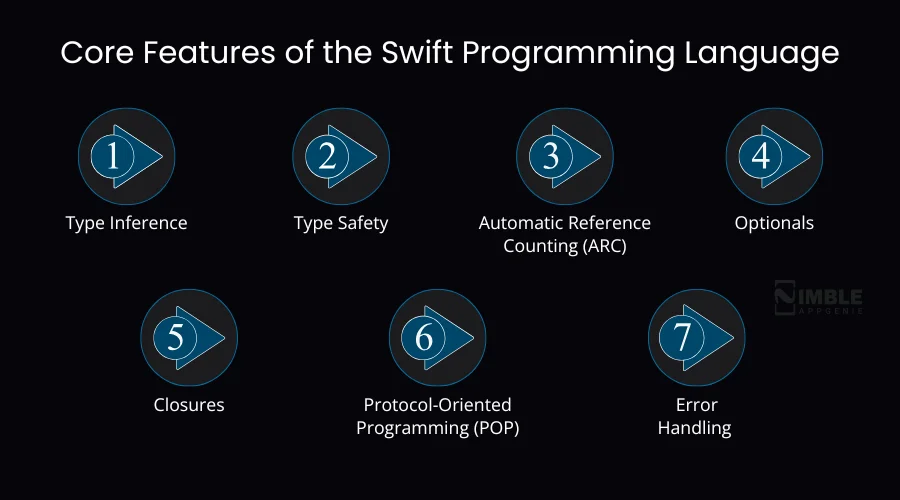
1. Type Inference
Even though Swift is powerfully typed, you don’t always have to spell out the type. Swift is smart enough to determine this for you. This keeps your code short and clean without sacrificing safety.
2. Type Safety
Swift always knows what data type it is working with. If you try to use a number where Swift expects text, it stops you before the app runs. This way, Swift type safety raises bugs early and saves hours of debugging later.
3. Automatic Reference Counting (ARC)
Swift Memory management is one of the trickiest parts of app development. Swift manages this automatically through ARC, which tracks pieces of data your code is using and frees up memory when it’s no longer required. You do not need to manage it manually.
4. Optionals
In various programming languages, a missing value leads to a crash. In Swift, you clearly mark something as ‘optional’, which means it might or might not have a value. This compels you to manage both cases, making your app more reliable.
5. Closures
Closures are self-contained code blocks that you pass around in your program, similar to functions but extra flexible. They are used everywhere in Swift, especially when dealing with tasks that run asynchronously.
6. Protocol-Oriented Programming (POP)
Swift follows a unique approach called Protocol-Oriented Programming. Instead of only copying and pasting behavior from the parent classes, you define ‘blueprints’ called protocols. This makes your code reusable, more flexible, and easier to test.
7. Error Handling
Swift utilizes a clear system for dealing with things that can go wrong. Using try, catch, and throw, you can write code that perfectly handles errors instead of crashing for any professional-grade iOS app.
Setting Up Your Swift Development Environment
Before writing a single line of Swift code, you need the right tools. Below is what you need:
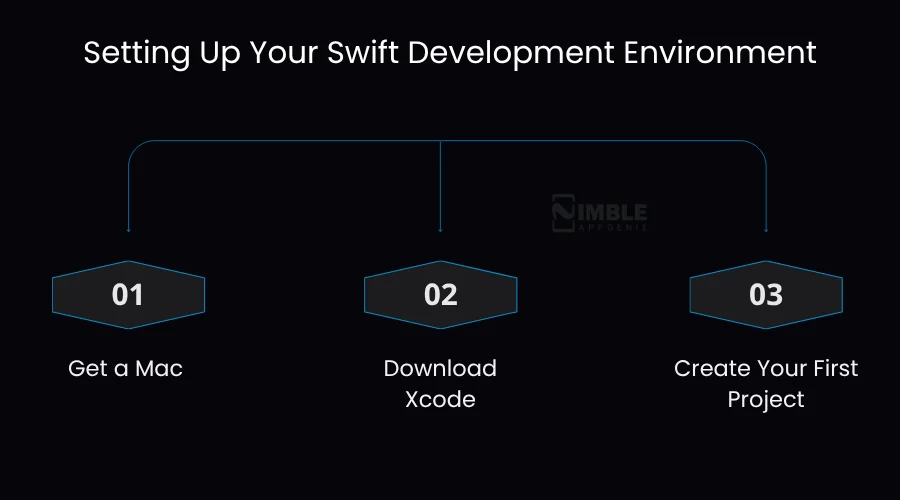
Step 1: Get a Mac
Swift development officially requires macOS. You will need an Apple computer (MacBook Air, iMac, MacBook Pro, or Mac mini) to run a recent version of macOS.
Step 2: Download Xcode
Xcode is Apple’s free Integrated Development Environment (IDE). Think of it as the software you use to write, test, and develop iOS apps. Download it for free from the Mac App Store. Ensure your macOS is up to date before installing, as Xcode needs the latest version to run seamlessly.
Xcode for Swift offers you everything in one place – a UI builder, a code editor, a simulator to test your app without a real iPhone, and tools to submit your app to the App Store.
Step 3: Create Your First Project
Open Xcode, click ‘Create a new Xcode project,’ select ‘App’ under iOS, and give your project a name. Xcode will automatically generate a basic app structure for you. Now, you are ready to start coding in Swift.
Related Read: Create an iOS Developer Account
Optional – Try Swift Playgrounds
If you are not set to build a full-fledged app yet, Apple’s Swift Playgrounds app (available on Mac and iPad) allows you to experiment with Swift code interactively. It’s the best way to learn the basics with no pressure.
Swift Basics Every Beginner Must Know
Let’s walk through the basic building blocks of Swift programming for beginners. Don’t worry, we are keeping it simple and practical.
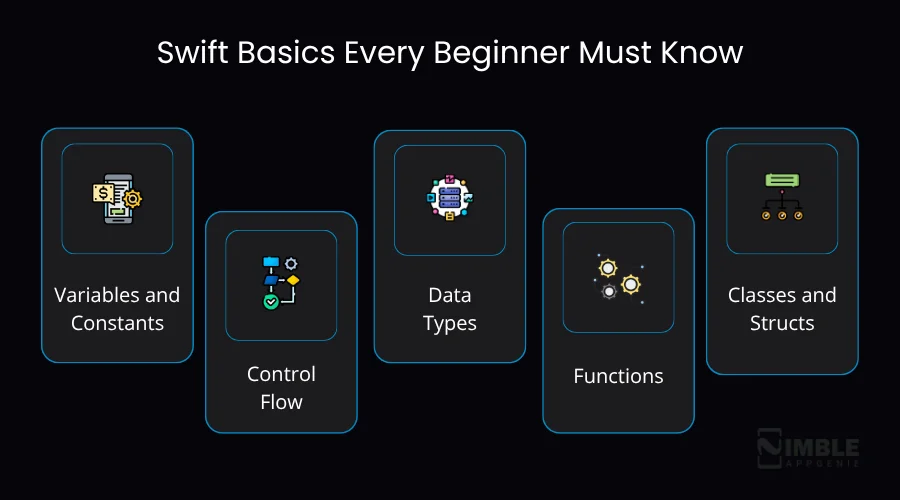
1. Variables and Constants
In the Swift iOS programming language, you store information utilizing two keywords: var and let.
- Use var when the value needs to change later (variable)
- Use let when the value should stay the same (constant)
For example, in a game, a user’s score uses ‘var’ because it changes. A user’s date of birth would use ‘let’ as it never changes. Wherever possible, using let makes your code more predictable and safer.
2. Control Flow
Control flow is how you tell Swift what to do under different conditions. The most common tools are if/else statements for making decisions and for and while loops for repeating tasks.
3. Data Types
Swift works with different common data types: String (text), Double (decimal numbers), Int (whole numbers), and Bool (true or false).
Swift’s type inference means you don’t need to declare the type always – it figures it out from what you write.
4. Functions
A function is a named block of code that conducts a specific task. You define it once and can call it as many times as you want. Functions keep your code organized and avoid repetition.
5. Classes and Structs
Both of these allow you to group relevant data and behavior. The key difference is that structs are value types (copied when passed around) while classes are reference types (shared).
Structs are recommended for most simple data in iOS apps.
6. Optionals in Practice
When a value may not exist, you mark it with a question mark – for example, String? Instead of only ‘String’.
Before using that value, Swift asks you to safely unwrap it using ‘if let’ or ‘guard let’. This removes the whole category of crashes that commonly impact apps in other languages.
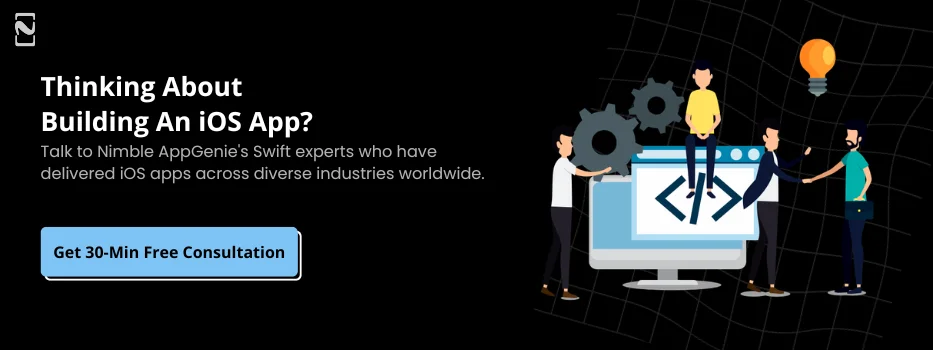
Advanced Swift Concepts
Once you understand Swift programming basics, these advanced topics will take your Swift skills to a level ahead:
- Generics: Write flexible, reusable code that performs with any type while still being type-safe.
- Protocols and Extensions: Define shared behavior across types and add functionality to existing types without modifying their code.
- SwiftUI: Apple’s modern framework for creating user interfaces. With SwiftUI, you describe what your UI should look like, and Swift makes it happen, with significantly less code than the older UIKit approach.
- Concurrency with async/await: Run various tasks simultaneously (like loading data in the background) without freezing your app’s interface.
- Combine: A framework for managing streams of data over time, used for networking, user input handling, and more.
Swift 6: Latest Features You Should Know
Apple released Swift 6 in September 2024, followed by Swift 6.1 in March 2025. These updates brought significant improvements that each iOS developer should be aware of:
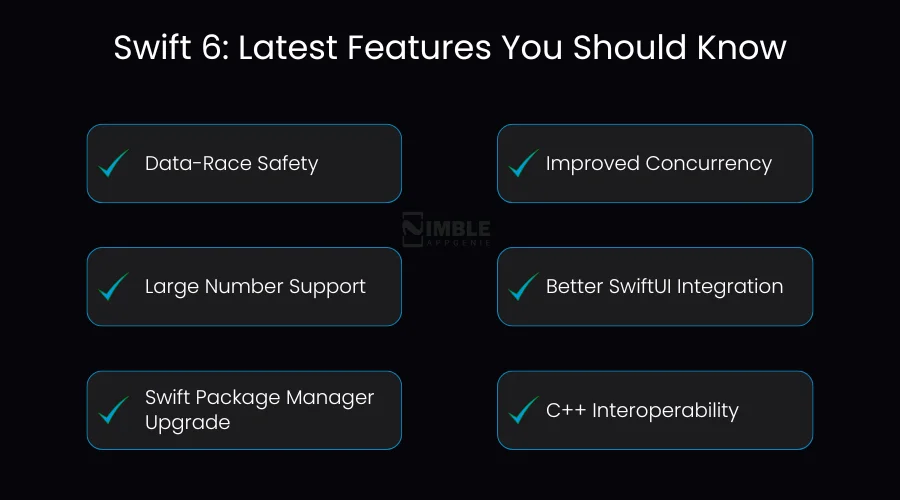
1. Data-Race Safety
One of the trickiest bugs in multi-threaded apps is when two parts of your code attempt to change the same data at the same time. Swift 6 features now detect such conflicts at compile-time errors – before your app runs.
2. Improved Concurrency
Swift 6 offers developers better tools for managing multiple tasks simultaneously, such as downloading images while the user is still scrolling, without causing data conflicts or compile time.
3. Large Number Support
For apps dealing with science, finance, or analytics, Swift 6 natively supports precise and very large numbers without requiring third-party libraries.
4. Better SwiftUI Integration
SwiftUI and Swift 6 now function closely together, making it simple to manage app state, build responsive UIs with less code, and animate transitions.
5. Swift Package Manager Upgrade
Managing code libraries and dependencies is now more customizable and organized, useful specifically for large apps with multiple modules.
6. C++ Interoperability
Teams with existing C++ codebases can now combine Swift and C++ more seamlessly, making it easier to progressively adopt Swift without rewriting everything from scratch.
Swift vs Objective-C: Which One Should You Choose?
If you are starting native iOS app development today, the answer is almost always Swift.
Below is a side-by-side comparison – Swift vs Objective-C.
| Feature | Swift | Objective-C |
| Syntax | Clean, readable, modern | Verbose, complex, C-based |
| Safety | Type-safe, optionals built-in | Prone to null pointer errors |
| Performance | Matches C++ speed | Fast, but less optimized |
| Learning Curve | Beginner-friendly | Steeper for newcomers |
| Community | Large, growing, open-source | Shrinking, legacy-focused |
| Apple Support | Primary focus of all new APIs | Maintained but not expanded |
| SwiftUI | Full native support | Not compatible |
The only situation where you find Objective-C a better option is when you are maintaining a legacy app that was originally developed with it. For any new project, Swift is the clear choice.
Real-World iOS Apps Built with Swift
Don’t think Swift Language for iOS is for beginner apps or hobby projects. You will be surprised to know that the world’s most popular and traffic mobile apps run on Swift.
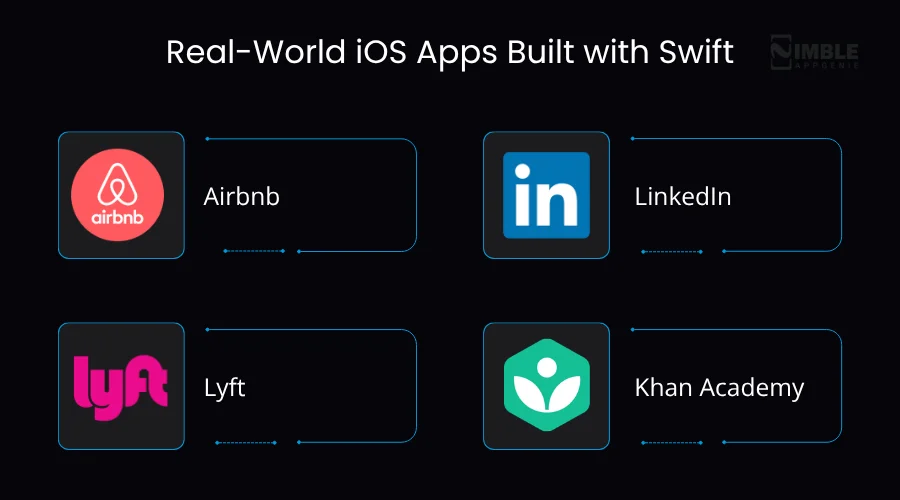
Let’s look at a few:
- Airbnb: Migrated to Swift to diminish technical debt and for better code maintainability, while keeping Objective-C parts running alongside.
- LinkedIn: It uses Swift for its iOS apps, benefiting from faster feature development and cleaner code.
- Lyft: Moved large parts of its codebase to Swift to write safer code, improve speed, and take complete benefits of Apple’s native APIs.
- Khan Academy: They chose Swift specifically because it’s more reliable for their educational platform, and its clean syntax made the app development faster.
These are not the small ventures, but the industry leaders who opted for Swift because it delivered real outcomes – fewer bugs, faster performance, and better developer productivity.
How Nimble AppGenie Can Help You Build iOS Apps with Swift
Building an iOS app sounds exciting, but it’s a complex process, from choosing the right architecture to writing clean Swift code, setting up Xcode accurately, integrating APIs, and ultimately getting your app approved on the App Store. If you don’t have the right Swift app development company, things can go wrong.
Here is where Nimble AppGenie iOS development comes in. As a specialist in the iOS programming language, Nimble AppGenie is usually picked by leaders who look to partner with an iOS app development company.
We have a team of seasoned developers who have helped startups, enterprises, and SMEs turn their app ideas into high-performing products on the App Store.
What We Offer:
- Custom iOS App Development: Developed from scratch using Swift and SwiftUI, tailored to your exact business needs.
- Swift Code Audits: We review your current iOS app’s Swift codebase and identify performance hurdles, code quality issues, and security risks.
- UI/UX Designer for iOS: Aesthetic, intuitive iOS app interface crafted specifically following Apple’s Human Interface Guidelines.
- App Modernization: If you have an older, legacy Objective-C app, we help our clients with app modernization, helping them migrate their app to Swift incrementally and safely.
- App Store Submission & Optimization: We manage the technical side of launching your app and optimize for discoverability.
- Ongoing Maintenance & Support: Swift keeps evolving. We keep your app updated with every new iOS version.
Why Choose Nimble AppGenie?
- Deep expertise in the Swift programming language across all iOS versions.
- End-to-end service from concept to App Store.
- Transparent process with regular updates and clear communication.
- Dedicated team, not a freelancer marketplace.
- Proven track record of successful iOS app launches
Hire iOS developers and start iOS app development now!
Conclusion
The best language for iOS development is Swift, the base of the iOS app ecosystem. It’s safe, modern, fast, and backed by Apple.
Whether you are an iOS developer learning to code or a business leader planning your next iOS product, understanding the Swift iOS programming language is crucial.
From its origins as a secret Apple project in 2010 to the most popular language today in the Apple ecosystem, the Swift language for iOS has demonstrated its lasting power. Besides, Swift 6 is pushing the boundaries of performance, developer productivity, and safety. This is the best time to embrace Swift for iOS development.
If you want your iOS app developed right with modern Swift code, clean architecture, and a smooth App Store experience – Nimble AppGenie is here to help.
Build Your iOS App with Swift – Contact Nimble AppGenie for a Free Consultation Today.
FAQs

Rahul leads the iOS development team at Nimble AppGenie, with a sharp focus on high-performance mobile applications and cutting-edge user interfaces. He specializes in creating intuitive, friction-free experiences for millions of end-users and is committed to pushing the boundaries of what is possible within the Apple ecosystem. When he’s not coding, he enjoys playing badminton, exploring new places, and finding his peace playing cricket on the weekends.
Table of Contents




No Comments
Comments are closed.