

 Free Consultation
 PCI-DSS Compliant
 GDPR Ready
 ISO 27001
 NDA Protected
 AI Services
 AI App Development
 Generative AI Development
 AI Chatbot Development
 AI Integration Services
 AI Consulting Services
 AI For Fintech
 AI Financial Assistant Solution
 AI Insurance Agent Development
 Tech Stack
 OpenAI / GPT-4
 Claude / Anthropic
 Gemini / Google AI
 Llama / Open Source
 LangChain / LlamaIndex
 Pinecone / Pgvector
 AWS / Azure AI


 Fintech Solution
 Core Fintech
 App Development
 Neobank Solutions
 eWallet Solutions
 Lending Software
 Banking Solutions
 BNPL Solutions
 BNPL Solutions
 Insurance App
 Wealth Management
 Crypto & DeFi
 Blockchain Development
  Payroll Software
 DeFi Solutions
 Crypto Wallet
 Crypto On/Off Ramp
 Crypto Exchange
 Trading Platform
 Payments
 Compliance
 Regulations & Compliance
 Fraud Detection
 Lending Ecosystem
 P2P Lending Platform
 Mortgage Software
 Engagement
 Fintech Outsourcing

 Mobile Development
 Mobile App Dev
 iOS App Development
 Android App Development
 React Native
 Flutter Development
 Web Solution
 Node.js Development
 React.js Development
 Angular Development
 App Services
 UI/UX Design
 App Maintenance
 By Stage
 MVP Development
 Industry Solutions
 Healthcare App Dev
 Education App Dev
 Travel App Dev
 Real Estate App Dev
 Logistics Software
 Social Media App

 Hire Mobile Developers
 Hire iPhone Developers
 Hire Android Developers
 Hire React Native Devs
 Hire Flutter Developers
 Hire Web Developers
 Hire Node.js Developers
 Hire Angular Developers
 Hire PHP Developers
 Hire Laravel Developers
 How It Works
 Pre-Vetted Developers
 Ready In 48 Hours
 NDA From Day One
 Replace Guarantee
 Company
 About Us
 Our Work Process
 Portfolio
 Case Studies
 Blog / Insights
 Careers
 Contact Us
 Awards
 Recognition


 Offices



Key Takeaways:
- Medical billing integrates payments with EHR/EMR systems by connecting the EHR to billing systems, clearinghouses, and payment processors, allowing claims and payment data to move automatically without manual re-entry.
- The core building blocks include HL7 v2 or FHIR for clinical data, X12 EDI (837/835) for claims, a clearinghouse, and a tokenized payment gateway.
- Rising denial rates and rework costs are pushing practices and health tech companies to automate billing workflows.
- Every integration must address HIPAA and PCI-DSS compliance, which can be a major challenge if not planned from the start.
- The right build-vs-buy approach depends on patient volume, the existing tech stack, and how much customization the billing workflow requires.
- Nimble AppGenie’s fintech and healthcare teams can help scope and build compliant payment infrastructure and EHR/EMR integrations.
“How does medical billing integrate with EHR/EMR systems?” It’s one of the most common questions healthcare founders and practice administrators type into AI tools and search bars right now, and for good reason.
Medical billing automation is the practice of connecting your billing and payment systems directly to your EHR/EMR, so claims, charges, and payments flow between systems without someone re-typing the same patient data three times.
If done right, it turns a slow, error-prone back office into a system that gets you paid faster. And, if done poorly, it becomes a compliance blockage and a source of even more denied claims.
Nimble AppGenie‘s fintech specialists have created this guide that walks you through how the integration works, what it costs, and how to build it without violating HIPAA or PCI-DSS along the way.
What is Medical Billing Automation, Exactly?
Medical billing automation replaces manual, multi-step billing work with software that moves data automatically between your clinical system (the EHR/EMR) and your financial systems (clearinghouse, payment processor, billing).
Instead of a biller manually pulling diagnosis and procedure codes from a chart, keying them into billing software, and separately logging a payment in a spreadsheet, the systems communicate directly with each other.
Practically, this covers four connected workflows:
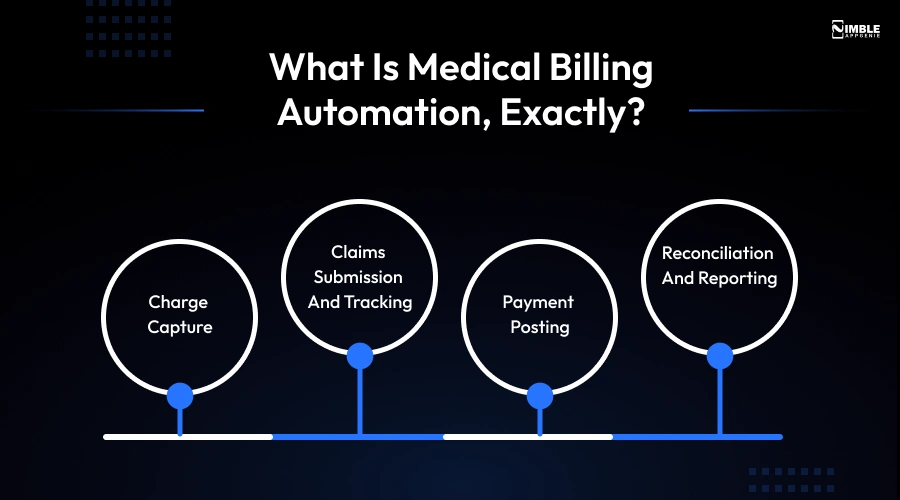
- Charge Capture: Pulling CPT/ICD-10 codes from clinical documentation the moment a visit is closed out.
- Claims Submission and Tracking: Formatting and sending claims to payers or a clearinghouse, then tracking their status automatically.
- Payment Posting: Applying insurance and patient payments back to the correct account without manual entry.
- Reconciliation and Reporting: Matching what was billed against what was actually collected.
- 10%+ of providers now report claim denial rates above 10%, according to HFMA’s summary of MGMA’s 2024 benchmarking report.
- 41% of U.S. adults currently carry some form of medical or dental debt, per KFF’s health care cost research.
Neither of these numbers is a coding issue or a patient-behavior problem alone; a considerable share of it is a systems issue. When clinical data, payments, and claims live in three disconnected places, delays and errors creep in at every handoff.
Why Integrate Payments Directly Into Your EHR/EMR
This is not a “nice to have” anymore. A few concrete reasons practices, health tech platforms, and RCM companies are prioritizing it.
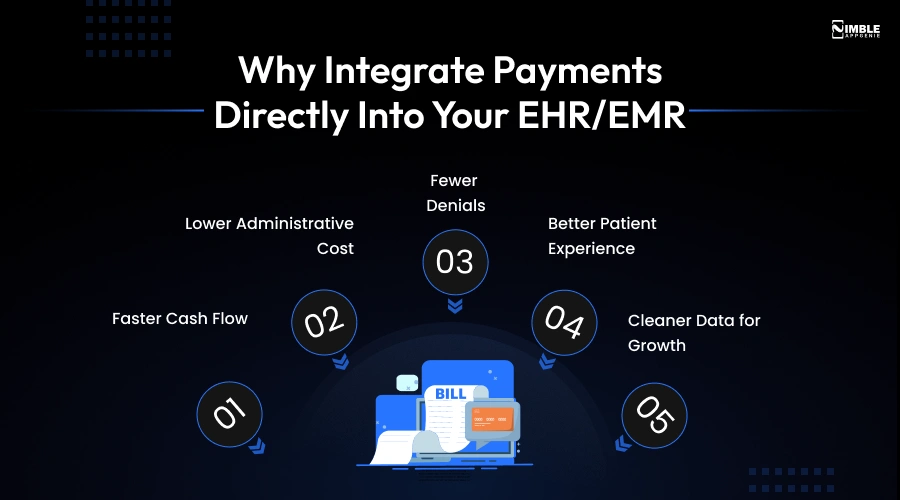
- Faster Cash Flow: Claims formatted and validated automatically at the point of documentation have fewer errors and get paid faster.
- Lower Administrative Cost: Every manually re-keyed field is a chance for an error and a few minutes of staff time. Multiply that across thousands of claims a month, and it adds up fast.
- Fewer Denials: Real-time eligibility checks and automated code validation catch mismatches before a claim is ever submitted, not after a payer rejects it weeks later.
- Better Patient Experience: Patients can see accurate balances and pay directly from a portal instead of waiting for a paper statement.
- Cleaner Data for Growth: If you are a health tech company building a product on top of this, integrated billing data allows you to offer precise financial dashboards, embedded payment plans, or usage-based pricing later.
How the Data Actually Moves: The Billing Automation Workflow
At a higher level, here’s the path data takes once a patient visit is documented:
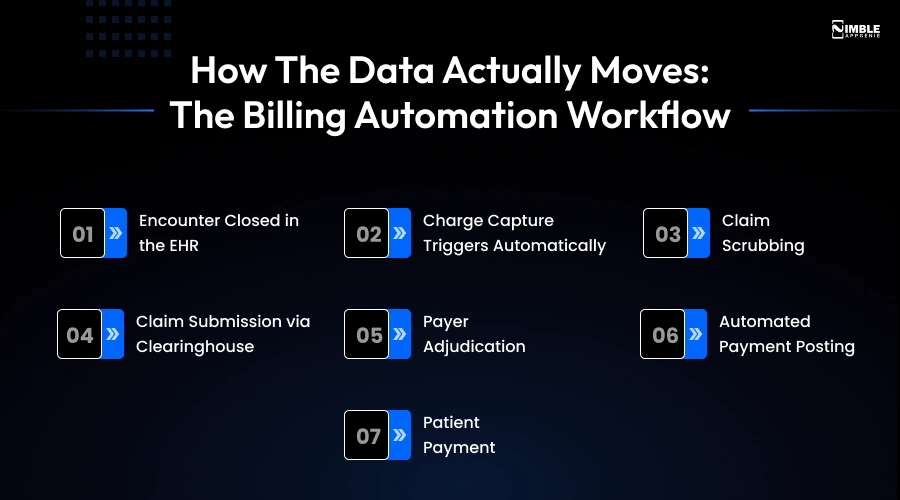
- Encounter Closed in the EHR: Provider finalizes notes, diagnosis, and procedure codes.
- Charge Capture Triggers Automatically: An API call or interface engine pushes the coded charge to the billing system in real time, instead of in an overnight batch.
- Claim Scrubbing: Automated rules check the claim against payer requirements, prior authorization data, and NCCI bundling edits before submission.
- Claim Submission via Clearinghouse: The claim goes out in X12 837 format to a clearinghouse, which routes it to the payer.
- Payer Adjudication: The payer returns a remittance advice (X12 835) demonstrating what’s approved, denied, or adjusted.
- Automated Payment Posting: The remittance data posts back to both the billing system and the EHR’s patient account, updating the balance.
- Patient Payment: The remaining balance is presented through a patient portal or statement, and any payment collected flows back through the same integration to close the loop.
The entire automation value lives in steps 2, 6, and 7 – the points where a human used to stay between two systems, typing the same numbers twice.
Tech Stack Behind EHR/EMR Payment Integration
Most business-side guides usually skip this part, and it’s exactly where projects tend to be delayed. Here’s what actually needs to be in place.
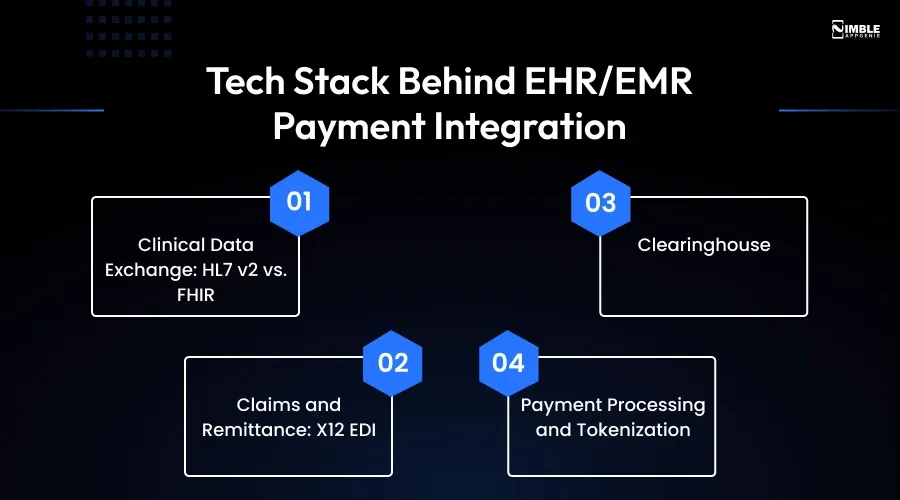
► Clinical Data Exchange: HL7 v2 vs. FHIR
HL7 v2 is the older messaging standard that a large share of legacy EHRs still use for real-time interface engine feeds (ADT, charge messages). FHIR (Fast Healthcare Interoperability Resources) is the modern REST-API-based standard that most existing EHR platforms, including Epic and Oracle Health, now expose through developer programs.
If you are building a new one, FHIR APIs are almost always the better long-term choice as they are easier to maintain and better documented; if you are connecting to an older, on-premises EHR, you may still be working with HL7 v2 interfaces.
► Claims and Remittance: X12 EDI
Across the US healthcare system, claims (837) and remittance advice (835) still run on the X12 EDI standard. Your billing automation layer needs to generate and parse these formats precisely, or route through a clearinghouse that handles the translation for you.
► Clearinghouse
A clearinghouse sits between your billing system and every payer, validating claims and routing them correctly so you are not building a direct connection with hundreds of individual insurers. Most automation builds integrate with a current clearinghouse rather than replacing it.
► Payment Processing and Tokenization
For the patient-payment side, card data should never come in contact with your servers directly. A PCI-compliant gateway tokenizes card details at capture, so your systems only handle a token, not the actual card number. This is also the layer that supports saved payment methods, automated retries on failed payments, and payment plans.
A Note from Experience –
The fintech team at Nimble AppGenie has seen this pattern repeat across healthcare payment projects, including our own work on connecting patient financing flows to EHR/EMR systems: teams underestimate how much of the timeline goes into getting tokenization, clearinghouse connections, and audit logging right, not the UI. So, budget accordingly.
HIPAA and PCI-DSS: The Compliance Layer You Can’t Skip
Medical billing automation sits at the intersection of two regulatory frameworks, and it needs to satisfy both at once:
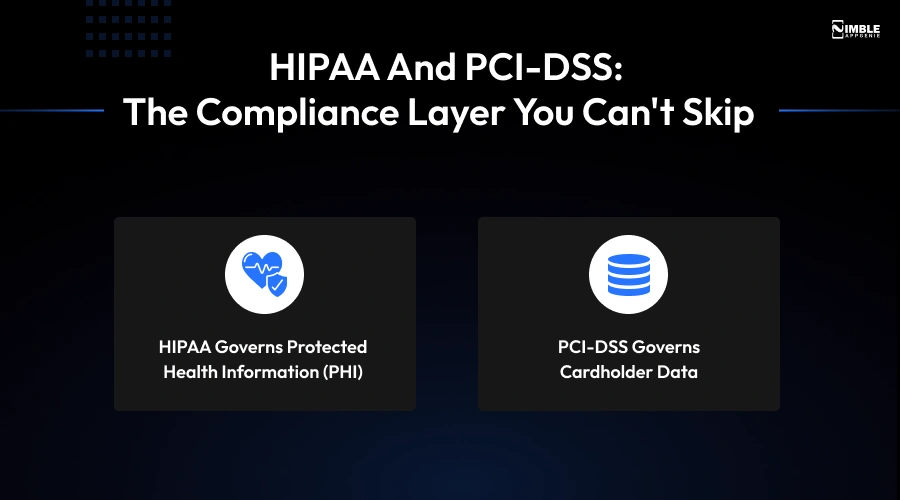
- HIPAA Governs Protected Health Information (PHI): Anything tied to a patient’s diagnosis, clinical record, and treatment. This needs encryption in transit and at rest, strict role-based access controls, and complete audit logging of who accessed what and when.
- PCI-DSS Governs Cardholder Data: Anything relevant to how a payment is captured, stored, and transmitted. The safest approach is not to store raw data at all; instead, rely on tokenization through a certified payment processor.
Typical Mistakes We Encounter: Teams design for HIPAA compliance on the clinical side and treat payments as an afterthought bolted on at the end, which generally means card data ends up touching systems it shouldn’t. Compliance has to be part of the architecture from day one, not an add-on, as on this side only most healthcare software timelines blow out.
Build vs. Buy: Choosing the Right Path
Not every practice or platform demands a custom-built integration. Here’s how to think about it:
| Approach | Best For | Typical Cost Range |
| Off-the-shelf billing software with native EHR connectors | Single practices using a mainstream EHR (Epic, athenahealth, eClinicalWorks) with standard billing needs | $200–$1,500/month subscription |
| Middleware/integration engine connecting existing systems | Multi-location practices or RCM companies working across several EHRs | $15,000–$60,000 build + ongoing maintenance |
| Custom-built billing automation with embedded payments | Health tech platforms and startups where billing is a core product feature, not just back-office admin | $40,000–$150,000+ depending on scope |
If billing automation is actually core to your product – say, you are building a patient-facing platform where payment plans, embedded financing, or usage billing are part of the value proposition – a custom build is generally worth it. If you are a practice trying to reduce admin overhead on a standard EHR, start with native or middleware options before reaching for a fully custom build.
Where AI Fits Into Medical Billing Automation
“Can AI help reduce claim denials?” is one more question we repeatedly see across AI search tools and founder forums this year. The honest answer: yes, in specific, well-scoped places, not as a complete fix.
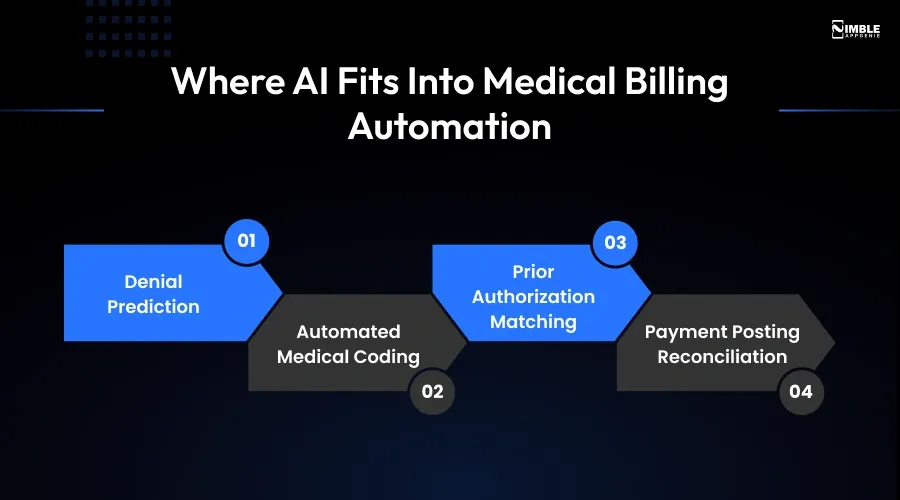
- Denial Prediction: Models trained on past claims can flag a claim as high-risk for denial before it is ever submitted, based on code combination, payer, and documentation patterns.
- Automated Medical Coding: AI models suggest CPT/ICD-10 codes from clinical notes, which a coder reviews rather than starting from scratch.
- Prior Authorization Matching: With CMS’s interoperability and prior authorization rules taking effect in 2026, AI-assisted matching between authorizations and claim-level data (exact CPT code, site of service, modifier) is becoming necessary rather than optional.
- Payment Posting Reconciliation: AI can match complex remittance files with open claims faster and more accurately than rule-based logic alone, especially with partial payments or bundled adjustments.
The teams getting the most value are not replacing billers with AI; they are using it to catch errors before submission, which is a far cheaper place to fix a problem than after a denial.
Common Integration Challenges (And How to Avoid Them)
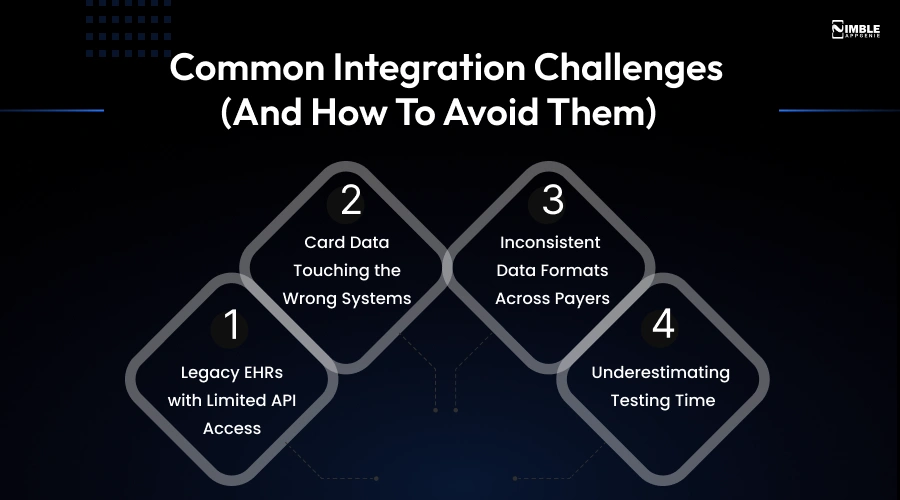
- Legacy EHRs with Limited API Access: Some older, on-premise systems only support HL7 v2 batch feeds, not the latest REST APIs. So, plan integration timelines accordingly.
- Card Data Touching the Wrong Systems: This is the most common PCI-DSS violation risk. So, solve it with tokenization at the point of capture, never by passing raw card numbers between internal systems.
- Inconsistent Data Formats Across Payers: Even with a clearinghouse, payer-specific edits and requirements vary. So, claim-scrubbing rules demand regular maintenance, not a one-time setup.
- Underestimating Testing Time: Claims and remittance testing with real payer sandboxes (or production test claims) takes longer than most teams budget for – build in extra time here.
A Practical Roadmap to Get Started
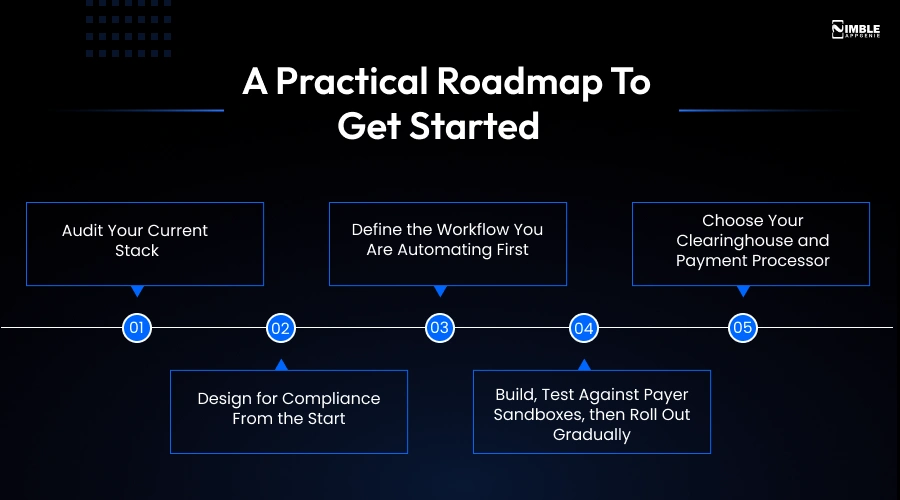
- Audit Your Current Stack: Confirm what your EHR/EMR actually supports – FHIR API, HL7 v2 interface, or neither – before scoping anything else.
- Define the Workflow You Are Automating First: Charge capture, payment posting, and claims submission are generally the highest-ROI starting points.
- Choose Your Clearinghouse and Payment Processor: Confirm both support the compliance requirements (HIPAA business associate agreement, PCI-DSS Level 1 processor) before building around them.
- Design for Compliance From the Start: Map where PHI and payment data touch, and separate them architecturally wherever possible.
- Build, Test Against Payer Sandboxes, then Roll Out Gradually: Start with one payer or one location before scaling the integration system-wide.
How Nimble AppGenie Helps
Nimble AppGenie is a fintech software development company that has spent 8+ years building secure, compliant financial technology alongside healthcare software development, including EHR/EMR-connected patient payment features. That combination is exactly what medical billing automation needs: teams who understand both sides of the integration.
The experienced fintech team at Nimble AppGenie works with healthcare practices, RCM companies, and health tech startups on:
- EHR/EMR API integration (FHIR and HL7 v2) – see our Fintech API Integration services.
- Custom healthcare software builds – see our Healthcare App Development solutions.
- AI-assisted coding and denial-prediction tooling – see our AI Integration Services.
- PCI-DSS and HIPAA-aligned architecture, backed by Nimble AppGenie‘s own ISO 27001 and PCI-DSS compliance credentials.
If you are weighing build vs buy, or you already know you need a custom integration and want a realistic cost and timeline, that’s the conversation worth having before any development starts.
Conclusion
Medical billing automation is not about replacing your billing team; it’s about removing the manual handoffs between clinical documentation, payments, and claims that cause delays and denials in the first place. The technical pieces (X12 EDI, FHIR/HL7, clearinghouses, tokenized payments) are well-established; the real work is architecting them accurately and keeping HIPAA and PCI-DSS compliance built in from the start, not added on afterward.
Whether you use a native connector, middleware, or a custom solution depends on your billing needs. But defining the scope and compliance requirements early helps keep the project on budget and avoid regulatory issues.
FAQs

Niketan Sharma, CTO, Nimble AppGenie, is a tech enthusiast with more than a decade of experience in delivering high-value solutions that allow a brand to penetrate the market easily. With a strong hold on mobile app development, he is actively working to help businesses identify the potential of digital transformation by sharing insightful statistics, guides & blogs.
Table of Contents




No Comments
Comments are closed.