

 Free Consultation
 PCI-DSS Compliant
 GDPR Ready
 ISO 27001
 NDA Protected
 AI Services
 AI App Development
 Generative AI Development
 AI Chatbot Development
 AI Integration Services
 AI Consulting Services
 AI For Fintech
 AI Financial Assistant Solution
 AI Insurance Agent Development
 Tech Stack
 OpenAI / GPT-4
 Claude / Anthropic
 Gemini / Google AI
 Llama / Open Source
 LangChain / LlamaIndex
 Pinecone / Pgvector
 AWS / Azure AI


 Fintech Solution
 Core Fintech
 App Development
 Neobank Solutions
 eWallet Solutions
 Lending Software
 Banking Solutions
 BNPL Solutions
 BNPL Solutions
 Insurance App
 Wealth Management
 Crypto & DeFi
 Blockchain Development
  Payroll Software
 DeFi Solutions
 Crypto Wallet
 Crypto On/Off Ramp
 Crypto Exchange
 Trading Platform
 Payments
 Compliance
 Regulations & Compliance
 Fraud Detection
 Lending Ecosystem
 P2P Lending Platform
 Mortgage Software
 Engagement
 Fintech Outsourcing

 Mobile Development
 Mobile App Dev
 iOS App Development
 Android App Development
 React Native
 Flutter Development
 Web Solution
 Node.js Development
 React.js Development
 Angular Development
 App Services
 UI/UX Design
 App Maintenance
 By Stage
 MVP Development
 Industry Solutions
 Healthcare App Dev
 Education App Dev
 Travel App Dev
 Real Estate App Dev
 Logistics Software
 Social Media App

 Hire Mobile Developers
 Hire iPhone Developers
 Hire Android Developers
 Hire React Native Devs
 Hire Flutter Developers
 Hire Web Developers
 Hire Node.js Developers
 Hire Angular Developers
 Hire PHP Developers
 Hire Laravel Developers
 How It Works
 Pre-Vetted Developers
 Ready In 48 Hours
 NDA From Day One
 Replace Guarantee
 Company
 About Us
 Our Work Process
 Portfolio
 Case Studies
 Blog / Insights
 Careers
 Contact Us
 Awards
 Recognition


 Offices


Short Answer-
Your phone might not be the weak link, but the server behind it might be. Researchers say PHP2Shell, the nickname for two critical PHP flaws (CVE-2026-109618 and CVE-2026-109619), can lead to remote code execution. If your app’s API runs on PHP, update to a patched version now and review your server for signs of tampering.
Key Terms to Know
New to security language? These quick definitions will make the rest of the article easier to follow.
| Term | Plain-English meaning |
| API | The connection that lets your mobile app send and receive data from your server. |
| Backend | The server side of your app, where accounts, data, and business logic live. |
| PHP | A popular programming language used to build website and app backends. |
| Vulnerability | A weakness in software that an attacker could use. |
| CVE | A public ID number for a known security flaw, such as CVE-2026-109618. |
| CVSS | A 0 to 10 score for how serious a flaw is. 9.0 and above is “critical”. |
| Remote code execution (RCE) | When an attacker can make your server run commands from far away. |
| Shell | A command window on a server. “Getting a shell” means gaining control of it. |
| Patch | A software update that fixes a security flaw. |
| Proof-of-concept (PoC) | Example code that shows a flaw works. Attackers can reuse it once it is public. |
| WAF | A web application firewall, a filter that blocks suspicious traffic before it reaches your server. |
What is PHP2Shell?
Researchers named PHP2Shell for two critical vulnerabilities in PHP, the server-side language behind WordPress, Laravel, Drupal, and many custom web applications. SecurityWeek reports both flaws could lead to unauthorized remote code execution (RCE), and each carries a CVSS score of 9.2 out of 10.
Simply put, RCE means an attacker can make your server run harmful commands remotely. Unauthenticated means they can do this without logging in or proving their identity first.
The two flaws in simple terms:
- CVE-2026-109618: An out-of-memory handling issue. PHP can stop while its internal request data is only half set up, and cleanup may then treat that broken data as valid.
- CVE-2026-109619: A stale-state problem. Data from one request can stay in memory after it should be gone, and later affect another request handled by the same worker.
► How Did It Become Public Before the Patch?
Details of the PHP2Shell vulnerabilities leaked online before the official announcement and planned security update. This may have given attackers an early opportunity to target vulnerable systems. As a result, the PHP team reportedly released security fixes a day earlier than planned (The PHP Foundation).
Here is the timeline of events based on reputable security sources:
| Date (2026) | What happened |
| Oct 20 | An anonymous post leaked the existence of the flaws. Watchtower confirmed the information was real, and PHP issued an advance notice (Check Point). |
| Oct 21 | PHP released 8.5.12, 8.4.27, 8.3.36 and 8.2.35, plus minimal backports for 7.4, 8.0 and 8.1 (SecurityWeek). |
| Oct 21 | Several security firms reported exploitation attempts using a public proof-of-concept (SecurityWeek). |
A Fair Warning –
Early reports about PHP2Shell held some incorrect information. They misunderstood how severe the vulnerabilities were and claimed that changing one setting could fix the complete problem. A member of the PHP security team explained what those reports got wrong. So, don’t rely on rumours or quick fixes. Update PHP to an officially patched version to address the vulnerabilities properly.
Why Should Mobile App Owners Care About a PHP Flaw?
Most mobile apps are just the front door; some on phones talk to a backend API on a server, and that server usually runs PHP. According to W3Techs (August 4, 2026), around 70.5% of websites use PHP, a server-side programming language. So, PHP’s vulnerability could affect many website owners.
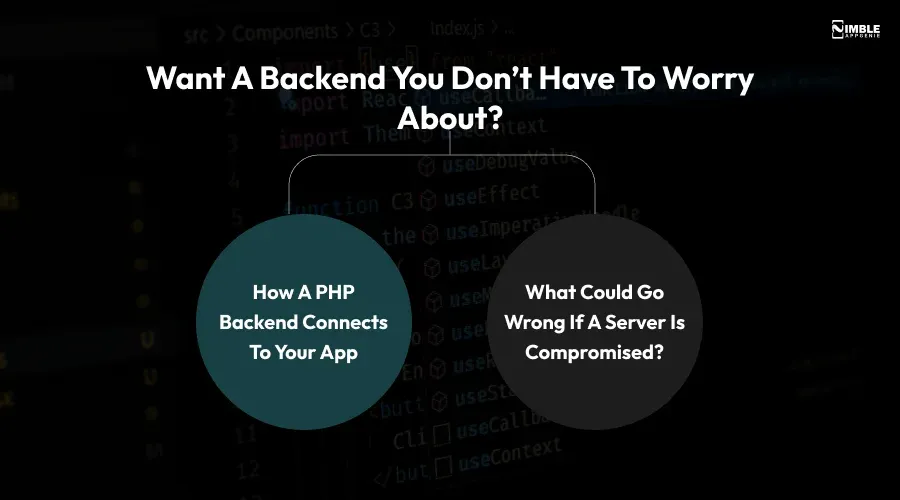
♦ How a PHP Backend Connects To Your App
Think of your app as a waiter and the API as the kitchen door. The waiter carries orders back and forth, but the kitchen holds the food, recipes, and cash register; if the kitchen is broken into, it doesn’t matter how nice the waiter is.
- User accounts, passwords, and tokens usually live on the server.
- Payment and order data pass through the API.
- Admin panels and marketing websites often share the same server.
♦ What Could Go Wrong If a Server is Compromised?
- Data Exposure: Customer details, messages, or transaction records.
- Stolen Keys: API keys and database credentials stored on the server.
- Compliance Trouble: Data protection rules such as GDPR apply after a breach. See our guide to fintech regulations and compliance if you handle financial data.
- Service Disruption: Downtime that frustrates users and hurts app store ratings.
Is Your Mobile App’s API Affected?
Your API may be affected if its backend runs PHP directly or via a framework or CMS. Public reporting says almost all PHP releases back to 5.4 are affected, though The Hacker News noted that an official advisory didn’t confirm the full scope at first. Use this table as a quick guide.
| Your backend | Likely exposure | Action |
| Laravel, Symfony, CodeIgniter, or custom PHP API | High until patched | Update PHP and review logs |
| WordPress or Drupal powering app content | High until patched | Update PHP, then plugins and core |
| Node.js, Python or Java API, but a PHP website or admin panel on the same host | Medium | Patch that server too |
| Managed hosting or cloud platform | Depends on your provider | Ask the provider for patch status in writing |
| No PHP anywhere in the stack | Not affected by this flaw | Keep normal patching habits |
➤ 5 Signs Your API May Need Attention
- You don’t know which PHP version your server runs.
- Your backend runs PHP 7.4, 8.0, or 8.1, which only received minimal backports.
- Nobody on your team owns server updates.
- You see unexpected traffic spikes, files, or strange requests in server logs.
- Your app was developed years ago and has had little maintenance.
What Should You Do Right Now? A 7-Step Checklist
Start with the first three steps today. They matter most.
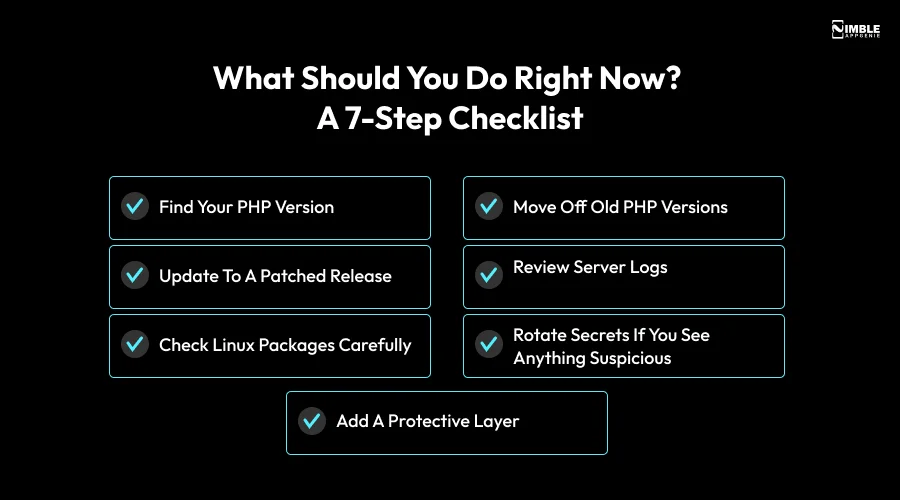
1. Find your PHP version
You can ask your developer or hosting provider, or run php -v on the server.
2. Update to a Patched Release
The fixed versions are 8.5.12, 8.4.27, 8.3.36, and 8.2.35. You can get them from the official PHP downloads page.
3. Check Linux Packages Carefully
Some Linux distributions backport fixes without changing the version number. Arctic Wolf suggests checking the package changelog for the CVE numbers; for example, apt changelog php8.3-cli | grep -E “CVE-2026-109618|CVE-2026-109619” on Ubuntu or Debian.
4. Move Off Old PHP Versions
If you run 7.4, 8.0, or 8.1, plan an upgrade, because those branches only got minimal source backports.
5. Review Server Logs
Look for new files, odd requests, or unknown processes since October 20.
6. Rotate Secrets if You See Anything Suspicious
Change API keys, database passwords, and tokens.
7. Add a Protective Layer
A web application firewall (WAF) can help. For example, Cloudflare can deploy protections before any public disclosure. A WAF is a safety net, not a replacement for patching.
If the upgrade seems complicated, you can hire PHP developers to update your system safely and check for potential security issues. Alternatively, you can hire Laravel developers to help secure and maintain your Laravel-based application.
What Does This Leak Teach Us About Mobile App API Security?
The primary lesson: a flaw in a tool you didn’t write can still be risky to your app. Log4Shell, a 2021 flaw in a widely used Java logging library, affected many applications in the same way. Secure code is important, but it’s not enough.
Habits that keep an app backend safer:
- Keep an inventory of languages, frameworks, and libraries your backend uses.
- Limit what a server can do. Give it only the access it needs, so one breach stays small.
- Apply routine security patches on a regular schedule, and install critical updates as soon as possible.
- Monitor and log API traffic so you notice odd behavior quickly.
- Test regularly. Security reviews and penetration tests find problems before attackers do.
- Ongoing mobile app maintenance makes these habits routine, and we apply the same security-first thinking to our API integration work.
How Can Nimble AppGenie Help Protect Your App?
Nimble AppGenie is a global mobile app development company with offices in the USA, UK, UAE, and Canada. Our team holds ISO 27001 and PCI-DSS certifications, and our work process includes planning, development, testing, and post-launch support. You can see how we work in our case studies.
Final Thoughts
PHP2Shell reminds you that your app’s safety depends on the server behind it. Check your PHP version, patch quickly, and review your logs. If you would rather have experts handle it, reach out to Nimble AppGenie for a free consultation; we will help you protect your users.
FAQs

Niketan Sharma, CTO, Nimble AppGenie, is a tech enthusiast with more than a decade of experience in delivering high-value solutions that allow a brand to penetrate the market easily. With a strong hold on mobile app development, he is actively working to help businesses identify the potential of digital transformation by sharing insightful statistics, guides & blogs.
Table of Contents




No Comments
Comments are closed.