


Key Takeaways:
- The calorie counter app market is growing fast as more people track their food and manage weight through mobile apps, creating strong business opportunities.
- To build a calorie counter app, you need core features like calorie tracking, food database, barcode scanner, goal setting, and progress reports.
- Adding advanced calorie counter app features like AI meal plans, food photo recognition, wearable integration, and gamification helps your app compete with complete apps.
- During calorie counter app development, focus on data security, encryption, secure login, and health data protection to build user trust.
- The cost to develop a calorie counter app usually ranges from $30,000 to $200,000+, and you can earn through subscriptions, freemium, ads, and in-app purchases.
- Calorie counter apps make money through in-app ads, a subscription model, freemium, and in-app purchases.
- Challenges to make a calorie counter app are accurate calorie & nutrition tracking, AI & advanced features accuracy, user engagement & retention, and integration with wearables.
Are you planning to enter the fitness app market? One opportunity to gain strong attention is calorie tracking. Today, people want to lose weight, gain muscle, or maintain a healthier lifestyle.
But they struggle to understand how many calories they consume each day. Without proper tracking, it becomes difficult to stay consistent with diet and nutrition goals.
This growing demand has created a huge opportunity for businesses to build a calorie counter app that helps users track meals and manage their daily nutrition more effectively. The market growth also reflects this rising demand.
| According to Grand View Research, the market size of diet and nutrition apps is forecasted to reach $4.56 billion by 2030, with a CAGR of 13.4%. |
Thus, if you are a startup founder, gym owner, fitness coach, or wellness brand, investing in calorie counter app development can solve user problems while expanding your business’s digital presence.
In this guide, we will explain how to develop a calorie counter app, including its must-have features, development challenges, estimated cost, and monetization strategies to help you turn the idea into a scalable fitness product.
So, let’s begin!
What is a Calorie Counter App?
A calorie counter app helps users track daily calories and stay on track with fitness goals. It is more than just a food log; it acts as a digital diet assistant. Calorie-counting apps are very popular among those who are looking to lose weight, gain muscle, or maintain a healthy lifestyle.
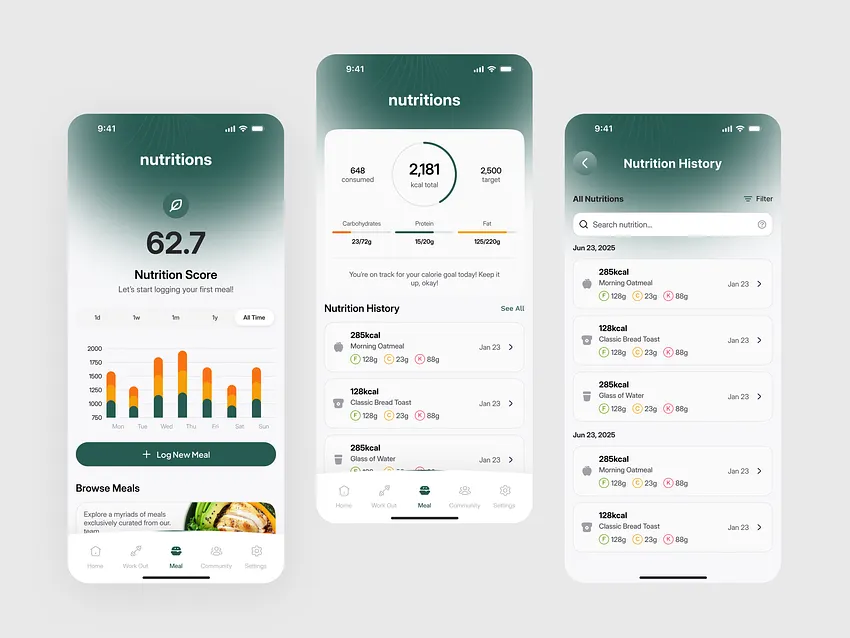
MyFitnessPal, Lose It, and Yazio are some of the best calorie counter apps. They are useful for users who want personalized fitness guidance without hiring a personal trainer.
Calorie tracking app solves common problems like:
- Not knowing how many calories to eat per day
- Struggling to track meals and workouts consistently
- Needing motivation and insights to stay on track
How Does a Calorie Counter App Work?
The app calculates a personalized daily calorie goal based on user data like age, weight, height, activity level, and fitness goals.
1. Users log their food intake using:
- Barcode scanning
- Manual searches
- AI-powered photo recognition
2. The app tracks daily calorie intake against the personalized goal.
3. Many apps also track macronutrients like protein, carbs, and fat.
4. After that, it offers recipe analysis to understand nutritional content.
5. Users can integrate with fitness trackers to include calories burned from exercise.
Why Build a Calorie Counter App – Market Research & Analysis?
The demand for fitness and health applications is growing very fast. This makes calorie counter apps a good investment for startups, gyms, wellness brands, and fitness coaches. Now, people do not want generic workout apps.
They want personalized nutrition tracking, progress insights, and guidance that fits their lifestyle. This creates a good opportunity to offer calorie counter app solutions that people use daily. Let’s understand this with the fitness app statistics mentioned below.
Market stats show huge growth potential:
- As per Dataintelo, the market size of calorie-counting apps is forecasted to hit $4.7 billion by 2032 worldwide.
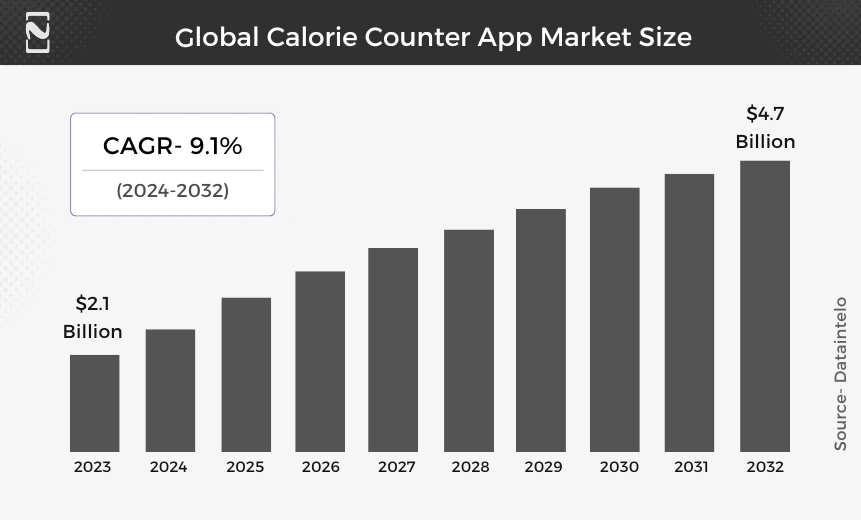
- Nutrition and calorie tracking apps are a major driver of this growth, as users focus on weight management, healthy eating, and personalized fitness plans.
- The fitness app market revenue is forecasted to reach $9.89bn by 2030 with a CAGR of 1.75%.
- Integration with wearable devices like smartwatches and fitness trackers boosts user engagement and retention.
Why this matters for your app:
- Users want apps that combine nutrition tracking with personalized fitness guidance.
- There is a rising trend of digital wellness, where people manage diet, exercise, and overall health from their smartphones.
- Calorie counter apps can address real problems like weight management, tracking meals, and staying consistent without needing a personal trainer.
By building an AI calorie counter app like Muscle Booster or others, you can enter into a growing global market, offer personalized solutions, and create a solution that users rely on daily for their health and fitness journey.
What Are the Key Features for Calorie Counter App Development?
The core features to add in a diet tracking app development are personalized calorie goal, macronutrient tracking, food logging, exercise tracking, progress monitoring, etc. Below are the must-have fitness app features you can consider adding to your solution.
1. Customer Panel:
| Feature | Why It Matters |
| User Registration & Profile | It enables personalized calorie and nutrition tracking. |
| Calorie & Macronutrient Tracking | It helps users manage their diet and achieve fitness goals. |
| Food Logging Options (Barcode, Search, Photo) | It makes tracking fast, accurate, and convenient. |
| Exercise Tracking | It provides a complete calorie balance for weight management. |
| Progress Monitoring & Reports | It keeps users motivated and informed about progress. |
| Reminders & Notifications | It helps users stay consistent with their health routine. |
| Recipe & Meal Analysis | It supports healthy meal planning and diet decisions. |
| Goal Setting & Recommendations | It offers guidance tailored to individual needs. |
| Integration with Wearables | It improves the accuracy of calorie tracking and engagement. |
2. Admin Panel:
| Feature | Why It Matters |
| User Management | It ensures smooth platform operation and quality control. |
| Food Database Management | It keeps app data accurate and reliable. |
| Content Management | It enhances user engagement and education. |
| Analytics & Reports | It helps make data-driven decisions to improve the app. |
| Push Notifications Management | It keeps users active and engaged with timely reminders. |
| Subscription & Payment Management | It enables monetization and revenue tracking. |
| Feedback & Support | It improves user satisfaction and retention. |
What Are the Advanced AI-Driven Features to Build a Calorie Counter App?
Advanced features of a calorie counter are personalized calorie tracking, smart meal suggestions, adaptive workout plans, predictive progress insights, etc. When you add these advanced features, it can help your calorie counter app development stand out.
| Features | Why It Matters |
| AI-Powered Food Recognition | Users can log meals by simply taking photos; it improves speed and accuracy. |
| Personalized Nutrition Suggestions | AI analyzes eating patterns to recommend meals and portion sizes tailored to goals. |
| Adaptive Workout & Calorie Plans | AI adjusts calorie targets and workouts based on progress and activity. |
| Predictive Progress Tracking | AI predicts weight, muscle gain, or calorie trends to motivate users. |
| Smart Meal Planning | Generates weekly meal plans automatically based on preferences and goals. |
| Voice Command Logging | Users can log meals, water intake, or workouts via voice, improving engagement. |
| Integration with Smart Devices & IoT | AI collects and analyzes real-time data from wearables, scales, or smart kitchen devices. |
How to Develop a Calorie Counter App for Startups?
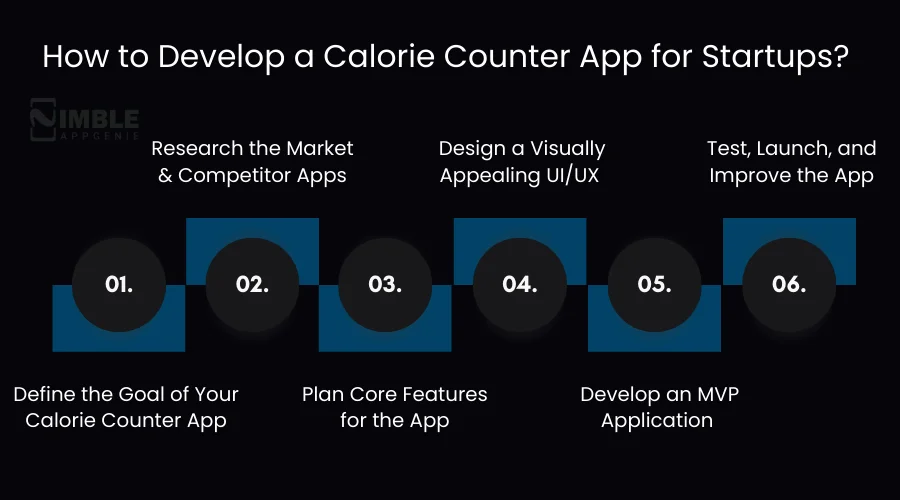
To build a calorie counter app, you should:
- Define the app’s purpose and audience
- Research competitors and market gaps
- Plan essential calorie tracking features
- Design a user-friendly interface
- Develop an MVP version
- Test & launch an MVP version first
These steps help you create a calorie counter app that meets user needs and stays competitive in the growing fitness app market. Let’s check out the calorie tracking app development process below.
1. Define the Goal of Your Calorie Counter App
Before starting calorie counter app development, you must find out what problem your calorie counter app will solve for users. Some calorie tracking apps help people lose weight, while others focus on nutrition awareness or daily fitness tracking.
So, it is vital to identify your target audience. It can help in making the process easy. You should consider potential audiences like:
- Beginners starting their fitness journey
- Gym users tracking daily calories
- People managing diet and nutrition
A clear project goal helps you in shaping the right features. Also, it makes sure the fitness app development process focuses on real user needs.
2. Research the Market and Competitor Apps
A successful calorie tracking app development process always begins with proper market research. It is vital to find out the existing nutrition tracker apps to know what users like and where competitors struggle. Besides, you must find out the pain points of people.
Additionally, you can ask questions like:
- Which features do popular calorie counter apps provide?
- What problems do users mention in reviews?
- Are there missing features in existing apps?
After you thoroughly study the competitor apps, it can help you discover opportunities to build a better calorie tracking experience and create an app that stands out in the fitness app market.
3. Plan Core Features for the App
Once research is complete, you can decide what features you want for your calorie tracking app. Do you want to add must-have features and advanced features at the start? You can focus on features that make calorie tracking simple and helpful for users.
Some typical features you can integrate are:
- Calorie and meal logging
- Nutrition and macro tracking
- Progress dashboards
- Reminders and notifications
- Wearable device integration
You can plan these features at the start. It can help a dedicated development team to choose the right technology stack for calorie-counting app solutions. It ensures your app works smoothly and supports future updates.
4. Design a Visually Appealing UI/UX
Design plays a crucial role in the success of a calorie tracking app. If users struggle to log meals or track calories quickly, they may stop using your app. When you create a fitness app design’s UI, you should focus on:
- Easy navigation
- Quick meal logging
- Visually appealing interface
- Clear nutrition charts
- Visual progress tracking
A visually appealing and intuitive UI/UX can attract your audience to open the calorie counter app daily and maintain consistent health and fitness habits.
5. Develop an MVP Application
At this stage, you should build an MVP app rather than a full-fledged app. Do not add too many features; you can simply add the must-have features. Your goal is to release a simple but functional version that allows users to start tracking their calories and meals.
An MVP version of a calorie tracking app may include features:
- User profile setup
- Calorie and meal tracking
- Basic nutrition insights
- Simple progress reports
Why start with an MVP? Because it helps you validate the idea quickly. Once the app is live, real users start using it, and their behavior reveals what works and what needs improvement.
This feedback can help you refine the fitness app product. You can gradually add more advanced features to stand out and keep the fitness app development costs under control.
6. Test, Launch, and Improve the App
In the last stage, you can rigorously test the food tracker app with multiple mobile app testing methods. Also, check whether this app works on all devices and is every feature functions properly or not.
Besides, developers check performance, accuracy of calorie calculations, and compatibility across devices. Once the app is tested, you can launch the app following the app store’s guidelines.
But the process does not stop here. You have to regularly monitor apps like
- Analyzing user behavior
- Collecting user feedback
- Fixing bugs quickly
- Adding new features based on demand
Continuous updates help the calorie tracking app stay relevant, improve user engagement, and compete effectively in the growing wellness app market.
Technology Stack for Calorie Tracking App Development
A calorie counter app requires a tech stack like AI, machine learning, database, backend, server, mobile frontend, cloud, and hosting. These technologies can help you build a calorie counter app. The table below shows the mobile app tech stack you can take into consideration for creating a calorie counter app.
| Layer | Technology |
| Mobile Frontend | Flutter (cross-platform), Swift (iOS), Kotlin (Android) |
| Backend / Server | Node.js with Express, Django (Python) |
| Database | PostgreSQL (relational), MongoDB (NoSQL for flexible logs), Firebase Firestore |
| Cloud / Hosting | AWS (EC2, S3, RDS), Google Cloud, Firebase Hosting |
| APIs & Integrations | Nutritionix API, Edamam API, Google Fit, Apple HealthKit, Fitbit API |
| AI / Machine Learning | TensorFlow Lite (mobile ML), PyTorch (backend ML models) |
| Push Notifications | Firebase Cloud Messaging (FCM), OneSignal |
| Analytics | Google Analytics for Firebase, Mixpanel, and Amplitude |
| Payment & Subscription | Stripe, PayPal, Razorpay |
| Authentication & Security | OAuth 2.0, JWT, SSL/TLS encryption, Firebase Auth |
How Much Does it Cost to Build a Calorie Counter App?
The cost to develop a calorie counter app can range between $25,000-$200,000 or more, depending on features, app complexity, platforms, and technology stack. The actual calorie counter app development cost is based on your project requirements.
Let’s say you want to build a basic MVP app with core features; it can cost $25,000–$50,000. However, if you add advanced features, it can raise the cost to make a fitness app to $150,000–$200,000 or more.
Let’s take a look at the table below of the cost to build a calorie counter app.
| App Complexity | Cost Breakdown |
| Basic MVP calorie counter app | $25,000-$50,000 |
| Standard calorie counter app | $50,000-$100,000 |
| Complex calorie counter app | $100,000-$200,000+ |
Therefore, developing a calorie counter app is an investment in long-term user engagement and revenue. But only if it includes personalized tracking, AI insights, and premium subscriptions.
Factors Affecting the Cost to Build a Calorie Counter App:
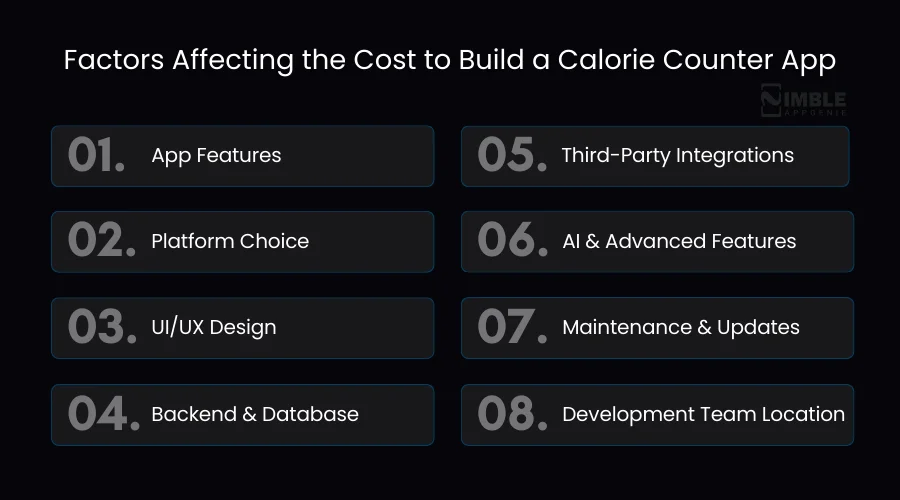
- App Features
- Platform Choice
- UI/UX Design
- Backend & Database
- Third-Party Integrations
- AI & Advanced Features
- Maintenance & Updates
- Development Team Location
How to Monetize a Calorie Counter App?
You can monetize a calorie counter app through in-app ads, a subscription model, freemium, and in-app purchases. These fitness app monetization strategies should be implemented carefully to generate a good ROI and high revenue. Here are the revenue models to monetize a calorie counter app.
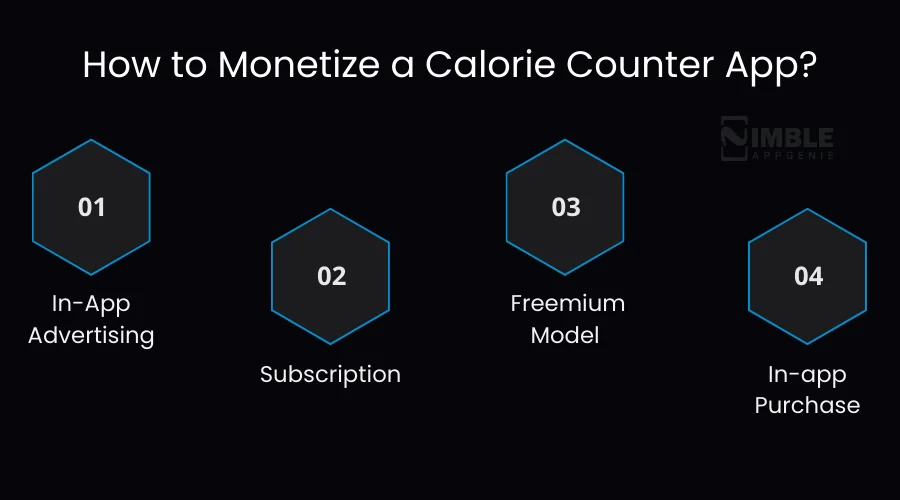
1. In-App Advertising
It is one of the most famous advertising models leveraged by many businesses despite their niche. There are a variety of different in-app advertising models available, including native ads, video ads, & banner ads, you can choose from them as per your target audience.
If you take our advice, we suggest not to overdo this. So that your users can also have a good experience without being discouraged from using the app. some popular fitness apps us these models are MyFitnessPal & Fooducate.
2. Subscription
Subscription-based apps charge fees from users at a particular interval of time for a long period. This way your app can generate a steady income source.
However, this fee can be collected from the users monthly, quarterly, or yearly, depending on what you want to offer them in that subscription. Your competitors Lifesum, & HealthifyMe, also use this model, so it will be great if you incorporate it to create calorie counter apps like Lose It.
3. Freemium Model
A combination of the FREE + preMIUM model, where apps offer some basic features for free and charge money for advanced features. It is a great idea to incorporate this model in your app, but there are already many free apps available in the sea of App Store & Play Store.
So, make sure you provide some extraordinary features that make users feel worthy of their pay. Apps like Fooducate, ShopWell, and Waterlogged also use this model. To integrate such a feature, you need the help of experienced calorie counter app developers.
4. In-app Purchase
Unlike subscription-based apps, this is a safe option for your users through which they pay for what they want. This can include personalized plans, dietician consults & many more.
This is a great opportunity through which you can break free your customer from taking a subscription. Alongside freemium, this model can work well for your app & generate good revenue. Apps like MyFitnessPal, ShopWell, and MyPlate Calories Tracker utilize the benefits of in-app purchases.
Overall, these are some of the amazing monetization models that you can utilize to build an app like MyFitnessPal. Let’s move to see the cost of developing a calorie counter app in the next section.
What Are the Challenges of Building a Calorie Counter App & How to Solve Them?
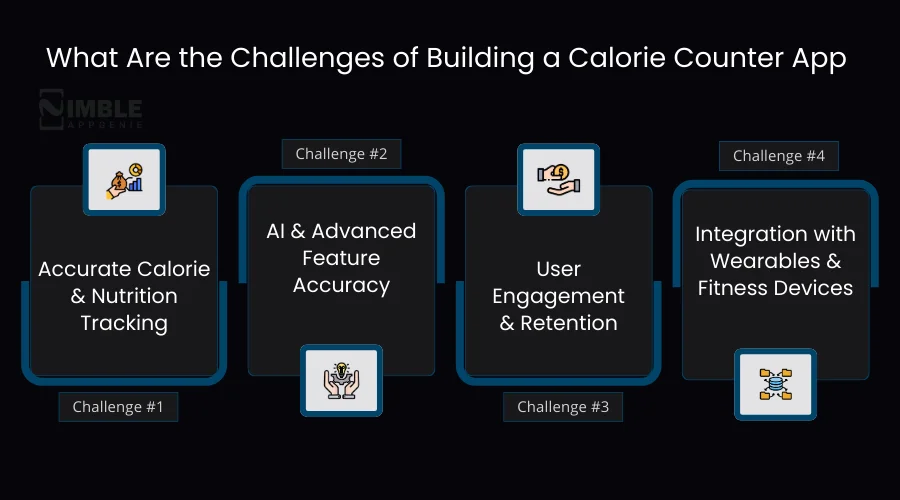
The challenges you face while making a calorie counter app are:
- Accurate Calorie and Nutrition Tracking
- AI & Advanced Feature Accuracy
- User Engagement and Retention
- Integration with Wearables and Fitness Devices
We will check out these challenges of diet tracking app development in detail, along with their possible solutions.
1. Accurate Calorie and Nutrition Tracking
Challenge: Users expect precise calorie counts and nutrition data, but food databases can be incomplete or inaccurate.
How to fix them:
You can integrate trusted APIs like Nutritionix or Edamam, and use AI-powered photo recognition to log meals accurately.
2. AI & Advanced Feature Accuracy
Challenge: Features like meal recognition, predictive analytics, and personalized suggestions must be reliable.
How to fix them:
You can train models with high-quality datasets and continuously update AI algorithms to improve AI in fitness app features based on user behavior.
3. User Engagement and Retention
Challenge: Many users stop using fitness or calorie counter apps after a few days.
How to fix them:
You can implement personalized recommendations, progress tracking, gamification, and reminders to keep users motivated.
4. Integration with Wearables and Fitness Devices
Challenge: Users want real-time syncing with devices like Fitbit, Apple Watch, or Google Fit.
How to fix them:
Developers can use standard APIs and SDKs for seamless wearable fitness integration, ensuring accurate calorie and activity tracking.
Why Choose Nimble AppGenie to Create a Calorie Counter App?
Nimble AppGenie, a leading fitness app development company, can make a calorie counter app that is personalized, AI-powered, and easy to use. We focus on AI-driven features like AI meal recognition, AI nutrition tips, and wearable tracking in the app.
Our expert team also focuses on secure architecture and scalable cloud infrastructure. We ensure calorie-tracking mobile apps can handle growing users without performance issues while keeping sensitive health data protected.
Additionally, Nimble AppGenie provides end-to-end support, from initial research and UI/UX design to testing, deployment, and maintenance. This approach ensures the calorie counter app is accurate, reliable, and optimized for user engagement and retention.
Thus, if you are a fitness startup, gym, or wellness brand looking to build a calorie counter app, Nimble AppGenie delivers AI-driven solutions that combine technology and fitness expertise.
Why Nimble AppGenie Stands Out:
- Builds highly accurate calorie counter and fitness apps
- Integrates AI-powered meal recognition and nutrition recommendations
- Connects seamlessly with wearable devices and fitness trackers
- Provides end-to-end development, testing, and maintenance support
- Delivers proven results for health, wellness, and fitness brands
Real-time Case Study: Calorie Counter App by Nimble AppGenie
Client: A health and wellness startup.
Business Requirements
The client wanted a calorie counter app that helps users track daily calorie intake, plan meals, and monitor fitness progress. The goal was to create a cross-platform app for iOS and Android, with AI-powered features.
Client’s Challenges
The client needed real-time meal logging, accurate calorie calculations, and a simple interface that works smoothly across various devices.
Solutions We Offered
Nimble AppGenie developed a cross-platform calorie tracking app with AI meal recognition, nutrition recommendations, wearable sync, progress dashboards, reminders, and gamification to motivate users.
Results Attained
- 35,000+ downloads within the first three months after launch.
- 30% increase in daily active users, showing consistent engagement.
- 25% improvement in user retention compared to pre-launch expectations.
- 7-star average rating on app stores, reflecting strong user satisfaction.
Conclusion
Building a calorie counter app is becoming a smart move for fitness businesses as more people want simple ways to track meals and improve their eating habits.
However, success does not come from adding too many features. The key is to focus on solving real user problems like easy calorie tracking, clear nutrition insights, and a smooth user experience.
Therefore, you should follow a clear process to build a calorie counter app for success. As the demand for digital health tools continues to rise, it can be a profitable idea to invest in diet and nutrition app development that can help create a solution that users rely on every day.
FAQs

Niketan Sharma, CTO, Nimble AppGenie, is a tech enthusiast with more than a decade of experience in delivering high-value solutions that allow a brand to penetrate the market easily. With a strong hold on mobile app development, he is actively working to help businesses identify the potential of digital transformation by sharing insightful statistics, guides & blogs.
Table of Contents
No Comments
Comments are closed.