


Key Takeaways:
- AI in application maintenance can transform your traditional reactive maintenance measures into a proactive and automated process.
- Use of AI in app maintenance services reduces Mean Time to Resolution (MTTR) by approximately 40%.
- AI handles maintenance with a 9-step lifecycle, which includes – Data Collection, Baseline Learning, Real-time detection, Automated RCA, Intelligent Ticketing, Self-healing, Human-in-the-loop, Continuous learning, and Reporting.
- Implementation of AI in mobile app maintenance can yield benefits like 30% reduction in operational costs, reducing downtime to zero, and improving overall optimization.
- Nimble AppGenie can help you implement AI-driven automation, monitoring, and intelligence in maintenance mechanisms and improve your app performance.
Being an entrepreneur, you have no choice but to continuously rely on applications for your routine operations. Thus, application maintenance is indispensable.
Look back at the traditional standard of application maintenance that demands manual efforts for application support. Those were the days when businesses had to face higher costs due to urgent repairs, reactive fixes, slower cause analysis, missed predictive insights, human error & bias, data shifts, and stagnant improvement.
Thus, we can say it was a quite time-consuming, resource-intensive, and erroneous method that surfaced with the worst customer experiences and lower ROI.
AI in application maintenance can help. Why?
AI plays a significant role in shaping business operations. Because of its inclusion in almost every field, companies are acknowledging its importance and becoming dependent on it for numerous things.
| AIOps reduces MTTR (Mean Time to Resolution) by around 40% across multiple services and systems, leading to reduced downtime and higher customer satisfaction and retention. |
Application maintenance is one of those influential areas where AI is bringing innovation.
Whether you are a CTO & CIO, IT operations team, application support manager, or a product manager, you should leverage the potential of AI in application maintenance.
This guide will help you with every minute detail you need to understand every relevant aspect, incorporating implementation steps, key use cases, risks, tools, and more.
Let’s get the ball rolling!
What is AI in Application Maintenance?
AI in application maintenance involves the utilization of automation, machine learning models, and the potential of AIOps to monitor, scan, forecast, and resolve app issues with minimal human intervention.
With Artificial Intelligence (AI) in AMS (Application Maintenance Services), you don’t have to wait for any mishap to surface and then act. AI constantly analyzes metrics, logs, user behavior, performance data, and traces to understand the root cause, detect anomalies early, and automatically take action.
Traditionally, in application maintenance, teams had to depend on manual monitoring, human-led troubleshooting, and ticket triage. Furthermore, during application scaling, this approach becomes inefficient and slow across clouds, microservices, and distributed environments.
But as AI steps into predictive maintenance for applications, it drives precision, automation, and accuracy in the maintenance lifecycle.
How AI in App Maintenance Works?
How does AI improve application maintenance?
Well, businesses need to follow a systematic lifecycle to efficiently use AI in application maintenance.
Here, we break the lifecycle step-by-step to explain how AI performs in application maintenance:

Step 1: Data Collection
First, AI accumulates operational data from your business systems, like metrics (memory, latency, and CPU), logs, ticket data, traces (distributed transaction paths), deployment records, alert/events, and even user behavior.
As AI can learn and make decisions only from data, you need to ensure there’s no inconsistency to avoid diagnosis and detection suffering.
Example: You can store a trace and a latency metric that each web request produces, and allow AI to understand normal response times for every endpoint.
Step 2: Baseline Creation & Pattern Learning
AI scans past data to get about normal behavior patterns. This is essential, as without a baseline, AI would fail to recognize changes from real problems.
With baselines, you can expect true alarms.
Example: AI learns that every Friday during sales hours, the Checkout API latency increases by 20%, and it will never miss that, acknowledging it as an incident.
Step 3: Real-time Anomaly Detection
With the arrival of new data, AI’s role comes into play. It compares the data to the baseline and spots the unusual cross-learned or statistical thresholds.
If you detect even minute deviations in the early stage, you can act before it impacts the customers.
Example: AI witnesses a sudden rise of about 35% in the error rate for the payment service at around 9:00 AM, slightly abnormal variance, and alerts the system.
Step 4: Correlation & Automated Root-Cause Analysis
AI finds it hard or impossible to locate the root cause by linking relevant signals across traces/logs/metrics.
Automated Root-Cause Analysis (RCA) saves hours by freeing you from manual debugging and letting the engineers know straight from the start.
Example: Several alerts are associated, such as when DB latency is high and CPU is high on the replica, leading to increased queue length. Thus, AI emphasizes replica autoscaling failure as the origin of the issue.
Step 5: Intelligent Ticketing & Prioritization
AI scans the tickets or incoming alerts, categorizes them, refills the missing fields, prioritizes accordingly, and routes them to the precise team or playbook.
So forth, high-priority issues get immediate attention, and engineer time drops that they had to spend on triage.
Example: A user’s “can’t check out” report is tagged as an auto-classified “payment-service timeouts, priority P1” and is allocated to the payments SRE (Site Reliability Engineer) on call.
Step 6: Automated Remediation & Self-Healing
How does AI reduce MTTR in application support?
AI triggers automated actions for common issues with safe fixes, like restarting services, scaling pods, running scripts, rolling back deployments, and clearing caches.
This can be helpful in cases when incidents can be resolved promptly with no need for human effort, diminishing mean time to repair (MTTR).
Example: In a service, AI notices a thread leak pattern and initiates a regulated restart of impacted pods leveraging a pre-approved playbook.
Step 7: Human-in-the-Loop & Escalation
AI recommends action for safe ones, or even executes them. But complicated or risky scenarios are moved to humans with suggested next steps and transparent context.
This saves businesses from automatic modifications harming when uncertainty is on top.
Example: AI suggests a rollback for an app deployment, but needs engineer approval because of the uncertainty.
Step 8: Continuous Learning & Feedback Loop
The AI in application maintenance learns from results, like which remediations were useful, which identifications were true/false, and how human engineers acted. Models get trained or are prompted according to the feedback received.
Consequently, AI increases remediation success, mitigates false positives, and adapts to fresh patterns.
Example: AI acts smartly by automatically lowering the sensitivity of a specific metric or banning it for retraining, which is triggering a false alarm repeatedly.
Step 9: Reporting, insights & continuous improvement
AI guides businesses for long-term decisions by generating reports and dashboards revealing trends like MTTR, automation rate, or incident frequency, with cost/uptime impact, and root cause.
Thus, businesses can prioritize refactoring, justify investments, and measure the ROI of AI in application maintenance.
Example: Monthly dashboard exhibits a drop in MTTR from 5 to 1 hour, automated fixes that managed around 28% of incidents, and a nearly 45% decrease in incidents.
Prompt Recap Table: How AI Works in Application Maintenance
| Step | What AI Does |
| 1. Data Collection | Gathers logs, metrics, traces, tickets, and usage data |
| 2. Baseline Learning | Learns normal behaviour patterns |
| 3. Real-Time Anomaly Detection | Flags abnormal patterns instantly |
| 4. Root-Cause Analysis | Correlates signals to find the real issue |
| 5. Smart Ticketing & Prioritization | Auto-classifies and routes incidents |
| 6. Automated Remediation | Fixes known, repetitive issues automatically |
| 7. Human Approval for Complex Fixes | Seeks confirmation for high-risk actions |
| 8. Continuous Learning | Improves models using feedback |
| 9. Reporting & Insights | Generates trends and health analytics |
Benefits of AI in Application Maintenance
When it comes to AI-powered application maintenance, think beyond task automation, as it basically improves how organizations handle reliability, performance, and cost.
Below are the key benefits of AI-driven application maintenance:
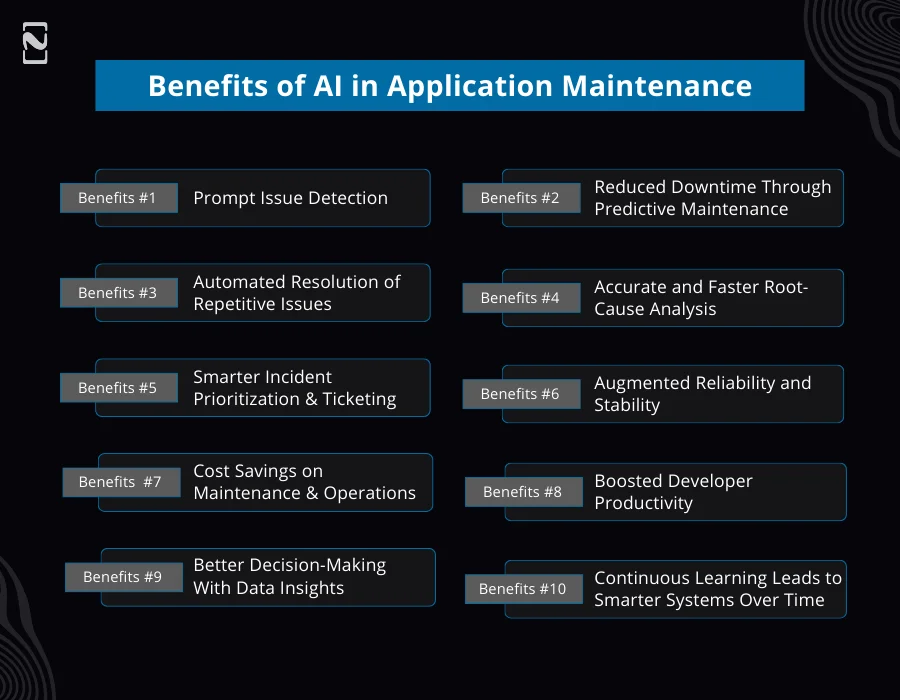
1. Prompt Issue Detection
AI takes only a few seconds to recognize patterns, like increasing error rates or slow response time.
Thus, AI maintenance teams fix problems before they affect revenue or users.
Example: AI flags an almost 15% boost in checkout latency before even customer complaints arise.
2. Reduce Downtime Through Predictive Maintenance
By analyzing past behavior, AI can anticipate where and when crashes may occur.
In this way, teams can act in advance, despite reacting after the breakdown.
Impact: Reduced fire-fighting, elevated application uptime, and fewer outages.
3. Automated Resolution of Repetitive Issues
With no human involvement, AI can automatically clear cache, restart microservices, roll back deployments, and reroute traffic.
Benefit: Around 50 to 70% fewer manual interventions, which frees up the engineers for more valuable work.
4. Accurate and Faster Root-Cause Analysis
AI recognizes the most probable cause of an incident by correlating metrics, errors, deployment history, logs, and user actions.
The tasks that used to take hours now take only minutes, diminishing MTTR (Mean Time to Repair).
5. Smarter Incident Prioritization & Ticketing
AI evaluates severity, impact, and the affected modules to automatically classify and escalate the incidents to the appropriate team.
Result: Rare false alarm, less noise, and engineers targeting what actually matters.
6. Augmented Reliability and Stability
As AI constantly monitors the system, it predicts failures and suggests fixes, thus significantly raising the application’s overall reliability.
Outcomes Incorporate:
- Stable performance
- More consistent user experience
- Fewer recurring incidents
7. Cost Savings on Maintenance & Operations
With AI, businesses won’t need big support teams to an extent, eliminate manual monitoring, and avoid expensive outages.
Direct savings spots:
- Incident resolution
- SLA breach penalties
- Resource allocation
- Infrastructure usage
8. Boosting Developer Productivity
Leveraging the power of AI for application support, developers invest less time debugging and dedicate more time to building new features.
AI also helps with:
- Code-level issue detection
- Reducing deployment risks
- Suggesting fixes
9. Better Decision-Making with Data Insights
AI offers clear reports on problem areas, trends, and infrastructure health, assisting leaders in modernizing, strategically planning upgrades, and improving resources.
10. Continuous Learning Leads to Smarter Systems Over Time
The more artificial intelligence works, the better it becomes at anticipating issues, pinpointing patterns, and recommending useful solutions.
Value: Even with demanding extra efforts, your maintenance ecosystems keep enhancing.
A Quick Summary of the Benefits of AI in Application Maintenance:
- Fix issues faster
- Lower costs
- Reduce outages
- Boost developer efficiency
- Improve user experience
- Make smarter decisions
Use Cases of AI in Application Maintenance
Real-time AI in application maintenance targets immediate identification, scanning, and resolution of issues to reduce downtime and improve user experience.
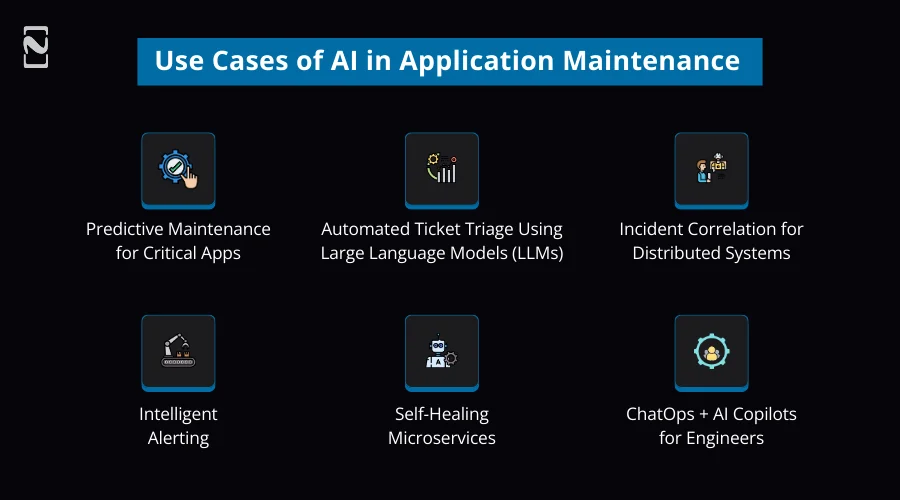
1] Predictive Maintenance for Critical Apps
- AI in predictive maintenance helps consistently monitor system logs, error patterns, and performance metrics.
- Predicts failures before they occur, like DB slowdowns, memory leaks, and CPU spikes.
- Decreases downtime by enabling proactive fixes.
Micro Case Example: An eCommerce application recognizes surging DB query latency and envisions a possible failure in the DB lock. Before Black Friday, it auto-activates an index optimization
2] Automated Ticket Triage Using Large Language Models (LLMs)
- AI reads and categorizes support tickets with human-level understanding.
- It directs the issues to the right team with precise priority tagging.
- Also, AI briefly describes lengthy issue descriptions into informed insights.
Micro Case Example: A user complains, “checkout keeps lagging with an odd error only on mobile.” LLM comes in to tag the error as “P1 – Mobile Payment Gateway”, and assigns it to the payment team with no involvement of humans.
3] Incident Correlation for Distributed Systems
- AI in application maintenance correlates metrics, traces, incidents, and logs across microservices.
- It flags the root cause when various systems initiate alerts.
- During outages, AI eradicates guesswork.
Micro Case Example: In the user login issue, AI caught up with the root cause: A single misconfigured Redis cluster leading to token validation failures across five services.
4] Intelligent Alerting
- The technology filters out meaningless or duplicate alerts.
- Ahead prioritizes alerts according to their business impact.
- It sends actionable alerts with not only raw data, but also context.
Micro Case Example: Despite sending 80 alerts for CPU spikes, AI sends only one alert.
5] Self-Healing Microservices
- AI in app maintenance identifies failing APIs, containers, or services in real-time.
- It conducts automated recovery by restarting, rolling back, and scaling.
- With no human intervention, it ensures high availability.
Micro Case Example: when a payment microservice doesn’t pass the health checks, AI auto-restarts it and scales to two extra instances, resulting in zero downtime.
6] ChatOps + AI Copilots for Engineers
- With AI, engineers receive prompt answers inside Teams/Slack: letrcis, deployment history, and logs.
- AI copilots have the caliber to debug issues, propose fixes, or run commands.
- It speeds up incident resolution, thereby leading to MTTR reduction.
Micro Case Example: Engineer asks: “Why is API latency heightened in the EU region?” AI promptly replies with: “Cause: slow DB queries because of high I/O wait. Suggested fix: scale DB replicas.”
How to Implement AI in Application Maintenance? Step-by-Step Guide
Undoubtedly, technology is complex, but the reason behind the failure of most companies is their unstructured implementation process.
Below, we have put forth a process for AI implementation in application maintenance:
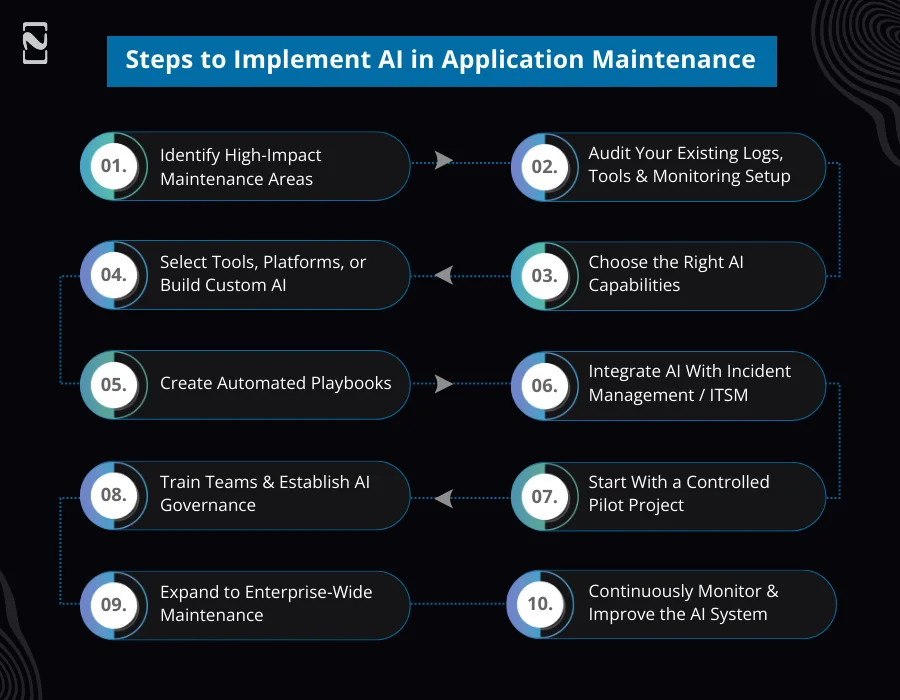
Step 1: Identify High-Impact Maintenance Areas
Start by recognizing the areas of the system that frequently cause incidents, take the most time, or affect users when they fall.
Here, you deploy AI to result in rapid ROI.
What to look for:
- High-frequency incidents
- System components with performance instability
- Repetitive manual tasks
- High infrastructure costs are linked to poor optimization
- Long MTTR (Mean Time To Repair)
Example: When your team reviews logs and alerts manually every day.
Step 2: Audit Your Existing Logs, Tools & Monitoring Setup
The data you feed decides how well AI performs. So, the data should be complete and well-structured to collect metrics, traces, and logs centrally.
With siloed or inconsistent data, AI models will fail to learn or identify issues precisely.
Check the following considerations:
- Do you maintain structured logs?
- Are traces available from distributed systems?
- Are metrics coming from all services?
- AI is only as good as the data you feed it.
- Do you use APM tools?
Objective: You should ensure clean and centralized data ingestion for AI.
Example: If you find mobile crash logs spread across platforms, you should centralize them before implementing AI.
Step 3: Choose the Right AI Capabilities
Prioritize the capabilities that will help you solve your most urgent issues, not all at once.
Choose the features according to your pain points, whether it is LLM-based ticketing, automated RCA, or predictive alerts.
Core capabilities to choose from:
- Anomaly detection AI
- Predictive maintenance AI
- AI-based log intelligence
- Automated RCA (root cause analysis)
- AI copilots for engineering teams
- LLM-powered ticket triage
- Self-healing automation
Example: You can pick AI-driven alert correlation to resolve noise reduction pain.
Step 4: Select Tools, Platforms, or Build Custom AI
Decide whether to go for existing AIOps platforms, which are the quickest option, or create custom ML/LLM solutions, which are flexible yet time-consuming.
Your pick relies on your team’s budget, skill set, and scale.
Option 1: Use existing AI platforms
- Dynatrace Davis AI
- New Relic Applied Intelligence
- Datadog Watchdog
- Splunk AI
- PagerDuty AIOps
- LogicMonitor LM Envision
- ServiceNow + LLM for ticketing
Option 2: Build custom AI (for Large Enterprises)
Use:
- Python + LLMs
- Transformers for ticket automation
- ML models (for anomaly detection and prediction)
- Vector DBs for knowledge-based RCA
Example: A startup utilizes Datadog AI, whereas a large enterprise creates its anomaly detection models.
Step 5: Create Automated Playbooks
AI can recognize issues, but playbooks automatically fix them with no need for engineers.
Such scripts manage daily tasks, like scaling, clearing caches, and restarting to prevent downtime.
Common playbooks include:
- Autoscale containers
- Restart failing services
- Clean cache/temp storage
- Reset frozen threads
- Roll back faulty deployments
- Failover to backup nodes
Example: When memory extends to 90%, the playbook auto-restarts the instance.
Step 6: Integrate AI with Incident Management / ITSM
AI should smoothly connect with your current workflows so incidents can be automatically triaged, directed, and documented.
AI-driven incident management diminishes the need to handle tickets manually and reduces response time.
Integrate with:
- Jira
- ServiceNow
- Freshservice
- Zendesk
- PagerDuty
- OpsGenie
- Slack / Teams (ChatOps)
Objectives:
- Automated ticket creation
- Routing tickets to the correct teams
- AI-based severity assignment
- Incident summarization
Example: AI creates a ServiceNow ticket according to summary, severity, and potential root cause.
Step 7: Start With a Controlled Pilot Project
Remember, you do not implement AI everywhere at once. First, give priority to one or two important services to test stability, precision, and business impact.
Thus, you can refine the AI models and foster internal confidence before the complete launch.
Choose:
- Clear success metrics
- 1–2 high-volume components
- 30–60 day pilot window
Measure:
- MTTR drop
- Noise reduction
- Accuracy of AI predictions
- Incident count reduction
- Reduction in manual workloads
Example: On the payment service, pilot AI anomaly detection, further optimize, and then expand.
Step 8: Train Teams & Establish AI Governance
AI has the potential to boost reliability, but users should trust it.
Support teams should understand how to interpret AI alerts, effectively use Copilot, and validate automated actions.
Administration confirms AI doesn’t take risky moves without any approval.
Training on:
- Read automated RCA reports
- Using AI copilots
- Triggering & reviewing playbooks
- Understanding AI alert summaries
Governance:
- Specify the issues that AI can auto-fix
- Log all AI actions for auditing
- Set human-approval thresholds
Example: Usually, engineers approve rollbacks until AI proves constant accuracy.
Step 9: Expand to Enterprise-Wide Maintenance
On the success of your pilot, you should extend AI across all your microservices, AI apps, cloud infrastructure, and databases.
Thus, you can build a unified, intelligent maintenance ecosystem across the whole organization.
Once the pilot succeeds:
Roll out AI across:
- CI/CD pipelines
- Cloud infrastructure
- All microservices
- Security logs
- APIs
- Databases
- Mobile apps
Result: A complete AI-driven maintenance ecosystem.
Example: Despite only monitoring API services, we move to caching layers, CI/CD, DB, and network logs.
Step 10: Continuously Monitor & Improve the AI System
AI learns from actual incidents. But you should regularly refine data inputs, their rules, and automated scripts.
Consequently, it diminishes false positives, appends new cases, and boosts reliability.
Regularly:
- Improve training datasets
- Tune alerting rules
- Analyze false positives/negatives
- Add new automated playbooks
- Update knowledge base for LLMs
Objective: Every month, AI becomes smarter by progressively mitigating manual maintenance.
Example: Append new patterns to detect anomalies post each big incident review.
Types of Tools & Platforms for AI-Driven Application Maintenance
Only learning the steps to implement AIOps for application maintenance is not enough to harness the potential of the latest technology; with the right tools and platforms, you can successfully perform AI-driven application maintenance.
Here, we will list out the best tools for application maintenance that you can consider to help your teams point out issues in early stages, monitor systems, automate fixes, and boost overall reliability.
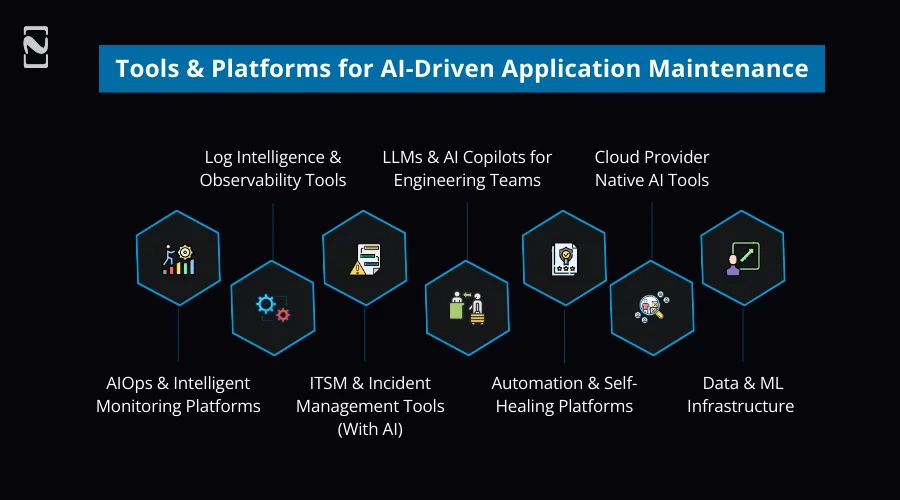
-
AIOps & Intelligent Monitoring Platforms
Such tools leverage the power of AI to deeply analyze metrics, logs, and traces in real-time.
Also, they automatically correlate events, detect anomalies, and diminish alert noise.
Popular Tools: Dynatrace, Datadog, New Relic, AppDynamics, and LogicMonitor.
Best for: Real-time monitoring, predictive maintenance, and root-cause analysis.
-
Log Intelligence & Observability Tools
When you choose an AI-powered log platform, you become capable of scanning a huge volume of logs to uncover hidden issues and patterns.
Moreover, these tools assist teams in comprehending failures rapidly with no need for searching logs manually.
Popular Tools: Splunk, Elastic (ELK + ML), and Sumo Logic
Best for: Log analytics, error detection, and incident investigation
-
ITSM & Incident Management Tools (With AI)
Being one of the widely chosen tools for AI app maintenance, these tools utilize AI and LLMs to automatically categorize, prioritize, and direct the incidents.
Furthermore, these tools speed up resolution and diminish the requirement for manual ticket management.
Popular Tools: ServiceNow, Jira Service Management, PagerDuty, and Opsgenie.
Best for: Automated ticket triage, incident prioritization, and SLA management.
-
LLMs & AI Copilots for Engineering Teams
Large Language Models (LLMs) are perfect for engineers who want to debug issues and summarize query systems and incidents in natural language.
Also, they are functional inside the ChatOps tools, such as Microsoft Teams and Slack.
Popular Tools: ChatGPT API, Azure OpenAI, GitHub Copilot, and AWS Q.
Best for: Incident analysis, faster debugging, and ChatOps support.
-
Automation & Self-Healing Platforms
Such platforms execute an automated playbook activated through AI insights.
Using these tools, you can handle daily fixes, like scaling, failovers, rollbacks, and restarts.
Popular Tools: Ansible, Rundeck, AWS Lambda, Kubernetes Auto-healing, and Terraform
Best for: Self-healing systems and operational automation.
-
Cloud Provider Native AI Tools
Cloud platforms come with built-in AI tools tightly linked with services and infrastructure.
Besides, they offer reliability, scalability, and simpler AI adoption.
Popular Tools: AWS DevOps Guru, Azure Monitor + AI, Google Cloud, and Operations Suite.
Best for: Cloud-native apps, predictive insights, and infra-level monitoring.
-
Data & ML Infrastructure
Obviously, organizations need robust ML infrastructure when developing custom AI models.
Here, these tools become the savior as they assist them in training, deploying, and handling AI models effectively.
Popular Tools: TensorFlow, PyTorch, MLflow, Kubeflow, and Vector Databases (Pinecone, FAISS).
Best for: Custom anomaly detection, predictive models, and LLM-based RCA.
Bonus: Quick Tool Selection Table
| Requirements | Recommended Tool Type |
| Reduce alert noise | AIOps platforms |
| Faster root-cause analysis | Observability + log intelligence |
| Automated ticket handling | AI-enabled ITSM |
| Self-healing applications | Automation platforms |
| Engineer productivity | AI copilots / ChatOps |
| Custom AI solutions | ML infrastructure |
ROI of AI in Application Maintenance
When you use AI in application maintenance, you reduce operational costs, boost team productivity, and avoid revenue-impacting downtime, leading to measurable ROI.
Below, we have broken down the sources of returns for you.

➢ Cost-Saving Breakdown
When you choose AI, it:
- Mitigates manual monitoring, repetitive maintenance jobs, and troubleshooting,
- Decreases dependence on big L2/L3 support teams, and
- Reduces SLA penalties that arise because of outages.
Typical Impact: 20 to 40% drop in annual maintenance and support costs.
➢ Productivity Gains
With AI in application maintenance:
- AI copilots pace incident resolution and debugging.
- Engineers give less time to firefighting and more to developing features.
- Automated RCA notably erases investigation time.
Typical Impact: 30 to 50% enhancement in engineering productivity.
➢ Downtime Reduction
You reap the rewards of:
- Self-healing systems that instantly resolve issues with no delay.
- Predictive maintenance that avoids failures before they even affect users.
- Intelligent alerting that results in rapid responses to crucial incidents.
Typical Impact: 40 to 70% reduction in unplanned downtime.
➢ Ticket Reduction
By leveraging the latest technology, you can benefit from:
- AI filters redundant alerts and auto-resolves low-severity incidents.
- Fewer false positives indicate fewer unnecessary tickets.
- LLMs that streamline classification, routing, and resolving common tickets.
Typical Impact: 50 to 80% drop in incident and support ticket volume.
➢ 6 to 12 Month Payback Period
Through operational savings, you can swiftly offset the initial investment.
Automation, ticket triage, and alert reduction help with faster wins.
Besides, by implementing AI, most organizations accomplish a positive ROI within the first year.
Reality Check: Within the initial 3 to 4 months, many application support teams notice cost benefits.
| Simple ROI Formula
ROI (%) = (Annual Cost Savings − AI Implementation Cost) ÷ AI ImplementationCost × 100 |
➢ Infrastructure Optimization
AI in application support helps:
- Scrutinize usage patterns to right-size cloud resources.
- Reduces unused and over-provisioned capacity.
- Enhances performance while diminishing cloud expenditure.
Typical Impact: 15 to 30% savings in cloud and infrastructure costs.
Challenges of Adopting AI for Application Support
Undoubtedly, AI in application maintenance helps you with cost savings, root-cause analysis, and smarter decision-making.
But it comes with several barriers that you need to confront to attain the expected outcomes.
Here, we will discuss the major challenges that can block your way with possible solutions, considering which you can find a seamless pathway to AI adoption in application support.

Challenge #1: Data Quality & Noise
Solution: To maintain data quality and avoid noise, you should standardize log formats, metadata, and timestamps across services, thus allowing AI to accurately read and correlate data.
With clean and well-structured logs, you can lessen confusion and boost anomaly detection precision.
Challenge #2: False Positives
Solution: Leverage the potential of actual incident feedback and fix the dynamic threshold according to your system behavior to constantly refine models.
This way, AI can help you distinguish between real issues and general fluctuations.
Challenge #3: Skill Gap
Solution: Utilizing AI copilots, you can guide engineers with proper explanations, insights, and recommendations, while offering general AI training to foster confidence and trust in AI-powered tools.
Challenge #4: Integration Issues
Solution: While introducing AI in different stages of your system, start with one workflow or service. Ahead, you can expand with time.
So forth, you lower disruption, ease integration, and permit your teams to smoothly adapt.
Challenge #5: Governance & Control
Solution: The application maintenance teams should handle detailed logs of AI actions and demand human approval for risky decisions.
This way, you can ensure compliance, accountability, and safe AI operations.
The Future of AI in Application Maintenance
Automation in app maintenance is not just one advantage you get from harnessing the potential of AI; it is an ideal choice to get intelligent, autonomous, and self-optimizing systems.
Below are the top trends all set to tweak the future of application maintenance.

-
Autonomous IT operations
With minimal human input, AI systems independently observe, decide, and take maintenance actions.
Be it for detection or resolution, IT operations run in a self-managing and cloud-loop model.
-
Intelligent Agents
Agentic AI for application maintenance works like digital engineers, diagnosing issues, planning actions, and running fixes.
Several agents are likely to collaborate across RCA, monitoring, optimizing tasks, and remediation.
-
Fully Self-Healing Environments
In the upcoming years, you will notice applications recovering automatically from failures with no human intervention.
Besides, AI will activate failovers, rollbacks, patching, and scaling promptly to guarantee zero downtime.
-
Voice-first Operational Assistants
Utilizing voice commands during incidents, AI engineers are expected to interact with systems.
AI assistants will hold the caliber to find logs, clarify issues, and perform actions in real-time, that too hands-free.
-
Multimodal Observability
AI will be powerful enough to analyze metrics, traces, logs, code changes, user behavior, and events all together.
This way, you can expect rapid and most precise root-cause analysis.
-
Predictive Capacity Scaling
AI will predict workload, infrastructure requirements, and traffic in advance.
While reducing cost, resources will proactively scale to fulfil demands.

How Nimble AppGenie Can Help You Integrate AI in Application Maintenance?
Recognized as a leading AI app development company, Nimble AppGenie helps businesses build custom AI solutions leveraging the potential of the latest technologies.
Moreover, the team of AI developers here helps revamp application maintenance by smoothly integrating AI-driven automation, monitoring, and intelligence into current systems.
You can reap the rewards of AI in application maintenance with no disturbance to your current operations.
Why Choose Nimble AppGenie for AI-Driven Application Maintenance:
- End-to-End AI Integration
- Scalable & Future-Ready Solutions
- Proven AMS + AI Expertise
- Faster Time-to-Value
- Tool-Agnostic Approach
- Enterprise-Grade Security & Governance
Still not convinced? The app maintenance case study below will help you dive deeper into our team’s expertise.
Real-Time Case Study: AI-Powered AMS Transformation
Client: Mid-sized SaaS platform (Name kept hidden for confidentiality)
Challenges they Face: High alert noise, lagging incident resolution, and increasing cloud costs.
Solution Nimble AppGenie Offered:
- Implemented AI-based anomaly detection,
- LLM-powered ticket triage, and
- Self-healing playbooks are well integrated with ServiceNow and Slack.
Results Achieved Within 4 Months:
- 65% reduction in alert noise
- 55% fewer incident tickets
- 45% faster MTTR
- 22% reduction in cloud infrastructure cost
Seeking help for the smooth adoption of AI for app maintenance? Schedule a Free AI Application Maintenance Consultation Now!
FAQs

Niketan Sharma, CTO, Nimble AppGenie, is a tech enthusiast with more than a decade of experience in delivering high-value solutions that allow a brand to penetrate the market easily. With a strong hold on mobile app development, he is actively working to help businesses identify the potential of digital transformation by sharing insightful statistics, guides & blogs.
Table of Contents
No Comments
Comments are closed.