

 Free Consultation
 PCI-DSS Compliant
 GDPR Ready
 ISO 27001
 NDA Protected
 AI Services
 AI App Development
 Generative AI Development
 AI Chatbot Development
 AI Integration Services
 AI Consulting Services
 AI For Fintech
 AI Financial Assistant Solution
 AI Insurance Agent Development
 Tech Stack
 OpenAI / GPT-4
 Claude / Anthropic
 Gemini / Google AI
 Llama / Open Source
 LangChain / LlamaIndex
 Pinecone / Pgvector
 AWS / Azure AI


 Fintech Solution
 Core Fintech
 Fintech App Development
 Neobank App Development
 eWallet App Development
 Payment Integration
 Lending Software
 Banking Software Development
 BNPL Solution
 BNPL App Development
 Insurance App
 Investment App Dev
 Wealth Management App
 Crypto & DeFi
 DeFi App Development
 Crypto Wallet Dev
 Crypto Exchange Dev
 Trading Platform Dev
 Payments
 Compliance
 Fintech & Digital Regulations
 Fraud Detection
 Lending Ecosystem
 P2P Lending Platform
 Mortgage Software
 Engagement
 Outsourcing Dev

 Mobile Development
 Mobile App Dev
 iOS App Development
 Android App Development
 React Native
 Flutter Development
 Web Development
 Node.js Development
 React.js Development
 Angular Development
 PHP / Laravel
 App Services
 UI/UX Design
 App Maintenance
 By Stage
 MVP Development
 Industry Solutions
 Healthcare App Dev
 Education App Dev
 Travel App Dev
 Real Estate App Dev
 Logistics Software
 Social Media App

 Hire Mobile Developers
 Hire iPhone Developers
 Hire Android Developers
 Hire React Native Devs
 Hire Flutter Developers
 Hire Web Developers
 Hire Node.js Developers
 Hire Angular Developers
 Hire PHP Developers
 Hire Laravel Developers
 How It Works
 Pre-Vetted Developers
 Ready In 48 Hours
 NDA From Day One
 Replace Guarantee
 Company
 About Us
 Our Work Process
 Portfolio
 Case Studies
 Blog / Insights
 Careers
 Contact Us
 Awards
 Recognition


 Offices


In a Nutshell:
- On average, the cost to build a Flutter app can vary from $15,000 to $200,000. This cost can further depend on the development team, design, and resources.
- There are different factors impacting the total Flutter app development cost, such as the complexity of features, resources, development team, design, third-party integration, testing, and deployment.
- Apart from this, hidden costs in Flutter app development comprises of app store rejections, UI/UX provisions, SDK plugin updates, and compatibility fixes.
- Connecting with Nimble AppGenie can assist you in building a revolutionary Flutter app based on the latest tech stack.
The cost to develop a Flutter app ranges from $15,000 to $200,000, depending on the app’s features, complexity, and development requirements.
If you are a startup founder, business owner, CTO, or product manager planning to build a mobile app, cost is probably one of the first things on your mind. And rightly so. Before investing in any technology, you need a clear idea of the budget and what you’re getting in return.
This is where Flutter stands out. Its single codebase lets businesses build apps for both Android and iOS at the same time, helping reduce development time and costs without compromising on performance.
That said, there is no one-size-fits-all price for Flutter app development. A simple MVP will cost far less than a feature-rich fintech, eCommerce, or enterprise application.
In this guide, we will break down how much it costs to develop a Flutter app in 2026, what factors drive the pricing, ways to optimize your budget, and why so many businesses continue to choose Flutter for cross-platform app development.
What is Flutter: Understanding Flutter and Its Demand
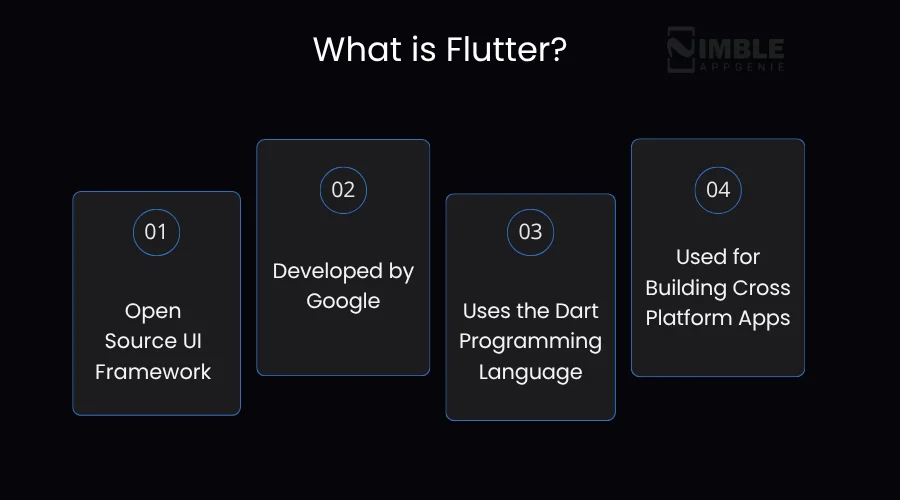
Flutter is an open-source UI framework that is developed by Google for building cross-platform apps with the help of the Dart language. This framework is created for natively compiled mobile, web, and desktop apps through a single codebase.
This was officially launched as an open-source project in May 2017, which has made it accessible for the broader community of developers.
It fosters a vibrant community, and there are several apps that were developed via Flutter, such as eBay Motors, Alibaba, Hamilton, Topline, and many others.
Do you know that Flutter is the most popular cross-platform mobile framework used by global developers?
Yes, it’s true, based on the survey report of 2023, 46% of software developers used Flutter. Additionally, one-third of mobile developers use cross-platform technologies, and the rest used react native tools.
There are over 500,000 Flutter apps have been published in the Google Play Store, with a growth rate of 50%.
Well, this information is crucial for you because, before you hire a mobile app developer, it’s important to evaluate their demands in the market.
If you are still confused about why Flutter is a crucial technology to go for, then checkout next section.
How Much Does it Cost to Build a Flutter App?
On average, the Flutter app development cost ranges between $30,000 to $200,000+. This cost further varies depending on the complexity of features, its size, the team’s expertise, development resources, the launch date of the app, design requirements, and more.
When you start with a basic version of your Flutter app, or what we can say, MVP (Minimal Viable Product) of your Flutter app, this can cost from $15,000 to $30,000.
However, for a full-fledged app, you need to evaluate the complete cost factors and various other determinants. This can vary from $50,000 to $200,000+, depending on what type of app you are seeking to build.
| App Version | Estimated Cost Range |
| MVP (Minimum Viable Product) | $15,000 – $30,000 |
| Basic App (V1 Launch) | $30,000 – $50,000 |
| Mid-Level App (Scalable) | $50,000 – $100,000 |
| Advanced App (Full-Featured) | $100,000 – $200,000+ |
Formula to estimate the total Flutter app development cost:
Total Flutter Mobile App Development Cost = [(Development Time × Hourly Rate) + Design Cost + Backend Cost + Third-Party Integrations + Testing & QA + Deployment + Maintenance]”
To evaluate the different factors impacting the complete cost to build a Flutter app, let’s evaluate the following section.
What are the Factors that Affect the Flutter App Development Cost?
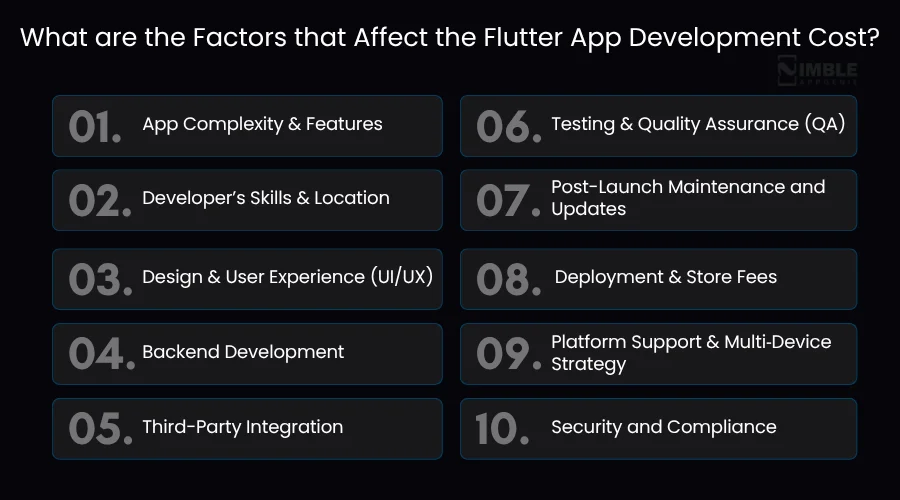
The different factors impacting the overall Flutter development cost are app features, development team, design of the app, third-party integrations, Testing, maintenance, security, and compliance.
Let’s look at the given table for factors, then discuss them in detail:
1. App Complexity & Features
Considering the primary Flutter app cost drivers, the complexity of its functionality and the number of features come to the surface.
With the increasing app features, the app complexity also surges depending on the app type.
Estimated Cost Of Flutter App Based On Features And App Complexity:
| Level of Complexity | Core Features | Estimated Cost Range |
| Simple App |
|
$30,000 – $50,000 |
| Medium Complexity |
|
$50,000 – $100,000 or more, depending on region. |
| Complex / Enterprise Level App |
|
$100,000 – $200,000+ (could be much more depending on scale) |
Note: The cost to develop a Flutter app mentioned above may fluctuate depending on your project level and requirements.
2. Developer’s Skills and Location
The skills of developers, such as a professional Flutter developer or a junior Flutter developer matters a lot.
A high-skilled Flutter developer can reduce the total cost to build a Flutter app by 30% to 50%. Their hourly rates are higher than those of junior Flutter developers; however, with their experience, they can create a master piece.
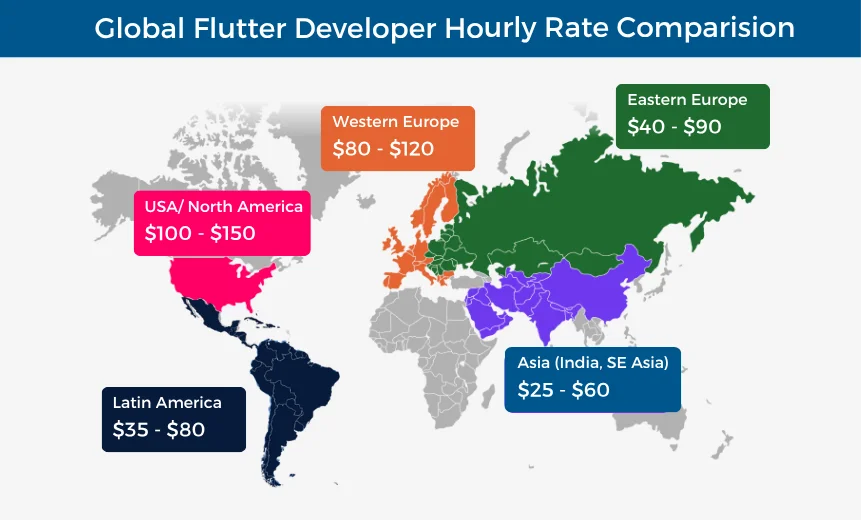
Here’s a detail on how the skills and location of developers impact the total Flutter app development cost.
| Location / Region | Typical Skill Level | Hourly Rate (USD) |
| USA / North America | Senior / Expert | $100 – $150+ |
| Western Europe | Senior / Experienced | $80 – $120 |
| Eastern Europe | Mid to Senior | $40 – $90 |
| Asia (India, SE Asia) | Junior to Senior (varies) | $25 – $60 |
| Latin America | Mid to Senior | $35 – $80 |
Note: Hourly cost to hire Flutter app developers notably vary based not only on location, but also on their experience level.
Hiring Model and Team Structure
You can choose from the below that best suits your project needs and budget.
- Freelancers: This is one of the most cost-effective options, but it comes with a few drawbacks, like a lack of commitment, missed deadlines, and risk of compromised quality.
- In-House Team: Well, this is the most expensive option as it comes with fixed costs for benefits, salaries, and overhead.
- Outsourced Flutter App Development Company: Best of all, as it offers a team of experts and cost-effective solutions, specifically if you choose regions with lower labor costs.
3. Design and User Experience (UI/UX)
The UI/UX design of the app also determines Flutter app development costs; if it’s simple with basic designs, it will cost you less, but if you choose to craft a highly intuitive app, it will definitely cost you more.
Flutter App Development Cost Breakdown Per App Design
| Design Complexity | Type of Interface | Estimated Cost (USD) |
| Basic UI | Simple interface with standard Flutter components and templates. | $5,000 to $10,000 |
| Custom UI/UX | Branded interface with custom flows and layouts. | $10,000 to $15,000+ |
| Advanced Custom Design | Complex and high-end interfaces | Exceed $30,000 |
4. Backend Development
Backend development strengthens key features, such as data storage, APIs, user authentication, and business logic.
Leveraging services like Firebase helps to diminish costs and accelerate app development. Talking about a custom backend, it’s more flexible, which increases cost and time.
With the backend complexity, the Flutter app pricing increases by about 30-50% of the total development expenses.
Flutter Backend Development Cost Estimates
| Backend Scope | Typical Use Case | Estimated Cost (USD) |
| Basic (using Firebase/Supabase) | Auth, Firestore/Realtime DB, minimal logic | $1,000 – $3,000 |
| Moderate (custom API + Firebase) | Auth, image uploads, some logic, notifications, dashboard | $3,000 – $7,000 |
| Advanced (custom backend) | REST/GraphQL API, business logic, dashboards, admin roles, analytics | $8,000 – $30,000+ |
Note: Partnering with the leading mobile app development company can help you in examining the right backend for supporting your Flutter app.
5. Third-Party Integration
This cost-influencing factor, third-party integration, incorporates Flutter app integration with external services like maps and payment gateways.
Although such integrations boost app functionality, they add to the time and testing required, thereby contributing to the mobile app development cost.
With the increasing integration needs, the complexity and overall Flutter development budget increase.
Third-Party Integrations Cost Breakdown for Flutter
| Integration Type | Examples | Estimated Cost (USD) |
| Payment Gateway | Stripe, Razorpay, PayPal | $500 – $2,000+ |
| Map & Location Services | Google Maps, Mapbox | $300 – $1,500 |
| Social Media Login | Google, Facebook, Apple Sign-In | $200 – $800 per provider |
| Push Notifications | Firebase Cloud Messaging, OneSignal | $300 – $1,000 |
| Analytics Tools | Google Analytics, Mixpanel, Firebase Analytics | $200 – $800 |
| Chat / Messaging | Twilio, Sendbird, Stream.io | $1,000 – $3,000+ |
| Video / Audio Streaming | Agora, Zoom SDK, Vimeo | $1,500 – $5,000+ |
| CRM / Marketing Tools | HubSpot, Mailchimp, Intercom | $500 – $1,500 |
| In-App Purchases | Google Play Billing, Apple IAP | $500 – $2,000 |
| File/Image Upload & Storage | Cloudinary, AWS S3, Firebase Storage | $300 – $1,000 |
Note: These are only one-time integration cost estimates; some of the services may demand ongoing costs.
6. Testing & Quality Assurance (QA)
Mobile app testing is non-negotiable and needs to be performed across different devices, considering distinct scenarios.
It embraces manual testing, automated testing, bug fixing, and cross-platform testing. This surely lets us witness the ultimate user satisfaction and stability in the Flutter app.
It may cost you more, but also ensure comparatively less post-launch issues.
7. Post-Launch Maintenance and Updates
Your job doesn’t end after Flutter app development. Instead, actual work starts only after the launch.
You should regularly conduct bug fixes, OS compatibility modifications, feature updates, and SDK upgrades.
If you overlook this, it may compromise app security and hamper its functionality. Per year, app maintenance may take 15-20% of your cross-platform app development cost.
8. Deployment & Store Fees
App launch includes setting up Play Store and App Store listings, creating screenshots, app icons, and writing descriptions.
You need to ensure your app passes the review and gets approval. Besides, you should have a developer account to address rejections or resubmissions if needed.
App Deployment and Store Fees Analysis
| Item | Cost Estimate (USD) |
| Apple Developer Account | $99/year |
| Google Play Console | $25 (one-time) |
| Deployment & Publishing Work | $300 – $1,000 |
| App Store Rejection Handling | $100 – $500 (per issue) |
9. Platform Support & Multi‑Device Strategy
Flutter allows Android and iOS app development from a single codebase, but if you want desktop, web, or tablet optimization, it adds more layout, design, and testing complexity.
Here, the selection of platforms can even impact the cost to develop an Android app and the total cost to build an iOS app.
10. Security and Compliance
Apps must comply with applicable regulations, like HIPAA, GDPR, and ensure secure APIs, data encryption, and role-based access control, especially if your app handles sensitive data.
Estimated Cost of Security and Compliance
| Security Level | Details | Cost Estimate (USD) |
| Basic Security | Secure login and encrypted data | $500 – $2,000 |
| Medium | Data encryption, secure APIs, and privacy settings | $2,000 – $5,000 |
| High (Regulated Industries) | Full GDPR/HIPAA compliance, audit logging, legal checks | $5,000 – $15,000+ |
Hidden Costs In Flutter App Development
Apart from the obvious expenses of Flutter app development, some hidden costs are usually missed. Ignoring these may hinder your progress during deployment, updates, scaling, and long-term operations.
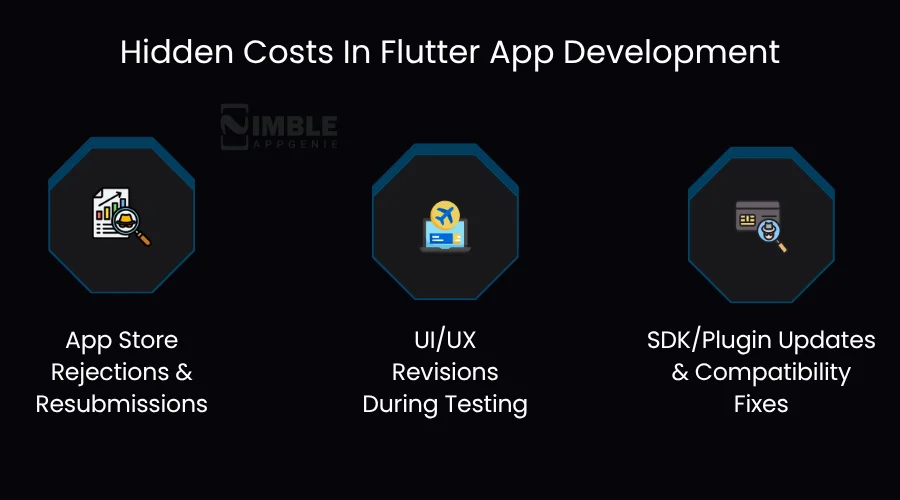
1. App Store Rejections & Resubmissions
You can’t be sure about app rejections, as even a well-developed application may face this because of privacy issues, UX/UI violations, or unsupported features.
Next, to mend this, it demands code rewriting, design fixing, or extra documentation.
Hidden Cost: $300 – $1,000+ per instance
Related Read: How to Submit an App to the App Store?
2. UI/UX Revisions During Testing
During user testing, you can predict changes in initial designs. Such modifications may seem minute, but they lead to a notably increased workload for designers and frontend developers.
Hidden Cost: $500 – $2,000+
3. SDK/Plugin Updates & Compatibility Fixes
With time, Flutter and its plugins also evolve. Even after a few months, your code may become unstable or may break, demanding app developers to rewrite features, update dependencies, or even refactor code.
Hidden Cost: $500 – $3,000+ per year
Flutter vs Native Development: Cost Perspective
However, at this point, you have almost every detail relevant to the Flutter development budget for which you came here.
Still, you might be finding yourself in a muddle about which development approach you should go for, Flutter or Native.
Considering their strengths, both are leading the app development market, but cost is the only deciding factor that will ease your decision-making.
Let’s get clear thoughts about Flutter vs native app development cost:
| Aspect | Flutter | Native (iOS + Android) |
| Codebase | Single codebase for both platforms | Separate codebases |
| Development Cost | 30-40% cheaper due to shared code | It’s higher due to two separate teams and duplicated work |
| Time to Market | It is faster because you need to build once and can deploy everywhere | Slower, as you need to build and test apps separately for each platform |
| Team Size | Only one Flutter developer (or team) | Minimum of two native developers (iOS + Android) |
| Maintenance Cost | It is lower as you have to maintain one codebase | Higher as you need to perform separate updates and bug fixes |
| Third-Party Libraries | Provides good support, but restricted in some edge cases | Mature ecosystem with platform-specific libraries |
| Initial App Cost Estimate | $10,000 to $50,000+ (depending on features) | $20,000 – $100,000+ (iOS + Android combined) |
| Ongoing Costs | It’s lower due to unified development | Doubled for QA, maintenance, and updates |
Flutter vs React Native vs Native Development: Which is Cheapest in 2026?
When choosing a framework for your app, cost is often the deciding factor. Here’s a direct, side-by-side comparison of Flutter, React Native, and Native development across all the factors that actually affect your budget and timeline.
| Factor | Flutter | React Native | Native (iOS + Android) |
| Average Development Cost | $30,000 – $150,000 | $35,000 – $160,000 | $50,000 – $250,000+ |
| Language | Dart (Google) | JavaScript / TypeScript | Swift (iOS) + Kotlin (Android) |
| Codebase | Single, runs on iOS + Android + Web + Desktop | Single, mainly iOS + Android | Two separate codebases |
| UI Rendering | Own rendering engine, pixel-perfect on every device | Uses native OS components via a bridge | 100% native OS components |
| Performance | Near-native (compiles to ARM) | Good; occasional bridge latency on complex UIs | Best, full hardware access |
| Time to Market | Fastest, build once, deploy everywhere | Fast, build once for iOS + Android | Slowest, build and test twice |
| Annual Maintenance Cost | Lowest, one codebase to maintain | Low, one codebase to maintain | Highest, two separate update cycles |
| Cost Saving vs Native | 30–40% cheaper | 25–35% cheaper | Baseline (most expensive) |
| Best For | Startups, MVPs, fintech, ecommerce, consumer apps needing consistent UI | Teams with existing JavaScript expertise, content-heavy apps | Apps needing deep hardware access, AR, health sensors, or platform-exclusive APIs |
So, Flutter or React Native, which should you choose?
If you are starting fresh in 2026, Flutter is the better cost choice for most projects when considering Flutter app development cost vs React Native.
Here’s why: Flutter’s own rendering engine means your UI looks identical on every device without extra platform-specific fixes.
This directly reduces testing hours and QA cost. React Native relies on native components via a bridge, which occasionally causes UI inconsistencies that require platform-specific patches, adding hidden cost over time.
Choose React Native only if your in-house team already works in JavaScript/TypeScript, and retraining them for Dart would cost more than the framework savings. For everything else, Flutter delivers more for less.
Choose Native development only when your app requires deep integration with platform hardware, where Flutter plugins do not yet provide full coverage.
How to Optimize the Cost to Create a Flutter App?
Developing a top-quality Flutter app doesn’t cost you an arm or a leg. What you must do is plan smartly and make strategic picks to control the cost while delivering the expected user experience.
Below are some proven tips to reduce and optimize Flutter application development costs.
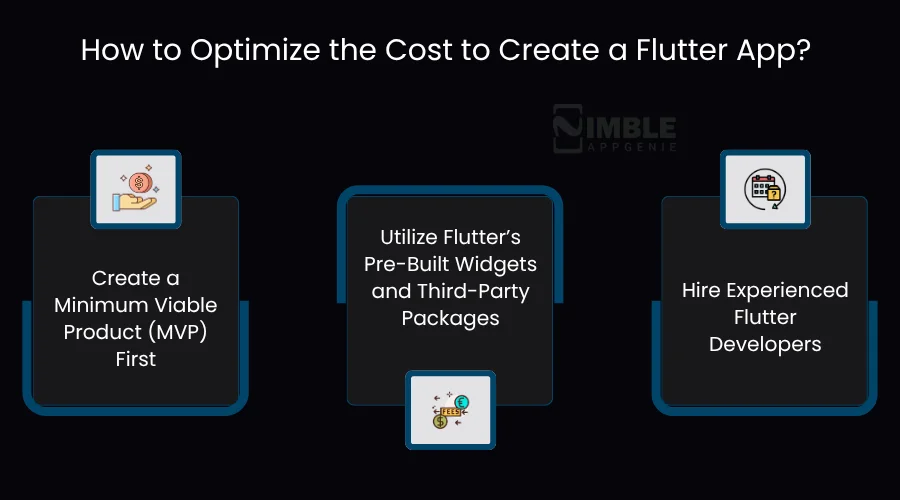
1. Create a Minimum Viable Product (MVP) First
If you are already in the development field or an enthusiast, you might know that while focusing on solving the main pain points of the users, starting with only core features will help you launch rapidly without spending much.
This approach will also help you incorporate development time and cost. Early idea validation helps you benefit from iterative app improvement.
Estimated Cost Reduction: About 30 to 40% by avoiding feature stuffing.
2. Utilize Flutter’s Pre-Built Widgets and Third-Party Packages
As we read earlier in this post, ready-made widgets and community plugins can diminish the need for custom development.
Despite the requirement of creating common features from scratch, you can speed up development and mitigate bugs just by leveraging these resources.
Estimated Cost Reduction: Up to 20 to 30% by reusing existing components.
3. Hire Experienced Flutter Developers
It is best to hire Flutter developers who have the expertise and experience required to write clearer and efficient code.
They also hold the caliber to predict possible challenges and implement ideal practices that save you from costly debugging and rework later.
Estimated Cost Reduction: Can save around 15-25% on development and maintenance.
Why Invest in Flutter for App Development?
Here, we will discuss the aspects for which you are here: Why choose Flutter for app development in 2026?
Whatever your mobile app development challenges, Flutter has emerged as a savior, being recognized as one of the best frameworks for developing cross-platform mobile apps. Why?
Let’s uncover the top difficulties that Flutter confronts and make the app development process smooth.
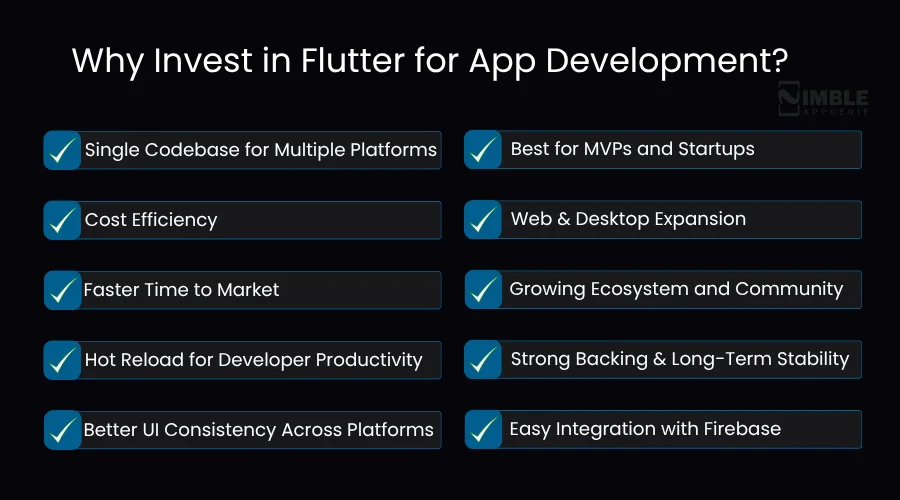
1. Single Codebase for Multiple Platforms
Issue: Turning back the clock, if you remember, we had to develop and maintain a separate codebase for Android and iOS, sometimes also for web and desktop.
Flutter’s Role: Flutter let us write one codebase and make it run on multiple platforms, which leads to reduced app development time, maintenance costs, and bugs.
2. Cost Efficiency
Issue: Obviously, it’s expensive to hire two different teams for Android and iOS mobile app development. Above that, project management workload also increases as one needs to manage two separate projects.
Flutter’s Role: Only one development team is required, which helps in cost-cutting, and less code means fewer bugs, which again lowers QA overhead.
3. Faster Time to Market
Issue: Native app development demands more time because of specific development cycles and testing that depend on the platform you choose.
Flutter’s Role: Flutter comes with a unique feature, hot reload, which paces development and debugging. Besides, Flutter’s pre-built and customizable widgets speed up UI creation, and a shared codebase allows centralization and reuse of code.
4. Hot Reload for Developer Productivity
Issue: Do you find it frustrating to wait for builds or restart the application for small changes, as it slows development? Not to fret when Flutter is here.
Flutter’s Role: One more time, Flutter’s hot reload lets developers perform real-time changes while holding the app state. So forth, you can accelerate experimentation and error correction.
5. Better UI Consistency Across Platforms
Issue: Well, it’s tough to achieve a consistent look and feel on different platforms with native development because of the specific components of every platform.
Flutter’s Role: Flutter frees you up from this, as it has its own widget set and rendering engine. This states that you can get 100% UI consistency across distinct platforms, even with complicated designs.
6. Best for MVPs and Startups
Issue: Startups are usually under pressure because of limited operating budgets. Thus, they look for rapid product idea testing at low cost before scaling.
Flutter’s Role: The cross-platform app development framework takes control of building and releasing Android + iOS MVP from only one codebase. Ahead, it quickly iterates, reaping the rewards of again, ever-useful Hot Reload and flexible UI tools that prove to be cost-effective and scalable.
7. Web & Desktop Expansion
Issue: Traditional development needs multiple tech stacks for creating platforms across web, mobile, and desktop.
Flutter’s Role: Flutter pops up with multi-platform power that provides Flutter web and desktop (macOS, Linux, and Windows) support. The same codebase and architecture allow Flutter to provide true cross-platform development potential.
8. Growing Ecosystem and Community
Issue: Usually, new or you can say niche-specific mobile app frameworks lack third-party packages, community support, learning resources, and documentation. Resultantly, it makes the Flutter app development slow and fails to find solutions to problems.
Flutter’s Role: Flutter appears with its rich set of packages and plugins, extensive documentation, and useful forms.
Apart from that, official Google support, Flutter Engage, and more such events strengthen the framework. Such systematic progress reinforces developers to share knowledge, find solutions, and boost app development.
9. Strong Backing and Long-Term Stability
Issue: Doubtlessly, developers wouldn’t prefer investing time in frameworks that are anticipated to become obsolete, unsupported, or abandoned, since it can raise the risks for long-term project success.
Flutter’s Role: Google created Flutter and itself leverages its power internally for various products. So, because of this powerful corporate support, the mobile app framework is more likely to ensure its never-ending development, innovation, and updates.
Plus, Google has already crafted a precise plan and commitment to Flutter’s outlook, which makes it a trustworthy and stable selection for prolonged projects.
10. Easy Integration with Firebase
Issue: Being a developer or enthusiast, you would also demand for a reliable backend for analytics, push notifications, database, authentication, and more. But undeniably, integrating such features manually can be error-prone and even time-consuming.
Flutter’s Role: With Firebase, a mobile and web application development platform of Google, features integration is flawless when you choose Flutter.
It offers official Firebase plugins for this framework that empower developers to swiftly implement backend services. Consequently, this paces up the development, guarantees compatibility, and eases feature-packed applications deployment.
Real World Examples of Apps Developed with Flutter and Their Costs
There are various real-world examples to rely on, such as eBay, Alibaba, etc.
Let’s consider the following table to evaluate how the popular brands have used Flutter, and what cost they paid, which makes them lead the industry.
| Category | Example of Apps | Estimated Development Cost (USD) | Development Timeline |
| Finance/Fintech | Google Pay-style Apps | $70.000-$180,000 | 8 – 14 months |
| Ride Sharing/Transport | BlaBlaCar-like Apps | $40,000 – $100,000 | 4 – 7 months |
| Live Streaming | Twitch/YouTube-style Apps | $50,000 – $120,000 | 6 – 10 months |
| Messaging/Social Media Apps | WhatsApp/Telegram-type Apps | $45,000 – $110,000 | 8 – 14 months |
| eCommerce/Marketplace | Alibaba-like Apps | $60,000 – $150,000 | 6 – 12 months |
Flutter App Development Cost by Industry (2026)
The cost to develop a Flutter app is also affected by the industry. A fintech app needs PCI-DSS compliance and KYC flows. A healthcare app needs HIPAA implementation. A social media app needs real-time infrastructure.
These are not optional. They are mandatory, and they can add $20,000-$80,000 to your total cost compared to a generic consumer app. Here is what you can expect to pay by vertical.
| Industry | Key Cost Drivers Specific to This Industry | Estimated Total Cost (USD) | Typical Timeline |
| Fintech / Banking | PCI-DSS compliance, KYC/AML onboarding flows, payment gateway integration, fraud detection engine, biometric authentication | $80,000 – $200,000+ | 8–16 months |
| Healthcare / Telemedicine | HIPAA compliance, EHR/EMR integration, video consultation (WebRTC), appointment scheduling, prescription management, encrypted patient data | $70,000 – $180,000+ | 7–14 months |
| eCommerce / Marketplace | Product catalogue with search and filters, cart and checkout, payment gateway, vendor dashboard, reviews system, push notifications | $50,000 – $150,000 | 5–12 months |
| Education / EdTech | Video streaming, quiz/assessment engine, LMS integration, progress tracking, offline content access, certificates | $40,000 – $120,000 | 4–10 months |
| On-demand/ Delivery | Real-time GPS tracking, driver + customer app pair, dynamic pricing logic, order management, OTP verification, route optimization | $45,000 – $130,000 | 5–10 months |
| Social Media / Community | User-generated content feeds, real-time chat, media upload/CDN delivery, push notifications, content moderation, follower system | $50,000 – $160,000 | 6–12 months |
| Travel & Hospitality | Third-party booking API integrations (flights, hotels), map routing, multi-currency and multi-language support, and itinerary management | $50,000 – $140,000 | 5–11 months |
Why do these costs vary so much by industry?
Two main reasons. First, regulated industries need compliance work that non-regulated apps do not. Second, some industries need real-time infrastructure that demands more complex backend architecture and higher server costs.
If your app falls into one of the regulated categories, budget at least 20-30% more than a comparable consumer app, and you will spend that money on costly mistakes during review. 
Why is Nimble AppGenie the Right Choice for Flutter App Development?
Outshining the competitors as a leading Flutter app development company, Nimble AppGenie surges with a combination of technical expertise and a client-centric approach to deliver unique mobile applications.
Nimble AppGenie is the right choice, as here you will connect with the leading experts who understands growing demand of the market, select technologies as per trends, and your app requirements. The company promises to deliver not just an app, but a value to stand out in the market.
Key Highlights of Hiring Nimble AppGenie:
- Proven Expertise and Experience
- Comprehensive Tech Stack
- Agile and Efficient Development Process
- Tailored Solutions Across Industries
- Industry Recognition
You can consider our case study before taking an exit from the blog.
Real-Time Case Study: Flutter App for a Streaming Platform
Challenge: A client required the app development team to build a mobile app for music and audio streaming.
Special Demands:
- Fast development
- Control over lasting maintenance costs
- Consistent user experience
Solution We Offered: Our developers choose Flutter to meet cost-platform efficiency. Our services included:
- Single codebase for both platforms.
- Pre-built widgets to accelerate UI development.
- Integration of custom audio streaming APIs.
- Agile methodology for iterative development.
- Firebase implementation for cloud functions and authentication.
Outcome Achieved:
- 30-40% faster app delivery
- 35% reduced ongoing maintenance costs
- Consistent UI and performance
- Simultaneous app launch on both app stores.
Note: Case study showcases a real Flutter app project, but client’s name is kept hidden for confidentiality.
We hope this case study answered all your queries and confusion you had before deciding to hire Flutter app developers from Nimble AppGenie.
Contact our experts and know the exact Flutter app development cost!
Conclusion
Overall, the cost to develop a Flutter app depends on different factors, and these can vary based on the app’s features and its size.
Next, you have to choose which mobile app framework you can pick to win hands down in this competitive and ever-evolving app development industry.
Partnering with an effective app developer can help you convert your app idea into success. The developers can offer you a required consultation to kickstart smoothly and end up building a successful app that can thrive in the market.
Get in touch with Nimble AppGenie today and know how much does it cost to build an app with Flutter?
FAQs
Yes, some hidden costs prospects are:
- App store submission and resubmissions
- Licensing fees for fonts, images, or APIs
- Legal compliance
- App Performance Optimization or post-launch revisions
The main factors that increase the Flutter app development cost are:
- App complexity & number of features
- Custom UI/UX design
- Third-party integrations (APIs, payment gateways, etc.)
- Backend development and database setup
- Ongoing maintenance and updates

Madan is the Backend Solutions Architect at Nimble AppGenie, specializing in the design of secure, high-concurrency systems that power complex mobile ecosystems. With deep expertise in server-side logic and database management, he ensures every platform is built with enterprise-grade security. In his free time, he is an avid researcher of emerging technologies; he spends his time deconstructing the latest backend frameworks and reading technical papers to ensure our solutions remain at the absolute forefront of industry innovation.
Table of Contents


No Comments
Comments are closed.