

 Free Consultation
 PCI-DSS Compliant
 GDPR Ready
 ISO 27001
 NDA Protected
 AI Services
 AI App Development
 Generative AI Development
 AI Chatbot Development
 AI Integration Services
 AI Consulting Services
 AI For Fintech
 AI Financial Assistant Solution
 AI Insurance Agent Development
 Tech Stack
 OpenAI / GPT-4
 Claude / Anthropic
 Gemini / Google AI
 Llama / Open Source
 LangChain / LlamaIndex
 Pinecone / Pgvector
 AWS / Azure AI


 Fintech Solution
 Core Fintech
 App Development
 Neobank Solutions
 eWallet Solutions
 Lending Software
 Banking Solutions
 BNPL Solutions
 BNPL Solutions
 Insurance App
 Wealth Management
 Crypto & DeFi
 Blockchain Development
  Payroll Software
 DeFi Solutions
 Crypto Wallet
 Crypto On/Off Ramp
 Crypto Exchange
 Trading Platform
 Payments
 Compliance
 Regulations & Compliance
 Fraud Detection
 Lending Ecosystem
 P2P Lending Platform
 Mortgage Software
 Engagement
 Fintech Outsourcing

 Mobile Development
 Mobile App Dev
 iOS App Development
 Android App Development
 React Native
 Flutter Development
 Web Solution
 Node.js Development
 React.js Development
 Angular Development
 App Services
 UI/UX Design
 App Maintenance
 By Stage
 MVP Development
 Industry Solutions
 Healthcare App Dev
 Education App Dev
 Travel App Dev
 Real Estate App Dev
 Logistics Software
 Social Media App

 Hire Mobile Developers
 Hire iPhone Developers
 Hire Android Developers
 Hire React Native Devs
 Hire Flutter Developers
 Hire Web Developers
 Hire Node.js Developers
 Hire Angular Developers
 Hire PHP Developers
 Hire Laravel Developers
 How It Works
 Pre-Vetted Developers
 Ready In 48 Hours
 NDA From Day One
 Replace Guarantee
 Company
 About Us
 Our Work Process
 Portfolio
 Case Studies
 Blog / Insights
 Careers
 Contact Us
 Awards
 Recognition


 Offices


In a Nutshell:
- A flutter app is build using an open-source UI software development kit (SDK), helpful to build native compiled platforms.
- You should create your flutter app because it offers faster time to market, consistent UI/UX, and offers single codebase for multiple platforms.
- The top tools for Flutter app development in 2026 are visual studio code, Android studio, IntelliJ IDEA, flutterflow, Supernova, firebase, and supabase.
- You can select the top flutter app development tools by evaluating the app requirements, defining features, consulting with a developer, and opting for a standard development.
- Connect with Nimble AppGenie and build your next flutter app with the right and latest tool.
The top Flutter app development tools are Visual Studio Code, Android Studio, IntelliJ IDEA, Figma and plugins, Flutterflow, Firebase, Supabase, and many others.
The Flutter tools for app development are helpful in enabling developers to build, test, and deploy high-performance apps from multiple single-code platforms.
The overall ecosystem for developing Flutter apps is extensive, that is ranging from core SDK tools to the specialized AI-driven tools.
In this guide to top tools for Flutter app development in 2026, let’s begin with understanding Flutter apps, why create one, and then learn about all the key tools used for building a Flutter app.
Now, without further ado, let’s begin.
What is Flutter?
Flutter is an open-source UI software development kit (SDK) that allows developers to create high-performance apps for iOS/Android, web, and desktop via the Dart language.
This is a platform created by Google that works on the Dart language and is used to build natively compiled, multi-platform apps from a single codebase.
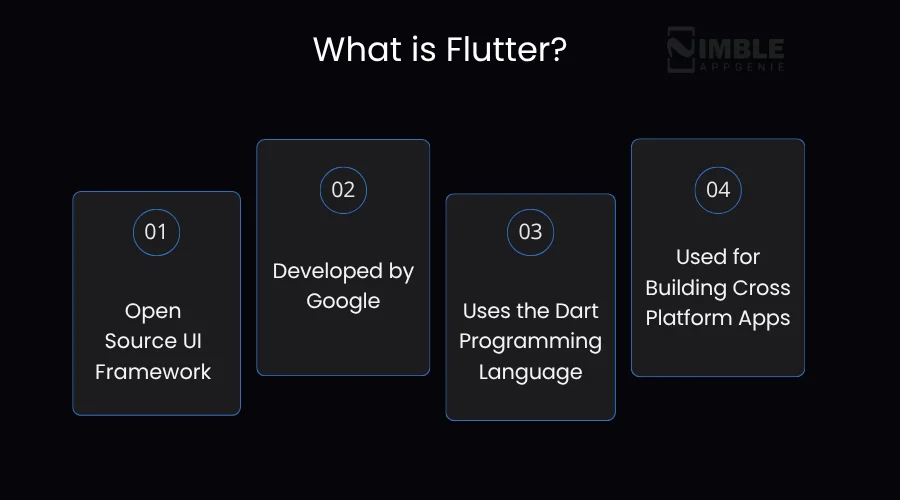
The key features of Flutter are:
- Single codebase
- Hot reload
- Widget-based architecture
- Native-like performance
But why do you need to invest in a Flutter app?
Why Create a Flutter App?
There are diverse reasons, such as:
- Faster time to market
- Consistent UI/UX
- Strong ecosystem and Google Backing
- Near-native performance
- Single codebase for multiple platforms
- Offers cross-platform development
Now, is there a process to create a full-fledged Flutter app?
Well, Yes!
How to Make a Complete Flutter App?
The complete process of building a Flutter app begins with:
Step 1: Choose the Development Path & Perform Market Study
Step 2: Decide the Flutter Tools & Connect with Developers
Step 3: Define your App Strategy
Step 4: Opt for Design & Backend
Step 5: Test & Launch
You can even choose to build an MVP first with Flutter helpful to launch your idea early in this competitive market.
Now, let’s check out in detail what the top 10 Flutter tools are for creating an app.
Top 10 Tools for Flutter App Development
The top Flutter tools for app development are Visual Studio Code, Android Studio, Figma, Flutterflow, Suprnova, IntelliJ IDEA, Flutter Dev Tools, and Firebase.
Let’s discover the complete list of Top Flutter app development tools in 2026
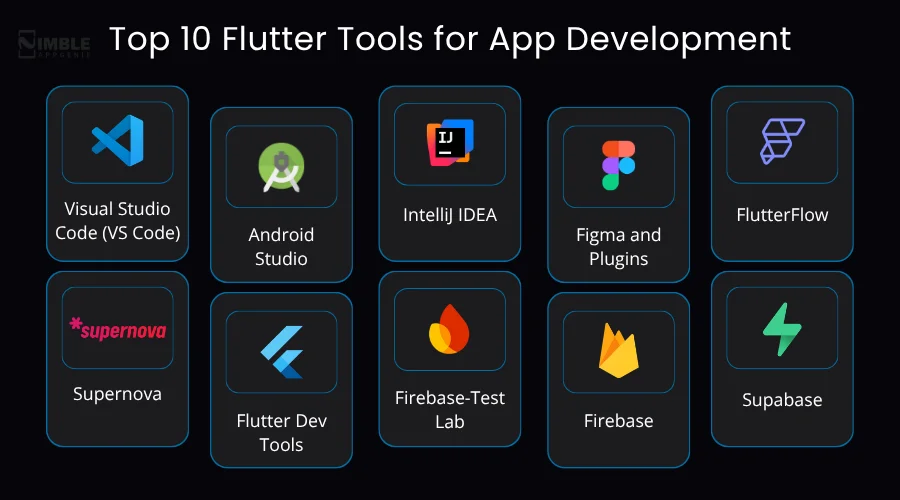
► IDEs and Code Editor Tools
Flutter development can be effectively performed by using a diversified variety of integrated development environments (IDEs) and code editor tools:
1. Visual Studio Code (VS Code)
Visual Studio Code, or VS Code, is a trendy, top Flutter tool for app development used as an editor tool for coding with JavaScript, Node.js, Python, and C++. This aids debugging support, intelligent code completion, snippets, syntax highlighting, and code refactoring.
It offers a graphical user interface, refactoring tools, and code completion tools. Additionally, VS Code provides a rich editing experience for Flutter and Dart. It does offer various commands and shortcuts for building, running, and reloading Flutter apps.
Key Features:
- Extensibility
- Performance
- Built-in Tools
- AI integration
2. Android Studio
Android Studio is an official IDE, built by Google, and is created on JetBrains’ IntelliJ IDEA software. Apart from Flutter, this is one of the top Flutter development tools used for creating Android apps in Kotlin and Java.
Once an app is compiled, it can be published on the Google Play Store after adhering to its developer content policy. It is among the best tools for Flutter app development in 2026, which offers a comprehensive, feature-rich experience out of the box.
Key Features:
- Comprehensive device management
- Powerful visual debugging
- A flexible Gradle-based build system
- Native Android Support
3. IntelliJ IDEA
IntelliJ IDEA is an integrated development environment that is one of the finest text editors that can be used for creating computer software written in Java, Kotlin, and Groovy.
It is often favored by professional developers for its advanced refactoring capabilities and enterprise tools. This is considered an exceptionally effective tool for Flutter app development that transforms from a standard IDS to a specialized command centre for Flutter.
Key Features:
- Powerful navigation & search
- Built-in developer tools
- Smart-code assistance
- Refactoring support
► UI & Design Tools
Flutter UI and design tools span the entire development lifecycle, from initial prototyping and high-fidelity to visual coding. These are used to create high-fidelity mockups, wireframes, and interactive prototypes before writing code.
Let’s check them below:
4. Figma and Plugins
Figma and its associated tools are the best AI tools for Flutter apps that bridge the gap between visual design and production-ready code. Integrating Figma can significantly accelerate the transition from design to functional code.
It is an important Flutter tool for app development that allows developers to automate code generation and component synchronization. Through Figma and plugins, a developer creates a button component, helpful to create a reusable Flutter widget.
Key Features:
- Making edits for the file
- Loading files & creating a file
- Hide/lock layers
- Automatically responsive Flutter code
5. FlutterFlow
FlutterFlow acts as a high-fidelity, code-generating UI/UX design tool that bridges the gap between development and design. It does allow the users to purely create live, functional Flutter code, that do allow designers to create working mobile app prototypes.
It does offer AI-powered design generation, where users can generate full app UIs, individual screens, and components that allow rapid iteration.
Key Features:
- Prompt to page component
- Responsive design
- Drag and drop interface
- Real-time preview
6. Supernova
Supernove is a design-to-code and design system platform for Flutter development workflow. It is one of the top Flutter tools for app development, focusing on automating the transition from the static design assets to the production-ready code.
This is a tool that offers key benefits like eliminating manual handoffs, continuous delivery, and customizable output.
Key Features:
- Figma synchronization
- Design token management
- Real-time synchronization
- Automated documentation

► Testing & Debugging Tools
Mobile app testing and debugging tools are crucial components when it comes to creating a dream Flutter app.
Let’s drive into the tools useful for the same:
7. Flutter Dev Tools
Flutter dev tools are a suite of performance and debugging tools for Flutter and Dart. This is accessible via a web browser and allows developers to peer “under the hood” of a running app.
It is an ability to debug, profile, and optimize apps in real-time that empowers developers to deliver high-quality apps. This tool is best used with Android Studio, VS Code plugins, and IntelliJ. Let’s evaluate the key features.
Key Features:
- Diagnose UI performance issues
- Debug memory issues
- Analyze code and app size
- Offers source-level debugging
8. Firebase-Test Lab
Firebase Test Lab is a tool for Flutter testing and debugging. It is extremely useful for debugging and finding issues when building a Flutter application. This is among the top Flutter mobile app development tools that support three types of tests, including unit tests, widget tests, and integration tests.
Basically, to test the Flutter apps with Firebase Test Lab, you can write Flutter integration tests, build Android APKs, or even iOS test zip files that run as regular Android instrumentation tests or iOS XCTests.
Key Features:
- Offers robo test support
- Analyze test results
- Game loop test
- AI testing agent
► Backend & Integration Tools
For Flutter, backend or mobile app tech stack refers to the server-side infrastructure that is built to handle data storage, business logic, and security.
Lets checkout the tools used for the Flutter app:
9. Firebase
Firebase is used as a BaaS for Flutter, which helps developers to create full-stack applications without managing any servers or even setting up any complex infrastructure.
It is one of the best tools for Flutter development, providing a suite of cloud-hosted tools that eliminate the need to write custom server-side code. This tool eliminates the need to write custom server-side code and is designed to handle live data.
Key Features:
- Hide/lock layers
- Import libraries
- Offers secure multi-provider logins
- AI-powered development for rapid app prototyping
10. Supabase
Supabase is designed as a relational alternative to Google’s Firebase. It is a backend platform that offers PostgreSQL, user authentication, file storage, and edge functions.
Furthermore, a Supabase automatically generates a RESTful API from the database schema. It is a server that listens to the Postgres WAL and handles authentication. It is a server-based Flutter app development tool that listens to the Postgres WAL and handles authentication.
Key Features:
- Authorization via row-level security
- Auto-generated GraphQL API
- Auto-generated REST API via PostgREST
- Captcha Protection, etc.
In addition to this, you can go for AWS Amplify for an enterprise-focused platform, Appwrite to build secure apps, and back4app to manage data and real-time updates.
How to Select the Best Flutter Tool For Your App?
You can select the best tools for Flutter app development by going through the given steps:
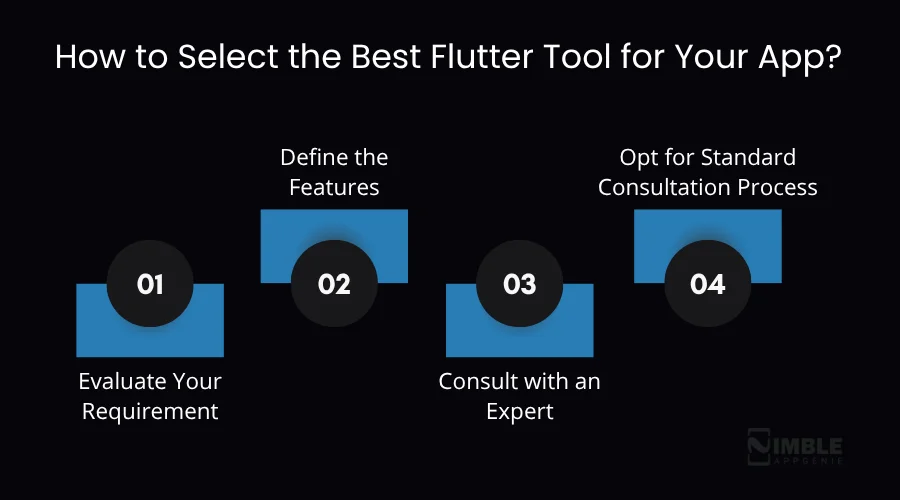
Step 1: Evaluate Your Requirement
You need to analyse whether you want to build an MVP or a full-fledged app, and what types of technologies. Before you write code, establish the app’s purpose and how users will interact with it.
Step 2: Define the Features
State what type of features you are looking for as an entrepreneur and an investor. Additionally, you need to translate flows to features. This can help you to define the complete user flow, as well as provide you with a deep technical understanding.
Step 3: Consult with an Expert
Hire mobile app developers who are aware of what Flutter tools are best and can be used for your mobile app. They will help you to navigate the platform’s unique architectural nuances.
Step 4: Opt for Standard Consultation Process
Now, you should opt for a standard process for creating your next Flutter app. It can help in streamlining every phase of the app lifecycle, from the initial architectural design to the production monitoring.
If you are still bothered, a team of experienced developers can help.
How Nimble AppGenie Can Help You Build the Best Flutter App?
Partnering with Nimble AppGenie, a leading Flutter app development company, can help you find the best tools and build a great Flutter app.
You should select the team because they offer top Flutter expertise, speed, and efficiency, cost-effective & scalable expertise, and offer comprehensive support.
We are the leading company enabling our clients to launch their dream app with Flutter. Our developers understand your dream app’s requirements and convert them into a real app, strategically.
Connect with the leading mobile app development company that knows well about tools, technologies, and is aware of key techniques to lead your app in this competitive market.
Conclusion
Flutter continues to dominate cross-platform app development in 2026, offering speed, flexibility, and near-native performance. With the right combination of tools, from IDEs like Visual Studio Code and Android Studio to backend platforms like Firebase, businesses can streamline development and launch faster.
The key lies in selecting tools aligned with your app goals, whether it’s an MVP or a full-scale product. By leveraging these tools strategically and consulting experts, businesses can build scalable, high-performing Flutter apps that stand out in a competitive digital landscape.
FAQs

Madan is the Backend Solutions Architect at Nimble AppGenie, specializing in the design of secure, high-concurrency systems that power complex mobile ecosystems. With deep expertise in server-side logic and database management, he ensures every platform is built with enterprise-grade security. In his free time, he is an avid researcher of emerging technologies; he spends his time deconstructing the latest backend frameworks and reading technical papers to ensure our solutions remain at the absolute forefront of industry innovation.
Table of Contents




No Comments
Comments are closed.