

 Free Consultation
 PCI-DSS Compliant
 GDPR Ready
 ISO 27001
 NDA Protected
 AI Services
 AI App Development
 Generative AI Development
 AI Chatbot Development
 AI Integration Services
 AI Consulting Services
 AI For Fintech
 AI Financial Assistant Solution
 AI Insurance Agent Development
 Tech Stack
 OpenAI / GPT-4
 Claude / Anthropic
 Gemini / Google AI
 Llama / Open Source
 LangChain / LlamaIndex
 Pinecone / Pgvector
 AWS / Azure AI


 Fintech Solution
 Core Fintech
 App Development
 Neobank Solutions
 eWallet Solutions
 Lending Software
 Banking Solutions
 BNPL Solutions
 BNPL Solutions
 Insurance App
 Wealth Management
 Crypto & DeFi
 Blockchain Development
  Payroll Software
 DeFi Solutions
 Crypto Wallet
 Crypto On/Off Ramp
 Crypto Exchange
 Trading Platform
 Payments
 Compliance
 Regulations & Compliance
 Fraud Detection
 Lending Ecosystem
 P2P Lending Platform
 Mortgage Software
 Engagement
 Fintech Outsourcing

 Mobile Development
 Mobile App Dev
 iOS App Development
 Android App Development
 React Native
 Flutter Development
 Web Solution
 Node.js Development
 React.js Development
 Angular Development
 App Services
 UI/UX Design
 App Maintenance
 By Stage
 MVP Development
 Industry Solutions
 Healthcare App Dev
 Education App Dev
 Travel App Dev
 Real Estate App Dev
 Logistics Software
 Social Media App

 Hire Mobile Developers
 Hire iPhone Developers
 Hire Android Developers
 Hire React Native Devs
 Hire Flutter Developers
 Hire Web Developers
 Hire Node.js Developers
 Hire Angular Developers
 Hire PHP Developers
 Hire Laravel Developers
 How It Works
 Pre-Vetted Developers
 Ready In 48 Hours
 NDA From Day One
 Replace Guarantee
 Company
 About Us
 Our Work Process
 Portfolio
 Case Studies
 Blog / Insights
 Careers
 Contact Us
 Awards
 Recognition


 Offices


Key Takeaways:
- Flutter allows you to run one codebase for iOS, Android, web, and desktop, which reduces duplicate work, speeds up development, and keeps your app consistent across devices
- Clear signs to migrate an app to Flutter include too much time spent on bug fixing, different user experience on iOS vs Android, hiring issues, and an outdated tech stack blocking new features
- You can migrate using three approaches: full rewrite for old or messy apps, incremental for safer step-by-step migration, and React Native to Flutter or other framework migrations which are usually faster
- The Flutter app migration process includes auditing your app, picking the right strategy, setting up Flutter, rebuilding UI, moving business logic and APIs to Dart, testing properly, and monitoring after launch
- Flutter app migration cost can range between $15,000 to $120,000+ based on app size, integrations, and complexity, and timelines can vary from 4 weeks to 7+ months
- Common challenges in Flutter migration include handling native features, missing libraries, Dart learning curve, slow incremental progress, and keeping old and new apps in sync.
Maintaining two separate apps is really exhausting. One codebase for iOS. Another for Android. Two sets of developers. Two sets of bugs. Two release cycles. And twice the cost to fix the same thing in two different places.
If you are nodding right now, you are not alone. This is the daily reality for thousands of product teams. And it is one of the biggest reasons why businesses migrate an app to Flutter.
Flutter allows you to build one app that runs on iOS, Android, web, and desktop, all from a single codebase. One team, one release, and one set of things to fix.
But here is the part nobody talks about enough: migration. Moving your existing app to Flutter is not just a copy-paste task. It takes planning, the right approach, and an honest understanding of what you are getting into.
That is what this guide is for. We will walk you through everything, from knowing when it is time to migrate to the exact steps involved and what it costs.
So, let’s begin!
What Is Flutter, and Why Are So Many Businesses Switching?
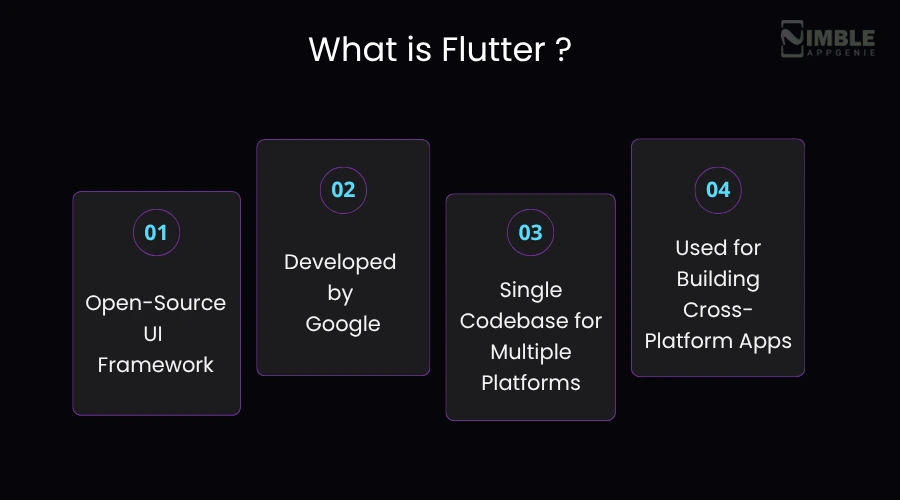
Flutter is an open-source framework developed by Google for developing mobile applications. Released in 2017, Flutter powers over a million applications like BMW, Alibaba, and eBay.
What makes it different from the older way of doing things? Traditionally, if you wanted an app on both iOS and Android, you had two choices. Either you build it twice, or use a cross-platform framework that often feels like a compromise.
But Flutter changed that. It does not leverage the platform’s built-in UI components; it draws everything itself. In easy terms, your app looks and feels exactly the same on every device, no matter what.
Dart, which is a programming language Flutter uses, compiles directly to native ARM code. So, you get performance that is very close to a fully native app. It is without the overhead of maintaining operating codebases.
| Quick Stat: Developers using Flutter report up to 40% faster development time compared to maintaining separate native apps. That’s not a small saving when you are shipping features every few weeks. |
What Are the Signs It’s Time to Migrate Your App to Flutter?
Not every mobile app requires migration. But if you are experiencing any of the following signs, it might be time to convert the app to Flutter. Let’s check out the signs you’re showing:
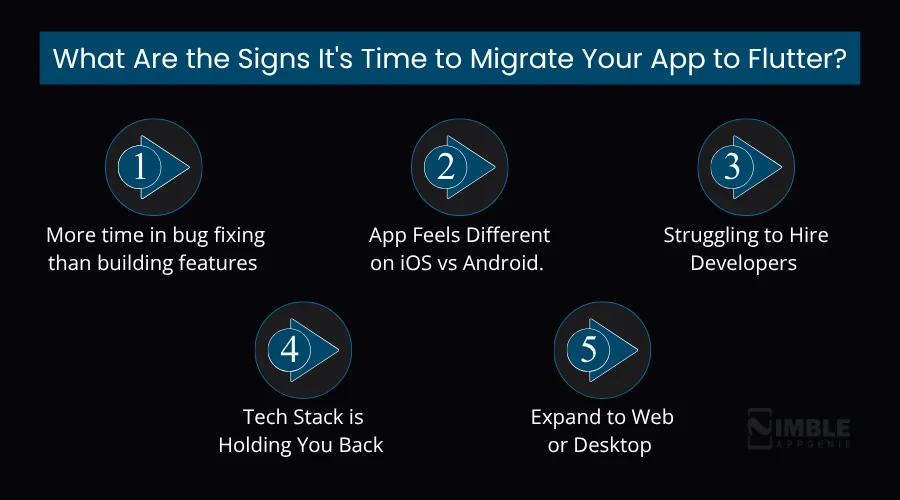
1. More time in bug fixing than building features
When your iOS mobile app development team and Android team are solving the same issue independently, you are not moving fast. You are running in place. If the majority of your sprints are maintenance rather than new features, that is a clear signal.
2. App Feels Different on iOS vs Android.
Users notice the difference. If your Android app has slightly different spacing, different animations, different UI, or any missing features compared to the iOS version, it breaks user trust. But Flutter removes this inconsistency by design.
3. Struggling to Hire Developers
Finding the best Xamarin, PhoneGap, or React Native developers is quite difficult. However, the talent pool for Flutter is growing really fast. It has one of the highest developer satisfaction ratings in Stack Overflow’s annual survey.
4. Tech Stack is Holding You Back
Older mobile app tech stacks or frameworks often lack support for new APIs, payment gateways, or device features. If you find yourself building quick fixes just to support modern integrations, you have outgrown your current tech stack.
5. Expand to Web or Desktop
If you are going to develop a web app or a desktop version, Flutter makes that really easy. Your mobile codebase can power all these with relatively minor adjustments, and you do not need a separate team.
| Quick Stat: If 3 or more of these sound really similar, you should probably explore them. The question is not if, but when and how. |
Real Benefits of Migrating the Mobile App to Flutter
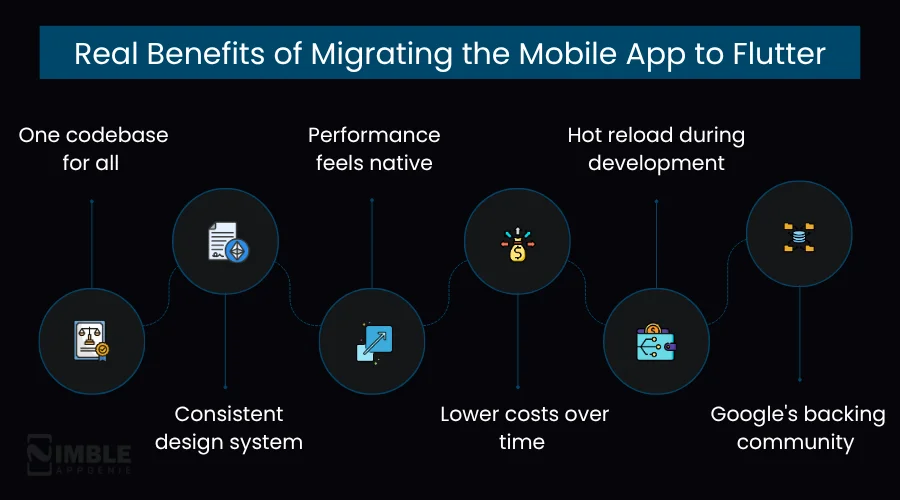
The benefits of migrating your app to Flutter are:
- One codebase for all
- Performance feels native
- Hot reload during development
- Consistent design system
- Lower costs over time
- Google’s backing community
Take an in-depth look at the advantages of Flutter app migration:
1] One Codebase for All
You should just write the single codebase for once and deploy it on Android, iOS, web, and desktop. Your team does not split focus anymore. When an error is fixed, it is fixed everywhere on every platform. When a feature ships, it ships everywhere.
2] Performance Feels Native
Flutter compiles to native ARM code, so there is no JavaScript bridge slowing things down. Animations run at 60fps or 120fps on supported devices. The difference in feel is very clearly noticeable. It is especially for apps with lots of movement or transitions.
3] Consistent Design System
Flutter’s widget library is quite huge and fully customizable. No matter if you are following material design or building something completely custom, you have precise control over every pixel. Your mobile app designers will like the consistency.
4] Hot Reload During Development
This one is a developer’s favorite feature. With Flutter’s hot reload, you can make a change to your code and see it reflected in the app instantly. Also, you do not have to restart the whole thing for the same. It really makes iteration fast for UI work.
5] Lower Costs Over Time
This is the big one for business stakeholders. One codebase is equal to one team. You do not need separate iOS and Android developers for every task. Over 12-24 months, this often results in significant Flutter app development cost savings compared to maintaining parallel codebases.
6] Google’s Backing Community
Flutter is actively developed and supported by Google. It is not a framework that is going to be abandoned. The community is large, active, and growing. This means great packages, good documentation, and easy access to assistance.
Flutter Migration Strategies: Which One Is Right for You?
There is not one correct way to migrate an app to Flutter. The right approach depends on your mobile’s complexity, your team’s bandwidth, and the risk you can tolerate while migration is happening. Below, we will check out the three main strategies you can follow.
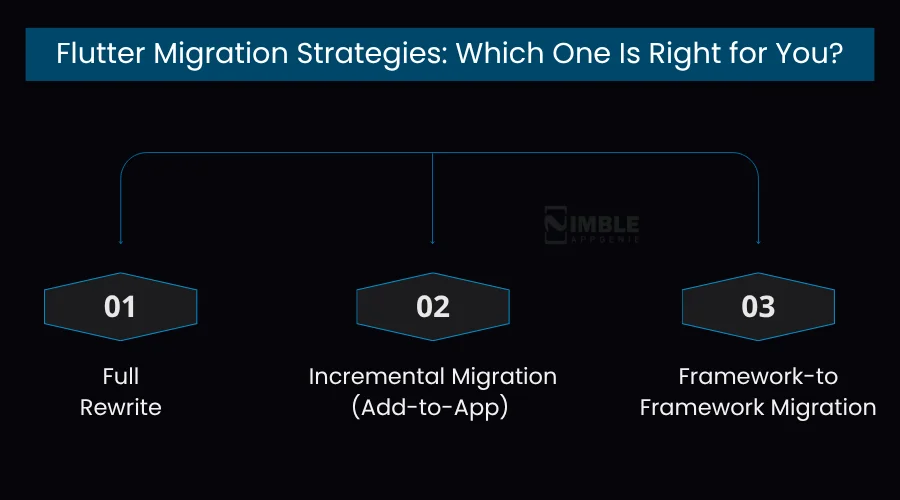
1. Full Rewrite
This is exactly what it sounds like. In the full rewrite, you rebuild the whole mobile application in Flutter from scratch. You are not trying to preserve any of the old code. You are starting fresh and new.
This works best when your current application is a mess. Many technical debt, a poor mobile app architecture, or an outdated framework, and there is no clean path forward. Additionally, it is the right move when you want a full UI redesign alongside the migration.
The downside is time. A full rewrite takes longer and means your team is creating two things at once. But the result is clean, modern, and debt-free.
2. Incremental Migration (Add-to-App)
Flutter supports what Google calls ‘Add-to-App’. You can embed Flutter screens or modules inside your existing native iOS or Android app. Also, you can migrate piece by piece, screen by screen.
It is the safest approach for large, complex applications. Your mobile app keeps working the whole time. Users do not notice the migration happening. Your team is not blocked.
The trade-off is that it takes longer and needs careful coordination. But for businesses that cannot afford to pause development, it is often the only realistic option.
3. Framework-to-Framework Migration
If you are already on a cross-platform framework like React Native or Xamarin, app migration to Flutter is more structured than starting from scratch. You are not dealing with platform-specific native code; you are translating one framework’s concepts to another’s.
React Native to Flutter is the most common path. The core ideas, like components, state management, and API calls, map over reasonably well. The main work is rewriting your UI in Flutter’s widget system and porting your logic from JavaScript to Dart.
This type of migration often goes faster than a native-to-Flutter rewrite. Your app must be well-designed.
Step-by-Step Process: How to Migrate an App to Flutter?
If you are planning to migrate an app to Flutter, a clear roadmap makes the transition really easy. Below is a Flutter migration process to help you move your existing app to Flutter smoothly and efficiently.
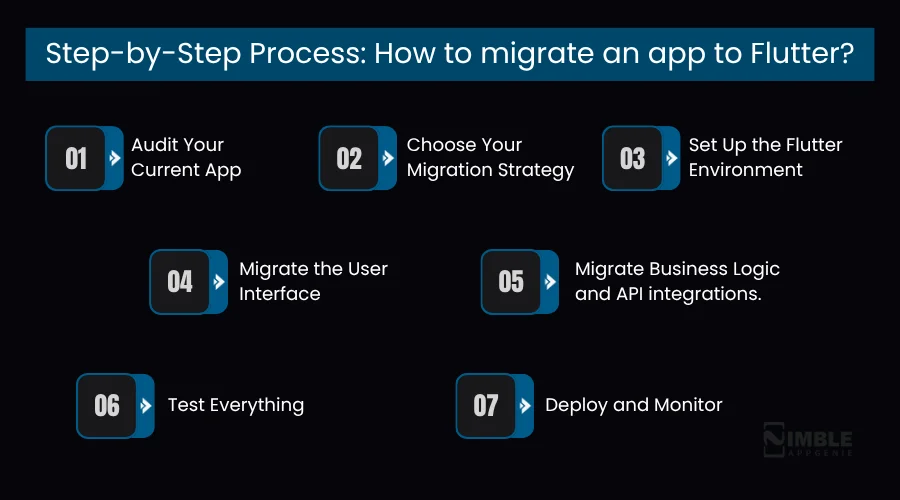
Step 1: Audit Your Current App
Before you start anything else, you need a clear picture of what you are working with. You should map each feature, every screen, every third-party integration, and every dependency.
Besides, it is vital to pay special attention to anything challenging, like custom payment flows, native hardware access, push notifications, etc. This audit is the foundation of everything else. You should skip this, and you will be surprised by mid-migration.
Step 2: Choose Your Migration Strategy
Depending on what you found in the audit, decide whether a full rewrite, incremental migration, or framework-to-framework migration makes the most sense.
This is also when you set clear objectives. What does a successful migration look like? Faster load times? Fewer support tickets? Lower dev costs? Just define it now.
Step 3: Set Up the Flutter Environment
You should configure the Flutter SDK and set up your project structure. Also, decide on your state management approach. For example, the most popular options are BLoC, Riverpod, and Provider.
Each has different strengths. This is also a good time to define your folder structure, naming conventions, and code style guide.
Step 4: Migrate the User Interface
Now, developers should rebuild the screens as Flutter widgets. A practical tip is to start with the simpler, lower-risk screens first. This allows your dedicated development team to get comfortable with Flutter patterns before tackling the complex parts.
Also, you can use Flutter’s widget library to recreate your design system. This makes sure everything looks pixel-perfect on both iOS and Android.
Step 5: Migrate Business Logic and API integrations.
After that, you should now port the app’s logic, like authentication, data models, API calls, and local storage, to Dart. Your backend does not change. You are just writing new client-side code to talk to it.
This is also when you manage push notifications, deep linking, and any platform-specific features using Flutter plugins.
Step 6: Test Everything
Flutter has amazing testing tools built-in. You should write unit tests for your business logic, widget tests for your UI components, and integration tests for the critical user flows like login, checkout, etc.
Now, use Flutter DevTools to profile performance, look for low-quality animations, memory leaks, or slow API calls. Do not skip app testing. It is the difference between a smooth launch and a fire drill on release day.
Step 7: Deploy and Monitor
Lastly, set up your CI/CD pipeline tools like Codemagic, Fastlane, or Bitrise to work well with Flutter. Deploy to both app stores. Then watch your monitoring dashboards closely for the first few weeks.
For example, Firebase Crashlytics for crash reporting, Firebase performance for load times, and frame rates. The migration is not done when the app is live. It is done when you have confirmed it is stable and performing well.

How Much Does it Cost to Migrate a Mobile App to Flutter?
The cost to migrate an app to Flutter can range between $15,000 for a small app and go beyond $120,000 for an enterprise-level app. It varies depending on your project requirements. The table below shows the Flutter app migration cost.
| Complexity Level | Estimated Cost | Estimated Time |
| Small app migration | $15,000 – $25,000 | 4-8 weeks |
| Medium app migration | $25,000 – $70,000 | 2-4 months |
| Large or enterprise app migration | $70,000 – $120,000 | 4-7 months+ |
Factors Affecting the Cost to Migrate Your Mobile App to Flutter:
- App complexity and number of screens
- Number of third-party integrations
- Whether custom native plugins are needed
- Level of testing and QA required
- Your development team’s location and hourly rate
These are the crucial factors that affect the Flutter migration cost. The best way to get an accurate number is through a detailed scope review. At Nimble AppGenie, we provide free migration audits that give you a proper estimate.
What Are the Challenges of Migrating an App to Flutter & Its Possible Solutions?
Moving your app to Flutter is not always smooth if your current app is already live. You may run into a few common issues during the process. But the good part is, most of them can be managed with the right approach. Below are the main challenges and how you can deal with them.
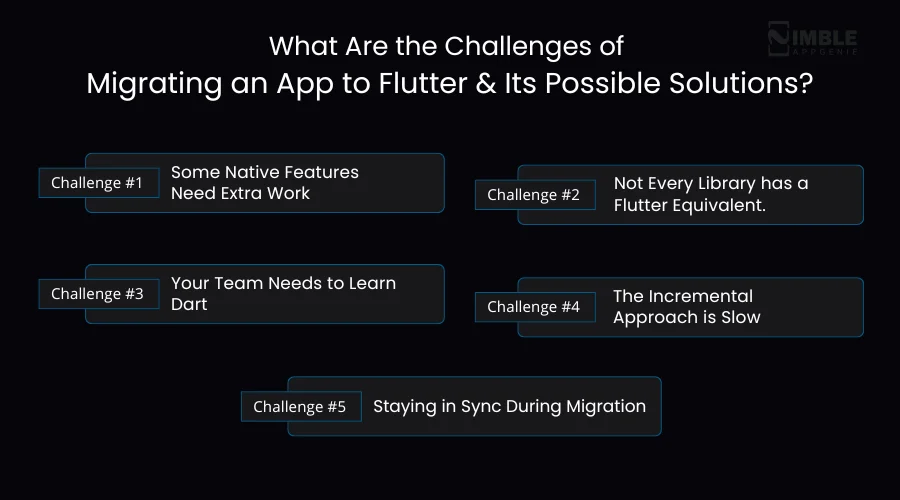
1. Some Native Features Need Extra Work
Flutter manages most things out of the box, but some platform-specific features require you to write platform channel code. For example, Bluetooth, NFC, and certain biometric flows. It is not challenging, but it takes time and someone who knows what they are doing.
Solution:
You can plan these features early in the migration. Also, identify which parts need native support and assign experienced developers to handle platform channels. Besides, you can check existing Flutter plugins before building from scratch to save time.
2. Not Every Library has a Flutter Equivalent.
Flutter’s package ecosystem is large and growing. But it does not have everything. Occasionally, you will find a library you relied on in your old app that does not have a direct Flutter equivalent.
Solution:
Just look for close alternatives first. If nothing fits, you can build a custom plugin or use platform channels to reuse your existing native code.
3. Your Team Needs to Learn Dart
Dart is not a difficult language. Most developers choose it very quickly. Especially if they know JavaScript or Java. But there is a learning curve. Budget time for your team to get comfortable before they are expected to move fast.
Solution:
It is vital to give your team time to learn and practice before starting a full Flutter app migration. You can also bring in expert Flutter developers to speed things up.
4. The Incremental Approach is Slow
If you go the Add-to-App route, progress can feel slow. You are shipping small pieces at a time, and the full benefit of Flutter does not arrive until the migration is complete.
Solution:
It is best to set clear milestones and timelines. This is crucial when you are planning Flutter for enterprise app development, where long-term planning matters more than quick results.
5. Staying in Sync During Migration
If your existing app is still in active development while the migration is happening. You need a clear process for keeping features in sync. New features built into the old application may need to be built into Flutter, too. This doubles the work if not managed carefully.
Solution:
It is vital to limit major updates in the old app or create a clear sync process. You should do good coordination between teams to avoid confusion and extra work.
Why Work with Nimble AppGenie for Your Flutter App Migration?
There are plenty of Flutter developers out there. But Nimble AppGenie is a leading Flutter app development company that makes a huge difference.
We do not just simply write the code. Also, we plan migrations with a proper audit first, a clear architecture phase, and a structured delivery process that reduces risk in your live app.
Our expert Flutter team worked on different industries like Fintech, healthcare, etc. So, we have seen most of the edge cases. We know where migrations go sideways and how to prevent them.
Additionally, we work on milestone-based delivery, so you always know what has been built, what is coming next, and what you have paid for. And we do not disappear after launch; we offer post-migration support to ensure everything runs smoothly in development.
If you are not sure whether migration is the right call for your app, we will tell you honestly. Sometimes a different approach makes more sense. We would rather give you the right suggestion than take on a project that is not the right fit.
Conclusion
Migrating your app to Flutter is one of the most impactful technical decisions you can make. It cuts complexity, reduces long-term costs, and gives your users a faster, more consistent experience.
But it is not something to rush. A migration done poorly creates more issues than it solves. If you migrate an app to Flutter correctly, it sets your product up to move faster, scale more easily, and serve your users better.
If you have read this guide, the questions to ask yourself are simple: How much is the current setup costing you, in time, money, and missed opportunities? And how long are you willing to keep paying that price?
When you are ready to take the next step, we are here. Just book a free consultation!
FAQs
The biggest risks of migrating an app to Flutter are:
- Feature gaps if the migration is not properly planned
- The team’s learning curve with Dart
- Occasional gaps in Flutter’s plugin ecosystem for very niche native features.
These are all manageable with solid planning and an experienced team. A phased approach with proper QA at each stage significantly reduces the risk.

Madan is the Backend Solutions Architect at Nimble AppGenie, specializing in the design of secure, high-concurrency systems that power complex mobile ecosystems. With deep expertise in server-side logic and database management, he ensures every platform is built with enterprise-grade security. In his free time, he is an avid researcher of emerging technologies; he spends his time deconstructing the latest backend frameworks and reading technical papers to ensure our solutions remain at the absolute forefront of industry innovation.
Table of Contents




No Comments
Comments are closed.