

 Free Consultation
 PCI-DSS Compliant
 GDPR Ready
 ISO 27001
 NDA Protected
 AI Services
 AI App Development
 Generative AI Development
 AI Chatbot Development
 AI Integration Services
 AI Consulting Services
 AI For Fintech
 AI Financial Assistant Solution
 AI Insurance Agent Development
 Tech Stack
 OpenAI / GPT-4
 Claude / Anthropic
 Gemini / Google AI
 Llama / Open Source
 LangChain / LlamaIndex
 Pinecone / Pgvector
 AWS / Azure AI


 Fintech Solution
 Core Fintech
 App Development
 Neobank Solutions
 eWallet Solutions
 Lending Software
 Banking Solutions
 BNPL Solutions
 BNPL Solutions
 Insurance App
 Wealth Management
 Crypto & DeFi
 Blockchain Development
  Payroll Software
 DeFi Solutions
 Crypto Wallet
 Crypto On/Off Ramp
 Crypto Exchange
 Trading Platform
 Payments
 Compliance
 Regulations & Compliance
 Fraud Detection
 Lending Ecosystem
 P2P Lending Platform
 Mortgage Software
 Engagement
 Fintech Outsourcing

 Mobile Development
 Mobile App Dev
 iOS App Development
 Android App Development
 React Native
 Flutter Development
 Web Solution
 Node.js Development
 React.js Development
 Angular Development
 App Services
 UI/UX Design
 App Maintenance
 By Stage
 MVP Development
 Industry Solutions
 Healthcare App Dev
 Education App Dev
 Travel App Dev
 Real Estate App Dev
 Logistics Software
 Social Media App

 Hire Mobile Developers
 Hire iPhone Developers
 Hire Android Developers
 Hire React Native Devs
 Hire Flutter Developers
 Hire Web Developers
 Hire Node.js Developers
 Hire Angular Developers
 Hire PHP Developers
 Hire Laravel Developers
 How It Works
 Pre-Vetted Developers
 Ready In 48 Hours
 NDA From Day One
 Replace Guarantee
 Company
 About Us
 Our Work Process
 Portfolio
 Case Studies
 Blog / Insights
 Careers
 Contact Us
 Awards
 Recognition


 Offices



Key Takeaways:
- Stripe, Braintree, and Adyen are the three most widely used payment gateways for apps in 2026, each designed for a different type of business.
- Stripe is best for startups and developer-led teams that need fast integration, great documentation, and no monthly fees.
- Braintree (owned by PayPal) is best for businesses whose customers regularly pay with PayPal or Venmo.
- Adyen is best for large enterprises operating globally, processing high volumes, and needing one platform for online and in-store payments.
- Pricing: Stripe charges 2.9% + $0.30, Braintree charges 2.59% + $0.49, Adyen uses a volume-based interchange++ model.
- All three are PCI-DSS Level 1 certified, and your customer card data is safe on each platform.
- Nimble AppGenie has integrated payment gateways into 50+ apps – so you don’t have to figure this out alone.
Stripe vs Braintree vs Adyen, which one is the best fit for your app?
Well, if you are a business owner who wants to integrate a payment gateway into your app, these three names will come up in every conversation. And for good reason. They are the most trusted and widely used payment gateways in the world.
But they are not the same. And choosing the wrong one for your mobile app will cost you in fees, in time, and in customer experience.
Here is the reality. Stripe processed more than $1.9 trillion in 2025 in total payment volume, while Adyen handled over 800 billion euros every six months. Braintree powers payments across 45+ countries, backed by the full weight of the PayPal network.
These are not small tools; they are the backbone of global commerce. And yet, most businesses pick one based on what they have heard, not what actually fits their model.
This is what this guide fixes. We break down each gateway like its cost, set up complexity, which types of businesses it actually works best for, and drawbacks. Just a clear, direct comparison of Stripe vs Braintree vs Adyen so you can make the right call.
By the end of this guide, you will know exactly which payment gateway fits your mobile app. So, let’s begin!
What is a Payment Gateway?
A payment gateway is software that securely processes your customers’ payments when they buy something on your app. It captures their card details, verifies the transaction, checks for available funds, and moves the money from the customer’s bank to yours, all within seconds.
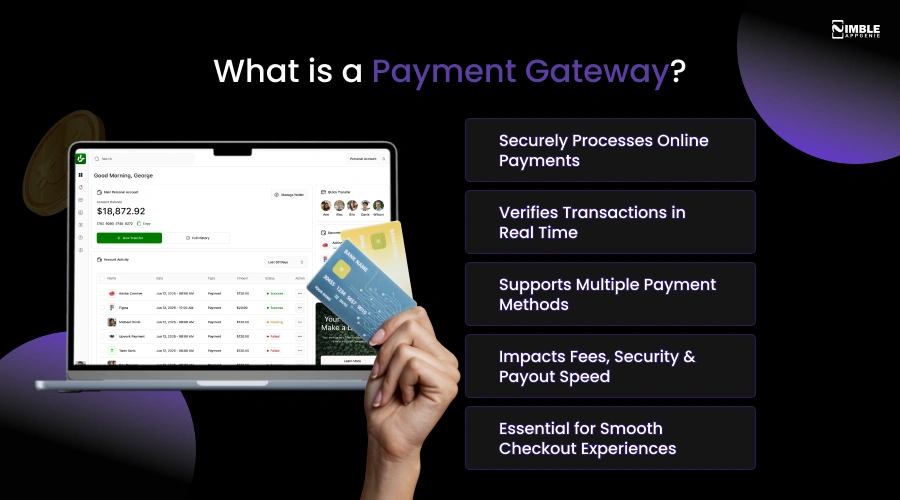
Stripe, Braintree, and Adyen all do this core job. The difference is in how they do it, what they charge, and which types of businesses they are designed for.
The secure payment gateway you choose also determines:
- How much you pay in transaction fees directly affects your profit margin?
- Which payment methods can your customers use, like cards, Apple Pay, and PayPal?
- How fast does the money reach your account after a sale?
- How easy or difficult is it for your dedicated development team to integrate it?
- How secure is the entire checkout experience for your customers?
These are not small decisions. That is why Braintree vs Stripe vs Adyen needs a proper, honest comparison.
Stripe vs Braintree vs Adyen: A Quick Side-by-Side Overview
Before we go any further and deeper, let’s take a quick snapshot to orient you:
| Feature | Stripe | Braintree | Adyen |
| Best for | Startup to mid-market | Small to mid-market | Mid to large enterprise |
| Founded | 2010 | 2007 | 2006 |
| Pricing model | Pay-per-transaction | Pay-per-transaction | Interchange++ (custom) |
| Standard fee | 2.9% + $0.30 | 2.59% + $0.49 | Custom (volume-based) |
| PayPal support | No (Native) | Yes, deep integration | No |
| Global reach | 46+ countries | 45+ countries | 200+ countries & regions |
| Setup difficulty | Very easy | Easy-moderate | Moderate-complex |
| Best API/Docs | Excellent | Good | Good (improving) |
| PCI-DSS Compliant | Yes (Level 1) | Yes (Level 1) | Yes (Level 1) |
Now let’s go deep on each one.
What is Stripe, and who is it Best for?
Stripe is a developer-first payment gateway that allows businesses to accept payments through a clean, well-documented API. It charges 2.9% + $0.30 per domestic card transaction, supports 135+ currencies in 46+ countries, and needs no monthly fees.
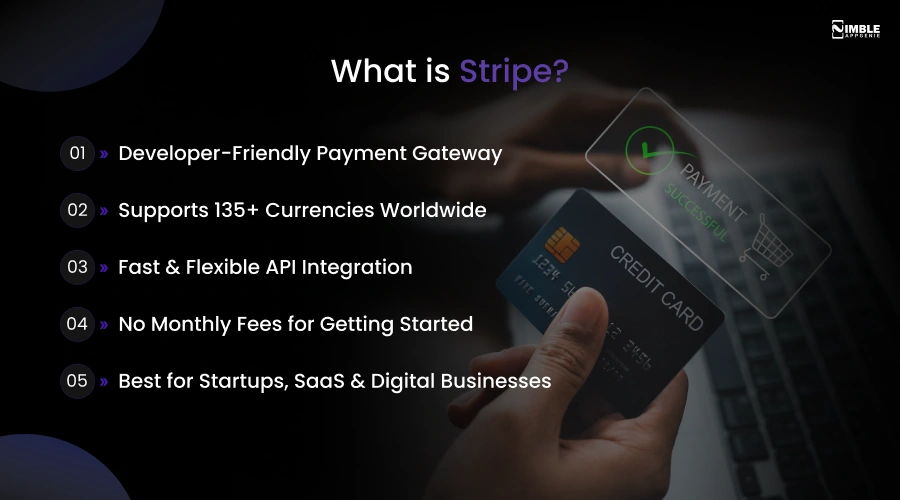
It is best for startups, SaaS companies, and tech-driven businesses that want quick and flexible payment integration. When a business compares Braintree vs Stripe vs Adyen, Stripe is almost always the first recommendation for teams launching a new app.
The reason is easy. Stripe API integration removes the most friction from getting started. A developer can read Stripe’s documentation in an afternoon and have a line, working checkout by the next day. That speed matters when you are trying to get to market.
What Stripe Does Best?
- Stripe’s API is the cleanest in the industry, well-structured, thoroughly documented, with SDKs for every major platform and language.
- It supports 135+ currencies in 46+ regions. Customers pay in their local currency without extra steps.
- The best subscription management engine available manages proration, metered billing, and flexible invoicing.
- An AI-powered fraud detection tool that learns from millions of transactions across Stripe’s global network.
- Cards, Apple Pay, Google Pay, Samsung Pay, Klarna, AfterPay, bank transfers, and more, all from a single integration.
- You only pay when a customer pays you. No monthly charges, no setup fees.
Pros and Cons of Stripe
| Pros | Cons |
| Best developer API and documentation in the industry | Customer support is primarily email-based. |
| No monthly fees, no setup costs, no minimum volume | Account freezes are reported in high-risk or unusual industries |
| Supports 135+ currencies globally | International card fees can add up for global businesses |
| Stripe Billing is the most advanced subscription engine | No native PayPal or Venmo support |
| AI-powered fraud detection via Stripe Radar | Less suitable for primarily in-person businesses |
| Huge ecosystem of integrations and plugins | Not ideal for large enterprises needing a dedicated support manager |
Who Should Choose Stripe?
- Startups and early-stage apps that need to launch payment quickly.
- SaaS companies with monthly or annual subscription models.
- E-commerce apps are selling to customers across multiple countries.
- Marketplaces or platforms that split payments between multiple sellers.
What is Braintree, and who is it Best for?
Braintree is a full-stack payment gateway. It is owned by PayPal and charges 2.59% + $0.49 per card transaction. It supports PayPal and Venmo natively and offers a dedicated merchant account.
Besides, it is best for businesses where PayPal is a major payment method, mid-size companies needing dedicated accounts, and subscription-driven apps.
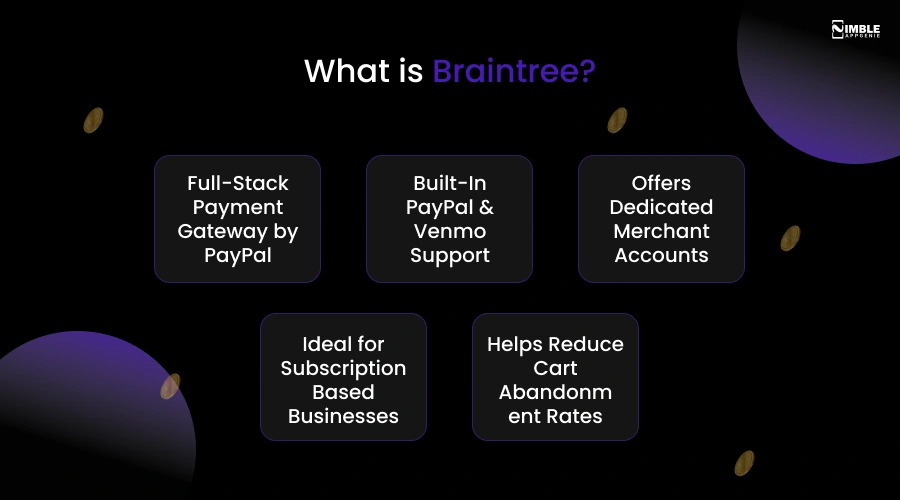
Braintree’s biggest advantage is one that neither Stripe nor Adyen can match. PayPal and Venmo are built right into the checkout. No third-party tools, no separate integration, no extra negotiation.
More than 430 million people actively use PayPal. For many of them, seeing the PayPal button at checkout is the difference between completing the purchase and abandoning the cart.
What Braintree Does Best?
- No other major gateway includes PayPal and Venmo as natively and deeply as Braintree.
- Clean, well-maintained libraries make mobile integration simple.
- It handles recurring payments, billing cycles, and plan management, a strong choice for subscription businesses.
- Credit or Debit cards, PayPal, Venmo, Apple Pay, Google Pay, and local payment options.
Pros and Cons of Braintree
| Pros | Cons |
| Only major gateway with native PayPal + Venmo support | The onboarding process is slower than Stripe |
| Dedicated merchant account, more control over funds | Customer support quality has been inconsistent |
| Slightly lower base transaction fee vs Stripe for cards | Fewer countries than Adyen, it is limited to local payment methods |
| Vault storage for faster returning customer checkouts | Part of PayPal, a roadmap influenced by PayPal priorities |
| Strong subscription and recurring billing tools | Developer docs are not as polished as Stripe’s |
| No monthly or setup fees | Venmo is US-only, with no global Venmo support |
Who Should Choose Braintree?
- Businesses where PayPal is a commonly used payment method for their customers.
- US-based apps that want to offer Venmo as a checkout option.
- Subscription-based apps that need solid recurring billing.
- E-commerce platforms that want PayPal as a trust signal at checkout.
What is Adyen, and who is it Best for?
Adyen is a full-stack payment platform that handles acquiring, processing, and settlement under one roof. It operates in 200+ counties, supports 250+ payment methods, and charges on an interchange++ model suited for high-volume businesses.
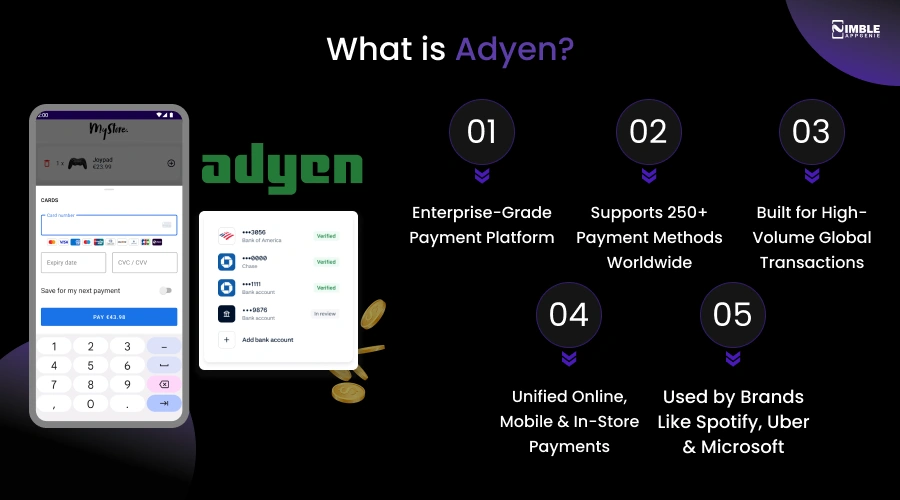
It is best for large enterprises that need a single unified contactless payment system for online, mobile, and in-store payments worldwide.
When evaluating Stripe vs Braintree vs Adyen at enterprise scale, Adyen is in a different league. Its clients include Spotify, Uber, and Microsoft, companies that process billions in transactions annually.
It is designed to handle that scale without breaking a sweat. The major difference is structural. While Stripe and Braintree sit on top of acquiring banks, Adyen is its own acquirer.
What Adyen Does Best?
- Adyen controls acquiring, processing, and settlement. No third parties in the chain. More control, better rates at scale.
- Wildest global coverage of the three, including local methods like iDEAL, Alipay, UPI, SEPA, and more.
- Adyen’s machine learning fraud engine analyses patterns across millions of global transactions to catch fraud before it happens.
- Access to Visa and Mastercard directly. This means higher authorisation rates and lower fees at very high volumes.
Pros and Cons of Adyen
| Pros | Cons |
| Widest global coverage, 200+ countries | Complex setup, it needs dedicated technical resources |
| Unified online + in-store + in-app platform | Must go through Adyen’s sales team to get started |
| Full-stack acquirer, best authorisation rates at scale | Minimum monthly fees make it expensive at low volumes |
| 250+ payment methods, including all local options | No native Venmo or PayPal support |
| Advanced ML-based fraud detection | Longer onboarding process, not quick to launch |
| Interchange++ can save money at $1M+/month | Not suitable for startups or early-stage apps |
Who Should Choose Adyen?
- Large enterprises process 1M+ per month in transactions.
- Global businesses operate in many countries simultaneously.
- Companies that need in-store payment terminals alongside their app.
- Businesses that want the highest possible payment authorisation rates globally.
- Teams with dedicated payment operations staff who can handle complex integrations.
Stripe vs Braintree vs Adyen: Full Feature-by-Feature Comparison
Now that you clearly understand each platform individually, let’s put Adyen vs Braintree vs Stripe head-to-head across the six areas that matter most to any business integrating payments into an application.
1. Transaction Fees: Who Charges Less?
Braintree is the cheapest per transaction for most businesses at 2.59% + $0.49. Stripe costs slightly more at 2.9%+$0.30.
Adyen can be the cheapest at very high volumes using interchange++ pricing. But its minimum monthly fee makes it expensive at low volume. For most growing businesses, Braintree or Stripe will be more cost-effective.
| Payment Type | Stripe | Braintree | Adyen |
| Standard card fee | 2.9% + $0.30 | 2.59% + $0.49 | Interchange + more than 0.20 EUR markup |
| International cards | 3.1% + $0.30 + 1.5% | Variable by region | Interchange + scheme fees |
| PayPal | Not supported | Included in base | Not supported |
| Venmo | Not supported | 3.49% + $0.49 | Not supported |
| ACH/Bank transfer | 0.8% (max $5) | 0.75% (max $5) | Region-specific |
| Monthly minimum fee | None | None | Yes, varies by contract |
| Setup fee | None | None | None |
For a business processing $10,000 per month: Stripe =$320 in fees. Braintree = $330.8. The difference reverses at very high volumes where Adyen’s model kicks in.
2. Ease of Integration: Which Is Fastest to Launch?
Stripe is the easiest payment gateway integration. Most developers go live within 1 to 3 days using Stripe’s API and documentation. Braintree typically takes 3 to 5 days.
Adyem needs 1 to 3 weeks, including a formal merchant onboarding process. Stripe is self-serve and instant. Adyen needs to speak to the sales team before you can start.
| Integration Aspect | Stripe | Braintree | Adyen |
| Time to first live payments | 1–3 days | 3-5 days | 1–3 weeks |
| API quality | Excellent, industry benchmark | Good | Good, much improved |
| Documentation quality | Best in Class | Good, some gaps | Solid but dense |
| SDKs (iOS, Android, Web) | Yes, all platforms | Yes, all platforms | Yes, all platforms |
| Sandbox or test environment | Instant self-service | Instant self-service | Available, more setup |
| Merchant account setup | Aggregated, instant | Aggregated, quick | Dedicated, requires onboarding |
| Requires the sales team to start | No, self-service | No, self-service | Yes, must contact Adyen |
3. Supported Payment Methods: Who Covers the Most?
Adyen supports the most at 250+, covering local options in every major market. Stripe supports a wide range, including all major cards, wallets, and BNPL options.
Braintree is unique, the only gateway that includes native PayPal and Venmo, a major advantage if your customers use those.
| Payment Methods | Stripe | Braintree | Adyen |
| Credit or Debit Cards | Yes | Yes | Yes |
| Apple Pay | Yes | Yes | Yes |
| Google Pay | Yes | Yes | Yes |
| PayPal | No | Yes, native | No |
| Venmo | No | Yes (US only) | No |
| Buy Now Pay Later (BNPL) | Yes (Klarna, Afterpay) | Limited | Yes |
| ACH / Bank Transfer | Yes | Yes | Yes |
| Local payment methods (iDEAL, UPI, Alipay, etc.) | Good, major ones | Limited | Best, 250+ methods |
| In-store / POS terminals | Yes (Stripe Terminal) | Very limited | Yes, full POS |
4. Global Reach: Which Works Best Internationally?
Adyen has the best global coverage, 200+ countries, 250+ payment methods, and direct connections to local card networks.
Stripe covers 46+ countries and is strong across the US, UK, EU, and Australia. Braintree supports 45+ countries, but has more limited local payment method coverage compared to Adyen.
| Coverage | Stripe | Braintree | Adyen |
| Countries or regions | 46+ | 45+ | 200+ |
| Currencies supported | 135+ | 130+ | 150+ |
| Local payment methods | Good, major markets | Basic | Best, 250+ methods |
| Currency conversion | Yes (1% fee) | Yes (fee varies) | Yes (direct) |
| Regional strength | US, UK, EU, Australia | US, EU | Truly global, all markets |
5. Security and Fraud Protection: How Safe Is Each One?
All three, Stripe, Braintree, and Adyen, are PCI DSS Level 1 certified and use tokenisation to protect card data.
Stripe Radar uses AI trained on billions of transactions to detect fraud. Adyen’s RevenueProtect uses machine learning for enterprise-level fraud management. Braintree uses built-in tools and supports third-party fraud services.
| Security Feature | Stripe | Braintree | Adyen |
| PCI-DSS Level 1 | Yes | Yes | Yes |
| Tokenisation | Yes | Yes — with Vault | Yes |
| Fraud detection tool | Stripe Radar (AI-powered) | Built-in + 3rd party | RevenueProtect (ML-based) |
| 3DS2 authentication | Yes | Yes | Yes |
| Chargeback management | Good built-in tools | Standard | Advanced |
| Data encryption | TLS + AES-256 | TLS + AES-256 | TLS + AES-256 |
Which Payment Gateway Should You Choose?
The answer to Stripe vs Braintree vs Adyen is never one-size-fits-all. It depends on your business size, your customers, and what you are building. Take a look at the table for choosing the best payment gateways.
| Your Situation | Best Choice | Why |
| Startup or early-stage app, small team | Stripe | Fastest setup, zero minimum fees, best docs |
| Customers regularly pay with PayPal or Venmo | Braintree | Oly gateway with native PayPal + Venmo |
| Enterprise — $1M+/month, 10+ countries | Adyen | Best global coverage, cheapest at scale |
| SaaS app with subscriptions | Stripe | Stripe billing is the best subscription engine |
| Need in-store POS + app payments together | Adyen | Only unified online +in-store platform |
| Want a dedicated merchant account without complexity | Braintree | Dedicated account, reasonable fees |
| Need to go live fastest | Stripe | Self-serve, instant sandbox, live in days |
| Processing under $50k per month | Stripe or Braintree | Flat-rate pricing is simpler at lower volumes |
| Processing over 1M per month globally | Adyen | Interchange++ saves significantly at high volume |
Quick Decision Rule:
- You can start with Stripe. It is the safest default for most apps launching today.
- Choose Braintree if integration of the PayPal API is important to your app.
- Move to Adyen when you are scaling globally, and your volume justifies the complexity.
How Can Nimble AppGenie Help You Integrate the Right Payment Gateway?
Choosing the best mobile app payment gateway is only half the battle. Actually integrating it into your mobile app, testing it, and ensuring it works properly is a part that most businesses struggle with. That’s exactly why Nimble AppGenie is the right choice.
As a leading fintech app development company, we have proven 8+ years of experience in creating apps across fintech, e-commerce, fantasy, music, and more. We have integrated payment systems into 50+ mobile apps for businesses of all sizes.
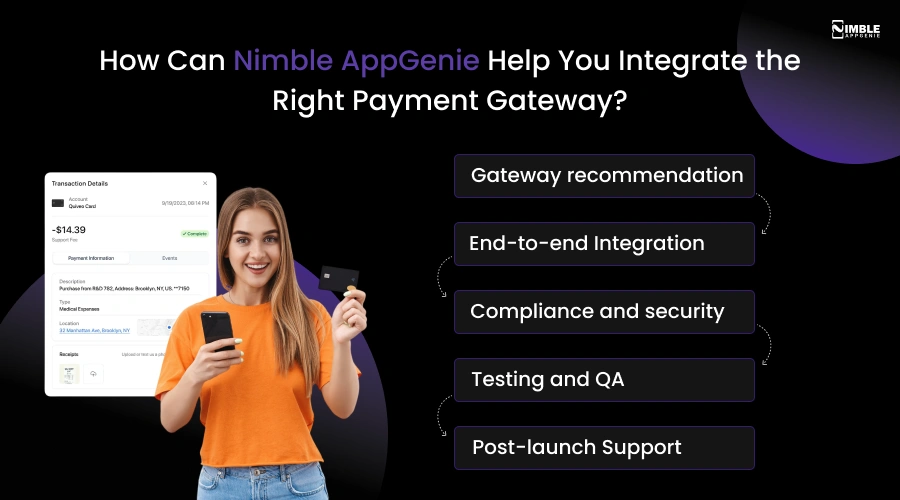
What we do:
- Gateway recommendation: We analyze your business model, transaction volume, customer geography, and app type, then recommend the gateway that saves you the most in fees and development time.
- End-to-end Integration: We handle everything, checkout UI, payment logic, webhook configuration, subscription billing, refund flows, and multicurrency support.
- Compliance and security: We ensure your app meets PCI-DSS requirements so you are never caught off-guard by a compliance audit.
- Testing and QA: We test every payment scenario rigorously before you go live, including successful payments, declines, refunds, chargebacks, and international edge cases.
- Post-launch Support: We stay available after launch to help you troubleshoot issues, manage API updates, or migrate to a different gateway if your needs change.
Why do businesses choose Nimble AppGenie?
- 50+ payment gateway integrations like Stripe, Braintree, RazorPay, PayPal, etc.
- Clients across the USA, UAE, UK, and Australia.
- 4.9/5 average ratings from 100+ client reviews.
- 8+ years of mobile and fintech development experience.
- We have already made the mistakes, so you do not have to.
Conclusion
After going through all the details, the answer becomes clear that each one is excellent, but each one is built for a different business. Stripe wins on speed, simplicity, and developer experience. Braintree wins where PayPal matters. Adyen wins at enterprise scale.
The choice between Stripe vs Braintree vs Adyen is not about picking the most impressive feature list. It is about picking the right payment gateway for where your business is today and where you plan to be in the next two years.
Thus, you must choose based on your volume, your customers, and your team’s technical capacity, and you will not go wrong.
FAQs

Madan is the Backend Solutions Architect at Nimble AppGenie, specializing in the design of secure, high-concurrency systems that power complex mobile ecosystems. With deep expertise in server-side logic and database management, he ensures every platform is built with enterprise-grade security. In his free time, he is an avid researcher of emerging technologies; he spends his time deconstructing the latest backend frameworks and reading technical papers to ensure our solutions remain at the absolute forefront of industry innovation.
Table of Contents




No Comments
Comments are closed.