

 Free Consultation
 PCI-DSS Compliant
 GDPR Ready
 ISO 27001
 NDA Protected
 AI Services
 AI App Development
 Generative AI Development
 AI Chatbot Development
 AI Integration Services
 AI Consulting Services
 AI For Fintech
 AI Financial Assistant Solution
 AI Insurance Agent Development
 Tech Stack
 OpenAI / GPT-4
 Claude / Anthropic
 Gemini / Google AI
 Llama / Open Source
 LangChain / LlamaIndex
 Pinecone / Pgvector
 AWS / Azure AI


 Fintech Solution
 Core Fintech
 Fintech App Development
 Neobank App Development
 eWallet App Development
 Lending Software
 Banking Software Development
 BNPL Solution
 BNPL App Development
 Insurance App
 Wealth Management App
 Blockchain Development
 Payroll Software Development
 DeFi App Development
 Crypto Wallet Dev
 Crypto On Ramp Off Ramp
 Crypto Exchange Dev
 Trading Platform Dev
 Payments
 Compliance
 Fintech & Digital Regulations
 Fraud Detection
 Lending Ecosystem
 P2P Lending Platform
 Mortgage Software
 Engagement
 Outsourcing Dev

 Mobile Development
 Mobile App Dev
 iOS App Development
 Android App Development
 React Native
 Flutter Development
 Web Solution
 Node.js Development
 React.js Development
 Angular Development
 App Services
 UI/UX Design
 App Maintenance
 By Stage
 MVP Development
 Industry Solutions
 Healthcare App Dev
 Education App Dev
 Travel App Dev
 Real Estate App Dev
 Logistics Software
 Social Media App

 Hire Mobile Developers
 Hire iPhone Developers
 Hire Android Developers
 Hire React Native Devs
 Hire Flutter Developers
 Hire Web Developers
 Hire Node.js Developers
 Hire Angular Developers
 Hire PHP Developers
 Hire Laravel Developers
 How It Works
 Pre-Vetted Developers
 Ready In 48 Hours
 NDA From Day One
 Replace Guarantee
 Company
 About Us
 Our Work Process
 Portfolio
 Case Studies
 Blog / Insights
 Careers
 Contact Us
 Awards
 Recognition


 Offices


In a Nutshell
- A messaging app or a chat app is a software that enable real time chat and shares media.
- To build a messaging app, all you need is the right guidance, which all begins with a market study, selecting the features, designing the app, choosing the tech stack, testing, launching an MVP, and improving it further.
- The overall cost to make a messaging app can vary from $25,000 to $200,000+ that depends on different factors such as complexity, design, and tech stack.
- The key features to include in the chat app are user authentication, real-time messaging, push notifications, media sharing, presence indicator, and basic privacy controls.
- You can cover the overall cost to build a messaging app through a freemium model, subscription plans, in-app advertisements, and paid stickers.
- Connecting with the leading company, Nimble AppGenie, can help you to convert the chat app idea into success.
You can develop a messaging app by going through a process from planning, designing, building the backend and frontend, testing the app, then going for launch and maintenance.
Messaging applications have become a natural part of our daily lives. From chatting with friends and family to collaborating with teams at work, we depend on messaging apps more than ever.
Chat apps like WhatsApp, Telegram, Slack, and Signal have changed the way people communicate by making conversations instant, simple, and accessible from anywhere.
Today, they support voice and video calls, file sharing, corporate meetings, automation, and of course, payments. This evolution has opened the door for new messaging apps that focus on particular audiences, industries, or use cases.
So, if you are planning to develop a messaging app in 2026, you are not too late. In fact, this is the best time to enter the market if you do it the right way.
Thus, in this blog, we will discuss how to build a messaging app step-by-step, from ideation to launch. Our goal is to keep everything easy to understand.
What is a Messaging App/Chat App?
Messaging apps enable users to chat in real time and share media as docs, videos, photos, etc. It enables modern features like chat reactions, typing indicators, end-to-end encryption, and AI integration.
These chat apps enable users to send and receive text, voice, images, and video messages over the internet in real time.
Such apps facilitate individual and group conversions and act as a faster and richer alternative to SMS.
Do you know that over 3 billion people actively use messaging apps around the world?
Yes, it’s true, and WhatsApp is the most used messaging app, with over 2.5 billion users.
Now, if you are still confused about the messaging app
Why Build a Messaging App in 2026?
If you want to lead a change in the messaging world, then creating an app is an effective solution. Other than this, if you want to boost privacy and are looking forward to having a seamless business integration, then it’s the right thing to do.
Additionally, messaging is no longer optional. It is the foundation of :
- Social interaction.
- Remote work and team collaboration.
- Customer support and live chat.
- Online communities and gaming.
- E-commerce and service platforms.
Every digital product needs real-time communication. This creates continuous demand for faster and more personalized messaging solutions.
Let’s take a look at the reasons why building a messaging app in 2026 is profitable.
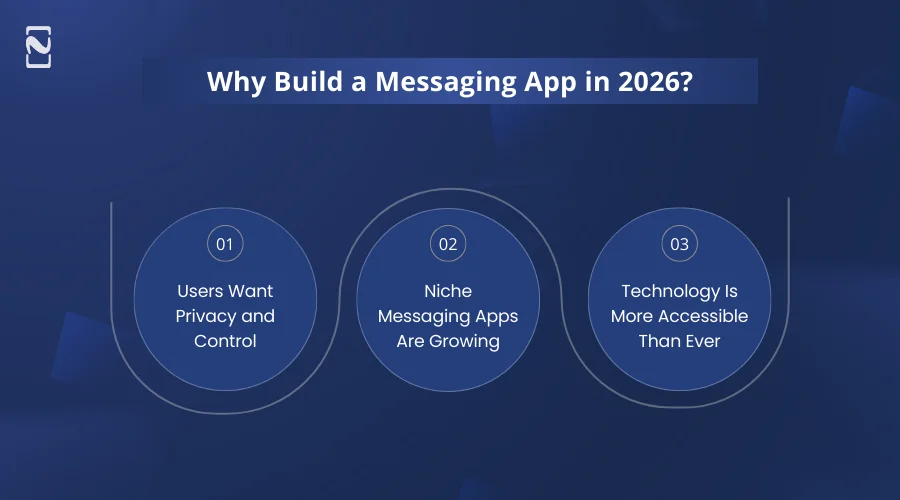
1. Users Want Privacy and Control
Privacy has become a major concern. Many users are actively seeking messaging apps like WeChat or WhatsApp that offer top-notch security, end-to-end encryption, enhanced data control, and fewer ads and trackers.
This change creates opportunities for messaging apps that focus on trust and transparency, rather than mass advertising.
The concern about privacy is increasing; therefore, you should build a chat app for enhancing overall engagement of the users and build trust in the users over chat apps.
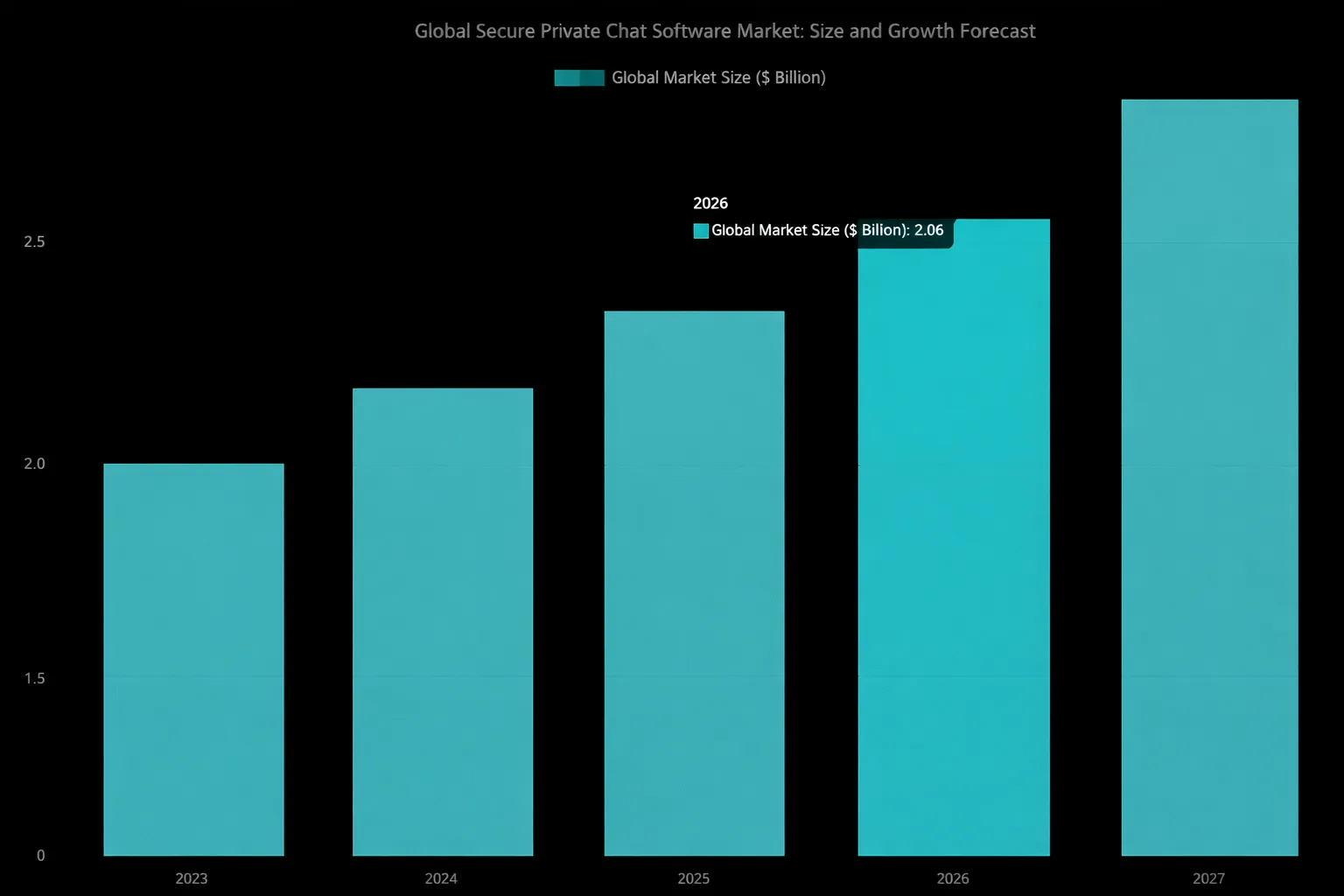
| As per PW Consulting, more than 70% of users quote privacy as their first concern while choosing a messaging app. This shows how crucial privacy is for users today. |
2. Niche Messaging Apps Are Growing
Not every app needs to compete with WhatsApp. Many successful and best social media platforms focus on business teams, healthcare communication, education platforms, gaming communities, and customer support systems.
By targeting a particular audience, you can develop a messaging app that solves real issues instead of trying to serve everyone.
One of the reasons behind investing in chat apps is that niche messaging apps are continuously growing. The growth drivers that make niche messaging apps grow are specialized communities, enhanced privacy, and high-utility features.
| The worldwide instant messaging software market is forecasted to reach $95.6 billion by 2032. This includes segments like business and enterprise use cases that suggest sustained chances for niche apps, according to Verified Market Research. |

3. Technology Is More Accessible Than Ever
In 2026, creating a messaging app will be more achievable than before. It is due to cloud services reducing infrastructure costs, cross-platform frameworks speeding up development, and real-time APIs simplifying messaging logic.
With the right planning and technology stack, you can also build the best chatting apps that can take your business to greater heights.
If you are worried about the latest technologies, then hiring a dedicated mobile app developer can be your chance to include the latest technologies in your app.
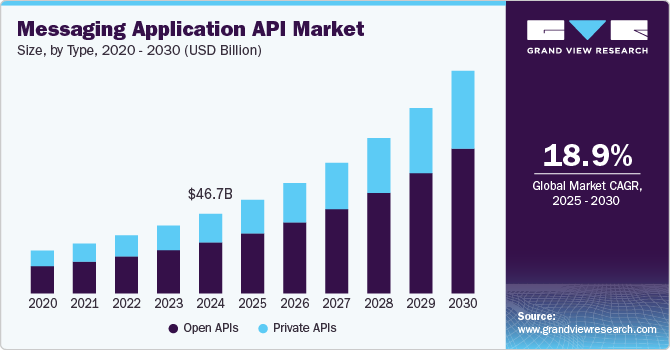
| As per Grandview Research, the messaging application API market is forecasted to grow at a CAGR of 18.9% from 2025 to 2030, showing how APIs are increasingly used to power messaging features. |
Thus, if you are clear with the reasons to make a messaging app, then let’s get ahead with the types of messaging apps.
What Are the Types of Messaging Applications?
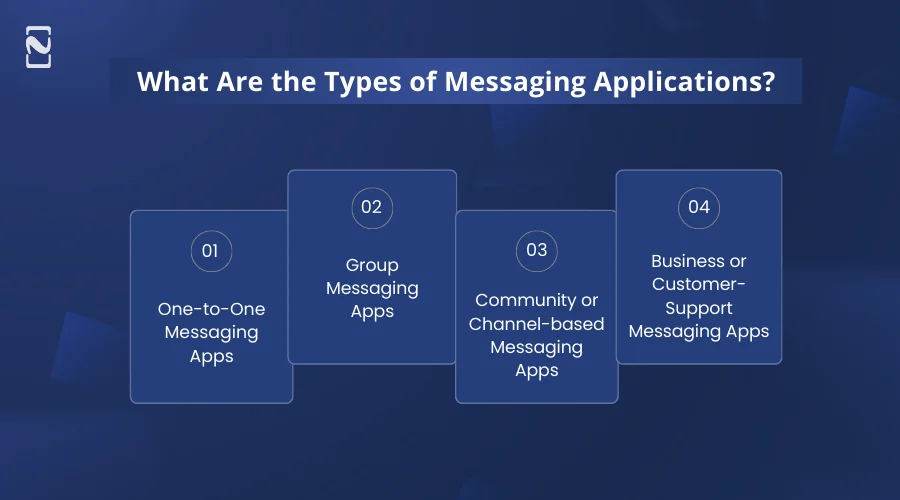
The different types of messaging applications are one-to-one messaging apps, group messaging apps, community-based messaging apps, and customer support messaging apps.
Take a look at its details:
1. One-to-One Messaging Apps
These types of applications, like WhatsApp or Signal, are designed for private conversations between two users. Their major focus is on speed, privacy, and simplicity, which makes them ideal for personal communication.
Features of one-to-one messaging apps :
- Text messages
- Voice and video calls
- Media sharing
- End-to-end encryption
For Example: WhatsApp, Signal
Why it works: Many people prefer chat apps that allow secure, instant communication without distractions or extra features.
2. Group Messaging Apps
These apps allow multiple users to communicate in a shared group chat. Group messaging is popular for teams, friends, or communities who need to exchange messages at the same time.
Features of group messaging apps :
- Group creation
- Admin controls
- Push notifications
- Media sharing
- Mentions and polls
For Example: WhatsApp Groups, Telegram Groups
Why it works: Users can coordinate, share updates, and chat with multiple people without sending separate messages individually.
3. Community or Channel-based Messaging Apps
Unlike regular group chats, these messaging apps focus on broadcasting content to a large audience or creating interest-based communities. Users often join channels or servers rather than being added individually. If you have a good budget, you can invest in community app development for a better user experience.
Features of channel-based messaging apps :
- Public or private channels
- Moderation tools
- Threaded discussions
- Push notifications
For Example: Discord servers, Telegram Channels
Why it works: Ideal for content creators, gaming communities, or hobby groups who want structured communication and engagement.
4. Business or Customer-Support Messaging Apps
These types of messaging apps are developed to connect businesses with employees or customers efficiently. They often integrate with tools like CRMs, task managers, and workflow apps.
Features of customer-support messaging apps :
- Team channels
- File sharing
- Task assignment
- Automated responses
- Analytics
For Example: Slack, Microsoft Teams, Intercom
Why it works: Businesses need fast, organized, and collaborative communication platforms to boost productivity and customer satisfaction.
Now, as you have decided on the type of messaging app to develop in 2026, let’s learn the different types of features to add to build a messaging app.
What are the Core Features Every Messaging App Needs?
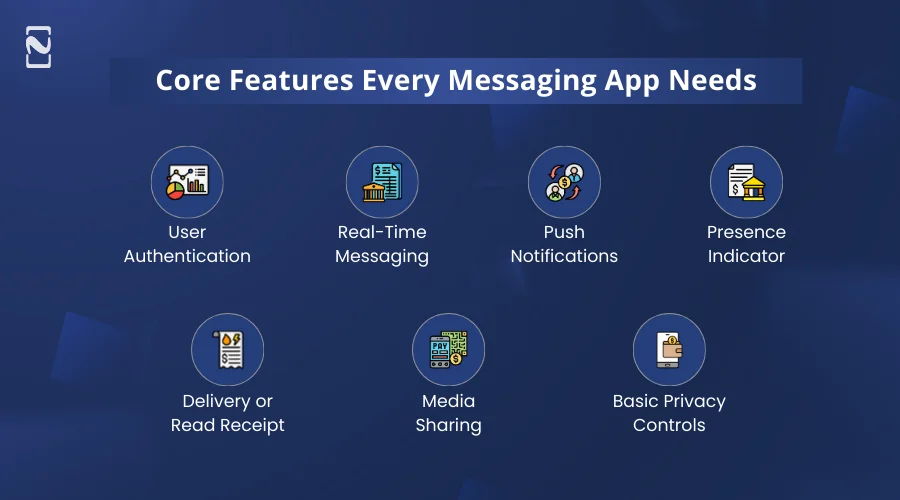
When you develop a messaging app, certain features are essential for providing a smooth and secure user experience. These social media app features form the foundation of any chat app, and without them, users are likely to leave for competitors.
Here is a detailed look at the core features your app must have :
1. User Authentication
It is a vital feature to ensure that only authorized users can access your app. Users can sign up either with their phone number, email ID, or social media account.
2. Real-Time Messaging
It is the heart of any mobile app. Users expect messages to appear instantly without requiring them to refresh. It enables smooth conversations and minimizes delays.
3. Push Notifications
Push notifications allow users to receive new messages, mentions, or updates to keep them engaged. It helps users to stay connected and return to the app regularly.
4. Presence Indicator
Presence indicators show whether a user is online, offline, or typing. It makes conversations feel live and interactive. For example, WhatsApp’s green dot or ‘typing…” indicator.
5. Delivery or Read Receipt
Users want to know if their messages are sent, delivered, or read. It builds trust and ensures clarity in communication.
6. Media Sharing
Modern users like Gen Z expect to share more than just text. For example, images, videos, GIFs, documents, audio, emojis, etc. It makes conversations richer and more engaging.
7. Basic Privacy Controls
Social media app security is vital for protecting users and building trust. For example, users can report or block, control who can contact them, and manage their profile visibility.
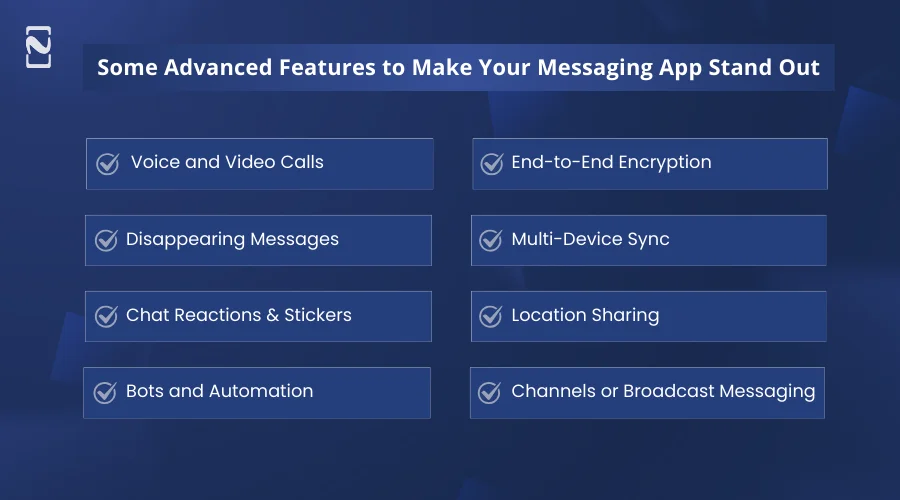
Some Advanced Features to Make Your Messaging App Stand Out
While core features keep your messaging app functional, advanced features make it more memorable, engaging, and unique. These extras can help your product compete with big apps like WhatsApp, Telegram, or Slack.
We have jotted down the list of advanced features to consider :
1. Voice and Video Calls
When you add voice and video calls to your app, it can turn into a complete communication platform. Users increasingly prefer chat applications that merge text, voice, and video in one place.
2. End-to-End Encryption
Users who are concerned about their security want full privacy. You can add end-to-end encryption to make sure that only the sender and recipient can read messages. It creates trust and protects sensitive information.
3. Disappearing Messages
You can provide a disappearing messages feature in the chat app. Messages that disappear after a set time appeal to users who want temporary conversations. It adds privacy and fun to chats.
4. Multi-Device Sync
Users are now expecting to access their chat on multiple devices seamlessly. It allows users to continue conversations on mobile phones, tablets, and desktops.
5. Chat Reactions & Stickers
Reactions, GIFs, and stickers make conversations fun, expressive, and engaging. You can integrate the chat reactions feature in the app to enhance social interactions and better user retention in a chat mobile app.
6. Location Sharing
It allows users to share real-time locations, handy for social meetups, deliveries, or safety. The app should integrate with meetup scheduling tools like When2meet, Whenavailable, Doodle to make it easy to set up and schedule meetings with attendees. Location sharing feature adds convenience and builds trust among users.
7. Bots and Automation
Automated bots can provide information, customer support, or fun interactions without human intervention. It minimizes workload and boosts user engagement.
8. Channels or Broadcast Messaging
This feature allows users to follow topics, news, and communities without direct conversations. It is best for creators, businesses, and large communities.
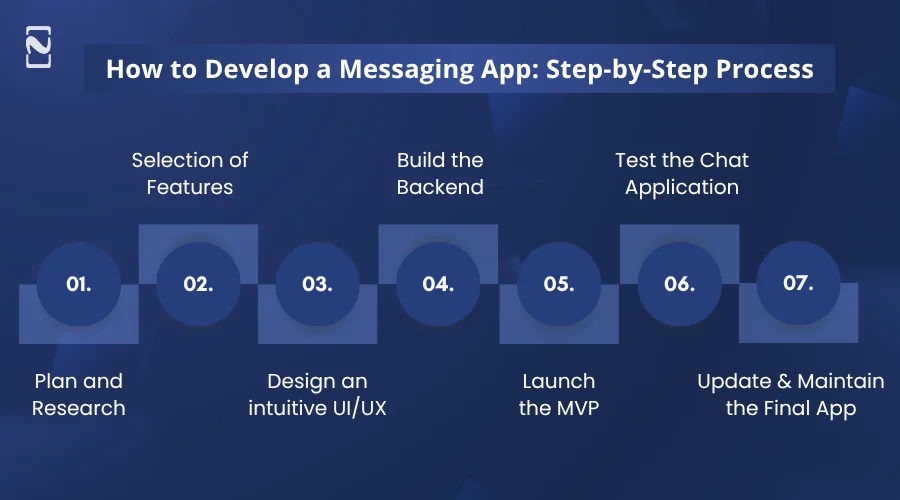
How to Develop a Messaging App: Step-by-Step Process
You can develop a messaging app by following the given steps:
- Plan and Research
- Selection of Features
- Design an intuitive UI/UX
- Build the Backend
- Launch the MVP
- Test the Chat Application
- Update and Maintain the Final App
Let’s discuss the complete step-by-step process to create a messaging app:
1. Plan and Research
Planning is more than just an idea. It is about defining exactly what your chat app will do and for whom. First of all, you have to identify your niche. For example, a messaging app for remote teachers, gamers, or healthcare professionals.
Now, do market research that defines particular pain points, like file sharing for teachers or secure communication for patients. Besides, you have to analyse your competitors well, like Slack, Discord, or Signal. Just note what features users love and what complaints are common.
This is the first step to develop a chat app. Here, you should define the complete objectives of the app, state what type of features you want, what types of functionalities are required, and what the particular design of your app is.
2. Selection of Features
The second step to build a messaging app is selecting the right features for your app.
Here, you need to segregate the features that are to be included in the MVP, can be included in the app further, and are advanced features to update later with the growth of the app.
You can define what features to add later based on the user’s feedback. It’s important to avoid feature overloading to create a chat app that ranks worldwide.
3. Design an Intuitive UI/UX
Your chat app design should focus on how users navigate, not just how it looks. Now create a mobile app wireframe to make clickable mockups of chats, group screens, and settings. You can sketch the flow for sending a message with an attachment or emoji.
Besides, you should test your prototype with 5-10 real users before coding. Observe if they can send a message, join a group, or find settings without guidance. Just make sure the messaging app works on multiple screen sizes and supports features like dark mode.
You can create a messaging app design using AI tools and create a minimalistic design effectively to engage the users. It should be attractive and interactive.
Design is important for a chat app development to ensure usability, build user trust, and to facilitate seamless and real-time communication.
4. Build the Backend
Now, to develop a messaging app, you have to build a backend infrastructure. It is where real-time messaging, data storage, and user authentication happen. You can choose a real-time social mobile app tech stack or custom servers for speed and scalability.
Additionally, you should create a database design for a social media app to plan for users, messages, media, and group metadata. MongoDB is best for flexible document storage, and PostgreSQL for structured data.
You can use both of them for designing databases. Besides, you can implement server clusters, caching, and load balancers to manage spikes.
| Layer | Technologies / Tools | Purpose |
| Frontend (Mobile/Web) | React Native, Flutter, Swift, Kotlin | Build user interface and cross-platform apps |
| Backend | Node.js, Django, Ruby on Rails | Handle business logic, APIs, authentication |
| Real-Time Messaging | WebSockets, Socket.IO, Firebase Realtime DB | Enable instant message delivery |
| Database | MongoDB, PostgreSQL, Cassandra | Store messages, user data, chat history |
| Cloud & Hosting | AWS, Google Cloud, Microsoft Azure | Scalable infrastructure and deployment |
| Push Notifications | Firebase Cloud Messaging (FCM), APNs | Send real-time alerts and notifications |
| Media Storage | AWS S3, Cloudinary | Store images, videos, and file attachments |
| Authentication | OAuth, JWT, Firebase Auth | Secure user login and identity management |
| Security | End-to-End Encryption (e.g., Signal Protocol) | Protect user messages and privacy |
| Analytics & Monitoring | Google Analytics, Mixpanel, Sentry | Track usage, performance, and errors |
5. Launch the MVP
Before you launch the complete app, consider to build an MVP (Minimal Viable Product). This will help you to provide a complete idea of how valid your app is as per the current market.
This is all about launching a version of your app with minimal features for the early adopters. Additionally, you should possess the ability to iterate rapidly based on the market reception.
After considering the user’s feedback, you should change the features and MVP version accordingly. It can save your complete mobile app development cost through evaluating the current market at the very beginning.
6. Test the Chat Application
Mobile app testing makes sure your messaging app is reliable, secure, and fast, but it should be specific and scenario-driven. You can perform functional tests to simulate sending messages and sending media under different network conditions.
Now, do not forget security testing. Just verify end-to-end encryption, authentication flows, and that blocked users can not access private chats. Also, load testing simulates thousands of users sending messages simultaneously.
Launching the app without testing is like deploying your idea full of errors. Thus, testing it under the practical circumstances is important, when you make a chat app.
6. Update and Maintain the Final App
Connecting with the leading mobile app maintenance services is crucial when it comes to maintaining the app.
Now, after evaluating how to build a messaging app, let’s get ahead with the AI implementation and how it can be beneficial.
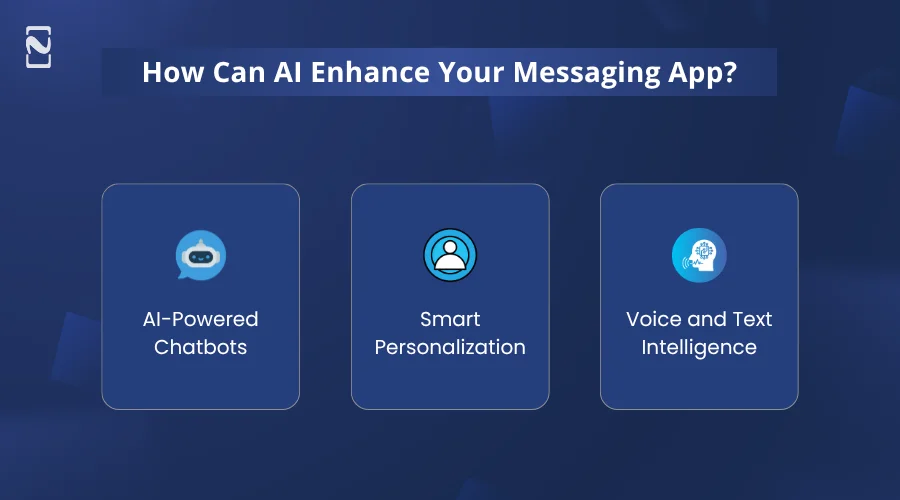
How Can AI Enhance Your Messaging App?
AI is no longer optional in modern messaging apps. It is becoming a major differentiator. It can make your messaging app smarter, more secure, and highly engaging, which offers users personalized and seamless experiences.
Here’s how AI can enhance your messaging app :
1. AI-Powered Chatbots
AI chatbots handle routine queries, provide instant support, and improve user engagement without human intervention. The AI chatbot in a messaging app can manage FAQs, schedule meetings, or guide users through services. This makes your messaging app more versatile.
Implementation Tip :
You can use NLP or Natural Language Processing APIs like Dialogflow, Rasa, or OpenAI GPT models to enable context-aware conversations.
2. Smart Personalization
AI in social media can analyze user behavior to suggest relevant emojis, stickers, GIFs, quick replies, or conversation topics. This personalization makes chatting more fun and keeps users coming back.
Implementation Tip :
Mobile app developers can leverage machine learning models to track user preferences and dynamically recommend content.
3. Voice and Text Intelligence
AI enables speech-to-text conversion, real-time translation, and conversation summarization. Users can communicate across languages or quickly catch up on long group chats.
Implementation Tip :
You can leverage APIs like Google Speech-to-Text, AWS Transcribe, or translation APIs for real-time multilingual support.
After integrating AI, it’s now time to analyze the complete cost.
How Much Does it Cost to Develop a Messaging App?
The cost to develop a messaging app relies on multiple factors like features, technology choices, app complexity, team sizes, etc. There is no fixed price, but understanding the cost to develop a social media app can help you plan better.
Let’s say you want a basic MVP messaging app with very few but essential features; it usually costs around $25,000-$70,000. This version is suitable for startups or MVPs testing the market.
However, a fully-functional product with all the features, then it may cost between $120,000 and go beyond $200,000 if integrated AI features.
Let’s understand this in a very easy table :
| App Complexity | Cost Breakdown |
| Simple MVP version | $25,000 – $70,000 |
| Mid-Level Messaging App | $70,000 – $120,000 |
| Full-Featured Complex App | $120,000 – $200,000+ |
Besides, there are other messaging app development cost factors like app design and user experience, backend infrastructure, security, compliance, and so on. It is recommended to start small, validate your idea, and scale features gradually instead of developing everything at once.
Well, there are several factors that you should consider when it comes to deciding how to make a messaging app.
Here is a list of factors and a cost breakdown as per factors to consider, successfully:
| Factor / Component | Estimated Cost Range (USD) | Description |
| UI/UX Design | $3,000 – $20,000 | Wireframes, chat interface design, user journey, prototyping |
| Frontend Development | $6,000 – $40,000 | Mobile/web app (iOS, Android), chat UI, responsiveness |
| Backend Development | $8,000 – $60,000 | Servers, APIs, message handling, and user management |
| Real-Time Messaging Setup | $5,000 – $30,000 | WebSockets, push messaging, delivery/read receipts |
| Database Development | $3,000 – $20,000 | Message storage, user data, and scalability setup |
| Security Features | $3,000 – $25,000 | End-to-end encryption, authentication, and data protection |
| Third-Party Integrations | $2,000 – $15,000 | Notifications, media sharing, analytics, and payment integrations |
| Testing & QA | $2,000 – $15,000 | Functional testing, performance testing, bug fixing |
| Deployment & DevOps | $1,000 – $10,000 | Cloud setup, CI/CD, app store deployment |
| Maintenance (Annual) | $5,000 – $25,000 | Updates, se |
Well, to cover the cost to create a messaging app, it is crucial to look for monetization strategies.
Hence, let’s switch over to the following section.
How Does a Messaging Application Make Money?
The mobile app monetization strategies to include in a messaging app are a freemium model, subscription plans, in-app advertisements, and paid stickers.
Let’s discuss them all in detail:
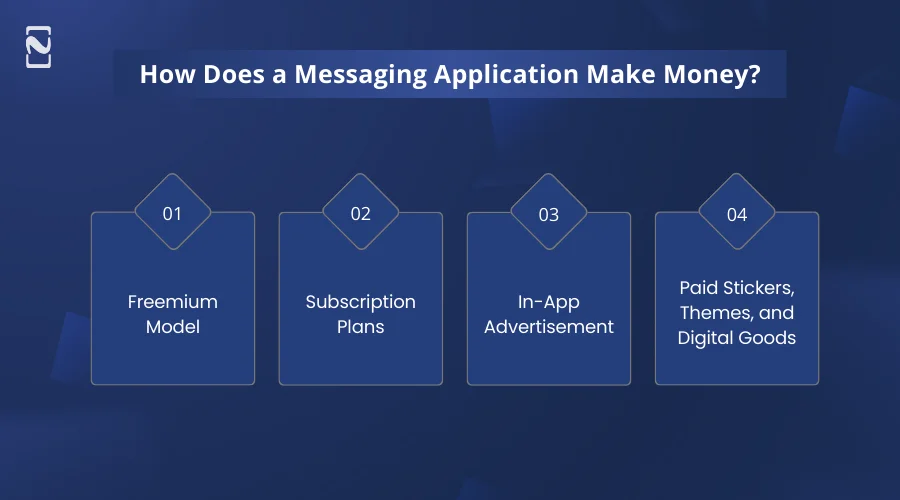
1. Freemium Model
The freemium model provides core messaging features for free while charging users for premium enhancements. Users can chat, send media, and join groups for free, while advanced features.
For example, cloud backups, enhanced privacy settings, or larger file uploads require payment. This revenue stream works because users build trust with the app first. This makes them more willing to pay once they see long-term value.
2. Subscription Plans
Subscriptions create predictable, recurring revenue by charging users monthly or yearly. Users pay a fixed fee to unlock premium tools such as advanced admin controls, unlimited message history, analytics, or team collaboration features.
It is the best app monetization model because recurring payments allow continuous development, better infrastructure, and consistent customer support.
3. In-App Advertisement
Advertisements allow monetization of free users at scale without requiring upfront payments. Ads appear as banners, native placements, or sponsored messages, ideally placed where they do not interrupt conversations.
It is vital to know that the ads should be minimal, relevant, and respectful of privacy to avoid damaging trust and retention. It is best for a consumer messaging app like Signal with high daily usage and a large user base.
4. Paid Stickers, Themes, and Digital Goods
Digital goods generate revenue through personalization and self-expression. Users buy sticker packs, emojis, visual effects, and chat backgrounds to customize conversations and profiles.
Emotional engagement encourages repeat purchases without forcing subscriptions. It is best for social-first messaging applications and community-driven chat environments.
Why Choose Nimble AppGenie to Develop a Messaging App?
Picking the right partner to develop a messaging app is vital, and Nimble AppGenie stands out for clear, practical reasons. We do not just develop mobile apps. We focus on how real people actually chat, share, and connect every day.
Our expert team spends time understanding your idea, your audience, and the purpose behind your chat app before writing a single line of code. We have 8+ years of hands-on experience in creating messaging features and prioritizing smooth performance from the start.
What makes us different is our problem-solving mindset. Instead of providing one-size-fits-all solutions, we customize every app based on your goals, budget, and timeline.
As a trusted social media app development company, we understand how messaging apps grow and stay relevant in a competitive market. With Nimble AppGenie, you get clear communication, honest timelines, and an app built to succeed long-term, not just launch day.
Here’s our case study to check out:
Ysily: A Messaging App Case Study
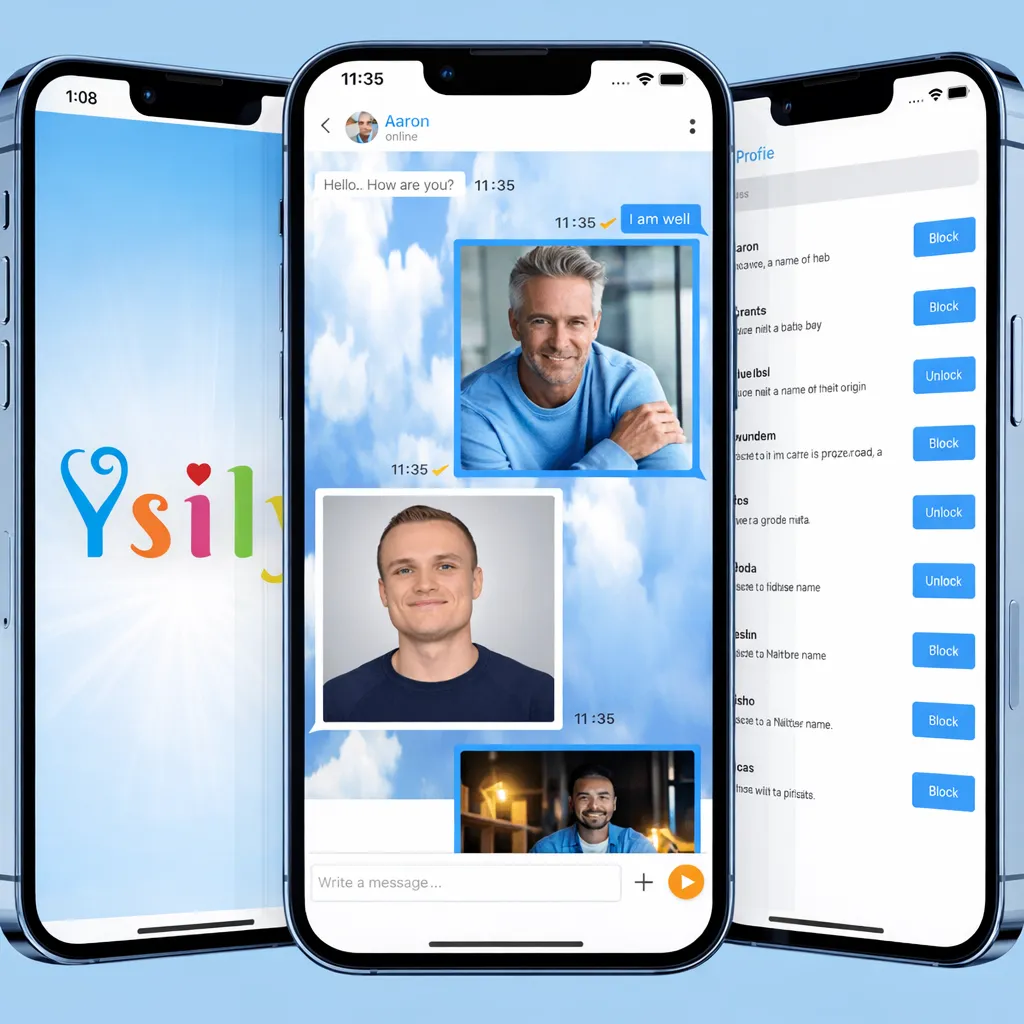
Client Type: A social messaging app called Ysily in the UK.
Challenge: Create a seamless and engaging messaging experience for users in the UK across both Android and iOS devices.
Solutions Implemented :
- Developed a native mobile messaging app for Android and iOS.
- Integrated real-time chat with media sharing (photos, videos) to enhance conversations.
- Added interactive features like emoji reactions and location sharing.
- Built using technologies including Adobe XD, Java, Swift 4, PHP, and MySQL for smooth performance.
Business Results :
- Delivered a responsive and stable messaging platform.
- Enabled richer, real-time user interactions.
- Provided a foundation for ongoing user engagement and retention.
Key Takeaway :
Ysily successfully combines intuitive messaging features with interactive social elements, offering users a polished and reliable platform to communicate and share moments seamlessly.
Conclusion
Creating a messaging app in 2026 is a real opportunity if you focus on the right audience and real needs. Messaging today is about speed, privacy, and ease of use, not just sending texts.
Implementing AI is helpful to enhance and create an engaging messaging app.
Smart use of AI, like better moderation and personalization, can help your app meet modern user expectations. You do not need to compete with everyone. Instead, build for a specific purpose and grow with user feedback.
However, if your goal is to stand alongside apps like WhatsApp, Signal, or Discord, using AI in social media can help create smarter and more engaging messaging experiences. So, if you have a similar idea and want to turn it into a reality, contact us right away!
FAQs
You can integrate the following features in your messaging app.
- Real-time text messaging
- Push notifications
- User profiles & contacts
- Media sharing
- Voice & video calls
- End-to-end encryption

Niketan Sharma, CTO, Nimble AppGenie, is a tech enthusiast with more than a decade of experience in delivering high-value solutions that allow a brand to penetrate the market easily. With a strong hold on mobile app development, he is actively working to help businesses identify the potential of digital transformation by sharing insightful statistics, guides & blogs.
Table of Contents


No Comments
Comments are closed.