


When planning to expand your business’s reach, building an app is the first logical step that comes to mind. However, that thought brings along several more confusions and queries, one of the top ones being Android or iOS?
You see, Android and iOS are two core operating systems that rule the world of smartphones.
While the apps are designed to do the same thing on both types of platforms, each of them uses different resources and tools to function, which means the approach to building an iOS app or an Android app is different.
Understandably, people have to spend a lot of time and money on building a mobile app. Planning an app for both plans may not be possible for every business, considering the amount of resources and money required.
This gives rise to the forever-going-on debate, Android vs iOS, which one to choose? If you, too, are stuck in identifying which of the two is better for development, then this is the post for you!
In this one, we will explore both iOS and Android app development to identify the benefits and drawbacks of using and answer the core question, i.e., what type of development to start with?
Without further ado, let’s learn about both the platforms, starting with Android.
What is Android App Development?
Android app development is a process of creating mobile apps for devices that run on the Android operating system.
Developed by Google, Android is used in many devices like mobile phones, tablets, smartwatches, and other smart devices.
Since it is compatible with many mobile devices and provides a lot of features, Android has become the leading mobile OS in the world.
Due to this, there has been a noticeable rise in Android app development in the market.
After creating an app, developers can publish an Android app in the Google Play Store to make it available to millions of global users.
Key Features of Android
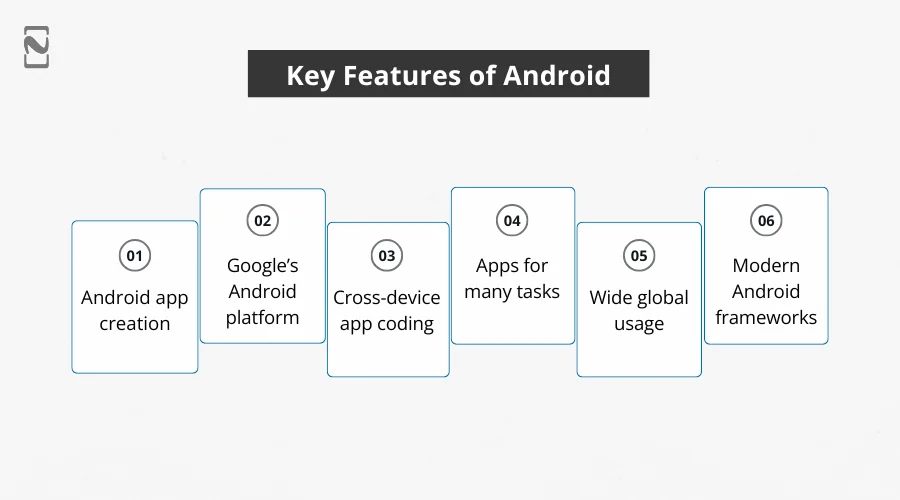
- It’s the process of making apps for devices that use the Android operating system.
- Android is made by Google and is found on many phones, tablets, smartwatches, and more.
- Developers write code to build apps that work on different Android devices.
- These apps can do lots of things, like play games, show news, help with shopping, or track your fitness.
- Android app development is popular because Android runs on many devices around the world.
- Developers use different but best Android frameworks like Android Jetpack, Flutter, and React Native to build apps faster.
The platform is super convenient to use and to develop for. You can also find several Android developers for hire, and that too in a decided budget, considering that fact that learning Android development tools is comparatively easy and almost free for the learners.
What is iOS App Development?
iOS app development is about developing apps specifically for Apple devices like iPhones and iPads.
iOS app developers can use languages like Swift or Objective-C and tools like Xcode to develop an iOS app.
One of the biggest benefits of developing an iOS app is getting quick updates and a smooth experience. Apple users are loyal, and the App Store offers a great way to reach them.
Additionally, iOS is popular for its strong security and for protecting user privacy.
However, very few people use Apple devices compared to Android devices due to the cost factor. iOS apps tend to earn around 85% more.
Key Features of iOS

- Especially made for Apple devices.
- It provides smooth performance on all Apple devices.
- Get regular updates from Apple to keep apps secure.
- Strong focus on privacy and data protection.
- It uses iOS app development tools like TestFlight.
- It allows developers to publish apps on the App Store.
- It has a loyal and engaged user base that prefers quality apps.
- This helps earn more revenue compared to Android.
iOS devices like iPhones, iPads, and macOS devices like MacBooks, Mac mini, etc., often come with a heavy price tag, which translates to targeting an audience that spends easily and can be easily converted into a subscriber. This is often the strategy that motivates businesses to opt for iOS development.
Major Differences between Android and iOS
When you are planning a mobile application, choosing between Android and iOS is not just about the operating system.
The two platforms differ in many ways, which we are going to discuss.
Understanding Android vs iOS differences can help you decide which fits your project best.
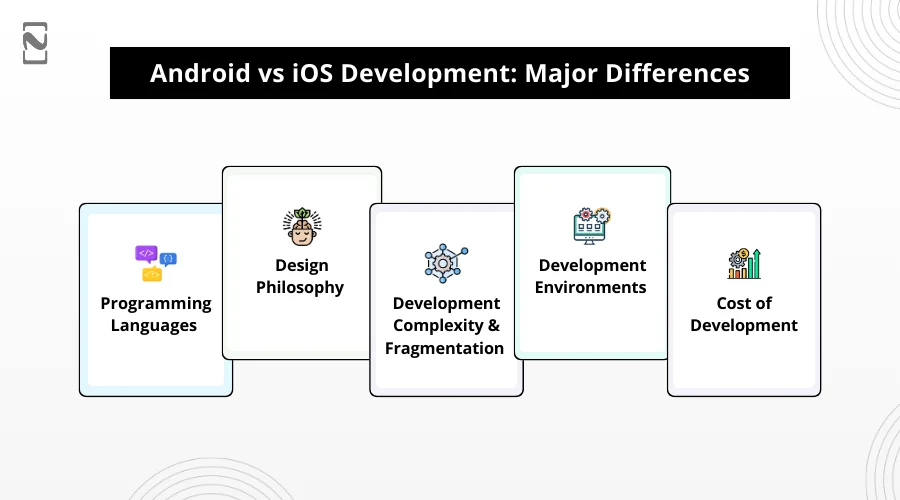
1. Programming Languages
One of the clearest differences lies in what languages are used. For iOS applications, the go-to choices are Objective-C vs Swift.
Swift is new, tends to run faster, manages memory better, and is very easy to learn.
That makes it the most favored for new iOS projects. While Objective-C is slightly older, very stable, and still used in legacy code, it has a more complex syntax and is harder to learn.
If we look at the Android side, Android app developers use Java or Kotlin. Java has long been the foundation, tried and tested, and of course supported by many people.
Kotlin builds on Java, fixes certain pain points, and allows for cleaner, more concise code.
The fact that Kotlin is almost fully compatible with Java means you can mix both in the same project. This helps during migration or when using libraries.
2. Design Philosophy
The mobile app design is yet another factor where you will see major differences. iOS apps are mainly minimalistic, clear, and elegant.
It has simple shapes, clear navigation, and a restrained color palette. The idea is to allow the content to shine and make navigation intuitive.
Android mobile apps often provide more flexibility and creativity. They have richer colors, more complex layouts, animations, and customizations are common.
Each platform has its design conventions, and users are used to certain visual and interaction patterns.
3. Development Complexity and Fragmentation
A major challenge with Android apps is device fragmentation. There are many manufacturers, screen sizes, hardware specs, OS versions, and custom Android skins.
That means more testing, more edge cases, and more effort to ensure consistent behavior across devices. iOS is much more controlled.
It means fewer device models, fewer screen size variations, and tighter control by Apple over both hardware and OS. This tends to simplify testing and reduce unexpected issues during development.
4. Development Environments
The technologies you use to develop a mobile application also differ. For iOS, the main environment is Xcode, which integrates code editing, debugging, UI building, and other tools.
It covers Interface Builder, which enables visual user interface design and helps you follow Apple’s Human Interface Guidelines. This makes it so simple to keep the design consistent.
For Android, there is Android Studio, which comes with Android SDK and uses Gradle for development. It gives you tools to debug, test, and package applications for many device types.
However, both Xcode and Android Studio are powerful. An iOS or Android app development company can vary a lot depending on what native features and device compatibility are required.
5. Cost of Development
Android apps often require managing a wide variety of devices and testing in many configurations.
Due to this, they can have more development hours and increase the cost to develop an Android app.
Some estimates suggest Android development can take up to 40% more time than iOS in certain cases.
On the iOS side, there are costs associated with iOS app development, including developers’ accounts, complying with Apple’s review process, and potentially paying for enterprise-level distribution.
While Android has a lower entry cost, the long-term costs of maintenance across different devices and OS versions can add up.
So which is more expensive depends heavily on your app’s complexity, target audience, and goals.

Android vs iOS: A Side-by-Side Comparison
Both Android and iOS have their own pros and cons when it comes to mobile app development. To help you decide which is right for your dream project.
Let’s look at how Android vs iOS compares across a few key areas.
| Factor | Android – Pros | Android – Cons | iOS – Pros | iOS – Cons |
| Programming Language | Java & Kotlin are widely used and well-documented | Java can be verbose and harder to debug | Swift is modern, fast, and easy to learn | Objective-C can be hard to maintain |
| Market Reach | Larger global audience and device variety | Lower average user spend per app | Users tend to spend more on apps | Smaller user base compared to Android |
| App Stores | Can publish on Google Play and other app stores | Less control over third-party stores (risk of fake apps) | Apple App Store is secure and trusted | Only one store – limited flexibility |
| Development Cost | Open-source tools, more flexibility | Higher testing cost due to many devices and screen sizes | Fewer devices to test – more cost-effective | Need Apple devices for development and testing |
| Monetization | Great for ad-based revenue | Ads can negatively affect user experience | In-app purchases and subscriptions are common and profitable | Strict rules for monetization |
| Design Guidelines | Follows Material Design – modern and customizable | Design may vary across devices | Human Interface Guidelines ensure a clean and consistent UI | Less flexibility in UI design |
| Development Tools | Android Studio & Gradle – powerful and flexible | Can be resource-heavy and slower | Xcode & Swift Package Manager – smooth integration | Xcode may be buggy or crash-prone sometimes |
| App Review Process | Faster and easier approval | May allow low-quality or malicious apps | Thorough review process ensures app quality and safety | Takes more time and may reject apps more often |
| System Type | Open-source – more freedom and customization | Less secure and more device fragmentation | Closed system – more stable and secure | Less control for developers |
Android vs iOS Development: Which One to Choose?
Honestly, choosing between Android and iOS depends on what you are after.
For example, who your target audience is, what your app needs to do, your budget, and what you want to make from it.
If you are thinking about going for both, maybe cross-platform app development is worth looking into since it covers both sides at once.
Android is really huge, like you will find it everywhere, so your app can get many users. But the tricky part? Mobile phones are all over the place in different sizes and versions.
This means more work to make sure it runs right for everyone.
Plus, to maintain an Android app, you need to keep up with many devices and updates, which can cost extra time and effort. iOS feels a bit more exclusive.
Apple users usually spend more money on apps, which is nice. But App Store rules can be strict, and you will probably need a Mac to develop.
That said, it is usually smarter to start with native apps. Once your app is solid and doing well, you can think about adding the other platform later.
This way, you don’t spread yourself too thin and can focus on making a better product.
Confused Between Android and iOS? Let Nimble AppGenie Help You Make the Right Choice!
Still unsure whether to go with Android or iOS? Don’t worry, that’s totally normal!
Choosing the right platform can feel overwhelming, but there is no one-size-fits-all answer when it comes to Android vs iOS.
That said, it’s not always easy to figure out which platform fits your needs. Luckily, Nimble AppGenie has 8 years of that experience.
As a leading mobile app development company, we can help you figure out what fits your goals, audience, and budget.
Book a free consultation with us, and we will assist you in finding the right platform that’s right for your app.
Let’s make your dream app idea a reality.
Conclusion
The comparison of Android vs iOS can be easily drawn based on the programming languages, design philosophy, development complications, environment, and cost. That said, you must identify the need and the demand of the project.
If you are planning an application in a specific region where usage of iOS devices is higher than that of Android devices, planning an iOS app can be a good choice. On the other hand, in case you are targeting a region with more Android users, you can go for a solution built on Android.
The whole point of drawing an Android vs iOS development comparison is to give you an idea of which way you should go, and that too in a specific way. Hopefully, the blog justifies the objective and gives you enough information to make the decision.
That will be all for this post. Thanks for reading, Good luck!
FAQs

Niketan Sharma, CTO, Nimble AppGenie, is a tech enthusiast with more than a decade of experience in delivering high-value solutions that allow a brand to penetrate the market easily. With a strong hold on mobile app development, he is actively working to help businesses identify the potential of digital transformation by sharing insightful statistics, guides & blogs.
Table of Contents
No Comments
Comments are closed.