

 Free Consultation
 PCI-DSS Compliant
 GDPR Ready
 ISO 27001
 NDA Protected
 AI Services
 AI App Development
 Generative AI Development
 AI Chatbot Development
 AI Integration Services
 AI Consulting Services
 AI For Fintech
 AI Financial Assistant Solution
 AI Insurance Agent Development
 Tech Stack
 OpenAI / GPT-4
 Claude / Anthropic
 Gemini / Google AI
 Llama / Open Source
 LangChain / LlamaIndex
 Pinecone / Pgvector
 AWS / Azure AI


 Fintech Solution
 Core Fintech
 App Development
 Neobank Solutions
 eWallet Solutions
 Lending Software
 Banking Solutions
 BNPL Solutions
 BNPL Solutions
 Insurance App
 Wealth Management
 Crypto & DeFi
 Blockchain Development
  Payroll Software
 DeFi Solutions
 Crypto Wallet
 Crypto On/Off Ramp
 Crypto Exchange
 Trading Platform
 Payments
 Compliance
 Regulations & Compliance
 Fraud Detection
 Lending Ecosystem
 P2P Lending Platform
 Mortgage Software
 Engagement
 Fintech Outsourcing

 Mobile Development
 Mobile App Dev
 iOS App Development
 Android App Development
 React Native
 Flutter Development
 Web Solution
 Node.js Development
 React.js Development
 Angular Development
 App Services
 UI/UX Design
 App Maintenance
 By Stage
 MVP Development
 Industry Solutions
 Healthcare App Dev
 Education App Dev
 Travel App Dev
 Real Estate App Dev
 Logistics Software
 Social Media App

 Hire Mobile Developers
 Hire iPhone Developers
 Hire Android Developers
 Hire React Native Devs
 Hire Flutter Developers
 Hire Web Developers
 Hire Node.js Developers
 Hire Angular Developers
 Hire PHP Developers
 Hire Laravel Developers
 How It Works
 Pre-Vetted Developers
 Ready In 48 Hours
 NDA From Day One
 Replace Guarantee
 Company
 About Us
 Our Work Process
 Portfolio
 Case Studies
 Blog / Insights
 Careers
 Contact Us
 Awards
 Recognition


 Offices


TL;DR
- Ionic vs Flutter comparison: Flutter is better for performance-heavy apps with complex animations and pixel-perfect UI. Ionic is better for web developer teams planning for cross-platform app development using HTML, CSS, and JavaScript.
- Flutter has a larger developer community and stronger Google backing as of 2026.
- Ionic excels at Progressive Web Apps (PWAs) and rapid MVP development.
- Neither framework is universally better; the right choice depends on your team’s skills, timeline, and app goals.
- Nimble AppGenie has hands-on experience building production apps with both Flutter and Ionic and can help you pick the right one for your project from day one.
You have a great app idea. Now, before you start, one question comes up immediately: “Should we use Flutter or Ionic?” It leaves thousands of developers, startups, product managers, and founders confused.
Ionic vs Flutter: It’s debatable, so which one to choose? Well, both are the top cross-platform frameworks in 2026.
Both let you code once and use them across Android, iOS, and web development. But, here’s a catch! They are built differently, suit different situations, and work differently.
This guide breaks down Ionic vs Flutter in plain English, no jargon overload, no confusing tech talk, to help you with a clear and honest comparison to let you make the right call for your project.
Let’s proceed!
What is Flutter?
Created by Google, Flutter is an open-source framework that was officially launched in 2018 and has grown rapidly.
With Flutter, you write code once in Dart, and your apps run on Android, iOS, web, and desktop – all from the same codebase.
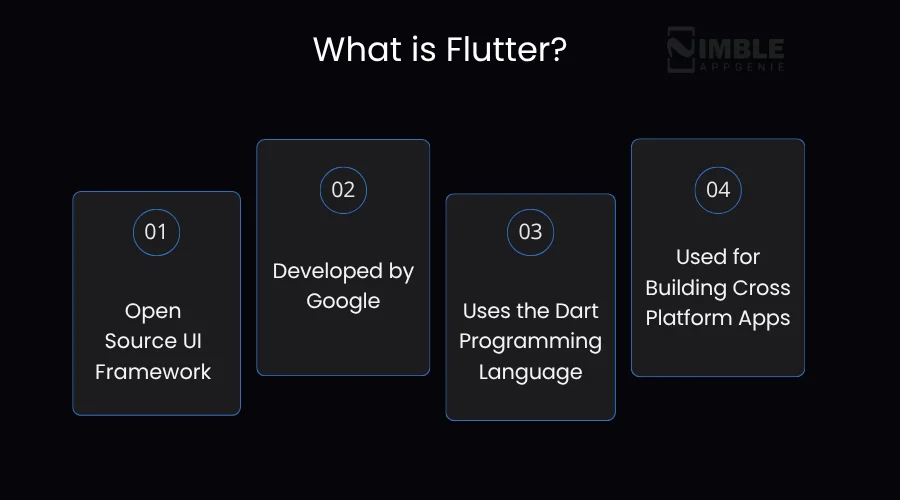
Think of Flutter like a painter who comes to do his job carrying their set of brushes and paints. Instead of relying on what the phone’s operating system provides, Flutter draws each pixel on the screen itself.
That’s what gives Flutter apps their seamless, consistent look across different devices.
Key Facts About Flutter:
- Created by: Google
- Language: Dart (fast to learn if you know Java or JavaScript)
- Latest version: Flutter 3.x (2026)
- Over 500,000 apps published using Flutter as of early 2026
- Used by: Google Pay, Alibaba, BMW, and eBay Motors
- Best for: Performance-heavy apps, custom UI, and enterprise-grade mobile apps
What Is Ionic?
Ionic is an open-source framework that allows developers to build mobile and web apps using the web technologies you already know – HTML, CSS, and JavaScript.
It was launched back in 2013, making it one of the oldest players in the cross-platform app development space. Ionic works by wrapping your web apps inside a native shell, using WebView.
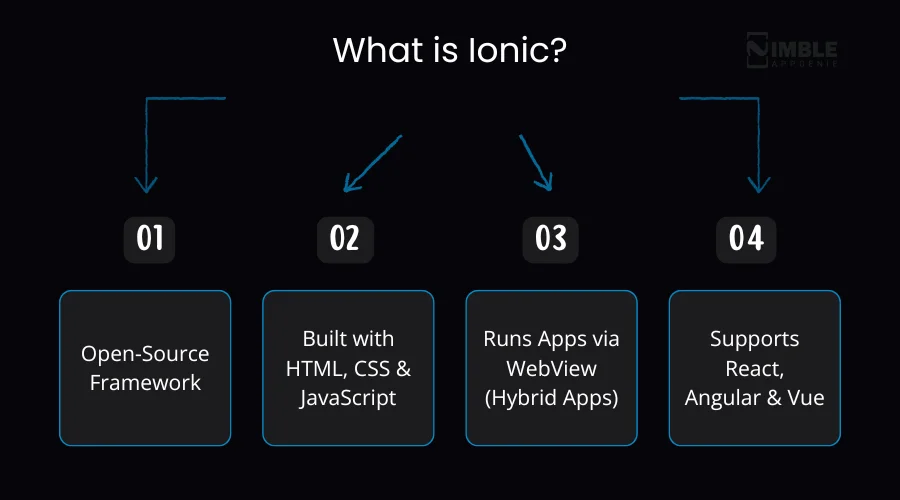
This means your app looks and feels native, but it actually runs as a web app inside a container. The framework also works smoothly with popular JavaScript frameworks like Angular, React, and Vue.
Imagine Ionic as turning your existing web app or website into a mobile app with no need to learn an entirely new programming language.
Key Facts About Ionic:
- Created by: Drifty Co. (now called Ionic)
- Language: HTML, CSS, JavaScript / TypeScript
- Works with: React, Angular, Vue.js, and plain JavaScript
- Over 10 million Ionic apps created since launch
- Used by: Cisco, GE, MarketWatch, Sworkit
- Best for: Web developers entering mobile, PWAs, and fast MVP launches
Flutter vs Ionic: Side-by-Side Comparison
Before we dig deeper into details, here’s a quick overview so you can see where both hybrid app development frameworks stand at a glance.
| Category | Flutter | Ionic |
| Language | Dart (Google-developed) | HTML, CSS, JavaScript |
| Performance | Near-native, 60–120 FPS | Good, but WebView-dependent |
| Learning Curve | Moderate (new language) | Easy (familiar web tech) |
| UI Customization | Full control, pixel-perfect | Component-based, less flexible |
| Hot Reload | Yes, instant preview | Live reload |
| PWA Support | Limited/indirect | Excellent, web-first |
| Community Size | Large, fast-growing | Large, mature |
| Google Backing | Yes, strong | No direct backing |
| App Bundle Size | Larger (own runtime) | Smaller (browser-native) |
| Best For | Complex, branded consumer apps | Web teams, MVPs, enterprise tools |
| Cost | Open-source/free | Open-source/free |
1. Learning Curve: Which Is Easier to Pick Up?
Ionic’s Learning Curve
Ionic is easier to pick up if your team is well-versed in web development. If you know HTML, CSS, and JavaScript (or TypeScript), you can start developing Ionic apps instantly.
Companies with web development teams have reported deploying their first Ionic mobile app 30-40% faster than teams adopting frameworks that require new language skills.
Flutter’s Learning Curve
Flutter uses Dart, created by Google. If you have used Java, JavaScript, or C#, Dart will feel familiar. But it’s still a new language one needs to learn, and that takes time.
Most teams report a 2-3-week adjustment timeframe before they feel comfortable with the Dart and Flutter widget system. After that, development speed increased significantly, specifically because the Flutter hot reload feature allows developers to witness the changes instantly without restarting the app.
| Quick Verdict on Learning Curve: Ionic wins here, especially for web developer teams. Flutter takes more time during initial learning but pays off in performance and flexibility. |
2. Performance: Which One Is Actually Faster?
When people say “performance,” they generally mean: Does the app feel seamless? Does it load quickly? Does it manage animations well?
Flutter vs Ionic performance. Below is the honest answer.
Ionic’s Performance
Ionic uses WebView to render your app, which is essentially a mini browser running inside your app. This works perfectly for most apps, but it can slow down if you are developing something heavy, like a complex animation-rich interface or a real-time game.
For standard business apps, dashboards, or content-based apps, Ionic performs just fine. Companies like GE and Cisco use Ionic without any performance complaints.
The main issue: very complex or memory-intensive apps may feel less seamless compared to Flutter.
Flutter’s Performance
Flutter compiles your Dart code ahead of time (AOT) into native machine code before the application runs. It also uses its rendering engine (originally Skia, now Impeller), so it doesn’t depend on the device’s OS to draw the UI.
Outcome? Flutter apps typically run at 60 frames per second (FPS) even on older Android phones. Flutter is generally an ideal choice for apps with smooth scrolling, complex animations, and heavy UI interactions.
Real example: A logistics app developed for route tracking on older Android hardware worked flawlessly at 60 FPS with Flutter, making it perfect for on-the-ground workers.
| Quick Verdict on Performance: Flutter wins on raw performance. But for most business apps and content platforms, Ionic’s performance is absolutely acceptable. |
3. UI Customization: Which Framework Gives You More Design Freedom?
Ionic UI Design
Ionic comes with a large library of over 100 pre-built components, which automatically adapt their look and feel to match the platform. So, a button in Ionic will look like an Android button on Android and an iOS button on iPhone.
This is rapid and practical for standard business applications. But if you want a completely branded, custom-designed app that looks unique on each screen, Ionic’s component-based approach can feel limiting compared to Flutter.
Flutter UI Design
Flutter offers you complete, pixel-perfect control over the UI. Everything in Flutter is known as a “widget” – image, text, layouts, buttons, etc. And Flutter doesn’t depend on the platform’s native UI components. It draws everything itself.
This is best because your app will look the same on an old Android phone and an iPhone. No surprises or platform-specific quirks. Organizations that seek polished, consistent experience (like travel, banking, and eCommerce apps) usually prefer Flutter for this reason.
| Quick Verdict on UI Customization: Flutter gives more design freedom. Ionic gives you speed and consistency for standard interfaces. |
4. Community and Ecosystem: Who Has More Support?
Community matters more than you think. A robust community means more plugins, more tutorials, more developers to hire, and faster bug fixes.
Ionic Community
- Over 10 million Ionic apps created since launch
- Around 120,000 monthly active developers
- 4,000+ Cordova/Capacitor plugins for native device features
- Overlaps with the massive web development ecosystem
- Extensive documentation built over more than a decade
Flutter Community
- Over 180,000 GitHub stars as of early 2026
- More than 200,000 monthly active developers
- Over 15,000 packages available on pub.dev
- Backed by Google with dedicated engineering teams
- Over 250,000 Flutter-related Stack Overflow questions
Both communities are powerful and active. Ionic has the benefit of maturity and overlaps with global web development communities. Flutter is growing faster and has more momentum.
When Should You Choose Ionic?
Ionic is the better choice when:
- You want to quickly launch an MVP and test your app idea in the market.
- You have a team of web developers (HTML/CSS/JS experts)
- You are developing a Progressive Web App (PWA) alongside mobile
- You have an existing website or web app you want to extend to mobile.
- Your app is content-heavy (blogs, news, dashboards, and event apps).
- Budget is tight, and the priority is faster time-to-market.
- You want to work with Angular, React, or Vue – frameworks your team knows already.
Real-world example: Companies like Cisco and GE chose Ionic for internal enterprise tools because it allows their existing web development teams to build mobile apps with no plans to hire Flutter developers.
When Should You Choose Flutter?
Flutter is the smarter pick when:
- You want pixel-perfect UI consistency across Android, iOS, and desktop
- You are beginning fresh, and your team can invest enough time in learning Flutter Dart.
- You are creating for multiple platforms, including desktop (Windows, Linux, macOS)
- Your app requires seamless, complex animations (interactive, gaming apps)
- You are developing a consumer-facing product where design quality matters deeply.
- Your app needs to work offline with heavy data processing.
- Long-term scalability is required, and you want Google’s support behind your choice.
Real-world example: BMW picked Flutter for its companion app to regulate vehicle functions because they required a performance-rich, polished interface that looks identical across all devices.
Cost Comparison: Flutter vs Ionic for App Development
While discussing app development cost, Flutter vs. Ionic, both are free and open-source, so there’s no licensing cost. The real cost difference comes from talent and development time.
► Ionic Development Costs
With Ionic web technologies, you have access to a huge talent pool. Most web developers can quickly choose Ionic, which usually reduces hiring costs. Ionic is specifically cost-effective when you want to increase your reach to mobile and have an existing web team.
► Flutter Development Costs
Flutter developers who know Dart are a bit less common than web developers, so hourly rates can be higher. However, Flutter’s productivity tools, especially hot reload and its rich widget library, lead to faster app development.
Using Flutter for multi-platform apps, organizations have reported reducing Flutter development costs by 30-40% compared to creating separate native apps.
| Cost Takeaway: If you already have web developers, Ionic will likely be more cost-effective. If you’re building a performance-first app from scratch, Flutter’s speed and scalability can offset higher initial costs. |
Flutter vs Ionic for Specific Use Cases
Mobile app development frameworks are chosen to meet varied use cases.
Here we will discuss a few common ones.
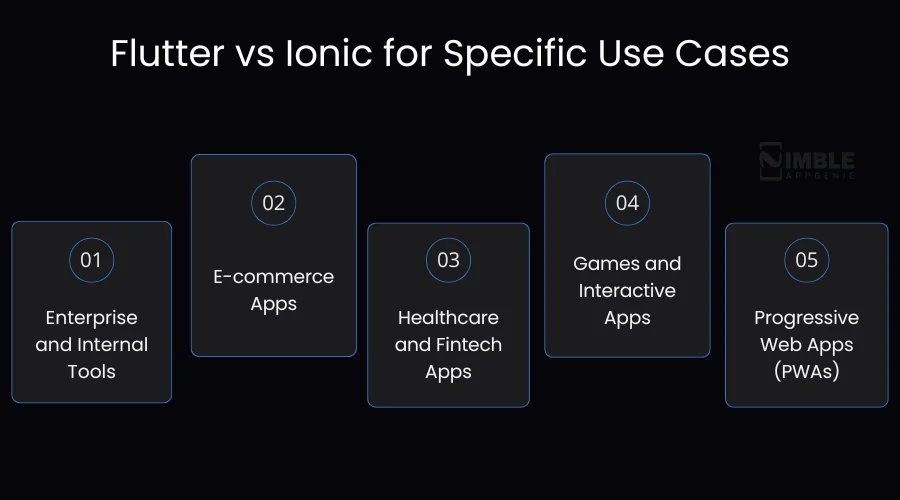
1. Enterprise and Internal Tools
Ionic wins here. Internal dashboards, data entry, and employee tools don’t need complex animations. They should be easy to maintain, work fast, and be deployable across platforms quickly. Ionic’s web-tech foundation makes that a seamless process.
2. E-commerce Apps
Flutter is usually the preferred choice. E-commerce applications need flawless product carousels. animations, fast image loading, and smooth checkout flows.
Flutter’s performance engine manages all these perfectly, and its pixel-perfect UI assists brands in maintaining a robust visual identity.
3. Healthcare and Fintech Apps
Both can work, but Flutter is usually favored for regulated industries where performance under load, UI consistency, and lasting reliability matter. Flutter’s powerful Google support also makes it a safer long-term investment.
4. Games and Interactive Apps
Flutter has a transparent edge because of its animation capabilities and performance. Ionic, depending on WebView, struggles with graphics-intensive applications.
5. Progressive Web Apps (PWAs)
Ionic shines here. Building a PWA with Ionic is easy; it’s genuinely what Ionic was designed for. Flutter offers web support but is still maturing, and PWAs developed with Flutter tend to have big bundle sizes, which can harm web performance.
How Nimble AppGenie Can Help You Choose and Build?
At Nimble AppGenie, we deeply analyze your requirements before recommending Flutter or Ionic. The best framework for mobile apps and other platforms depends completely on your team, goals, timeline, and budget.
We have developed performance-grade apps using both frameworks, for global clients ranging from early-stage startups to established enterprises.
Here is what working with our mobile app development company looks like:
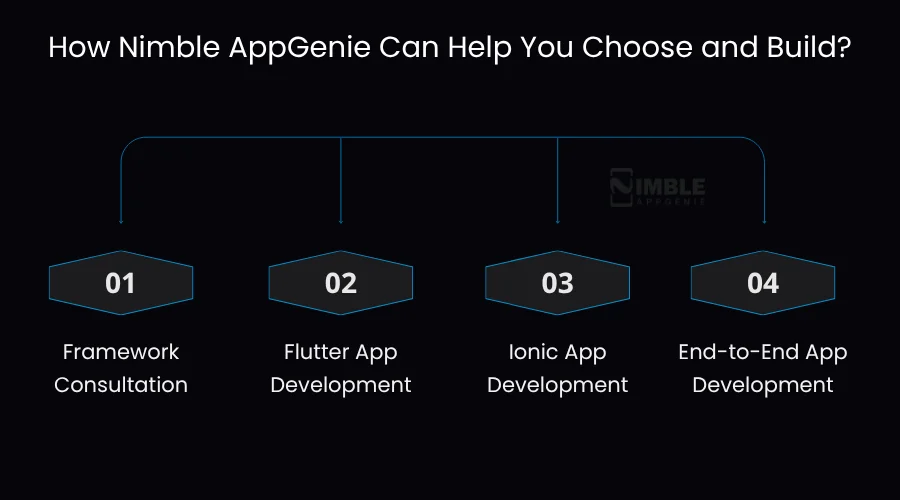
1. Framework Consultation
Not sure which to choose? Our team of mobile app developers will discuss your product vision and offer you a clear recommendation, without pushing you toward a framework in-trend.
2. Flutter App Development
If your top priorities are design fidelity and performance, our Flutter developers create apps that are aesthetic, scalable, and fast. From UI design to app store submission, we manage each step.
3. Ionic App Development
If you want to use your existing web assets, to move fast, or build an Ionic PWA that also runs as a mobile app, our Ionic developers deliver it efficiently and cost-effectively
4. End-to-End App Development
From app idea to launch, wireframing, design, development, testing, and deployment, we handle the complete cycle so you can stay focused on your business.
Conclusion
Ionic vs Flutter, well, no comparison alone can help you choose the perfect framework. You have to pick the right one suited to your situation.
If you want ultimate performance, an appealing UI that looks the same on different devices, and custom animations – Flutter is your answer. It’s Google-supported, fast-growing, and created for the long term.
What’s important is to make a deliberate choice based on your real needs – not just following what’s in demand.
At Nimble AppGenie, we have helped various businesses make decisions confidently, and we have delivered the apps that prove this. If you are still confused, reach out. A short conversation with our specialists can save you months of second-guessing.
FAQs

Madan is the Backend Solutions Architect at Nimble AppGenie, specializing in the design of secure, high-concurrency systems that power complex mobile ecosystems. With deep expertise in server-side logic and database management, he ensures every platform is built with enterprise-grade security. In his free time, he is an avid researcher of emerging technologies; he spends his time deconstructing the latest backend frameworks and reading technical papers to ensure our solutions remain at the absolute forefront of industry innovation.
Table of Contents




No Comments
Comments are closed.