

 Free Consultation
 PCI-DSS Compliant
 GDPR Ready
 ISO 27001
 NDA Protected
 AI Services
 AI App Development
 Generative AI Development
 AI Chatbot Development
 AI Integration Services
 AI Consulting Services
 AI For Fintech
 AI Financial Assistant Solution
 AI Insurance Agent Development
 Tech Stack
 OpenAI / GPT-4
 Claude / Anthropic
 Gemini / Google AI
 Llama / Open Source
 LangChain / LlamaIndex
 Pinecone / Pgvector
 AWS / Azure AI


 Fintech Solution
 Core Fintech
 App Development
 Neobank Solutions
 eWallet Solutions
 Lending Software
 Banking Solutions
 BNPL Solutions
 BNPL Solutions
 Insurance App
 Wealth Management
 Crypto & DeFi
 Blockchain Development
  Payroll Software
 DeFi Solutions
 Crypto Wallet
 Crypto On/Off Ramp
 Crypto Exchange
 Trading Platform
 Payments
 Compliance
 Regulations & Compliance
 Fraud Detection
 Lending Ecosystem
 P2P Lending Platform
 Mortgage Software
 Engagement
 Fintech Outsourcing

 Mobile Development
 Mobile App Dev
 iOS App Development
 Android App Development
 React Native
 Flutter Development
 Web Solution
 Node.js Development
 React.js Development
 Angular Development
 App Services
 UI/UX Design
 App Maintenance
 By Stage
 MVP Development
 Industry Solutions
 Healthcare App Dev
 Education App Dev
 Travel App Dev
 Real Estate App Dev
 Logistics Software
 Social Media App

 Hire Mobile Developers
 Hire iPhone Developers
 Hire Android Developers
 Hire React Native Devs
 Hire Flutter Developers
 Hire Web Developers
 Hire Node.js Developers
 Hire Angular Developers
 Hire PHP Developers
 Hire Laravel Developers
 How It Works
 Pre-Vetted Developers
 Ready In 48 Hours
 NDA From Day One
 Replace Guarantee
 Company
 About Us
 Our Work Process
 Portfolio
 Case Studies
 Blog / Insights
 Careers
 Contact Us
 Awards
 Recognition


 Offices


If you have ever tried developing a mobile application for both Android and iOS separately, you already know how challenging it can be. Twice the coding, twice the testing, twice the maintenance, and let’s not even start on the cost and time required.
That’s exactly why businesses, startups, and developers are turning towards hybrid mobile app development frameworks. Instead of building and maintaining two separate apps, hybrid development allows you to build once, deploy everywhere, and maintain a single codebase.
It’s no surprise that companies like Facebook, BMW, Pinterest, Alibaba, and Microsoft already rely on hybrid development to scale efficiently. But here comes the real challenge:
There are too many choices like Flutter, React Native, Ionic, Xamarin, and more.
So the big question is:
Which hybrid mobile app development framework is right for your project?
Well, this guide is what it’s all for. We will discuss the 10 best frameworks for hybrid mobile app development along with their pros, cons, features, and of course, compare them all that help you make the right choice.
So, let’s begin!
Why is Hybrid App Development Popular?
Hybrid app development used to be considered less powerful than native. But technology has changed massively. Today’s hybrid apps are:
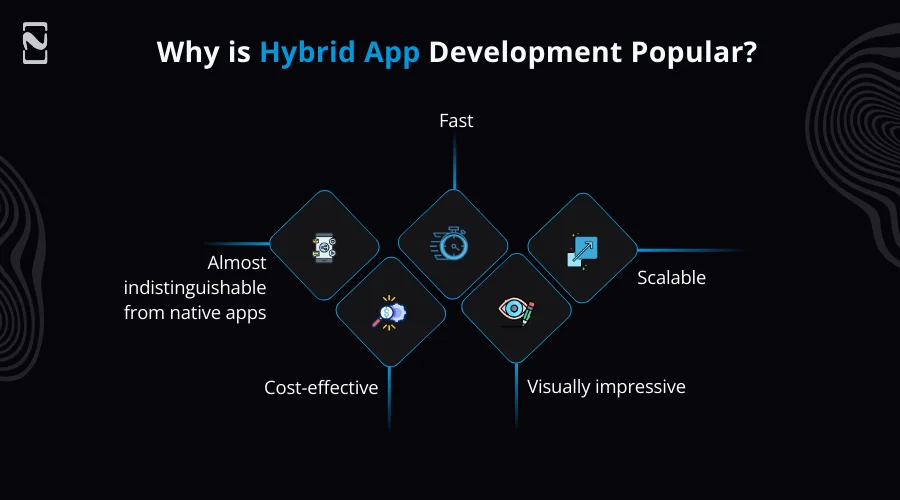
- Fast
- Scalable
- Visually impressive
- Cost-effective
- Almost indistinguishable from native apps
And most importantly, they help hybrid app development teams launch faster, reduce development effort, and save your budget.
One of the biggest advantages is speed. Today’s hybrid apps can access device features, work seamlessly with backend services, and feel almost identical to native applications from a user’s perspective.
For many businesses, this blend of efficiency, quality, and affordability makes hybrid development an appealing choice. If you aim to launch faster, hybrid app development provides a practical and future-friendly approach.
How to Choose the Right Hybrid Frameworks for Mobile Apps?
Choosing the right framework is critical if you want your mobile app to run smoothly on both iOS and Android. Hybrid frameworks save time and cost, but selection depends on several factors. But choosing the right one relies on a few parameters. Let’s check them out.
- First of all, you have to think about your app’s complexity and performance requirements. If your mobile application requires simple animation and fast performance, then Flutter vs React Native is a competition. Choose one!
- Now, check the community support and resources. A popular framework has more tutorials, plugins, and solutions for common issues. This can speed up development.
- Additionally, you should consider native feature integration. Some frameworks can handle camera access, GPS, push notification, and other hardware features better than others.
- The next factor is scalability. Your mobile app should be updated easily and expanded without rewriting everything.
- Lastly, do not forget to evaluate the mobile app development team’s skills. When you choose the right framework your developers are familiar with, it will reduce errors and increase the development process.
Top 10 Frameworks for Hybrid Mobile App Development
Good news! We’ve already done the hard work for you. We’ve put together a list of the top 10 frameworks for hybrid mobile app development.
The best thing about them is that they’re all open-source, completely free, and work for both iOS and Android. So, let’s have a look at them.

1] React Native
Backed by: Meta
Language used: JavaScript + React
React native is one of the most famous frameworks for hybrid mobile app development. It is well-known for assisting developers to build fast, responsive, and native-like apps with familiar web-based technologies.
Additionally, it is widely adopted by startups and global enterprises because it provides a great balance between performance, flexibility, and development speed. React native powers apps like Facebook, Instagram, Walmart, and Skype that prove its capability at scale.
If you are looking to build a mobile app quickly without sacrificing quality, React Native for mobile app development becomes an ideal option. Its reusable components and strong community support make it easier to add new features and keep apps running smoothly on both platforms.
Best Features:
- Hot reloading support for real-time UI or logic changes
- Reusable UI components and strong modular architecture
- Extensive third-party libraries and plugin ecosystem
- Ability to integrate native Swift, Java, or Kotlin where needed
Ideal Use Cases:
React native is best suited for cross-platform apps that require strong performance, smooth transitions, real-time data interactions, and a modern UI. For example, social media platforms, chat apps, e-commerce apps, and on-demand services.
Pros and Cons:
| Pros | Cons |
| Huge community support and long-term reliability | Not fully native, may require native modules for complex features |
| Faster development cycle thanks to reusable logic and UI blocks | Performance can lag for heavy animations or large apps |
| Faster development and reduced cost | Third-party libraries may be outdated or unreliable |
| Near-native performance for most use cases | Debugging can be more complicated than native |
| Large ecosystem of libraries and plugins | App size may be larger compared to pure native apps |
2] Flutter
Backed by: Google
Language used: Dart
Flutter is considered one of the best hybrid development frameworks for building visually stunning applications with a picture-perfect custom user interface. Since it uses its own Skia rendering engine, Flutter apps look and feel completely consistent on every operating system.
It is something very few frameworks can guarantee. It is used by companies like Google, BMW, Alibaba, Toyota, Groupon, etc. This makes a strong choice for both startups and large-scale enterprise projects.
For businesses wanting the best results, working with professional Flutter app development companies can help create mobile apps that are visually appealing, fast, and fully functional.
Best Features:
- Smooth animations with consistent 60-120 frames per second performance
- Uses a widget-based design approach for full customizations
- Can build apps for Android, iOS, web, desktop, and embedded systems
- Strong official support, regular updates, and a rapidly growing developer ecosystem
Ideal Use Cases:
Flutter is best for apps that require a visually polished frontend, like e-commerce apps, financial dashboards, educational apps, AI-integrated apps, and mobile games. Its ability to deliver native like speed makes it suitable for performance-intensive apps.
Pros and Cons:
| Pros | Cons |
| Fast performance thanks to its own rendering engine | App size is usually larger compared to native apps |
| Single codebase for Android, iOS, web, and desktop | A limited number of third-party libraries compared to react native |
| Consistent UI across platforms with customizable widgets | Learning curve for Dart if you’re new to it |
| Strong support from Google and an active community | Not ideal for apps requiring many platform-specific features |
| Great for building visually rich, animated apps | iOS release and updates lag behind native |
3] Ionic
Language used: HTML, CSS, JavaScript
Works with: Angular, React, or Vue
Ionic is one of the ideal frameworks for developers who come from a web background. It allows dedicated development teams to build mobile apps using familiar web technologies and ship them across Android, iOS, and even browsers as a Progressive Web app.
Ionic apps run inside a webview but still support native device features through capacitor plugins. Brands like Sworkit, MarketWatch, Paceline, Diesel, and McDonald’s have successfully implemented Ionic in production environments.
Best Features:
- Uses standard web technologies like HTML, CSS, and JavaScript
- Cross-platform support for Android, iOS, and web
- Prebuilt UI components for faster development
- Capacitor for accessing native device features
Ideal Use Cases:
It is ideal for apps that need fast development, moderate UI complexity, and compatibility across platforms. Common use cases are internal business tools, fitness apps, customer service apps, and marketplace-style apps.
Pros and Cons:
| Pros | Cons |
| Single codebase for Android, iOS, and web | Performance may not match native or Flutter for complex apps |
| Built with familiar web technologies (HTML, CSS, JavaScript) | Heavy reliance on WebView can slow animations or large apps |
| Easy to learn and great for web developers | Requires plugins for accessing many native device features |
| Fast development with prebuilt UI components | UI may feel less “native” compared to other frameworks |
| Strong community and plugin ecosystem | Can face compatibility issues with some native plugins |
4] Xamarin
Backed by: Microsoft
Language used: C# with .NET Framework
If you are looking for a prominent hybrid app development framework, then Xamarin is the one. It is a powerful and mature framework tailored for enterprise-level solutions.
Since it integrates deeply with Microsoft’s development ecosystem, it is especially popular among corporate teams using Azure, Visual Studio, and an Enterprise CI and CD pipeline.
It allows developers to share up to 90% of their code across platforms, which dramatically reduces development time. Some well-known apps developed with Xamarin include UPS Mobile, Alaska Airlines, The World Bank, and Insightly CRM.
Best Features:
- Uses .NET and C# for cross-platform development
- Forms for building shared UI
- Native API access for platform-specific features
- Built-in testing tools like Xamarin Test Cloud
- Strong integration with Azure and enterprise tools
Ideal Use Cases:
Best suited for fintech apps, enterprise software, healthcare apps, secure internal applications, and SaaS products.
Pros and Cons:
| Pros | Cons |
| Single codebase for Android and iOS using C# |
UI development can be time-consuming |
| Strong performance close to native | App size is larger compared to native apps |
| Backed by Microsoft with long-term support | Limited community and fewer third-party libraries |
| Seamless integration with Visual Studio | Slower updates for new OS features |
| Good for enterprise-level applications | Not ideal for highly custom or graphics-heavy apps |
5] NativeScript
Language used: JavaScript, TypeScript, Angular, or Vue
NativeScript stands out because it gives developers direct access to native APIs without requiring separate bridging modules. It is an open-source mobile app development framework for developing cross-platform mobile apps.
This means developers can access features like sensors, biometrics, notifications, and background processes much more efficiently compared to some other hybrid frameworks.
Mobile apps like Daily Nanny, Strudel, and ConnectLingo demonstrate the framework’s flexibility and performance capabilities across complex features.
Best Features:
- Direct access to all iOS and Android native APIs without writing native code
- Ability to use JavaScript, TypeScript, Angular, Vue, or React to build native apps
- Native UI rendering using actual platform UI components
- XML-based UI layout system with CSS-like styling rules
- Cross-platform modules for camera, geolocation, file system, etc.
Ideal Use Cases:
NativeScript is ideal for developers who want the flexibility of hybrid development without sacrificing native performance. This makes it suitable for e-commerce platforms, travel apps, IoT apps, and complex business systems.
Pros and Cons:
| Pros | Cons |
| Native performance | Smaller ecosystem than competitors |
| Direct access to native APIs | Community-driven maintenance |
| Code sharing across platforms | Slower plugin updates |
| Native UI rendering | Occasional documentation gaps |
| Hot module replacement | The UI building can feel manual |
6] Apache Cordova
Language used: HTML, CSS, JavaScript
Architecture: WebView-based application runtime
Formerly called PhoneGap, Apache Cordova is one of the earliest and well-known hybrid mobile app development frameworks. It gives developers the ability to build mobile apps using web technologies long before hybrid development became mainstream.
While newer frameworks offer better performance and flexibility, Apache Cordova is still popular for building simple content-driven mobile applications and proof-of-concept projects.
Mobile apps created with Cordova include TripCase, SnowBuddy, and FanReact, and many internal corporate tools still depend on it today.
Best Features:
- Hybrid mobile app development using standard web technologies
- WebView-based rendering for Android and iOS
- Cordova CLI for building, emulating, and deploying apps
- Plugin architecture for accessing native APIs
- Support for custom native plugins
Ideal Use Cases:
It is best for lightweight applications, prototypes, education tools, or business apps where speed of development matters more than highly advanced UI and automation.
Pros and Cons:
| Pros | Cons |
| Uses HTML, CSS, JavaScript | Relies on WebView for UI |
| Large plugin ecosystem | Performance is slower than true native frameworks |
| Easy learning curve for web developers | Plugin maintenance can be inconsistent |
| Cross-platform codebase | Limited access to advanced native features without custom plugins |
| Simple build and deployment workflow | UI is not fully native in look and feel |
7] Framework7
Primary stack: JavaScript
Compatible with: Vue.js, React, and Svelte
Framework7 is an excellent framework for developing hybrid mobile apps. It is known for its native iOS-like UI design, making it a great choice for developers who want to develop a mobile app that looks and feels like iPhone applications, even on Android.
Additionally, it supports Material Design, which gives mobile app developers the flexibility to target both styles depending on audience and brand identity.
It has been used in mobile applications like Wappler, Blokt, and Kidoju, particularly for projects prioritising interface consistency and design-focused interactions.
Best Features:
- Beautifully built UI components
- Works best with modern JavaScript frameworks
- Can develop both traditional mobile apps and PWAs
Ideal Use Cases:
Framework7 is suitable for UI-first projects like lifestyle apps, finance tracking apps, healthcare apps, or content platforms where polished design and user experience matter most.
Pros and Cons:
| Pros | Cons |
| Uses familiar web technologies (HTML, CSS, JavaScript) | Still WebView-based—performance not equal to true native |
| Fast and responsive UI components | App size can be larger due to WebView overhead |
| Rich prebuilt UI widgets resembling native iOS/Android design | Requires manual optimization for performance-heavy tasks |
| Easy to integrate with Cordova/Capacitor for mobile builds | Customizable CSS variables for theming |
| Works well for both mobile apps and web apps | UI consistency may require extra effort across frameworks |
8] Onsen UI
Built for: Hybrid and Progressive web apps
Works with: Vue, Angular, React, and Vanilla JS
OnsenUI is another strong option for developers who prefer simplicity and ease of use. Its main strength lies in its robust collection of mobile app design UI components optimized for mobile responsiveness. This makes mobile app development faster and smoother.
Mobile apps developed using Onsen UI often resemble native apps without requiring extensive style customizations. Companies like FortuneCity and Playbook used Onsen UI to create reliable mobile-first solutions.
Best Features:
- Powerful ons-navigator and ons-tabbar components
- Built-in animations and native-like transitions
- Gesture support like swipe, pull-to-refresh, and side menu
- Easy integration with Cordova and Capacitor for native APIs
- Theming and custom styling via CSS and platform-conditional classes
Ideal Use Cases:
Onsen UI is best suited for mobile apps that require rapid front-end development with predictable UI elements. For example, informational apps, productivity tools, or lightweight retail and ordering apps.
Pros and Cons:
| Pros | Cons |
| Works with Angular, React, Vue, and Vanilla JS | WebView-based performance is not equal to native frameworks |
| Simple learning curve and easy onboarding | Smaller ecosystem and community compared to Ionic or Framework |
| Lightweight and optimized for hybrid apps | Fewer prebuilt components than some competitors |
| Strong documentation and clear component structure | Some advanced native functionality requires extra Cordova or Capacitor plugins |
| Works well with Cordova and Capacitor for mobile builds | UI customization can require additional CSS for complex layouts |
9] Sencha Ext JS
Target audience: Enterprise and data-heavy applications
Language used: JavaScript
Sencha Ext JS is among the favorite frameworks for hybrid mobile app development that is designed for enterprise-grade applications that require complex interfaces, dashboards, tables, analytics, and data visualisations.
Its strength lies in offering a single toolkit packed with powerful UI elements. It uses JavaScript as the best programming language. For example, grids, charts, lists, menus, and drag-and-drop components. All optimized for business use cases.
Sencha Ext JS is used by organisations like American Airlines, NVIDIA, Cisco, and Microsoft for internal platforms and operations software.
Best Features:
- Built-in charting package with multiple chart types
- Support for desktop, tablet, and mobile UIs
- Theming system with Sencha Themer for custom branding
- Built-in routing and navigation management
- Drag-and-drop support across many components
Ideal Use Cases:
Sencha Ext JS is perfect for ERP systems, CRM dashboards, analytics tools, logistics apps, and enterprise mobility solutions where functionality outweighs flashy designs.
Pros and Cons:
| Pros | Cons |
| Enterprise-grade framework with strong stability | Expensive commercial licensing |
| Huge set of ready-made UI components | Steeper learning curve compared to modern JS frameworks |
| Highly consistent and polished design system | Heavy framework size; can feel slower on low-end devices |
| Powerful data package with stores, models, proxies | Less community activity relative to open-source competitors |
| Built-in MVC/MVVM architecture | Tightly coupled architecture reduces flexibility |
However, if you are confused between native and hybrid app development, you can read the detailed guide comparing native apps vs hybrid apps.
10] Quasar Framework
Primary Stack: VueJS
Deployment Target: Mobile, Web. Desktop and SPA.
Quasar Framework is a powerful and versatile cross-platform framework. It allows developers to build mobile applications using the VueJS ecosystem with the ability to export to multiple platforms using the same code.
Quasar is especially appealing for teams familiar with Vue.js because it greatly reduces development time and offers consistency on devices and platforms. It is popular among developers building SaaS platforms, admin dashboards, and progressive web apps.
Quasar is gaining traction in the modern tech stack because of its flexible architecture and large UI component library.
Best Features:
- CSS helper classes for spacing, alignment, typography, and visibility
- Integrated animations and transitions
- App Extension system for community add-ons
- Capacitor and Cordova integration for mobile apps
- Electron integration for native desktop apps
- Pre-built templates and project generators
Ideal Use Cases:
It is perfect for startups, SaaS tools, enterprise dashboards, and hybrid apps that require a single system serving mobile and desktop users.
Pros and Cons:
| Pros | Cons |
| Large, polished set of high-quality UI components | Can feel heavy for simple projects
|
| Excellent documentation and active community | Requires understanding multiple build targets |
| Consistent Material Design and iOS themes | Some features need configuration knowledge |
| Built-in CLI with powerful tooling | Smaller ecosystem than React-based alternatives |
| Fast development with hot reload and dev servers | Learning curve for the full Quasar build system |
Comparison Table of Hybrid App Development Frameworks
Now that you have completely understood the best hybrid app development frameworks in detail, let’s summarize them in a concise table for a quick comparison.
| Frameworks | Languages | Idea For | Highlights |
| React Native | JavaScript or TypeScript | High-performance mobile apps | Near-native performance, huge ecosystem, reusable components |
| Flutter | Dart | Beautiful, high-performance cross-platform apps | Fast UI rendering, rich widgets, supports mobile, web, and desktop |
| Ionic | Javascript or typescript | Web developers developing mobile apps | Web-first, large UI library, uses Capacitor |
| Xamarin | C# | Enterprise-level apps, Microsoft stack | Native APs, code sharing, backed by Microsoft |
| NativeScript | JavaScript or TypeScript | Apps needing native access | Direct native API access, true native UI |
| Apache Cordova | JavaScript, HTML, CSS | Simple apps or converting web apps to mobile | WebView-based, wide plugin support |
| Framework7 | JavaScript + HTML or CSS | Web developers wanting a native-like UI | Excellent iOS or Material UI, works with Capacitor |
| Onsen UI | JavaScript, Angular, React, or Vue | Beginners and fast prototyping | Easy-to-use UI components, simple setup |
| Sencha Ext JS | JavaScript | Enterprise UI-heavy applications | Strong enterprise components, MVC/MVVM structure |
| Quasar Framework | Vue.js | Multi-platform apps from one codebase | Build for mobile, web, and desktop using the Vue framework |

Conclusion
If you have reached this far, one thing is probably clear that there’s no single “perfect” framework for hybrid mobile app development. Each framework has its own strengths, learning curve, and personality. It is almost like choosing a travel companion.
Some are fast and flexible, some are stable and reliable, and others are experimental and exciting. So, there is no one-size-fits-all answer. The best hybrid app development framework is the one that aligns with your technical skills and app requirements and growth plans.
So, if you are still unsure or need assistance in evaluating the right choice for your app, consulting with an experienced cross-platform app development company like Nimble AppGenie can help you evaluate every angle and make the right technical decision.
FAQs

Niketan Sharma, CTO, Nimble AppGenie, is a tech enthusiast with more than a decade of experience in delivering high-value solutions that allow a brand to penetrate the market easily. With a strong hold on mobile app development, he is actively working to help businesses identify the potential of digital transformation by sharing insightful statistics, guides & blogs.
Table of Contents




No Comments
Comments are closed.