

 Free Consultation
 PCI-DSS Compliant
 GDPR Ready
 ISO 27001
 NDA Protected
 AI Services
 AI App Development
 Generative AI Development
 AI Chatbot Development
 AI Integration Services
 AI Consulting Services
 AI For Fintech
 AI Financial Assistant Solution
 AI Insurance Agent Development
 Tech Stack
 OpenAI / GPT-4
 Claude / Anthropic
 Gemini / Google AI
 Llama / Open Source
 LangChain / LlamaIndex
 Pinecone / Pgvector
 AWS / Azure AI


 Fintech Solution
 Core Fintech
 App Development
 Neobank Solutions
 eWallet Solutions
 Lending Software
 Banking Solutions
 BNPL Solutions
 BNPL Solutions
 Insurance App
 Wealth Management
 Crypto & DeFi
 Blockchain Development
  Payroll Software
 DeFi Solutions
 Crypto Wallet
 Crypto On/Off Ramp
 Crypto Exchange
 Trading Platform
 Payments
 Compliance
 Regulations & Compliance
 Fraud Detection
 Lending Ecosystem
 P2P Lending Platform
 Mortgage Software
 Engagement
 Fintech Outsourcing

 Mobile Development
 Mobile App Dev
 iOS App Development
 Android App Development
 React Native
 Flutter Development
 Web Solution
 Node.js Development
 React.js Development
 Angular Development
 App Services
 UI/UX Design
 App Maintenance
 By Stage
 MVP Development
 Industry Solutions
 Healthcare App Dev
 Education App Dev
 Travel App Dev
 Real Estate App Dev
 Logistics Software
 Social Media App

 Hire Mobile Developers
 Hire iPhone Developers
 Hire Android Developers
 Hire React Native Devs
 Hire Flutter Developers
 Hire Web Developers
 Hire Node.js Developers
 Hire Angular Developers
 Hire PHP Developers
 Hire Laravel Developers
 How It Works
 Pre-Vetted Developers
 Ready In 48 Hours
 NDA From Day One
 Replace Guarantee
 Company
 About Us
 Our Work Process
 Portfolio
 Case Studies
 Blog / Insights
 Careers
 Contact Us
 Awards
 Recognition


 Offices



TL:DR
- Flutter vs Swift comes down to one main choice: Flutter is better if you want one app for iOS and Android, while Swift is better if you only care about iOS.
- In terms of performance, Swift is slightly faster because it runs directly on Apple devices, but Flutter still works smoothly for most normal mobile applications.
- Flutter helps you build mobile apps faster since you write code once and use it everywhere, while Swift takes more time because everything is built only for iOS.
- When it comes to cost, Flutter is usually cheaper for businesses because one team can handle multiple platforms, while Swift can increase the mobile app development cost if you also need Android.
- For UI and design, Flutter gives more freedom to create custom designs, but Swift gives a more natural iOS look without extra effort.
- If your iOS mobile app needs deep Apple features like AR, Apple Pay, or strong security, Swift is a better choice over Flutter.
- If you are still deciding between Flutter and Swift for iOS, choose Flutter for speed and multi-platform apps, and choose Swift for high performance and a complete iOS-focused experience.
Choosing the right technology is the first step in creating a successful iOS mobile app. Flutter vs Swift is a common debate because both have their own strengths.
Swift is Apple’s official language, built to work perfectly on iPhones, iPads, and offer fast performance and a smooth user experience. Flutter, created by Google, allows developers to build apps for both iOS and Android with a single codebase, saving time and cost.
But which one should you choose for your project? It is a huge challenge to find out. To assist you with this, we will break down the difference between Flutter and Swift.
We will also compare both frameworks’ crucial features, performance, ease of development, and pros and cons, and help you decide which one fits your iOS mobile app needs best.
So, let’s begin!
What is Swift?
Swift is Apple’s programming language. It is used to build iOS apps for all Apple devices. It is faster, safer, and more readable, even if you are not an expert developer. Swift code does not look like alien text.
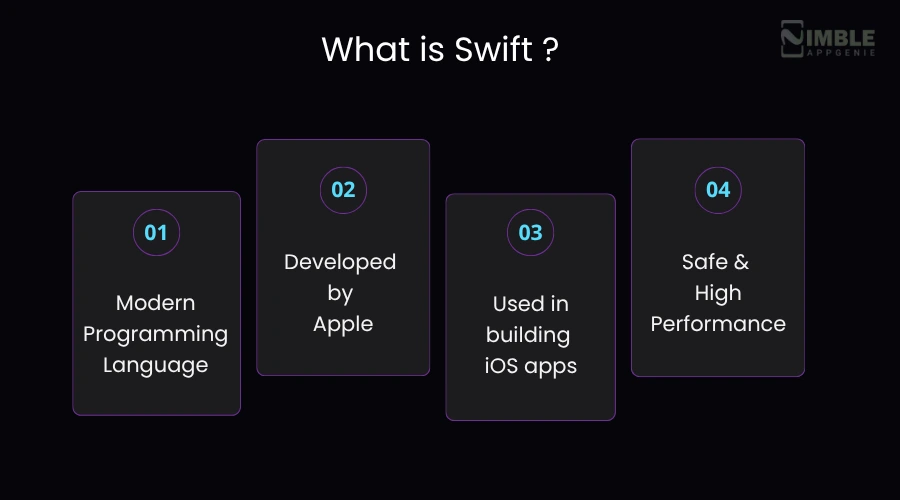
Here is what makes Swift different from most programming languages:
- It catches errors before your app runs. So, instead of shipping a buggy app and finding out from your users, Swift flags the error during development. This saves a lot of time.
- It handles memory automatically through ARC, which means automatic reference counting. You do not have to tell the app what to keep or throw out manually; Swift handles it. It means very few app crashes and a seamless user experience.
- Swift is not just fast to run. It is also fast to write. The syntax is really clean and close to plain. You spend less time figuring out the frameworks and more time on app development.
The catch? Swift only works within Apple’s world. You cannot use it to build an Android app or a web app. If iOS is your only target, that’s not a problem. But if you want to build for multiple platforms, Swift alone would not get you there.
What is Flutter?
Flutter is Google’s open-source framework for creating mobile apps. The best thing about Flutter is writing code once, and it will run on Android, iOS, web, and desktop. It is one of the most popular cross-platform frameworks in the world.
Additionally, Flutter uses Dart, which looks very similar to JavaScript or Java. So, if you have worked with either of those frameworks, choosing Dart does not take long.
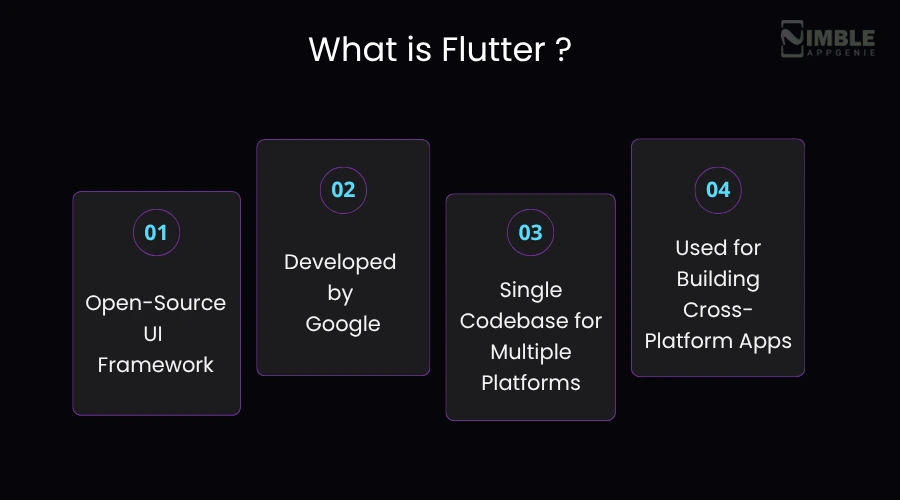
What makes Flutter genuinely different from other cross-platform frameworks?
- Most frameworks borrow native UI components of whatever platform they are running on. But Flutter does not do that. It brings its own rendering engine and draws every single pixel itself. That’s why Flutter applications look and feel consistent on iPhone and Android.
- This also means Flutter does not require a bridge to talk to the device. Less translation, less overhead, faster performance. Also, the Flutter app development cost is less due to a single codebase for different platforms.
- For developers, Hot Reload is the feature that saves time. They make a change in the code, hit save, and they see it live in the app within a second. No restarting, no rebuilding from scratch. This speeds up development.
The trade-off? Flutter mobile applications are quite heavy in size due to the rendering engine. If you require very deep, hardware-level access to iOS features, you will get frustrated. But for most apps, if you are targeting both iOS and Android, Flutter is the best choice.
Flutter vs Swift: Quick Comparison Table
If you are trying to decide between Flutter and Swift, the main difference is simple. Flutter allows you to build mobile apps for multiple platforms with one codebase, while Swift is made only for iOS and gives a more native experience.
The table below of Flutter vs Swift will help you quickly see how they compare and which one might suit your needs better.
| Aspect | Flutter | Swift |
| What it is | A toolkit by Google used to build apps for both iOS and Android with one codebase | A programming language made by Apple just for iOS, macOS, and other Apple devices |
| Platform support | Works on multiple platforms like iOS, Android, web, and desktop | Only works inside the Apple ecosystem |
| Development approach | Write once and use it everywhere | Build separately for iOS |
| Performance | Fast for most apps, but not as close to the device as native code | Very fast since it runs directly on Apple devices |
| UI design | Uses its own widgets, so you can design the same look across platforms | Uses native UI elements, so apps feel truly “iOS-like.” |
| Learning curve | Easy to start, especially for beginners | Slightly harder, especially if you’re new to iOS development |
| Development speed | Faster because of one codebase and ready-made components | Slower since everything is built specifically for iOS |
| Cost | Usually lower because one team can build for multiple platforms | Higher, since you may need separate teams for iOS and Android |
| Community | Growing fast with strong support from Google | Very strong and stable, backed by Apple for years |
| Third-party support | Good, but sometimes you need extra work for native features | Excellent, with direct access to Apple’s tools and features |
| Best for | Startups, MVPs, and apps that need to launch on multiple platforms quickly | High-performance iOS apps or apps deeply connected to Apple features |
| Limitations | May need extra effort for advanced native features | Not useful if you also want an Android app |
Head-to-Head: In-Depth Comparison Between Swift & Flutter
Now that you have got an idea about Flutter and Swift frameworks. It is vital to deeply know the difference between both for a better understanding, and it helps you choose the right one to develop an iOS app. Take a look at the in-depth comparison below.
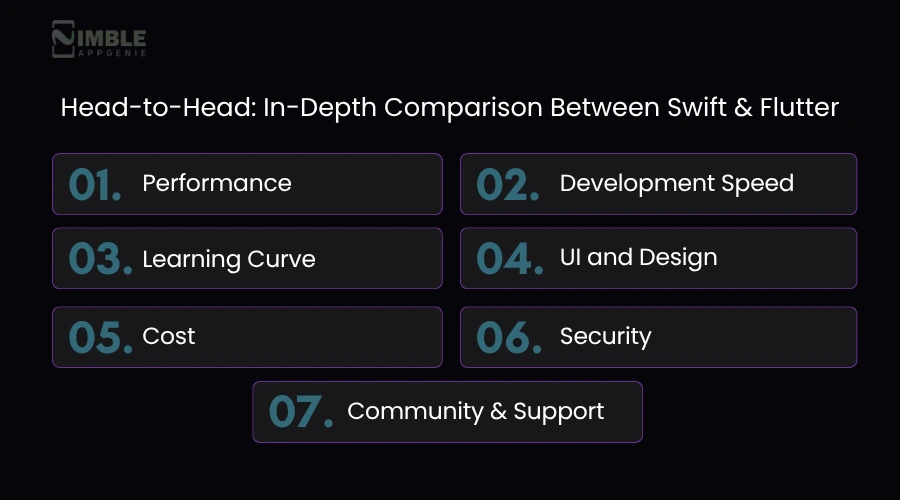
1. Performance
Swift wins here, but not by as much as you would think.
- Since Swift is Apple’s own language, it runs directly on the device without any extra layers or background translation. That is why it works really well for mobile app performance optimization. If you are creating something like a graphics-heavy game or managing real-time data, this direct connection makes a clear difference.
- Flutter is close enough. It compiles to native code too, and because it has its own rendering engine, it does not need a bridge to display UI. In most everyday tests, scrolling, animations, load times, Flutter, and Swift perform similarly. The gap only becomes obvious in really resource-intensive scenarios.
So if you are developing a standard app, you would not feel the difference. If you are building something that pushes the device hard, Swift has the edge.
2. Development Speed
Flutter wins in development speed.
- Hot Reload alone changes the development speed. You are not rebuilding the whole app every time you tweak a button color or adjust a layout. Changes show up live. For startups or anyone trying to move fast, that is a big deal.
- Flutter gives you pre-built widgets for almost everything. You are not designing from scratch. You pick what you need, customize it, and move on.
Swift development is solid, but it is quite slower by comparison. You are working within Xcode, which is powerful but heavy. And if you are building for both iOS and Android, you are doubling the work.
3. Learning Curve
This depends on where you are coming from.
- If you already know Java, JavaScript, or Kotlin, Flutter’s Dart language will feel familiar within a few days. The documentation is clear, the community is active, and there are tutorials for almost every use case. It helps you build iOS mobile apps faster, but in some cases, you may still need to fix iOS compatibility issues.
- Swift is approachable, too, and Apple has put real effort into making it beginner-friendly. But the challenge isn’t the language itself; it’s the ecosystem. Xcode, Interface Builder, Apple’s frameworks, there’s a lot to learn beyond just writing Swift code. Developers coming from outside Apple’s world often find that adjustment harder than expected.
4. UI and Design
This is where personal preference comes in.
- Flutter provides you with full control over every pixel. You can build almost any user interface you think of, and it will look the same on every device, be it Android or iOS. The widget library is rich and highly customizable.
- Swift through SwiftUI provides you with Apple’s native components. Buttons, navigation, animations, and layout all feel exactly like every other iOS app. If managing Apple’s design language perfectly matters to you, Swift does that out of the box in a way Flutter has to work a little harder to replicate.
5. Cost
Did you know that Flutter and Swift are both free and open source frameworks? So the iOS app development cost difference is not about licensing, it is about people and time.
- If you are developing an app only for iOS, then the cost difference between Flutter and Swift is very minimal. The development timelines are roughly similar, and developer rates are in the same ballpark.
- But if you need iOS and Android, Swift means two separate teams, two codebases, and twice the maintenance. Flutter means one team, one codebase. The savings there are real for smaller companies.
6. Security
Swift wins here.
- Apple’s security ecosystem, Keychain, biometric authentication, App Transport Security, and sandboxing are all built in and tightly integrated with Swift. For banking apps, healthcare applications, and anything managing sensitive information, that level of native security is hard to match.
- Flutter handles security well, too, with secure storage plugins, HTTPS enforcement, and code confusion. But it is not as deeply baked in as what Swift gets through Apple’s own infrastructure.
7. Community and Support
Both have strong communities, just different in character. But if you are hiring, Swift developers are currently easier to find.
- Swift has been around longer. There are more Swift developers globally, more Stack Overflow answers, and deeper documentation built up over nearly a decade.
- Flutter’s community is newer but growing fast. Google backs it actively, the package ecosystem on pub.dev is expanding quickly, and developer enthusiasm around Flutter is genuinely high right now.
Pros and Cons: Flutter vs Swift Frameworks
Choosing the right framework between Flutter vs Swift can be quite challenging for iOS app development.
Both mobile app development frameworks have their own pros, but the right choice relies on what you require, like speed, cost, or a fully native experience. The table below shows the pros and cons of both Flutter and Swift so that you can select the best option.
Pros and Cons of Flutter Framework:
| Aspect | Pros | Cons |
| Development Speed | One codebase for iOS and Android saves time | You may need extra work for platform-specific features |
| Performance | It gives good performance for many applications. | It is slightly slower than native in heavy apps |
| UI Design | It is easy to make a custom and modern UI | UI may not always feel 100% like iOS |
| Learning Curve | It is easy for beginners to begin. | It is necessary to learn Dart |
| Cost | It has a lower cost because it needs only one team for multiple platforms. | It has hidden costs for customization or plugins. |
| Community & Support | It is growing fast with strong support. | It is still evolving in some areas. |
| Access to Features | It supports most features through plugins. | Some features need native code |
| Maintenance | It is easier to manage one codebase. | Updates can sometimes break plugins. |
Pros and Cons of Swift:
| Aspect | Pros | Cons |
| Development Speed | It is built only for iOS, so everything fits perfectly. | You need a separate app for Android that takes more time. |
| Performance | It is really fast and seamless since it is native | It gives no cross-platform support. |
| UI Design | Native UI feels natural and smooth on iPhones | It provides less flexibility compared to Flutter’s custom weights. |
| Learning Curve | It is quite easy if you already know Apple Tools. | It can feel complex for new app developers. |
| Cost | It is best for high-quality iOS apps. | It is a higher cost due to separate development. |
| Community & Support | It has strong support from Apple. | It is limited to the Apple ecosystem. |
| Access to Features | It gives full access to all iOS features. | It only works within Apple devices. |
| Maintenance | Stable and reliable updates | It needs to maintain separate codebases if cross-platform. |
When to Choose Flutter for iOS App Development?
You can select Flutter for iOS enterprise app development when:
- You already think of creating an Android app, too. Because if you build the same app twice, it will not make sense. So, Flutter helps you manage both together.
- The objective is to get something out in the market fast. Many development teams use Flutter when they do not want to spend months before seeing a working application.
- The budget is quite tight in the beginning. You should keep one codebase with a smaller team to make things easier to manage.
- The app itself is not very large. Shopping apps, booking apps, or simple platforms usually run without any errors.
- You care a lot about the app’s looks and feel. Flutter allows you to modify the design more freely instead of sticking to standard iOS layouts.
- You know the app will keep changing after launch. When fixes, updates, and new features are in one place, it becomes so much easier.
- Your team is already used to Flutter. No point switching to something new just for iOS and slowing everything down.
When to Choose Swift for iOS App Development?
You can choose Swift for iOS when:
- Your mobile app is only for iPhone or iPad. In that case, it is best to go native.
- Performance really matters. Fast, seamless, and responsive apps work better with Swift.
- You are developing something highly advanced. For instance, apps using AR, heavy animations, or deep device features are easier to manage in Swift.
- You want a proper iOS feel. The app follows Apple’s design and behavior more naturally without extra effort.
- You need full access to Apple’s ecosystem. Things like Apple Pay, HealthKit, or other native services are simpler with Swift.
- Your team already works with Swift or iOS development. Sticking with what they know avoids unnecessary delays.
- You do not want to depend on third-party plugins. With Swift, you can build many features directly without depending on external packages.
Top Companies that Chose Flutter or Swift
Many top companies choose Flutter or Swift based on what fits their mobile app needs best. Looking at their choices can help you understand how each technology works in real-world apps and which one might be right for you. Let’s take a look at the table below:
Companies that Use Flutter:
| Company | App / Use Case |
| Google Ads | Mobile app for ad campaign management |
| Alibaba | Xianyu (second-hand marketplace app) |
| BNQ | My BMW app for customer experience |
| eBay | eBay Motors (parts of the app) |
Companies that Use Swift:
| Company | App / Use Case |
| Apple | Native iOS apps (Safari, Apple Music, etc.) |
| Airbnb | iOS app development (migrated to Swift over time) |
| Uber | iOS app (partly built using Swift) |
| iOS app |
How Nimble AppGenie Helps to Build an iOS App with the Best Technology?
Nimble AppGenie begins by looking at your mobile app idea seriously. We first understand what you are actually creating and what you need in the long run. Depending on that, we help you decide whether Swift or Flutter works best, rather than just picking one.
If your mobile application requires good iOS performance or uses many Apple features, we will suggest going with Swift. But if you also want an Android version and do not want to build everything twice, we will guide you toward Flutter.
Being a leading Flutter app development company, we know where Flutter works well and where it might not be the best fit. Our developers also look beyond just launch. Things like future updates, scaling, and how easy the app will be to manage later are part of the decision.
So in the end, you are not just choosing a technology, you are choosing something that actually works for your mobile app over time. Ready to build an iOS mobile app? Book a free consultation!
Why Nimble AppGenie Stands Out?
- iOS app development with Swift for a smooth solution.
- Provide custom cross-platform app solutions.
- Create a visually appealing UI/UX design for the app.
- Through app testing to fix bugs and improve performance.
- Post-launch support and updates after the app goes live.
Conclusion
When you compare Flutter vs Swift, the right choice really depends on what kind of app you want to build. Both these frameworks are best in their own way and offer the top advantages to many startups.
Swift offers advantages like full access to all iOS features, high performance, concise and readable syntax, strong support from Apple, and high-quality iOS apps.
However, Flutter provides benefits like a single codebase for all platforms, highly customizable, hot reload, cost-effectiveness, and future-ready features. The right frameworks rely on the project objective and budget.
If you are still not sure which one to choose between Flutter and Swift, it is better to consult with an experienced app development company. They can understand your app idea and help you pick the right framework based on what you actually need.
FAQs

Madan is the Backend Solutions Architect at Nimble AppGenie, specializing in the design of secure, high-concurrency systems that power complex mobile ecosystems. With deep expertise in server-side logic and database management, he ensures every platform is built with enterprise-grade security. In his free time, he is an avid researcher of emerging technologies; he spends his time deconstructing the latest backend frameworks and reading technical papers to ensure our solutions remain at the absolute forefront of industry innovation.
Table of Contents




No Comments
Comments are closed.